
SIEM Without SOC

    Most SIEM platforms are built for security operations centers with dedicated analysts, dedicated budgets, and dedicated time. But 4.8 million cybersecurity positions sit unfilled worldwide (ISC2 2024 Cybersecurity Workforce Study). Only 14% of organizations say they have the skilled staff they need (World Economic Forum, Global Cybersecurity Outlook 2025). If your IT team handles security alongside networking, infrastructure, help desk, and compliance, traditional SIEM tools create more work than they solve. You do not need a bigger team. You need a SIEM designed for the team you have.

    The IT Team as Security Team Reality

    There are 4.8 million unfilled cybersecurity roles globally, a 19% increase from the prior year (ISC2, 2024). Two-thirds of organizations report moderate-to-critical cybersecurity skills gaps, and 35% of small organizations say their cyber resilience is inadequate, a 7x increase since 2022 (World Economic Forum, 2025).

    Those numbers describe a structural problem, not a temporary hiring cycle. Most mid-market organizations will never build a dedicated security team. The IT director, the sysadmin, or the infrastructure lead handles security as one of six responsibilities.

    You might recognize this: 

    1. You are the IT director, the security lead, and the compliance officer. There is no second person on the security team. You carry the pager.
    2. You have 15 minutes a day for security, not 15 hours. The rest goes to infrastructure, support tickets, and keeping the lights on.
    3. A vendor told you to "tune your SIEM." But you did not write the detection rules in the first place, and you do not have a query language certification.
    4. Your last SIEM evaluation died. The proof-of-concept required 3 months of your undivided attention, and you do not have 3 undivided hours.
    5. An external requirement brought you here. An auditor, an insurance underwriter, or a contract clause told you "you need a SIEM." Now you are trying to figure out how to run one.

    If three or more of those statements describe your situation, you are the person this page is written for. 


    The Compliance Trigger

    Many mid-market SIEM purchases are not driven by a security strategy. They are driven by an external requirement. A HIPAA audit finding. A CMMC contract clause. A CJIS policy update. A cyber insurance renewal questionnaire that asks "do you have continuous monitoring?" These buyers need a SIEM that satisfies the compliance requirement without becoming a second full-time job. The compliance reporting must be built into the platform, not built by the buyer.


    If a compliance requirement brought you to this page, you are not alone. The sequence is almost always the same. An auditor asks whether you have centralized log management. An insurer asks whether you perform automated threat detection. A contract renewal includes a new clause about incident response capability. You answer "no" or "partially," and now you are shopping for a SIEM on top of everything else.

    The trap is buying a platform that checks the compliance box on paper but requires three dedicated employees to actually operate. According to Netsurion (2024), running a traditional SIEM requires at least 2 FTEs, typically 3+ for 24/7 coverage, spread across SIEM administration, security analysis, and custom rule engineering. The average enterprise SIEM deployment takes 6 months (Rapid7, 2022). Those timelines and staffing requirements do not match the reality of a 2-person IT team with a 90-day audit deadline.

    What compliance frameworks actually require is monitoring, log retention, and documented incident response. They do not require a SOC. They do not require custom detection rules written in SPL or KQL. They require proof that threats are detected, investigated, and documented. A SIEM that provides pre-built detections, guided response playbooks, automated response actions, and automated compliance reporting satisfies these requirements without the staffing overhead.

    What "SIEM Without a SOC" Actually Requires

    Definition: A SIEM designed for IT teams (not SOC teams) provides automated threat detection, guided threat response, automated response actions, and compliance reporting that IT generalists can operate in minutes per day, backed by 24/7 security operations support for critical incidents. The key distinction is operational overhead: traditional SIEMs are tools you build on. IT-focused SIEMs are tools you use. A SIEM designed for IT teams needs five things traditional SIEMs do not provide:

    Pre-built detections that work without rule writing

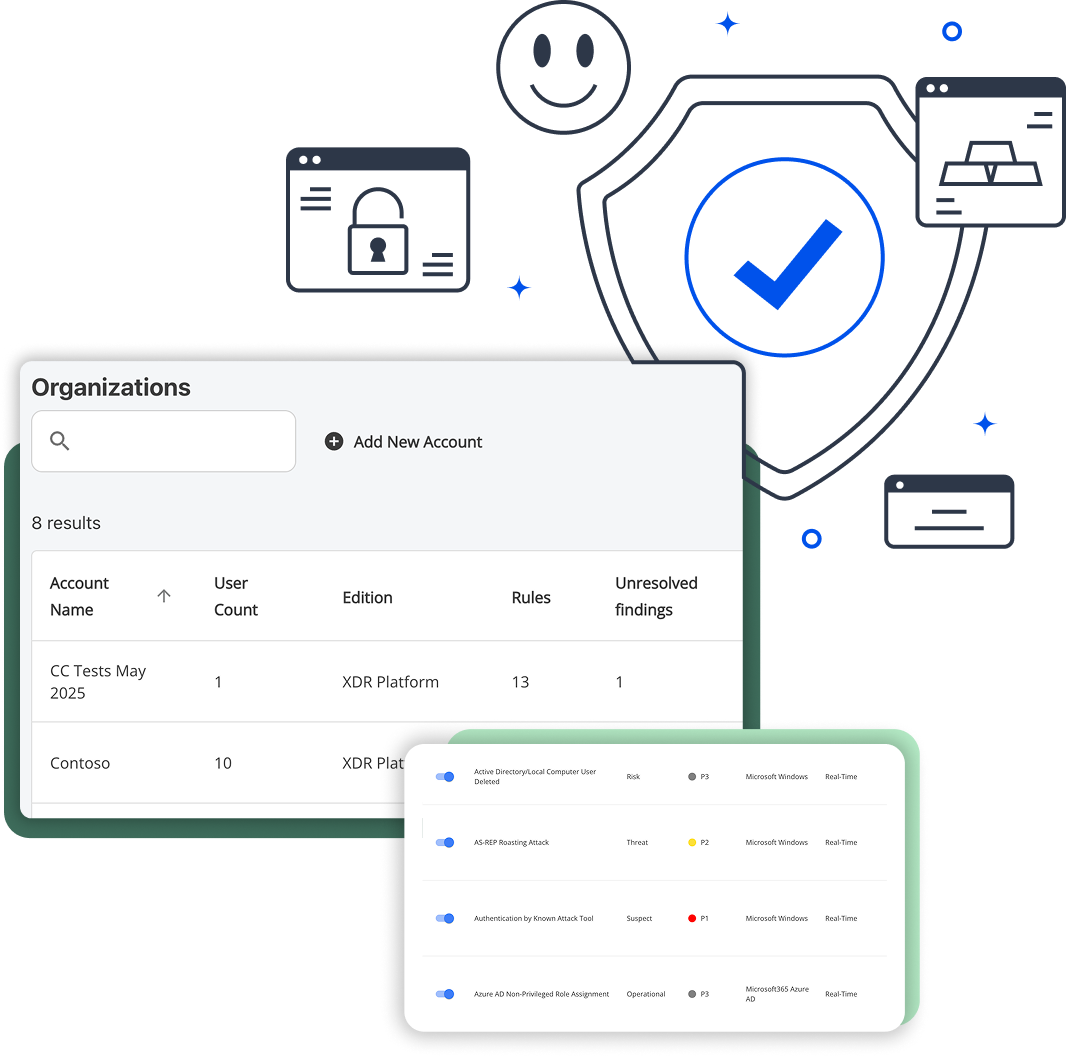
    You should not need to learn SPL, KQL, or YARA-L to get threat coverage. Detection rules should ship ready and stay current. Blumira's security engineering team manages and updates detection logic for over 130 integrations across cloud, on-prem, and identity sources. And when something critical fires, Blumira's 24/7 SecOps team is there to help your team respond. 

    Response playbooks and automated response actions that tell you what to do, not just what happened

    When an alert fires, the system should explain the threat, provide the remediation steps, and document the response. For critical threats, the system should also take automated response actions, like disabling a compromised account, without waiting for a human to intervene. An alert that says "suspicious login detected" and nothing else is useless to an IT director at 11 PM. 

    Flat-rate pricing you can budget for annually

    Per-GB pricing creates budget uncertainty that IT directors cannot absorb. One chatty firewall or a spike in authentication logs can double your monthly bill. Flat-rate, per-employee pricing means the cost is the same in January and July. 

    Deployment measured in hours, not months

    The average enterprise SIEM deployment takes 6 months (Rapid7, 2022). You cannot dedicate a quarter to SIEM setup. You need it working this week. 

    Compliance reporting built in

    You should not build HIPAA, CMMC, CJIS, or SOC 2 reports manually in a BI tool. The SIEM should generate compliance-ready documentation from the data it already collects. 

    Use this checklist when evaluating any SIEM that claims to work for small teams. If a vendor cannot deliver all five, the management burden will land on your team regardless of what the sales deck promises. 

    How Blumira Works for IT Teams

    content-image

    Step 1: Connect your environment in under an hour

    Pre-built connectors for cloud apps (Microsoft 365, Google Workspace), identity providers (Azure AD, Okta), endpoints (EDR integrations with SentinelOne, CrowdStrike), and network devices (SonicWall, Fortinet, Palo Alto). Over 130 integrations, no custom development required. Most teams connect their primary data sources in a single afternoon.

    Step 2: Detections work immediately

    No rule writing. No tuning period. No query language to learn. Blumira's security engineering team builds and maintains detection logic across all supported integrations, covering identity threat detection and response (IDTR), endpoint visibility, cloud security events, and network anomalies. When a new threat emerges, Blumira's team pushes updated detections to every customer. Your team does not need to write, test, or maintain detection rules. This three-step model is why Blumira customers report spending about 15 minutes a day on SIEM management (Blumira published data), compared to the 2-3+ FTEs required for traditional SIEM platforms (Netsurion, 2024).

    Step 3: When a threat fires, you get a playbook and automated response

    Not just an alert. A step-by-step response workflow: what happened, what to do, what command to run, and why. For critical threats, Blumira also takes automated response actions immediately, like disabling a compromised account, so containment does not wait for someone to open a laptop. Each response is documented automatically for compliance records. Your IT team follows the playbook and closes the finding. And if you need help, Blumira's 24/7 SecOps team is available for critical incidents, giving you the best of both worlds: self-service control with security operations backup when it matters most. This three-step model is why Blumira customers report spending about 15 minutes a day on SIEM management (Blumira published data), compared to the 2-3+ FTEs required for traditional SIEM platforms (Netsurion, 2024).

    What 15 Minutes a Day Looks Like

    Traditional SIEMs require 2-3 full-time employees for ongoing operation, covering rule tuning, alert triage, and 24/7 monitoring (Netsurion, 2024). A typical SOC processes an average of 3,832 alerts per day, and 59% of IT professionals receive more than 500 cloud security alerts daily (Orca Security, 2022). Cloud-native SIEMs built for IT teams reduce this to 15-30 minutes per day by pre-filtering noise, prioritizing real threats, providing guided response playbooks and automated response actions for every alert that requires action, and backing your team with 24/7 SecOps support for critical incidents.No SIEM vendor shows you the actual daily experience of managing their platform as a non-security person. Here is what it looks like. Two real scenarios: the good day and the bad day.

    A Quiet Tuesday

    Microsoft365

    A Quiet Tuesday

    8:15 AM. You open the Blumira dashboard between your morning coffee and your first support ticket. The threat status is green across all environments. Two informational findings from overnight: successful MFA challenges from a traveling employee, expected behavior. No action needed.

    8:17 AM. Dashboard closed. Total time: 2 minutes.

    Most days look like this. The detections ran all night. Nothing anomalous happened. You confirmed that, and you moved on to your actual job.

     

    A Bad Wednesday

    11:20 AM. Your phone buzzes. Blumira alert: impossible travel detected on a Microsoft 365 account. Someone authenticated from Columbus, Ohio at 11:15 AM and from Bucharest, Romania at 11:18 AM. That is not a VPN. That is a compromised credential.

    11:21 AM. You open the finding. The playbook is already loaded: five steps, each with a specific action.

    11:22 AM. Step 1: Disable the compromised account. One click in the Blumira console. Account disabled. Elapsed: 1 minute.

    11:25 AM. Step 2: Review sign-in logs for the past 48 hours. Blumira surfaces them directly in the finding. You scan for additional suspicious locations or unusual app access. Two logins from the user's normal location, then the Romania authentication. No other anomalies. Elapsed: 3 minutes.

    11:27 AM. Step 3: Check for mailbox rule changes. You open Exchange admin. Blumira's playbook tells you exactly where to look. You find a forwarding rule sending all inbound mail to an external Gmail address. You remove it. Elapsed: 2 minutes.

    11:32 AM. Step 4: Reset credentials and require MFA re-enrollment. Password reset through Azure AD. MFA registration cleared so the user must re-enroll on next login. You call the employee to explain what happened and walk them through re-enrollment. Elapsed: 5 minutes.

    11:37 AM. Step 5: Document the incident. Blumira auto-generates the incident timeline, including every action you took with timestamps. You review the summary, add a one-line note ("User confirmed they were not in Romania, suspect credential phish from email link on 3/11"), and export the report for your compliance file. Elapsed: 3 minutes.

    11:40 AM. Account re-enabled with new credentials and fresh MFA. Incident closed. Total time from alert to resolution: 20 minutes.

    What made this manageable: The SIEM told you what happened, told you what to do, and documented everything automatically. You did not write a query. You did not parse raw logs. You followed a playbook, executed five steps, and went back to your Tuesday afternoon (it is Wednesday, but it feels like Tuesday now). And if this had been a more complex incident, Blumira's 24/7 SecOps team was one call away.

    This is security management without a SOC. Not zero effort. Not magic. But 20 minutes instead of 20 hours.

    SIEM vs. MDR: The Real Choice for Teams Without a SOC


    IT teams without dedicated security staff typically evaluate two paths: a self-service SIEM they operate themselves, or a Managed Detection and Response (MDR) service where an external vendor operates monitoring on their behalf. A third path, working through a Managed Service Provider (MSP), makes sense for organizations with no internal IT staff at all. Both SIEM and MDR are legitimate options for teams that have at least some IT capacity. The right choice depends on whether you prioritize visibility and control (SIEM) or full delegation with less hands-on involvement (MDR). Cost is comparable at mid-market scale, typically $38,000 to $80,000 per year for 200 employees.


    Dimension Self-Service SIEM (Blumira) Managed Detection & Response (MDR)
    Who manages it Your IT team (15 min/day typical), backed by Blumira's 24/7 SecOps team for critical incidents External vendor's SOC team
    Visibility Full: you see every alert, every log, every response action Partial: vendor triages first, you see what they escalate
    Response control You decide what action to take, when. Automated response actions handle critical threats immediately. 24/7 SecOps support available. Vendor may take action (account disables, quarantines) without your approval
    Data access Your data, your dashboards, exportable anytime Vendor holds your data; access terms vary by contract
    Compliance documentation You own the reports, generate them on demand Vendor provides reports on their schedule and format
    Coverage scope Cloud, identity, endpoint (via EDR integration), network, on-prem Typically endpoint-focused; log management and compliance reporting often excluded
    Cost (200 employees) $38,400/yr (Blumira published pricing, $16/employee/mo) $44,000-$80,000+/yr (Arctic Wolf: $44K/100 users via AWS Marketplace, per Radiant Security 2026; varies by provider)
    Speed to value Hours (deploy yourself with pre-built connectors) 2-4 weeks (vendor onboarding and sensor deployment)

    When MDR is the better choice: If you genuinely want zero involvement in security monitoring and are comfortable delegating response decisions to an external team, MDR removes the operational burden entirely. Keep in mind that MDR still requires some internal IT staff to partner with the provider on response actions and remediation. For organizations with no internal IT staff at all, working through a Managed Service Provider (MSP) is likely the better path, since the MSP can operate the SIEM or MDR relationship on your behalf.

    When SIEM is the better choice: If you want to see your own data, control threat response decisions, and generate compliance reports on your schedule. A SIEM like Blumira gives you the best of both worlds: self-service visibility and control, plus 24/7 SecOps support for critical incidents. You get the control of a SIEM with a security operations safety net, at a comparable price point to MDR.

    The wrong choice is an enterprise SIEM that sits half-configured because nobody has time to run it. That gives you neither visibility nor compliance. It just burns budget.

    When MDR is the better choice:

    If you genuinely want zero involvement in security monitoring and are comfortable delegating response decisions to an external team, MDR removes the operational burden entirely. Keep in mind that MDR still requires some internal IT staff to partner with the provider on response actions and remediation. For organizations with no internal IT staff at all, working through a Managed Service Provider (MSP) is likely the better path, since the MSP can operate the SIEM or MDR relationship on your behalf. 

    When SIEM is the better choice:

    If you want to see your own data, control threat response decisions, and generate compliance reports on your schedule. A SIEM like Blumira gives you the best of both worlds: self-service visibility and control, plus 24/7 SecOps support for critical incidents. You get the control of a SIEM with a security operations safety net, at a comparable price point to MDR. 

    The wrong choice

    is an enterprise SIEM that sits half-configured because nobody has time to run it. That gives you neither visibility nor compliance. It just burns budget. 

    When Blumira Is Not the Right Fit

    Blumira is built for IT teams that manage security as one of several responsibilities. It is not a replacement for a dedicated SOC in every scenario. Here is where Blumira is the wrong choice:

    • You want to write and customize queries in-platform, need NDR capabilities, or require an all-in-one platform with built-in vulnerability management. Blumira partners with customers on custom detections, so detection engineering itself is not a limitation. But if your team needs to write raw queries directly in the platform, requires network detection and response (NDR) as part of the same tool, or expects built-in vulnerability scanning and management, you will want a platform designed for those workflows, like Splunk, Microsoft Sentinel, or CrowdStrike Falcon SIEM.

    • You process 50,000+ endpoints across complex multi-cloud infrastructure. At that scale, you need dedicated SIEM engineers regardless of the platform. The operational model changes when you cross into enterprise-scale environments, and Blumira's "15 minutes a day" model does not apply.

    • You need to build and maintain proprietary threat intelligence. Organizations with dedicated threat research teams collecting and operationalizing their own IOCs need platforms designed for that workflow. Blumira consumes threat intelligence; it does not provide a platform for producing it.

    • You want a fully managed service with zero involvement. Blumira includes 24/7 SecOps support for critical incidents, but day-to-day triage and response is still your team's responsibility. If you want someone else to handle everything, including triage, response, and reporting, MDR or working through an MSP is a better fit.

    For the other 95% of organizations, the ones where the IT team is the security team, Blumira is purpose-built for that reality.

    Questions to Ask Every SIEM Vendor

    If you have never purchased a SIEM before, every vendor's demo will look impressive. These eight questions separate tools built for your team from tools built for teams you do not have: 

    How many hours per week will my team spend managing this? Get a specific number. If the answer is vague ("it depends on your environment"), ask for customer references at your team size and get their number.
    Do I need to learn a query language? SPL, KQL, YARA-L, AQL. If the answer is yes, factor in 40-80 hours of training per team member before the tool becomes useful.
    What happens when an alert fires? Do you get an alert, or do you get a response playbook? An alert that says "suspicious activity detected" with no remediation guidance is useless to an IT generalist at 11 PM.
    Can I deploy this myself in under a day, or do I need professional services? The average SIEM deployment takes 6 months (Rapid7, 2022). If the vendor quotes weeks or months, calculate the cost of that time against your team's capacity.
    How does pricing work? Per-GB, per-endpoint, or per-user? What happens if my data volume spikes? Per-GB pricing means a chatty firewall or a log-heavy application can blow your budget in a single month. Ask for the worst-case scenario, not the best-case estimate.
    What compliance reports are built in versus require custom configuration? Ask to see the HIPAA, CMMC, or CJIS report template (whichever applies to your industry). If it does not exist, you will be building it yourself.
    What does your 100th customer look like? If the answer is a Fortune 500 SOC with 20 analysts, the product was designed for that team, not yours. Ask for customers at your headcount and team size.
    Can I run a proof of concept in a day, or does it require a 90-day evaluation? If the POC takes longer than a day, the deployment will take longer than a month. POC complexity is a reliable predictor of ongoing operational burden.

     If a vendor cannot give you clear, specific answers to these eight questions, they are selling a tool designed for a team you do not have. 

    Frequently Asked Questions

    Can you run a SIEM without a security team?

    Yes. Cloud-native SIEMs with pre-built detections, automated threat detection, guided response playbooks, and automated response actions are designed for IT teams that manage security as one of many responsibilities. Blumira customers with 2-4 person IT teams operate their SIEM in about 15 minutes a day (Blumira published data), with 24/7 SecOps support available for critical incidents. 

    How much time does a SIEM take to manage daily?

    Enterprise SIEMs require 2-3 full-time employees for ongoing operation, including rule tuning, alert triage, and 24/7 monitoring (Netsurion, 2024). Cloud-native SIEMs built for IT teams require 15-30 minutes per day for typical environments. The difference is whether the vendor manages detection logic or your team does. 

    What is the difference between a SIEM and an MDR?

    A SIEM is a tool you operate. MDR is a service someone operates for you. SIEMs give you more visibility and control over your data, alerts, and response decisions. MDR gives you less management burden but less visibility into what the vendor's team does on your behalf. Cost is comparable at mid-market scale. 

    Do I need a SOC to be compliant?

    No. Compliance frameworks like HIPAA, CMMC, CJIS, and SOC 2 require security monitoring, log retention, and incident response capability. They do not require a security operations center. A properly configured SIEM with automated threat detection and documented response workflows satisfies these requirements. 

    What size company needs a SIEM?

    Any organization with compliance requirements, cyber insurance obligations, or sensitive data. Company size matters less than whether you have monitoring obligations. Organizations with 50 to 5,000 employees are the most common SIEM buyers, but the decision is driven by regulatory requirements and risk exposure, not headcount alone. 

    Is a SIEM worth it for a small company?

    If your organization has compliance requirements, handles regulated data (healthcare, financial, government), or carries cyber insurance, a SIEM is not optional. Organizations with security staff shortages pay $1.76 million more per breach than well-staffed counterparts (IBM/Ponemon, Cost of a Data Breach Report 2024). The question is whether you need an enterprise SIEM or one sized for your team. 

    How fast can a cloud SIEM be deployed?

    Cloud-native SIEMs with pre-built connectors deploy in hours to days. Blumira customers typically connect their primary data sources (Microsoft 365, firewall, identity provider) in a single afternoon. Traditional enterprise SIEMs average 6 months for full deployment (Rapid7, 2022). 

    What is the cost of SIEM for a small team?

    Pricing varies by model. Per-GB SIEMs (Splunk, Elastic) range widely depending on data volume (Uptrace Guide to Splunk Pricing, 2025; CostBench, 2025). Per-user SIEMs (Blumira) charge flat rates by employee count, starting at $12/employee/month for the Starter tier. MDR services range from $44,000 to $96,000+ per year for 100-200 users (Arctic Wolf pricing via Radiant Security, 2026). For a detailed breakdown, see The Real Cost of Running a SIEM. 

    See How It Works With Your Stack

    Connect your environment in under an hour. If Blumira is not the right fit, you will know before lunch.

    Get a Demo


    Related Resources

    Customer Stories

    SouthTrust Bank 2-person IT team, evaluated QRadar, chose Blumira for small-team operability 

    4-person IT team, no dedicated security staff 

    Replaced Splunk with Blumira, eliminated need for dedicated security engineering