Blumira Product Updates Timeline

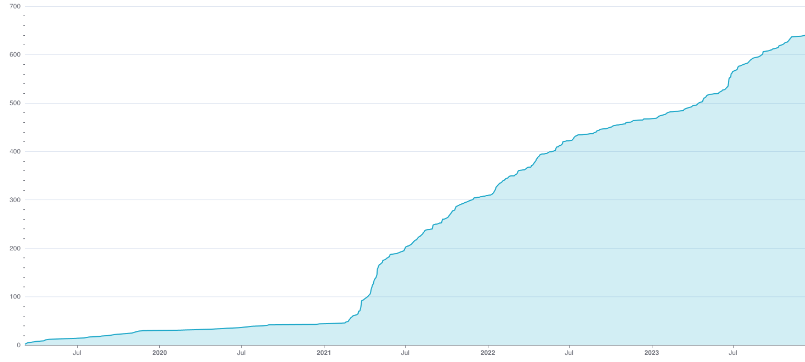
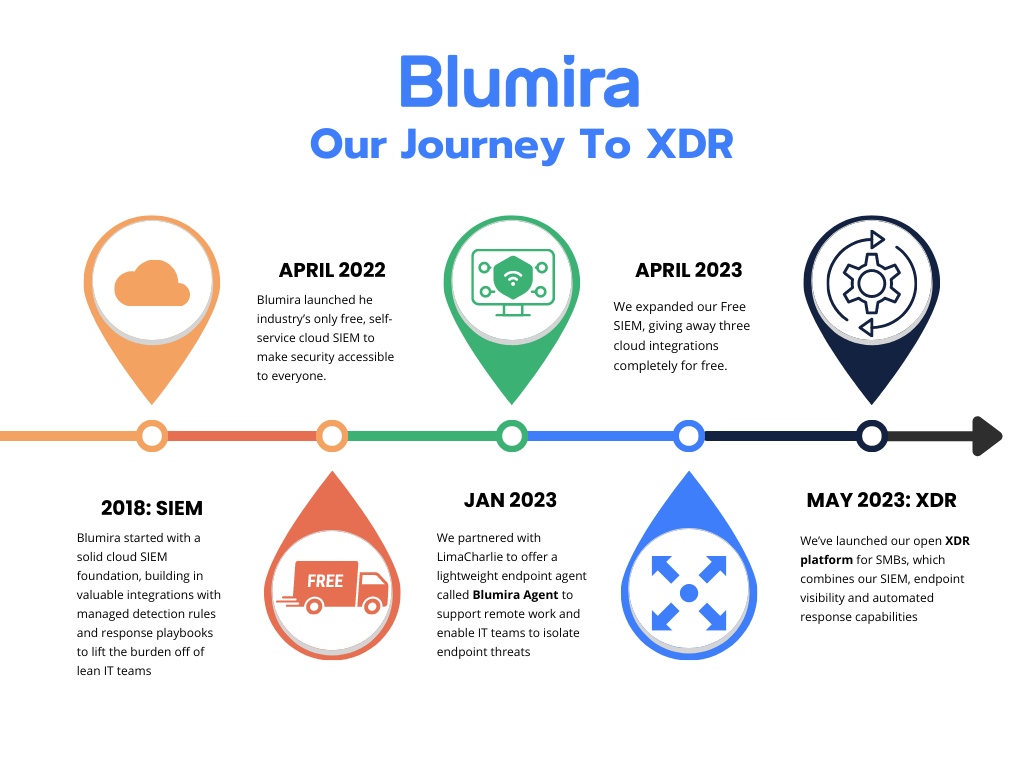
    A history of operational resilience and security innovation.

    Category

    February 13, 2026
    Product Release Notes
    Detection Update

    January 2026 Product Releases

    This month’s releases introduced new detections across Windows, Fortigate, Microsoft 365, and Azure to help uncover persistence, credential compromise, and suspicious network activity. Highlights include new coverage for Guest account enablement, Tactical RMM usage, Protocolhandler abuse, impossible travel, and risky Azure service principal behavior, along with several Fortigate alerts for allowed IPS, anomaly, and virus events. We also improved detection accuracy across multiple existing rules to reduce false positives and better surface meaningful activity.

    Detection Updates

    Log Type Details
    Azure Directory Audit NEW - Azure: Service Principal Creation or Modification Followed by Directory Role Assignment

    Detects when a service principal is created or modified with a client secret and assigned a directory role within a short timeframe. While this can be legitimate activity when adding new app registrations, threat actors have been observed using this technique to gain persistence and elevate privileges in Azure environments.

    Default state: Enabled
    Azure Signin
    NEW - Microsoft 365: Suspicious Successful Login - Axios User Agent

    Detects successful Microsoft 365 sign-ins using the Axios HTTP client library. Axios is a legitimate JavaScript HTTP client that threat actors increasingly abuse in Adversary-in-the-Middle (AitM) phishing campaigns to intercept credentials, MFA tokens, and session tokens in real-time. This user agent pattern is unusual for typical user authentication flows.

    Default state: Disabled
    Fortigate Anomaly NEW - Fortigate: Allowed High/Critical Anomaly Event

    Detects when a Fortigate device identifies a high or critical severity anomaly event. These events may indicate denial of service attempts, network scanning, or other suspicious network activity that warrants investigation.

    Default state: Disabled
    Fortigate IPS
    NEW - Fortigate: Allowed High/Critical IPS Event

    Detects high or critical severity IPS events on Fortigate devices that were not blocked. This may indicate a misconfigured IPS policy or an attack that bypassed protection and requires immediate investigation.

    Default state: Enabled
    Fortigate IPS
    NEW - Fortigate: Allowed Medium IPS Event

    Detects medium severity IPS events on Fortigate devices that were not blocked. This may indicate a misconfigured IPS policy or an attack that bypassed protection.

    Default state: Disabled
    Fortigate Virus
    NEW - Fortigate: Allowed Virus Event

    Detects when a Fortigate device identifies a virus that was allowed through rather than blocked, indicating a potential antivirus policy misconfiguration.

    Default state: Disabled
    Microsoft 365
    NEW - Microsoft 365: Impossible Travel

    Detects when Microsoft 365 users exhibit impossible travel behavior within a 3-hour window at 500 MPH or faster. Impossible travel refers to logins or access attempts from different geographic locations within an unrealistically short timeframe, indicating potential credential compromise or malicious activity.

    This new detection rule differs from our existing “Impossible Travel” rules by calculating travel speed rather than flat distance.

    Default state: Disabled
    Windows
    NEW - File Download Using Protocolhandler.EXE

    Detects the execution of Protocolhandler.EXE spawned by cmd.exe. Attackers abuse this signed Microsoft Office binary to download files from external sources, typically to download tools or malware. This technique allows attackers to bypass certain application allowlisting controls or network restrictions by proxying the download request through a signed Microsoft binary.

    Default state: Enabled
    Windows
    NEW - Remote Access Tool: Tactical RMM

    Detects Tactical RMM activity on endpoints. While commonly used for legitimate remote management by system administrators, attackers have been observed using it as a command-and-control channel.

    Default state: Enabled
    Windows
    NEW - Windows Guest Account Enabled

    Detects when someone enables the built-in Windows Guest account. The Guest account is disabled by default in modern Windows systems and provides a low-privilege access point that does not require a password. Threat actors might enable the account during post-compromise activity to establish persistence, create a backdoor for later access, or facilitate lateral movement within a network.

    Default state: Enabled
    Azure Signin
    UPDATE - Azure Entra ID Anomalous Agent Sign-In Activity

    Added logic to ensure only successful sign-ins are detected.
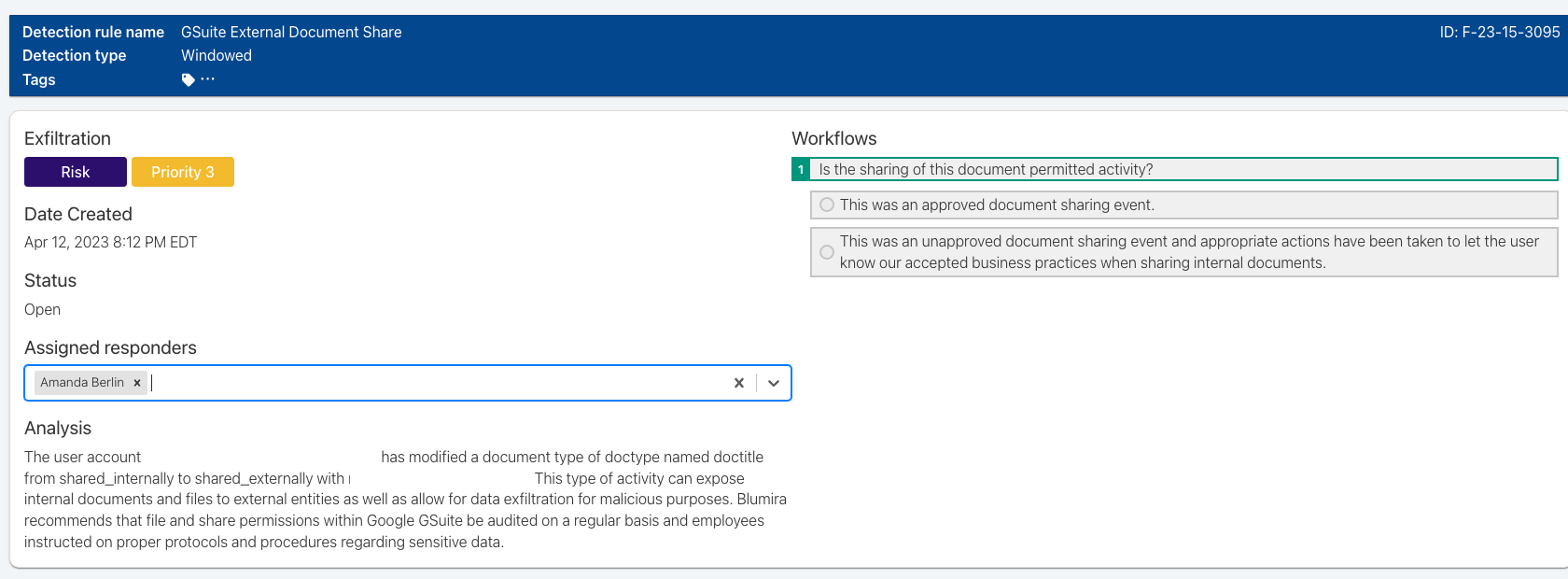
    Google Workspaces UPDATE - Google Workspace External Document Share

    We updated the detection logic to be more accurate and include additional check to ensure the user is sharing externally.
    M365 SharePoint
    UPDATE - MS365 SharePoint 100+ File Deletions in 15 Minutes

    We added logic to handle null file_path and file_name fields to reduce failures and false positives.
    Traffic UPDATE - TCP 445 Connection from Public IP

    We updated the detection logic to filter out connections that are quickly torn down, reducing false positives.
    Windows UPDATE - Finger.EXE Execution

    We broadened the detection logic to surface any finger.EXE execution. Renamed from “Suspicious Invocation of Finger.exe.”
    Windows UPDATE - User Created in PowerShell

    To fix false positives that were being caused by module metadata, we now require command parameters for detection.

    Bug Fixes and Improvements

    Bug Fixes

    • Resolved Agent Deletion: We fixed an issue that was causing failures when users tried to manually delete a Blumira Agent.
    • GCC High Cloud Connector: We fixed an issue that was preventing successful GCC High Cloud Connector integrations.
    • MSP Portal Pagination: We fixed a pagination issue in the MSP Portal Accounts table that was causing errors in rendering whenever users selected 250.
    • Executive Summary Report Access: We fixed an issue that was preventing Respond and Automate customers from getting Executive Summary reports.

    Improvements

    • Log Parsing Expansion: We’re now parsing additional fields from Azure General logs and pfSense logs.

    December 2025 Release Notes

    In case you missed the November updates, you can find and review those notes here.

    February 02, 2026

    Your Cybersecurity Gameplan with Blumira

    You’ve found Blumira, and you’ve discovered what makes us unique. You’ve found a fully integrated security operations platform that’s easy to use with expert hands-on support, and no-compromise pricing that doesn’t depend on sources or data volume.

    Now, what comes next? We make it easy, and we make it quick. This guide walks you through the sales process, the pilot program, and shares how we set you up for long-term success.

    The Sales Process

    Understanding Your Security Needs

    How is it that Blumira can have you up and running with a security operations platform tailored to your environment in just a few weeks? It starts with a collaborative process to understand your security needs – top to bottom, inside and out. Here’s where you can help, by making sure all the right people have a chance to give their input so we can design a solution that fits your organization. Here are some questions you may have before we meet:

    What’s unique about Blumira?

    Blumira is a security operations platform that simplifies cybersecurity by pairing ease of use with powerful protection. Blumira leverages advanced automation, threat hunting, and managed detections that streamline security operations. Our intuitive platform and intelligent notifications reduce alert fatigue and ensure no critical threats are missed so you can respond to incidents faster.

    Which team members should we bring to our initial discussions?

    To be honest, the more the better. Anyone who may end up working with the platform, and anyone who has security services as part of their portfolio can benefit from attending.

    • Essential attendees would be technical users of the platform, security incident responders, and your project decision maker.
    • Additional attendees include senior managers who have a security interest, and members of your cybersecurity team.

    What information should my team bring to the table?

    In our initial calls we’ll be gathering information to build a Blumira proposal and demo that matches your goals and technology stack. Here’s the information that will help us make that happen:

    • Total number of endpoints and users
    • Overview of your full network landscape (On-premise, cloud, hybrid, and multi-cloud)
    • Current security tech stack
    • Integration points (MFA, Office 365, firewall, logs, etc.)
    • Systems to be monitored (servers, network devices, and applications)
    • Operational locations
    • Size and background of your security team

    What's discussed in the initial call?

    First, we’ll want to know about you and your organization so we can tailor our solution to your needs. In the initial discovery call we want to hear about your objectives and challenges, and what motivated you to contact us. Tell us about your specific needs and considerations including compliance requirements, previous cybersecurity experiences, resources, and timeline for implementation.

    If you’re evaluating other cybersecurity options, we’ll provide you with data to help you compare effectiveness, coverage, cost, and timing. We also understand you’ll have questions about how Blumira will work for you. Ask us anything:

    • How does pricing work, since Blumira doesn’t charge based on source or volume? (You’ll love the answer)
    • Are there technical requirements for setting up Blumira? (Very few)
    • Can we try before we buy? (Absolutely! Read on)

    “I've been highly impressed with Blumira as a platform and found the entire Blumira staff to be friendly, knowledgeable, and responsive. It's clear that Blumira has the formula for happy customers.”

    SIEM Buyer Checklist

    Implementation Process

    Deploying and Rolling Out

    After the initial call, our team will build a tailored demo specifically for your environment. If that all looks good, we’ll set you up with a two-week pilot of Blumira so you can try before you buy. People new to Blumira often have a hard time believing how quick and easy it is to set up. You may be even more surprised to find out that once the pilot is installed you’ll be most of the way to full implementation.

    What's the demo call like?

    We’ll set up a separate call to take your team through a demo that’s been customized to your business case and requirements. The demo will provide a working model of how Blumira will work for you, and it’s an opportunity to ask more questions.

    Can we try the platform first?

    Yes, we recommend it. A two-week pilot in your environment lets you get hands-on with Blumira before you make a final decision. Our implementation team will have you set up in a day (yes really), and they do most of the work. During the pilot we’ll check in often to answer your questions and make adjustments.

    What's involved in the pilot phase?

    The pilot includes:

    • Aligning the solution to your business case
    • Setting up all integrations
    • Training 1-3 people to use the platform
    • Periodic check-ins and a personal contact to assure success

    What information should we provide to make the most of the pilot program?

    Let us know if there are specific parts of your environment you want to test. For example, you might want to test your firewall, cloud service, and an agent. We can also make suggestions based on information you provide in the initial call. We will also need to be in touch with the people in your organization who have admin rights so we can set up Blumira integrations.

    Customer Success

    Your Long-Term Partner

    It won’t take long to realize how easy it is to learn and use Blumira. Once you’re up to speed, you may spend just a few minutes a day in the platform. Throughout the process, you’ll never go it alone: we have multiple teams working together for your outcomes, and you can reach out to your CSM at any time!

    How soon do we finalize onboarding after we sign a contract?

    You’ll already be using Blumira in your environment during the two-week pilot period. Once the contract is signed, your assigned Customer Success Manager will reach out within 24 hours for an introduction and information to kick off your onboarding.

    How long does the onboarding process take?

    Full implementation is done in three phases. Once you’re up and running, your support team is always available.

    Phase 1 (15min Kickoff): During your first onboarding call, you’ll get introduced to your Customer Success Manager as your primary point of contact for Blumira questions and support. They will give you a breakdown of what next steps in onboarding, how the Customer Success Manager and Solutions Architects will support you, and share resources to help with getting started.

    Phase 2 (1hr Technical training): Our Solutions Architect will help with the next steps in your technical onboarding, reviewing other integrations to setup and fine-tuning your configuration.

    Phase 3 (1hr Platform training): Once integrated and configured, your Customer Success Manager will provide a complete walkthrough for all members of your team that will work in Blumira, preparing them to respond with confidence.

    After completing the final phase of onboarding, your CSM will set up a 4-week check-in to review any questions from your first month on the platform, review any further tuning requirements, and set up quarterly review meetings if using our Respond or Automate editions.

    “Blumira is very professional, easy to communicate with, and extremely knowledgeable. They followed up on all action items quickly. This was by far the most painless vendor onboarding/setup process I have been through in my 30+ years in IT.”

    What does long-term partnership look like?

    After full implementation, your support team doesn’t go away – your Customer Success Manager and Solutions Architect are here to support you throughout your time as a customer! It’s important to us that you get the most out of Blumira and keep up with emerging threats. We'll check in often to help you add integrations, new users, locations, or data sources. We’ll also show you how to track and report key metrics and measure ROI.

    Pretty soon you and your team will be Blumira power users, but we won’t let you out of our sights. We’ll meet with you quarterly to perform a health check configuration review, answer your tech questions, and show you new product updates and releases. This is also a great time for you to share your ideas for new features.

    Think of the Blumira customer success team as an extension of your team – experts who understand your environment and your configuration so you can get your questions answered quickly and use the system with confidence.


    January 12, 2026
    Product Release Notes
    Detection Update

    December 2025 Product Releases

    This month’s release expands Blumira’s detection coverage across Microsoft 365, Fortigate, JumpCloud, SentinelOne, Check Point, and Windows environments. New detections highlight suspicious authentication behavior, unauthorized admin activity, and endpoint tampering attempts, such as logins from new countries, password manager exports, and agent uninstall requests. Detection logic for Splashtop and NetSupport Manager has been refined with new indicators and elevated priorities. Platform enhancements include an audit to improve MITRE ATT&CK® tagging accuracy and a bug fix in a Blumira 7-Day Summary report.

    Detection Updates

    Log Type Details
    Check Point Audit NEW - Check Point: User Object Change

    Monitors for the creation, deletion, or modification of user objects in Check Point firewalls

    Default state: Enabled
    Fortigate Event
    NEW - Fortigate: Local Admin Created

    Detects the creation of new local administrator accounts on Fortigate devices

    Default state: Enabled
    Fortigate Event NEW - Fortigate: Local Admin Edited

    Monitors for local administrator accounts being renamed or modified on Fortigate devices

    Default state: Disabled
    Fortigate Event
    NEW - Fortigate: Local Admin Deleted

    Monitors for the deletion of local administrator accounts on Fortigate devices

    Default state: Disabled
    Fortigate Event
    NEW - Fortigate: Local User Created

    Detects the creation of new local user accounts on Fortigate devices

    Default state: Enabled
    Fortigate Event
    NEW - Fortigate: Local User Edited

    Monitors for local user accounts being renamed or modified on Fortigate devices

    Default state: Disabled
    Fortigate Event
    NEW - Fortigate: Local User Deleted

    Monitors for the deletion of local user accounts Fortigate devices

    Default state: Disabled
    Fortigate Virus
    NEW - Fortigate: Unblocked Infected File

    Triggers when Fortigate’s antivirus engine identifies a malicious file, but the associated traffic is not blocked

    Default state: Enabled
    JumpCloud Directory
    NEW - JumpCloud: Admin Login Without MFA

    Monitors for successful JumpCloud administrator login without multi-factor authentication

    Default state: Enabled
    JumpCloud Password Manager
    NEW - JumpCloud: Potential Password Manager Export

    Triggers when JumpCloud detects export activity from a password manager, which is a tactic often used by attackers to exfiltrate credentials during an account compromise

    Default state: Enabled
    Microsoft 365 and Azure
    NEW - Microsoft 365: User Authentication from New Country

    Identifies login events originating from a country the user has not logged in from within the prior 15 days

    Default state: Enabled
    SentinelOne Activities
    NEW - SentinelOne: Agent Uninstall Request

    Monitors for requests to uninstall the SentinelOne agent, which may indicate early-stage attempts by an attacker to remove the agent from a protected endpoint

    Default state: Enabled
    Windows NEW - Suspicious Explorer Process with Whitespace Padding

    Identifies processes in Windows Explorer containing 12 or more consecutive Unicode whitespace characters in the command line arguments, which is commonly seen in ClickFix and FileFix social engineering attacks

    Default state: Enabled
    Fortigate
    UPDATE - Fortigate: Successful Admin Login from External IP Address

    Corrected a typo in the detection’s analysis
    Windows UPDATE - Remote Access Tool: Splashtop

    Updated to include additional known process names
    Windows
    UPDATE - Remote Access Tool: NetSupport Manager

    Updated logic for broader coverage, elevated priority to P2 Suspect, and changed the default deploy state to enabled
    Windows UPDATE - Remote Access Tool: NetSupport Manager From Unusual Location

    - Increased priority to P1 Suspect and changed the default deploy state to enabled
    - Findings for this rule now include the hash field for added context

    Bug Fixes and Improvements

    Bug Fixes

    • Blumira 7-Day Summary: Grouped Log Counts by Type: The global report now correctly includes all log types and will dynamically update with newly added sources as integrations are introduced over time. Previously, it was static and limited to a manually defined set of log sources, which led to the report missing some log types.

    Improvements

    • MITRE ATT&CK® Tagging: We conducted a full audit and refinement of the MITRE ATT&CK® techniques we have tagged across our existing detection rules to improve accuracy of those tags.

    November 2025 Release Notes

    In case you missed the November updates, you can find and review those notes here.

    December 16, 2025
    Conferences and Events
    Video

    Blumira at 2025 Fall Cyber Solutions Fest: Revolutionizing Security Ops!

    The 2025 Fall Cyber Solutions Fest was buzzing with innovation, and Blumira was at the forefront, showcasing how organizations can streamline their security operations and empower overloaded teams. If you missed our live demo with Sr. Product Manager for Cybersecurity Amanda Berlin, you're in luck! We're excited to share the recording of this insightful session.

    The Challenge: In today's landscape, security teams are often stretched thin, grappling with an overwhelming volume of alerts, a shortage of in-house expertise, and the constant threat of operational risks. This can lead to alert fatigue, slow response times, and an inability to proactively address security threats.

    Blumira's Solution: In this 30-minute technical demonstration, Amanda Berlin dove deep into how Blumira's security operations platform directly tackles these challenges. She walked attendees through our comprehensive architecture, designed to capture security telemetry across all your critical environments – cloud, endpoint, and network.

    One of the key highlights was how Blumira's pre-tuned detection engine intelligently filters signal from noise. Imagine eliminating months of painstaking configuration, getting immediate value, and focusing on what truly matters.

    December 09, 2025
    Product Release Notes
    Detection Update

    November 2025 Product Releases

    This month’s releases include new detections for high-risk threats such as CVE-2025-59287 exploitation, EDR-Freeze techniques, SYN floods, brute-force attempts, and internal UniFi alerts. We’ve also introduced automatic removal of inactive Blumira Agents for better license efficiency, and added parser support for Checkpoint Harmony Email Security. Platform improvements include enhanced evidence table customization, refined detection logic for Impossible Travel, and several bug fixes across reporting, API access, and threat feed handling.

    Feature and Platform Updates

    Auto-Deletion of Inactive Blumira Agents: You can now configure Blumira Agent endpoint keys to automatically remove inactive devices. This is beneficial for many environments that use VDI or have other situations where they would like to automatically cull endpoints to reuse agent licenses more efficiently.

    Checkpoint Harmony Email Security Parser: A new parser has been released to support Checkpoint Harmony Email Security.

    Detection Updates

    Log Type Details
    JumpCloud NEW - JumpCloud: Global Administrator Role Granted

    This detection rule detects when someone assigns a JumpCloud user the Administrator or Administrator with Billing role.

    Default state: Enabled
    JumpCloud NEW - JumpCloud: Impossible Travel

    This detection rule detects when a JumpCloud user exhibits behavior consistent with impossible travel, where successful logins occur from geographically distant locations within a timeframe that would require travel speeds exceeding 500 MPH. Impossible travel refers to logins or access attempts that originate from different geographic locations within an unrealistically short timeframe, indicating potential malicious activity.

    Default state: Enabled
    Sonicwall NEW - Sonicwall: IP Spoof Alert

    This detection rule detects when a SonicWall firewall has generated numerous, consistent IP spoof alerts within a short period of time. This might be indicative of malicious attempts to access a network, but can also result from bad network or VPN routes.

    Default state: Disabled
    Sonicwall NEW - Sonicwall: SYN Flood Alert

    This detection rule detects a buildup of TCP SYN requests that are not followed by responses from the requesting host. This behavior is a common indicator of a SYN Flood attack, a type of denial-of-service (DoS) attack that aims to exhaust server resources and prevent legitimate requests.

    Default state: Disabled
    Ubiquiti NEW - Ubiquiti: UniFi Threat Detected and Blocked from Internal

    This detection rule triggers when a Ubiquiti UniFi threat signature identifies and blocks suspicious activity originating from within the internal network. This may indicate a compromised internal endpoint and should be investigated.

    Default state: Enabled
    Windows NEW - Potential Brute Force - 4625 & 4771

    This detection rule detects potential brute-force attacks based on a high volume of login failures in a short timeframe. This rule triggers when 300 or more failed login events (event IDs 4625 and 4771) are observed within a 12-minute window for a single user account from a single source.

    Default state: Enabled
    Windows NEW - Potential EDR-Freeze Isolation Pattern

    This detection rule detects log patterns consistent with EDR-Freeze exploitation, a technique that uses WERFaultSecure.exe to isolate and impair endpoint detection and response (EDR) tools such as Microsoft Defender, SentinelOne, and CrowdStrike. This method can disrupt endpoint visibility and weaken defensive capabilities.

    Default state: Enabled
    Windows NEW - PUA: Wireshark Network Protocol Analyzer

    This detection rule detects the installation or execution of Wireshark, a widely-used network protocol analyzer used to capture and inspect network traffic in real time. While commonly used by IT and security professionals for legitimate purposes, Wireshark can also be leveraged by threat actors to intercept sensitive data, capture credentials, analyze communications, and perform internal reconnaissance after a compromise.

    Default state: Disabled
    Windows NEW - Suspicious Shell Execution from WSUS Service

    This detection rule identifies instances where cmd.exe or PowerShell spawns from the Windows Server Update Services (WSUS) service. This behavior is a known indicator of CVE-2025-59287, a critical unauthenticated remote code execution vulnerability in WSUS that allows attackers to execute arbitrary commands with system privileges.

    Default state: Enabled
    1Password UPDATE - 1Password: Impossible Travel Activity

    Detection logic now watches for specific and impossible speed between login events rather than relying on a flat distance threshold. This improves accuracy in detecting suspicious travel across all distances.
    JumpCloud UPDATE - JumpCloud: Delete User

    Updated to reflect new log parsing logic for more reliable detection.
    JumpCloud UPDATE - JumpCloud: Create User

    Updated to reflect new log parsing logic for more reliable detection.
    Microsoft 365 UPDATE - Microsoft 365: Enabling of Forwarding Setting to External Domain

    Updated to account for log changes from Microsoft for added accuracy.

    Bug Fixes and Improvements

    Bug Fixes

    • MSP Portal Accounts Page: We fixed an issue that was preventing some columns on the Accounts page from being sorted correctly.
    • Sub-Account Visibility: We improved how sub-accounts are displayed when an MSP admin may not have access to the account.
    • User Management in MSP Portal: We resolved an issue that was preventing MSPs from successfully adding or removing users from sub-accounts.
    • Dynamic Blocklists: We fixed a bug that was causing external threat feed entries to override manual allowlist entries in Dynamic Blocklists, which was leading to allowed objects being blocked.
    • Regex Filtering: Regex can now be used to filter the info field in detection filters.
    • API in Automate Edition: We fixed an issue that was preventing the Blumira API page from displaying for customers on Automate edition.

    Improvements

    • Finding Comments: The name of the person who wrote a comment on a finding is now saved with the comment for better tracking and transparency.
    • Matched Evidence Table Improvements:
      • In the evidence table of a finding, if a cell’s content exceeds 6 lines, it will be truncated to reduce the space within the table, and users can resize the column to view the additional content.
      • Users can now choose which columns to show or hide so they can focus on the exact data they want to view in the table.
    • Palo Alto Cortex Reporting: The message field is now available for Palo Alto Cortex logs in Report Builder.
    • Azure General Reporting: Default fields are now available for Azure General logs in Report Builder.

    October 2025 Release Notes

    In case you missed the October updates, you can find and review those notes here.

    November 21, 2025
    Updates
    Product Release Notes
    Detection Update

    October 2025 Product Releases

    This month, Blumira launched SOC Auto-Focus, an AI-powered investigation tool that enriches findings and give teams greater context so that they can respond to threats faster. We also added several new detections to improve visibility into VPN abuse, eDiscovery misuse, GPO changes, VM creation, and suspicious file activity across Microsoft 365, Windows, VMware, Sophos, and more. Updates to existing rules further refined accuracy and reduced false positives. Additional improvements to the MSP Portal strengthened user management, data visibility, and overall usability.

    Feature and Platform Updates

    SOC Auto-Focus - Now Generally Available
    Blumira’s SOC Auto-Focus is now fully launched and available to all customers. This powerful feature uses AI-powered analysis to enrich findings with plain-language summaries and clear recommended actions to help your team accelerate investigations and respond faster.

    SOC Auto-Focus gives your team:

    • A plain-language summary that highlights key details for instant context
    • Criticality, response timeframe, and confidence score to help prioritize findings
    • Step-by-step investigation and remediation guidance directly in the Findings page
    • Clear explanations for each security recommendation to help analysts learn as they respond

    Learn more about how SOC Auto-Focus works and how to get started in our feature announcement.

    Detection Updates

    Log Type Details
    Microsoft 365 NEW - Microsoft 365: Purview eDiscovery Search or Export

    This detection identifies when a user initiates an eDiscovery search or export in Microsoft 365. This powerful feature can be used for legal compliance, but also for unauthorized data exfiltration.

    Default state: Disabled
    Palo Alto GlobalProtect NEW - Palo Alto GlobalProtect: Password Spraying Behavior

    This detection identifies potential password spraying attacks by identifying failed authentication attempts across multiple user accounts from a single source.

    Default state: Disabled
    Sophos XG NEW - Sophos: Excessive VPN Login Failures

    This detection identifies a high rate of failed VPN login attempts from a single IP address reported by your Sophos firewall. Multiple rapid failed login attempts across different usernames may indicate credential stuffing or brute-force activity targeting your VPN.

    Default state: Enabled
    VMware NEW - VMware: VM Creation

    This detection rule monitors for new virtual machine creation events within a VMware environment.

    Default state: Disabled
    Windows NEW - Esentutl File Copy Operation

    This new detection rule monitors for use of the Windows utility esentutl.exe to copy files. While legitimate, this tool is often abused by threat actors to exfiltrate data or move files undetected.

    Default state: Enabled
    Windows NEW - Modification to Group Policy Objects

    This rule monitors for group policy object (GPO) modifications, such as changes to policy links, added values, or deletions. While GPO modifications are common during routine system administration, this behavior can indicate persistence or privilege abuse by attackers.

    Default state: Disabled
    Microsoft 365
    UPDATE - Microsoft 365: Impossible Travel AAD Login (All distance versions)

    All versions of this detection rule now include device name and device ID fields to provide additional context during investigations. When available, this information gives responders useful context during investigation and remediation.
    Microsoft 365 UPDATE - Microsoft 365: SsoArtifactRevoked Failed Login

    This detection logic has been updated to reflect changes in Microsoft log formatting.
    OSSEC UPDATE - MS SQL Server Logon Failure

    We updated this detection to account for recent changes in OSSEC rule numbers to ensure continued accuracy.
    OSSEC UPDATE - TCP/445 Connection from Public IP

    We updated the title, analysis, and workflow of this rule for clarity when working with a finding. This detection was previously titled “SMB Connection from Public IP.” Similar improvements are planned for related detections in this series.

    Bug Fixes and Improvements

    Bug Fixes

    • MSP Portal Accounts Page: We fixed an issue that was preventing some columns on the Accounts page from being sorted correctly.
    • Sub-Account Visibility: We improved how sub-accounts are displayed when an MSP admin may not have access to the account.
    • User Management in MSP Portal: We resolved an issue that was preventing MSPs from successfully adding or removing users from sub-accounts.

    Improvements

    • Settings Visibility: Administrators can now see the following read-only settings for their accounts on the Organizations page (Settings > Organizations):
      • Data Retention is the number of days of historical log data that Blumira stores for the account
      • User Count is the number of billable employees for the organization

    September 2025 Release Notes

    In case you missed the September updates, you can find and review those notes here.


    October 17, 2025
    AI

    AI Integration at Blumira: Looking Into the Future

    Try Blumira SOC Auto-Focus:

    This new AI-powered component of the Blumira platform is designed to enhance, not replace, human decision making. SOC Auto-Focus helps analysts focus on what matters: the whole picture with deep, rich context. And it’s as easy as clicking a button in the Blumira dashboard.

    Artificial Intelligence (AI) in cybersecurity has already demonstrated potential to have a wide and lasting impact on incident detection and analysis. But with so much at stake, it’s vital to move forward deliberately and strategically. For the last several months, Blumira has been designing, developing, and testing AI integration into the platform. Our goal has been to lay the groundwork for an evolution of enhancements that will empower analysts with better information, faster.

    This is the second article in our technical AI series. The first article shows how the Blumira team integrated AI into the platform and tested it, while maintaining the highest levels of security. Here, we will talk about lessons learned and plans for future development.

    Learning and Evolving

    Building AI into the Blumira platform will be a continual process. However, we knew we had to start with the basics and proceed with security in mind. We learned three main lessons in this process:

    Start simple, validate early: Our most important lesson is the value of beginning with simple, functional implementations rather than complex architectures. The LLM landscape is evolving rapidly, so starting simple allows teams to deliver value quickly while maintaining flexibility to incorporate new capabilities as they prove worthwhile.

    Context management is critical: Effective context management that balances comprehensive information with token limitations proved essential to our success. Our teams iterated extensively on data selection and prompt chaining to optimize this balance.

    Security-first development: Building AI systems for a security environment requires careful consideration of data flow, input validation, and potential manipulation vectors. Even seemingly simple architectural decisions like one-way communication models can significantly impact security posture.

    Development Challenges and Technical Insights

    As the saying goes, smooth seas don’t make good sailors. We’re sharing our challenges and decision making so users can understand how we got to where we are and what we’re mapping out for the future.

    Development Challenges

    Managing context length limitations: Our approach to context limitations evolved through extensive experimentation. We initially tried excluding certain data fields entirely or implementing broad inclusion rules. Through iterative testing, we discovered that focusing on high-value evidence fields provides the optimal balance between contextual richness and token efficiency.

    We also found that adjusting the time windows for related finding searches significantly impacts our token usage. Rather than casting wide temporal nets, we refined our correlation periods to capture the most relevant related events within context limits. This approach maintained analytical depth while making our token usage sustainable.

    Ensuring consistent output quality: Output consistency was a significant challenge initially. We addressed this through targeted prompt engineering: specifically instructing the LLM to express confidence in its analysis rather than hedging with uncertain language. This simple change dramatically improved the consistency and actionability of our outputs.

    Temperature adjustment also played a crucial role in achieving consistency. By fine-tuning this parameter, we found the sweet spot between creative analytical insights and reliable, consistent formatting and reasoning patterns.

    Technical Decisions

    Simplicity as a foundation: Our choice of single prompt architecture stemmed from a deliberate focus on simplicity. Rather than implementing complex retrieval-augmented generation (RAG) or extensive fine-tuning, we opted for a single prompt method that we could understand, debug, and iterate on quickly.

    This decision proved valuable as we gathered user feedback and refined our approach. The simple architecture allowed us to make rapid adjustments without getting bogged down in complex system dependencies or optimization challenges.

    Building for evolution: We designed our current architecture with the explicit understanding that it will evolve significantly as we continue developing our capabilities. Starting with a strong, simple foundation has enabled us to validate core concepts and gather meaningful user feedback before adding complexity.

    This approach has allowed us to identify which aspects of our system provide the most value and where additional sophistication might be warranted, rather than prematurely optimizing areas that may not need enhancement.

    However, our future technical roadmap remains deliberately flexible. We're prioritizing customer feedback to guide development rather than committing to specific architectural directions that may not address user needs and enhance value.

    Where do we go from here?

    AI work promises to keep our development team busy for the foreseeable future, and beyond. Blumira already has a number of enhancements in the works and on the drawing board. We’re taking a deliberate approach, while at the same time watching the landscape for innovations we can use. Here are a few of the projects we’re working on:

    MCP integration for enhanced context

    Continuous testing and prompt evolution

    Security for interactive features

    Our team is exploring MCP (Model Context Protocol) integrations as a way to provide additional contextual layers for analysis. Specifically, we're considering how to use supplementary information about different pieces of evidence that could enhance the LLM's understanding and depth.

    We’re expanding our testing processes to achieve even better prompt accuracy and consistency. That includes incorporating the feedback we're collecting from the team and future users. This feedback-driven approach ensures that our technical enhancements align with real-world needs rather than theoretical improvements that may not translate to practical value.

    The roadmap includes more user flexibility and interactive experiences. To prepare for that eventuality, security measures need to be in place to prevent nefarious manipulation. The Blumira team is developing frameworks for sanitizing and validating inputs that will keep the platform safe while maintaining the analytical quality users expect.

    Future security architecture includes prompt sanitization techniques, user input validation, and monitoring systems that detect manipulation attempts in both source data and user interactions. This involves establishing baselines for normal analytical patterns and implementing detection mechanisms for anomalous outputs.

    Join the Conversation

    Blumira SOC Auto-Focus is ready to launch, but it’s far from complete. You could easily argue that the work will never be done, because AI capabilities will continue to evolve. However, our current simple architecture is a solid foundation for future innovation. We’ve validated core analytical capabilities and established effective feedback loops, creating a platform that can evolve with both technological advances and user needs.

    Thoughtful technical implementation and continuous validation will remain central to our development of Blumira SOC Auto-Focus. But it’s not just about improving performance. It's about enhancing the lives of the real people doing the work.

    AI-powered security analysis is an evolving field where technical approaches and architectural decisions are still being established. We welcome discussion and feedback from customers, potential customers, and teams working on similar challenges. Because we know that collective wisdom will drive better solutions for everyone in security and AI communities.

    October 17, 2025
    AI

    AI Integration at Blumira: How We Did It

    Introducing Blumira SOC Auto-Focus: This new AI-powered component of the Blumira platform is designed to enhance, not replace, human decision making. SOC Auto-Focus helps analysts focus on what matters: the whole picture with deep, rich context. And it’s as easy as clicking a button in the Blumira dashboard.

    There’s no doubt about it: effective security relies on finding and stopping risks to your business fast, and artificial intelligence (AI) is becoming a critical component of accelerating cybersecurity technology.With that in mind, it would be malpractice for Blumira to ignore the possibilities for AI to enhance detection and analysis. We’ve completed the first phase of a major AI integration, but this is not just about more and faster automation. It's about building safe and reliable systems that enhance human expertise.

    Unfortunately, a lot of AI solutions promise the world and deliver black-box answers without transparency or clear reasoning you can validate. Some companies believe that protecting proprietary algorithms and intellectual property means keeping everything under wraps. At Blumira we believe in sharing our approach so you can see what went into the process of designing, building, and validating our AI security solution: Blumira SOC Auto-Focus.

    Our guiding principle, as always, is to transform overwhelming volumes of security data into actionable insights that analysts can trust and act upon. We didn’t set out to integrate AI just say we did. Every decision in the process was weighed against the goal of staying ahead of security threats and making your life easier.

    A user-centric approach to AI

    To understand the Blumira approach to AI integration, we’re sharing our strategies in the following areas:

    Architecture: Learn how we've structured our data pipeline to handle diverse security findings, evidence, and institutional knowledge to balance strict privacy controls and context-rich analysis.

    Strategy: See our approach to LLM integration, prompt engineering, and structured output generation. Our strategy transforms raw security data into actionable JSON and plain-text insights.

    Quality and security: Understand the validation methodologies, security measures, and testing approaches that ensure our AI outputs are both accurate and safe.

    The goal is to share the technical thinking, architectural decisions, and implementation patterns that have already proven effective in our environment. We’ll start with the technical foundation that makes it all possible.

    The Blumira Technical Foundation

    Data Sources

    Three core data components create the foundation of SOC Auto-Focus, the Blumira AI security analysis system: Findings and evidence, playbooks, and context enrichment. The curation and creation of these data sources comes from years of expert knowledge developed by our security team. These are not generic or off-the-shelf models.

    Findings and evidence

    Security findings originate from custom-built rules that represent years of iterative development by Blumira Incident Detection Engineers. These rules encode the threat patterns, behavioral anomalies, and security indicators our team has identified through real-world experience. We continuously test and evolve these rules based on emerging threats and lessons learned.

    Each finding comes with evidence. Concrete details like IP addresses, process names, and user identifiers that provide factual support for analysis. This is the contextual information that’s used for security assessment.

    Playbooks

    Playbooks are the distilled investigative expertise of the Blumira security team. They contain proven methods and analytical approaches, not generic security procedures. Blumira playbooks capture specific reasoning patterns, evidence correlation techniques, and decision frameworks our experts have developed through years of hands-on experience.

    Each Blumira playbook is tailored to the particular type of finding generated by the platform’s custom rules. This ensures that Auto-Focus leverages the most current and relevant investigative approaches.

    Context enrichment

    To understand whether events are isolated incidents or part of larger patterns, Blumira searches for related findings occurring around the same timeframe. This temporal correlation, combined with behavioral baselines and historic data, helps distinguish genuine threats from routine anomalies.

    Integrating AI into Blumira

    Blumira SOC Auto-Focus is built on an already robust framework that organizes all available data before putting it through intelligent analysis informed by years of hands-on cybersecurity expertise. While the process has been significantly enhanced behind the scenes, Blumira users can still rely on clear insights that provide the information necessary to take appropriate action.

    The Data Pipeline

    Rich context aggregation with LLM-optimized data preparation

    The Blumira data pipeline begins by assembling comprehensive packages for each security finding. This involves gathering the primary finding, temporally-related findings, supporting evidence, and relevant playbooks from the Blumira knowledge base. Rather than analyzing events in isolation, the platform creates detailed analytical contexts that the LLM uses to identify patterns across the environment.

    After event data is aggregated, it’s transformed to maximize analytical effectiveness. Blumira structures diverse data types, including findings, evidence, and playbooks, into formats optimized for LLM processing. Semantic relationships remain intact while the information is organized for progressive analysis through our multi-stage pipeline.

    Prompt Engineering and Management

    Progressive analysis with a structured methodology

    At the beginning of our development, we started by using multiple interconnected prompts to handle context limitations while the system maintained analytical depth. We developed a three-stage process from initial information synthesis, to pattern identification, to final  generation of insights. Each stage produced outputs that became inputs for subsequent prompts. Outputs were combined with additional context as needed.

    This approach allowed Blumira to process a full rich dataset without exceeding context windows. Early prompts distilled large volumes of information into focused analytical inputs, while later stages generated actionable recommendations and structured outputs.

    While the LLM provides speed and depth, the prompts are designed by Blumira to incorporate proven investigative methodologies and analytical frameworks. The result is consistent output quality across all security scenarios. The prompts guide the LLM toward established analytical approaches while allowing flexibility for different types of findings and levels of complexity.

    Output Generation

    Structured JSON creates a rich user experience

    The final stage of the Blumira AI-assisted process in SOC Auto-Focus produces comprehensive JSON outputs seamlessly integrated into the React front end. Users have easy access to severity assessments, prioritized recommendations, evidence summaries, and analytical reasoning. Critical information is displayed prominently with supporting details a click away.

    Blumira translates complex analytical patterns into immediately actionable insights. Security analysts receive clear recommendations, investigation priorities, and suggested next steps, enabling them to act quickly. The structured format allows our UI to present information contextually, highlighting urgent items, grouping related findings, and providing clear investigation pathways.

    Internally Tested and Validated

    Auto-Focus started as a proof-of-concept by our co-founder and CEO Matt Warner two years ago. Our team of deeply knowledgeable security experts developed and expanded it until it was ready for testing. In the spirit of “eating our own dogfood,” we began with internal testing in order to detect potential issues and areas for improvement. This rigorous testing included a Slackbot to facilitate rapid iteration and quality control.. 

    Slackbot makes real-world testing fast and simple

    Validation of Blumira SOC Auto-Focus centered on a Slackbot that served as our testing interface. Team members sent finding IDs directly through Slack and received complete AI analysis in return. This drove rapid iteration and experimentation so the Blumira team could test analytical outputs in real-world scenarios.

    The Slackbot eliminated the usual testing bottlenecks. Instead of waiting for UI features or formal testing environments, our team could immediately evaluate new prompt iterations, test edge cases, and validate analytical quality using actual security findings from the Blumira production environment.

    Using Slack for feedback collection enabled real-time iteration on both prompt design and data selection. Team members could identify issues with analytical quality, reasoning gaps, or output formatting and provide immediate feedback through the same channel. This allowed us to quickly tweak prompts, adjust data gathering processes, and experiment with different contextual approaches.

    The informal nature of Slack proved particularly valuable for capturing nuanced insights that could have been missed in a formal testing process. Team members shared specific examples of where the analysis succeeded or failed so they could target improvements.

    Quality assurance driven by experienced experts

    Our quality assurance process leverages the deep cybersecurity expertise of Blumira team members who are intimately familiar with the nuances of security analysis. These experts systematically test prompts against a suite of findings that represent the full spectrum of scenarios encountered in production.

    This process doesn’t just rely on automated metrics. It’s a human-driven evaluation process to ensure that our AI outputs meet the analytical standards security experts expect—with a focus on accuracy, reasoning quality, and the actionability of recommendations.

    A critical aspect of our quality assurance involves optimizing the balance between contextual richness and LLM limitations. The Blumira team continuously evaluates both the data that gets analyzed and the specific information exposed to a prompt. Dual optimization maximizes relevant context while staying within token constraints.

    It’s a balancing act that requires ongoing refinement as our experts encounter new finding types, discover additional context sources, and identify patterns in analytical quality. The iterative process of adjusting data selection and prompt context is a core Blumira competency that helps us maintain high-quality AI outputs.

    Security and privacy are paramount

    It goes without saying that the first job of any cybersecurity platform is to protect the data and integrity of the environment it serves. Blumira takes this mandate seriously, and we’ve implemented multiple measures to address AI-related threats.

    An emerging challenge is the potential for manipulated data to influence LLM analysis. Systems that use security logs and findings as source data can allow sophisticated attackers to create malicious log entries designed to mislead AI analysis. While this kind of attack presents a higher barrier since an attacker would have to compromise logging systems or inject malicious data upstream, it’s a threat that requires ongoing vigilance.

    The Blumira security approach currently centers on data selectivity and a one-way communication model. We’ve purposely held off on implementing interactive features as we study the evolving sophistication of nefarious prompt injections.

    Selective data transmission

    One-way communication model

    Blumira uses data selectivity rather than extensive filtering or sanitization. This means carefully choosing which data elements provide analytical value to the LLM and transmitting only the information necessary for effective analysis. This approach minimizes exposure while providing the AI system with sufficient context to generate meaningful insights.

    Blumira maintains control over data selection at the pipeline level, so unnecessary information doesn't enter the LLM processing environment. At the same time, we maintain the contextual richness needed for accurate security assessment.

    Our current system architecture implements a one-way communication model that simplifies security considerations. Users interact with finding IDs and receive generated analysis without direct prompt input. This has eliminated risks that could be introduced through an interactive prompt so we can focus on perfecting core analytical capabilities before introducing additional features. The result has been rapid iteration and validation without the need for users to sanitize their input, and it’s given us valuable insights.

    What we learned: Start simple, add complexity

    When developing LLM solutions, it pays to start simple. The AI landscape is evolving rapidly, so something that seems like a cutting-edge decision today may become obsolete or mainstream in months.

    Our initial focus is on functional implementation that levels up security resolutions by the humans that interact with it. This has allowed us to deliver value quickly while maintaining the flexibility to incorporate new techniques and capabilities as they prove their worth. Simplicity as a design principle prevents teams from biting off more than they can handle. Complexity can then be added where it demonstrably improves outcomes.

    The Blumira AI team has prioritized delivering value to the user in our initial implementations. Architectural sophistication can come later, after a solid foundation has been built. Our next article in this series will look into the future, taking what we’ve learned for the next iterations of SOC Auto-Focus and the Blumira AI vision.

    Try out SOC Auto-Focus now.

    October 16, 2025
    AI

    The Human Side of AI: Why Blumira's Investigation Capabilities Put Partnership First

    I joined Blumira with a simple belief: the best security tools don't just solve problems, they empower the people using them. In my time in cyber insurance, I saw firsthand what happens when organizations feel abandoned by their security stack: skyrocketing costs, unidentified threats, and lost time because teams couldn't get the context they needed to respond effectively.

    Today, I want to share why we're building AI investigation capabilities at Blumira, and more importantly, how we're building them. This isn't just another AI story, it's about fundamentally changing what it means to never go it alone in cybersecurity.

    The Investigation Paralysis Crisis

    The numbers tell the story:
    64% of SOC teams complain about pivoting among too many disparate security tools.

    Let me paint a picture that's probably familiar: The average business now uses as many as 80 distinct security tools, with some organizations reaching as many as 130 different solutions.

    If you're a technology leader reading this, you're probably nodding—and maybe wincing. Behind these statistics is a more human reality I’ve witnessed repeatedly in my career: talented people spending their time not on strategic work, but on manually correlating information across disconnected systems.

    Each tool operates in its own silo, leaving teams with a fragmented view of their security landscape. As security teams scramble to piece together information from multiple sources, time is ticking. Prioritizing threats and understanding the full context of an attack become constant challenges.

    It's like trying to solve a puzzle when each piece is in a different room, technically possible, but you're spending more time running around than actually solving the problem.

    Why AI Partnership, Not AI Automation

    The easy mistake is to position AI as the silver bullet, the technology that will finally let you "set it and forget it." But after years building products, I've learned that the most successful technologies don't replace human expertise; they amplify it.

    AI tools offer a force multiplier for analysts, freeing senior analysts to focus on higher-order tasks, while educating their junior team members. The goal of AI in cybersecurity is to make people more efficient. This isn't just theoretical, forward-thinking organizations are turning to AI tools to enable their teams to operate at their highest potential.

    At Blumira, we're building AI investigation capabilities around three core principles:

    Never Go It Alone

    Focus On What Matters

    Safe By Design

    Empower analysts with AI insights based on the human expertise built into our platform, keeping human judgement at the center of critical decisions

    Reduce time to act from hours to seconds of “Here’s exactly what I need to do now”

    AI tools don’t create new risk vectors, they consider their impact before you ever hit “execute”

    The Blumira Difference: Empowerment Over Automation

    "We're not trying to remove humans from the equation-we're trying to make them more capable."

    Our upcoming AI investigation features will provide deep contextual analysis of security findings, along with prioritized remediation steps and intelligent prioritization. But here's what makes our approach different: we're not trying to remove humans from the equation-we're trying to make them more capable.

    Investing in training and development prepares teams for the future and maximizes the benefits of AI. When our AI provides context about a security finding, it's not just giving you an answer, it's teaching you why that answer matters for your specific environment.

    This connects directly to our "Never Go It Alone" philosophy. We believe that to help empower your organization we must help you maintain a security-focused culture that entitles all employees across your company to make the right decisions regarding security. Our AI investigation capabilities extend this empowerment down to every analyst, every day.

    Think of it this way: instead of AI making decisions for you, it's like having a senior analyst sitting next to every team member, providing instant context, suggesting next steps, and helping build expertise over time. You're still making the decisions, but you're doing it with comprehensive support.

    Building Trust Through Transparency

    In a past life, I learned that the best gifts are built on intent and choice, let people know you care and empower them to pick what they want for themselves. In security, I’ve similarly learned that trust isn't built through promises-it's built through transparency.

    At Blumira, we're extending that transparency to our AI development journey.

    We always start out product development testing internally, taking advantage of our team's decades of experience in security, and the same applies to our AI capabilities. We’re working to understand exactly what our customers will experience. And we’re working with you, in live testing with customers giving us feedback who want to try the earliest forms of Blumira’s upcoming experiences. So that, when we tell you about the value of AI-augmented investigation, we're speaking from firsthand experience.

    Being honest about cyber risk can empower senior leadership and executives to make effective data-based decisions. The same principle applies to AI capabilities. We're not promising magic-we're promising partnership, backed by real-world testing and transparent communication about what works and what doesn't.

    The Human Side of Security Intelligence

    Human validation remains essential to interpret nuances and wider context in security scenarios that automated tools may miss. We’re aiming for a balance between automation and human analysis to truly harness this positive force multiplier.

    Which is why our AI investigation capabilities are designed to enhance human decision-making, not replace it. When you're facing a security incident at 2 AM, you don't need another tool that gives you more alerts, you need intelligent context and response capabilities that help you understand what's happening and what you should do about it.

    Our AI will help junior analysts perform at senior levels by providing rich environmental context and suggesting remediation steps tailored to your specific infrastructure, the logical next step from the expert guidance we've built into our platform from ready-to-go detections to best-practice guided workflows for triage and response. The final decisions-the ones that matter for your business-those remain with your team.

    What Comes Next

    This is part one of our AI development series. In the coming weeks, our Director of Architecture, Andy Blyler, will dive deep into the technical approach we're taking, the specific AI evaluation criteria we're employing, and how we're ensuring our AI remains explainable and trustworthy.

    I wanted to start here, with the why, because I want to build a partnership with the security community and our customers. We're not building AI investigation capabilities because it's trendy or because investors want to hear about AI. We're building them because we believe there will need to be a blend of humans and AI-driven solutions working together, and we want to make that partnership as powerful as possible.

    Never Go It Alone—Even with AI

    The cybersecurity industry has a history of promising silver bullets and leaving teams to figure out implementation on their own. At Blumira, we're taking a different approach. Our AI investigation capabilities aren't the end of the story-they're the beginning.

    Whether you're a CISO looking to amplify your team's capabilities or an IT leader trying to do more with existing resources, the goal is the same: turning technology into a force multiplier for human expertise.

    Because in cybersecurity, as in everything else, you should never have to go it alone.


    Coming next: Our Director of Architecture, Andy Blyler, explores the technical foundations of Blumira's AI investigation capabilities—how we're building transparent, explainable AI that security teams can trust.

    October 15, 2025
    AI

    SOC Auto-Focus Cuts Investigation And Response Time Through AI-Powered Analysis

    Investigating security findings often means digging through dense data logs, switching between dashboards, and trying to make sense of technical data. The process is time-consuming, slowing response times and creating unnecessary friction for IT teams. Even with all that effort, analysts still lack a complete picture of activity across their environment, making it harder to connect the dots. Without the right context, alerts take longer to resolve and senior staff are pulled into issues that should be routine.

    Introducing SOC Auto-Focus

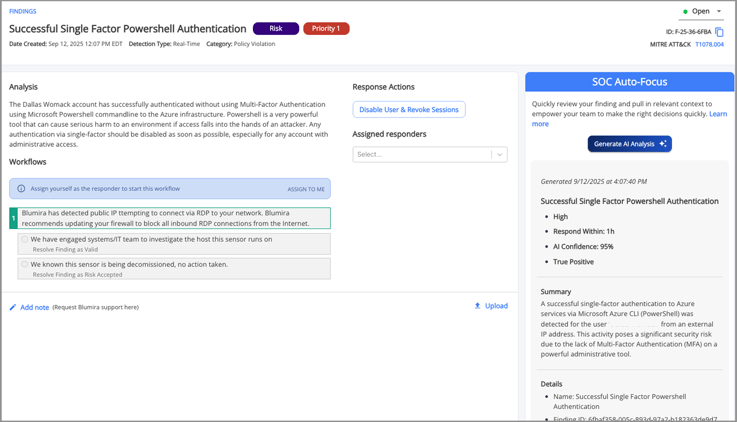
    SOC Auto-Focus accelerates your security investigations by using AI-powered analysis to enrich Blumira findings with plain-language summaries and guided investigation steps. It analyzes evidence from new findings, compiles relevant data from across your environment, and presents it all in a digestible format to support your team's decision-making process.

    Instead of starting from scratch, your team immediately sees the full picture with what happened, why it matters, and how to respond, helping analysts of any skill level respond faster and with confidence. In addition to prioritizing details from the finding, Auto-Focus maps suspect activity to recognized attack patterns and provides better context on why it presents a risk. Auto-Focus doesn’t replace your team's judgment; it gives them the context they need to make better decisions faster. It also makes Blumira’s built-in expertise more accessible than ever, helping augment your team’s existing security knowledge with our guidance.

    When a new finding appears in Blumira, SOC Auto-Focus immediately analyzes the log details and enriches them with expert-driven context:

    • Instant Context: A plain-language summary that highlights the most important details up front.
    • Clear Prioritization: Each finding includes a criticality rating, recommended response timeframe, and confidence score so your team can focus on the most important alerts.
    • Guided Response: Step-by-step investigation and remediation actions appear right on the Findings page, based on Blumira’s proven security workflows mapped to MITRE ATT&CK patterns.
    • Security Education: Each recommendation explains the reasoning behind it, giving analysts in-the-moment training that builds expertise over time.

    Example of SOC Auto-Focus on Findings page

    How it Works


    SOC Auto-Focus is available for Automate customers (previously called XDR). Once analyzed, results from analysis are shared across all users in the organization and stored indefinitely for reference. This feature includes usage parameters to ensure analysts have actionable, repeatable guidance without introducing noise or redundancy:

    • A finding can be analyzed once every six hours
    • After an analysis is generated, a cooldown applies before the same finding can be re-analyzed, during which the window will display “Waiting for cooldown.”
    • Your organization is allocated 10 analyses per month, plus 1 additional run for every 5 employees.
    For more details and step-by-step instructions, see our full documentation article.

    How Our Partners are Using SOC Auto-Focus

    NineStar Connect, a community-based utility cooperative and MSP, uses SOC Auto-Focus to cut investigation time in half by reducing manual log review and context switching for complex alerts.

    “Auto-Focus translates technical alerts into plain language summaries and points me directly to the impact. It bridges the knowledge gap instantly, saving me from spending time digging through logs or Googling for answers.”

    Travis Short, SOC Analyst, NineStar Connect

    By surfacing direct links to the right resources and translating technical details into human-readable content, Auto-Focus has become both a shortcut and a force multiplier for NineStar Connect’s SOC team. The result: faster investigations, improved confidence, and more consistent outcomes.

    Read the full customer story to see how NineStar Connect uses Auto-Focus to accelerate investigations and boost analyst confidence.

    See SOC Auto-Focus in Action

    SOC Auto-Focus is now available for Automate customers. By delivering plain-language findings and guided response steps, Auto-Focus helps your team investigate faster, reduce workload, and build confidence in every decision.

    For many security teams, the difference between quick, confident investigations and drawn-out ones comes down to context. SOC Auto-Focus puts that context directly in the Findings page, so analysts of any level can act faster and more effectively.

    Request a demo of Blumira Automate to see how SOC Auto-Focus can transform your investigations.


    October 08, 2025
    Webinar
    AI

    VIDEO: Accelerate Security Decisions With SOC Auto-Focus


    Today, I want to share why we're building AI investigation capabilities at Blumira, and more importantly, how we're building them. This isn't just another AI story, it's about fundamentally changing what it means to never go it alone in cybersecurity.

    Looking for better ways to stop alert fatigue and prevent information overload? Blumira is here to help with the official release of SOC Auto-Focus, our new AI-powered analysis tool. SOC Auto-Focus analyzes evidence from security findings, compiles relevant data across environments and recognized attack patterns, and provides an easy-to-understand breakdown of new findings to help teams make an informed response faster. Through live demonstration and real-world success stories in this session, you'll see how Auto-Focus delivers instant context and clear prioritization, so even new admins can understand what’s happening and how to respond with confidence. By pairing the human expertise already built into Blumira with artificial intelligence for faster analysis and relevant context, Auto-Focus cuts investigation time in half and improves your team's security capabilities with each finding worked.

    Amanda Berlin, Senior Product Manager of Cybersecurity for a full walkthrough and demo showing how Auto-Focus will save your team time in daily operations and incident response. You’ll also hear from Michael Kellar, VP of Product, on Blumira's exciting vision heading into 2026, as well as a real-world success story. We’ll see you there, and can’t wait to show you how SOC Auto-Focus can help your team!

    October 07, 2025
    Product Release Notes
    Detection Update

    September 2025 Product Releases

    This month, Blumira introduced several enhancements to streamline detection coverage and user management. We released new detection rules for Microsoft 365, VMware, and Windows to identify risky activity such as secure access pass creation, SSH enablement, and potential exfiltration via WinSCP. We also improved detection logic across multiple rules to reduce false positives and better reflect real-world attacker behavior. 

    On the platform side, MSP account administrators now have full visibility into users and accounts from a centralized portal, simplifying user management across accounts. Additional bug fixes improved report accuracy, filtering options, PSA ticket handling, and the overall MSP Portal experience.

    Feature and Platform Updates

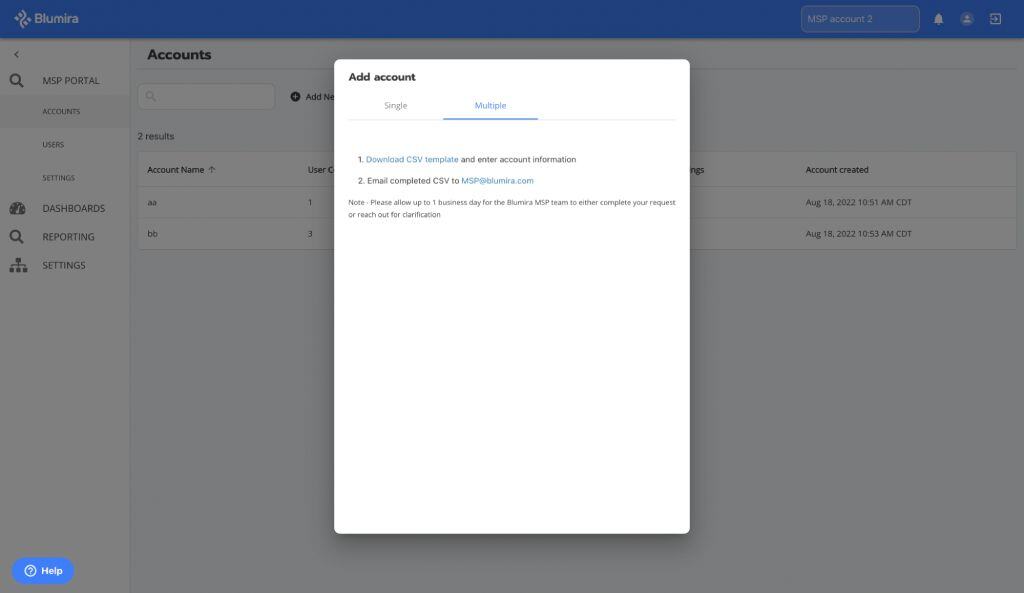
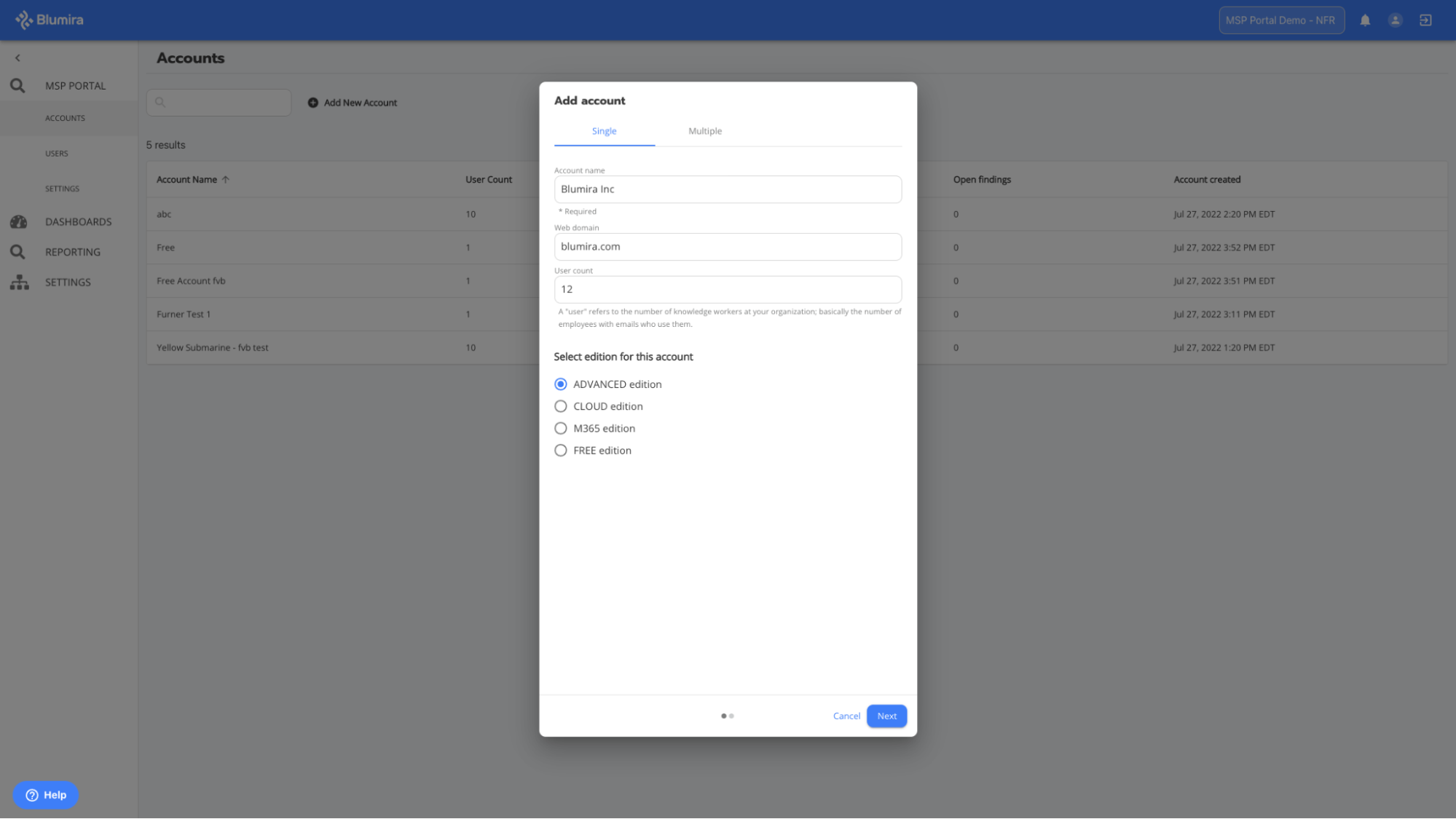
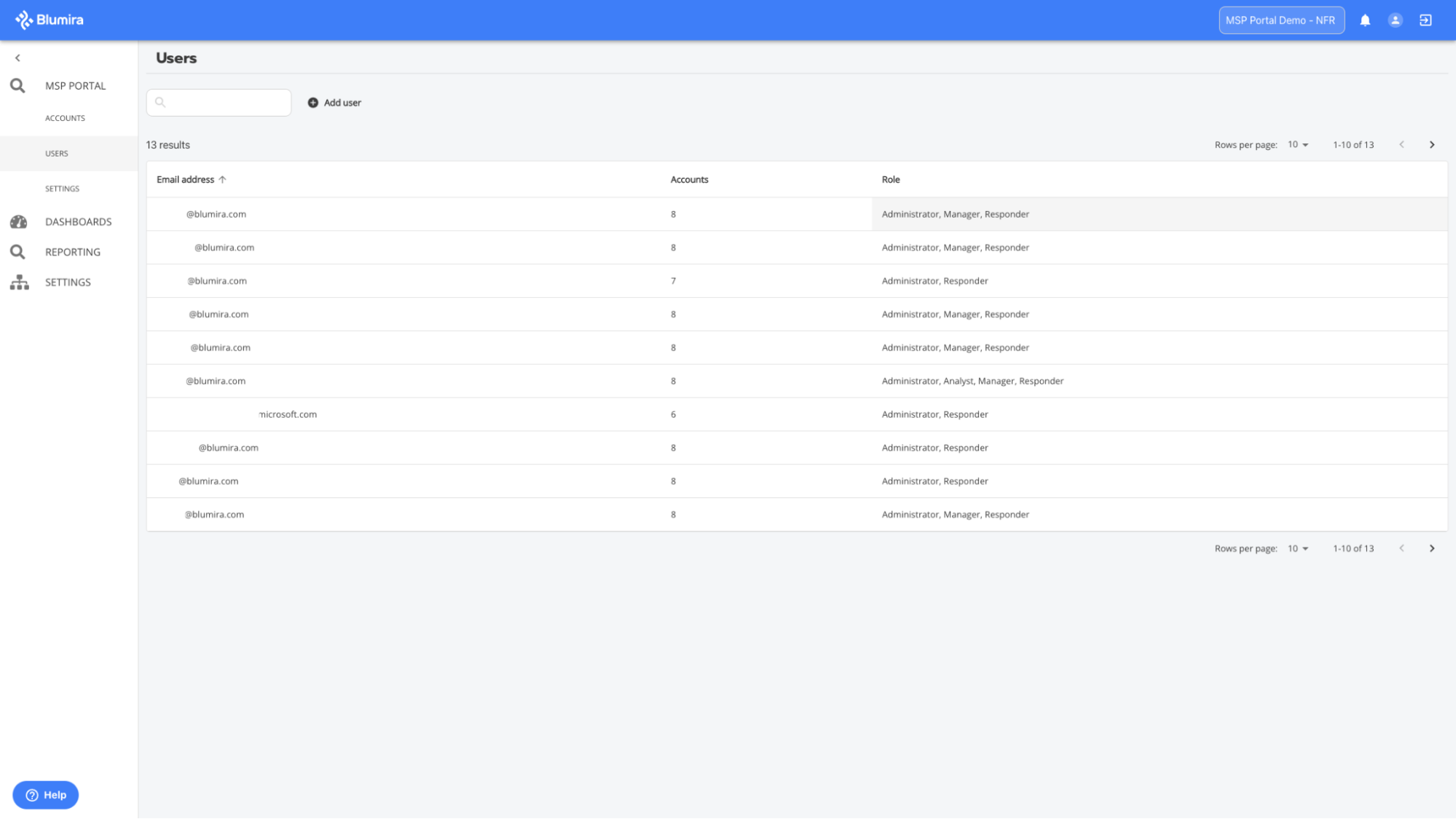
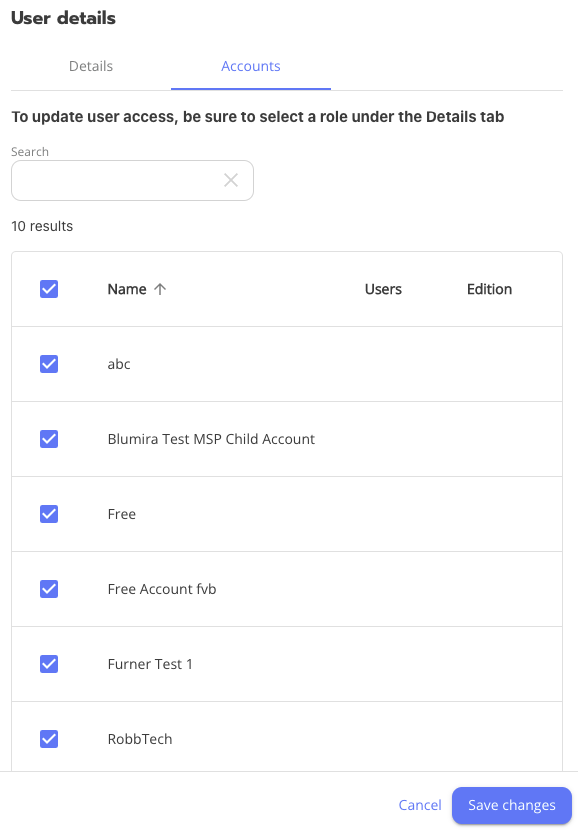
    MSP Portal User and Account Administration: We improved how we surface accounts and users to MSP account administrators, to give greater visibility and control over user and account management.

    MSP Portal can now be used for nearly all user management from one location, except for MFA resets and configuring notification preferences. Updates include the following:

    • All accounts associated with an MSP organization are now visible to MSP administrators in the portal, regardless of the administrator’s role within each account.
    • MSP administrators can now see all users associated with their MSP’s sub-accounts directly from the portal.
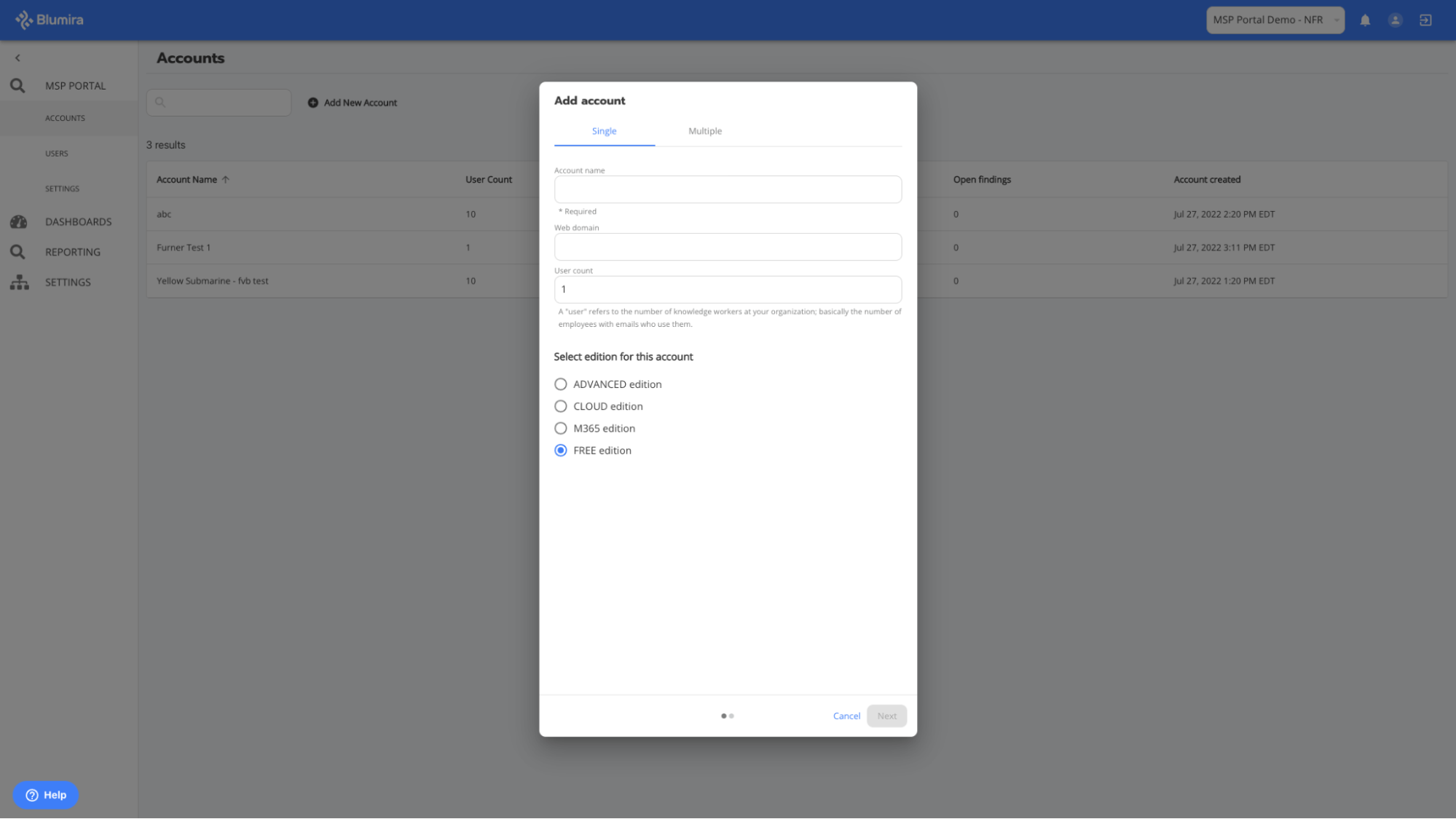
    • When a new sub-account is created, MSP’s top-level account administrators are automatically pre-populated with the Administrator role. Administrators have the option to modify roles during account creation without needing to edit after saving.
    • Removing a user’s roles and access from all accounts via the portal permanently deletes the user.

    Detection Updates

    Log Type Details
    Microsoft 365 NEW - Microsoft 365: Secure Access Pass Created

    This detection rule monitors for the administrators creating Temporary Access Passes, which allow users to bypass standard credential checks.

    Default state: Enabled
    VMware NEW - VMware: SSH Enabled on Host

    This detection rule monitors for when a user enables SSH service on ESXi or vSphere hosts.

    Default state: Disabled
    Windows NEW - Internal Reconnaissance - All Connections - Low Threshold

    This detection rule is similar to existing detections that identify internal reconnaissance, but a lower connection count threshold needs to be met before generating a finding.

    Default state: Disabled
    Windows NEW - Potential Exfiltration via WinSCP

    This rule detects WinSCP usage patterns consistent with recent attack behaviors, indicating possible data exfiltration.

    Default state: Disabled
    Windows NEW - Remote Access Tool: PDQ Remote Desktop Agent

    This detection rule identifies when PDQ’s Remote Desktop Agent launches or is running on an endpoint, which may indicate remote access activity.

    Default state: Enabled
    Microsoft 365
    UPDATE - Microsoft 365: Suspicious Inbox Rule Creation

    We expanded this rule’s coverage to include inbox rules being created to send emails to the “Deleted” folder.
    Windows UPDATE - Compress Data for Exfiltration: Rar

    We expanded this rule’s coverage to include new command patterns observed in recent attacks.
    Windows UPDATE - Named Pipe Client Impersonation

    We updated this rule’s detection logic to reduce false positives triggered by safe and legitimate Chrome extensions.

    Bug Fixes and Improvements

    Bug Fixes

    • "Blumira 7-Day Summary: Grouped Log Counts by Type" global report: We removed device name and IP information so results would be correctly grouped by type and count only.
    • Detection Filters “In” Operator: We fixed a bug that was preventing users from creating detection filters using the “In” operator for some previously unsupported fields.
    • Boolean Filtering in Report Builder: We fixed an issue causing problems when using boolean filtering in Report Builder.
    • MSP User Management Messaging: We added informational text to the Edit User and Delete User windows for MSP account administrators to clarify when the changes being mades affect only the MSP’s top-level account versus all of the customers' sub-accounts and the MSP’s account.
    • MSP Portal Accounts Page: We updated the Accounts page to help users better identify and understand the purpose of the table, so it now displays the heading “Access Management” at the top of the page.
    • MSP Portal Bulk Actions Page: We resolved an issue preventing the MSP Portal Bulk Actions page from loading when the parent account has a large number of sub-accounts.
    • PSA Workflow Step Missing: We fixed an issue causing the first step of findings workflows to be missing from MSP PSA tickets in ConnectWise-integrated accounts.
    • PSA Ticket Resolution Updates: We resolved an issue that was causing PSA tickets to incorrectly update resolutions even though findings were not re-opened, nor were their statuses changed.
    • MITRE Tag Display: We improved how long lists of MITRE tags are displayed on findings so tags and surrounding finding details are easier to read.

    August 2025 Release Notes

    In case you missed the August updates, you can find and review those notes here.

    September 10, 2025
    Product Release Notes
    Detection Update

    August 2025 Product Releases

    In August, Blumira introduced new detections across 1Password, VMware, Okta, and Microsoft 365 to help identify high-risk behaviors like Tor-based access, vault exports, and suspicious login patterns. Detection logic was improved across several rules to reduce false positives, including updates to CrowdStrike, domain tools, and Google Workspace. We also launched a new Microsoft 365 Government Cloud Connector and upgraded our IP geolocation provider for better location accuracy. Additional fixes and improvements included smoother workflow navigation, better visibility in the MSP Portal, and easier access to finding support.

    Feature and Platform Updates

    IP Geolocation Data: Blumira now uses a new IP geolocation data provider, offering improved accuracy in IP-based location data across the platform.

    Microsoft 365 Government Cloud Connector: A new Cloud Connector has been added to support Microsoft 365 GCC (Government Community Cloud) Standard environments. The GCC High functionality has also been moved to this updated connector.

    Detection Updates

    Log Type Details
    1Password NEW - 1Password: Activity From Tor Exit Node

    This detection uses Blumira’s Tor Exit Node threat feed to identify when 1Password activity originates from an IP associated with a Tor exit node.

    Default state: Enabled
    1Password NEW - 1Password: Vault Export Event

    This detection monitors for vault export events, indicating that a user is attempting to export their saved vault items. This is risky behavior due to the sensitivity of the exported data.

    Default state: Enabled
    1Password NEW - 1Password: Impossible Travel Activity

    This detection monitors successful logins that originate from geographically distant locations within an unrealistically short timeframe, indicating potential suspicious activity.

    Default state: Enabled
    CrowdStrike NEW - CrowdStrike: Automated Lead

    CrowdStrike has released a new feature called Automated Leads; which uses their Signal engine to identify and alert on unusual behavior. This has been released as disabled by default due to many users reporting high volumes of low-fidelity alerts and false positives.

    Default state: Disabled
    Microsoft 365 NEW - Microsoft 365: Authentication Outside of Canada

    This detection monitors for successful Microsoft 365 authentications outside of Canada.

    Default state: Disabled
    Okta NEW - Okta: User Account Lock

    This rule detects account lock events in Okta, indicating that it has exceeded the maximum number of failed login or failed MFA attempts.

    Default state: Disabled
    VMware NEW - VMware: New User Created

    This detection monitors for the creation of new user accounts in VMware environments.

    Default state: Enabled
    VMware NEW - VMware: User Password Reset Event

    This detection monitors for VMware user password reset events.

    Default state: Enabled
    Windows NEW - PUA: PingCastle Activity

    This detection monitors for PingCastle execution, a popular Active Directory(AD) security assessment tool used to identify misconfigurations, privilege escalation paths, and domain weaknesses. While often used by defenders and auditors, it is also frequently leveraged by threat actors and red teams during internal reconnaissance after gaining access to a network.

    Default state: Enabled
    Windows NEW - Unusual Network Activity from Windows System Binary

    This detection monitors for network activity originating from specific Windows system binaries. Attackers frequently leverage these legitimate, signed binaries to execute malicious payloads to evade security controls. Disabled by default due to high rate of false positives observed during testing. This detection may require some tuning per environment.

    Default state: Disabled
    Azure UPDATE - Azure: Failed Single Factor PowerShell Authentication Attempts

    We reclassified this rule to a Priority 3 (P3) Risk to better reflect its threat level.
    CrowdStrike UPDATE - CrowdStrike: Informational Alert, Low Alert, Medium Alert, High Alert, and Critical Alert

    All CrowdStrike alert detections have been updated to handle CrowdStrike’s new Automated Leads feature. Alerts generated from Automated Leads were incorrectly generating findings for these detections and have been moved to their own dedicated detection rule called “CrowdStrike: Automated Lead” (see above).
    Google Workspace UPDATE - Google Workspace: 100 or More Drive Deletions in 15 Minutes

    We updated this detection rule to exclude normal Google Drive system activity to more accurately reflect true user behavior and reduce false positives.
    Microsoft 365 UPDATE - Microsoft 365 - Application Password Deletion

    We added a new object field and updated the analysis of this detection rule. We also changed it to be disabled by default.

    Default state: Disabled
    Microsoft 365 UPDATE - Microsoft 365: Login Blocked due to Conditional Access Policy

    We added app_id_str, is_safe, state, and additional_fields fields for additional context during investigation.
    Microsoft 365 UPDATE - Microsoft 365: User Session Token Anomaly

    This detection now includes the app_id field for greater context during investigations.
    Traffic

    UPDATE - RDP/FTP/SSH/SMB/Telnet Connection from Public IP

    A false positive workflow option has been added at the first step to provide a quick workflow option to indicate when a finding is benignWe updated all “<protocol> Connection from Public IP” detection rules with additional fields in the matched evidence tables to help users understand which rule or policy on the firewall is allowing the connection to occur. The new fields include the following:

    • policy_id
    • rule_id
    • rule_uid
    • rule_number
    • policy
    Windows UPDATE - AdFind Domain Enumeration

    We improved this detection’s logic to reduce false positive matches. Specified AD Find process and added additional AD Find commands. These updates should greatly reduce the amount of false positives reported for this detection.
    Windows UPDATE - Dsquery Network Discovery

    We updated this detection’s logic to focus on behavior observed in threat actor activity and reduce false positives.
    Windows UPDATE - TOR Browser Usage

    We updated this detection rule’s logic to trigger findings upon detecting TOR usage on Mac OS agent devices.

    Bug Fixes and Improvements

    Bug Fixes

    • Response Actions: We resolved an issue where response actions were not appearing on some findings.
    • Assignee Visibility: We fixed a bug that prevented assignees from displaying on the Findings page.
    • Workflow Navigation: We addressed a UI issue where selecting a step in a workflow caused the step to jump on the page when hovered over.
    • MSP Portal Accounts: We fixed a bug that was limiting the number of accounts being returned and displayed per MSP, so the Accounts page now loads all accounts as expected and without errors.

    Improvements

    • Findings Support: Users can now more easily request support on a finding from our Security Operations team.

    July 2025 Release Notes

    In case you missed the July updates, you can find and review those notes here.

    August 05, 2025
    Product Release Notes
    Detection Update

    July 2025 Product Releases

    This month, we rolled out Findings page upgrades, making it easier to navigate, review, and take action on findings. Enhancements include the option to resolve findings without completing the workflow, linked MITRE ATT&CK® codes, and one-click copying of finding short IDs. Detection filters are now more flexible, with the ability to create and edit filters directly from Detection Rules. We added two new Windows detections, including one addressing the recent SharePoint vulnerability, and improved detection accuracy across Azure, Linux, VMware, and FortiGate. We also fixed key bugs and introduced enhancements to the Blumira API, MSP Portal, and Findings List Page for a smoother user experience.

    Feature and Platform Updates

    Detection Filters on Detection Rules: Now you can create and edit your detection filters directly in Detection Rules before a finding is generated, even when a rule is disabled! No more waiting for findings to appear before you start tuning out the noise; customizing detections with allowlists now starts as soon as onboarding.

    Findings Detail Page Upgrades:

    • Improved Information Layout: Users can easily locate basic information for the finding.
    • Improved Navigation: Users can now navigate to their dashboard or go to the previous or next open findings from the Findings details page, enabling easier and faster access to the findings that still need attention.
    • MITRE ATT&CK Codes: Users can see which ATT&CK codes each finding is associated with and follow links to the associated ATT&CK knowledge base entries to learn more about the techniques and related tactics.
    • Resolve a Finding Individually: Users can now immediately resolve a finding directly from its details page without needing to complete the workflow and without using the bulk select feature on the Findings table.
    • Copy Finding Short ID: This new option enables users to easily copy the finding’s short ID, which is useful when it is needed in searches or pasting into an email or ticketing system.

    Detection Updates

    Log Type Details
    Windows NEW - 20+ Failed Windows Login Events for Non-Existent User in 60 Minutes

    This detection identifies when over 20 failed Windows login attempts occur within an hour associated with non-existent users. This activity may be suspicious or could also surface stale service accounts no longer in use. Threat actors often use long lists of random usernames in an attempt to guess a username/password combo.

    Default state: Disabled
    Windows
    NEW - CVE-2025-49704 SharePoint Suspicious Web Shell File Created in LAYOUTS Directory

    This detection was created in response to the recent vulnerability affecting on-premises SharePoint servers. Legitimate web shells should not be running out of this directory and any related finding should be thoroughly investigated.

    Default state: Enabled
    Azure_signin UPDATE - Azure: Entra ID Anomalous Agent Sign-In Activity

    Detection logic updated to add O365 Diagnostic Service to general exclusions.
    Azure_signin UPDATE - Azure Identity Protection Risky Sign-in

    Users can now review the action_details field in the evidence of the finding to understand why a sign-in was blocked or allowed.
    Fortigate_event UPDATE - Fortigate: Successful Admin Login from External IP Address

    Detection logic updated to account for instances where src_ip is null. It now uses IP address in message field as a back up. The message field has also been added to evidence.
    Osquery UPDATE - Linux Reverse Shell

    The parent.cmdline field has been added to several detections which may reveal a script name or some other details that will make investigation and filter building much easier.
    Vmware_vcenter UPDATE - VMware: VM Deletion

    Detection logic updated to exclude failed VM removal logs. Updated logic will now only match on successful VM deletion.
    Windows UPDATE - Local User Addition or Modification via Net Commands

    The parent.cmdline field has been added to several detections which may reveal a script name or other details that will make investigation and Filter building much easier.
    Windows UPDATE - Mimikatz Process Creation or Command Run

    A false positive workflow option has been added at the first step to provide a quick workflow option to indicate when a finding is benign.
    Windows UPDATE - Nltest Domain Enumeration

    The parent.cmdline field has been added to several detections which may reveal a script name or other details that will make investigation and Filter building much easier.
    Windows UPDATE - Outlook .pst File Export

    Detection logic updated to exclude false positives generated by .pst exports from internet calendar subscriptions.
    Windows UPDATE - Signed Binary Proxy Execution: Msiexec

    The event_type field has been added to help investigate and provide appropriate context of the alert.

    Bug Fixes and Improvements

    Bug Fixes

    • Detection Filter Duplication: Fixed an issue where Detection Filters were being duplicated immediately after saving.
    • Sub-Account Access: We resolved a bug that could cause an MSP administrator to lose access to a sub-account.

    Improvements

    • Detection Filter Fields: Filters can now be created using any field present in evidence. Previously, detection filters couldn’t be created if a field was in an unsupported type in our database. This would cause those fields to not populate when attempting to create those filters.
    • MSP Portal: Administrators can no longer deselect themselves from the Users page in the MSP Portal, which means they must ask another administrator in their organization to remove them from an account or reach out to Blumira Support.
    • API Enhancements:
      • Findings /comments results now include author details to identify who added a comment on the finding.
      • The MSP Findings endpoint now includes assignee, notes, and note authors.
      • Added filtering options to the Findings endpoints, including:
        "blocked", "category", "created", "created_by", "created_after", "created_before", "modified", "modified_by", "name", "org_id", "owners", "priority", "resolution", "seconds_to_status", "status", "status_modified_by", "type"
    • Findings Table: The table now retains filters when users navigate to and from the page.
    • Tags Page: The Tags page has been deprecated.

    June 2025 Release Notes

    In case you missed the June updates, you can find and review those notes here.

    July 17, 2025
    Compliance Security Frameworks and Insurance

    Blumira's Compliance Reports: Making Audit Assessments a Breeze

    Audit prep can be a daunting task, requiring your team to regularly comb through logs and produce reports on your security practices.

    Blumira’s Compliance Reports make audit assessments a breeze, integrating audit prep into your daily operations. Blumira allows you to schedule security reports at the click of a button to immediately show how you satisfy multiple regulatory requirements for CMMC, HIPAA, SOC 2, NIST and many more.

    Benefits of Blumira’s Compliance Reports

    • Save Time on Audit Prep – Generate pre-built compliance reports from your log data automatically
    • Convenient Reports When You Need Them – Set up compliance reports to run and send to your inbox regularly, monthly, quarterly, and annually
    • Streamline Compliance Assessments – Easily demonstrate how you meet multiple controls, such as password resets, failed logins, account lockouts and many more.

    What is a Compliance Report?

    Compliance reports turn internal policies and daily security activities into documented proof that an organization is meeting industry or framework standards. When an auditor asks, "Are you actually doing what you claim to be doing?', these reports are your evidence.

    Periodically, an organization may have to undergo audit assessments by a third-party to certify (or re-certify) their compliance. Having automated compliance reports available-at-the-ready can make the process go much smoother, alleviating the burden of manually producing regular reports.

    An Example of Blumira’s Compliance Reports

    One example report is ISO 27001 - Failed Logins. This helps organizations prove that they have a process in place to review logs related to user access management -- that only authorized users have access to the resources they need and only have the level of access they need (ISO 27001 A.9.2). ISO 27001 guidance for this requirement includes monitoring and auditing user access.

    Reviewing failed logins can enable organizations to identify brute force and other credential attacks that could put access to data at risk. Blumira has many more pre-built reports to help you prove compliance with multiple ISO 27001 controls.

    How to Access Blumira’s Compliance Reports

    Getting your hands on these reports takes seconds, not hours or help ticket cycles. When your auditor emails with an last-minute question or you need to prepare for a board meeting, here's all you need to do:

    1. Navigate to Reporting > Report Builder.
    2. Click View All Saved Reports, search the list, then click the name of the report you want to view.

    Note: When you search for your compliance term, the compliance reports you can view will vary based on which integrations you currently have set up for your organization.


    Within Report Builder, you can also choose to view data within your desired time range.

    Open the additional actions menu by clicking the ellipsis (three dots next to the Submit button), and then click Save & Schedule Report. This allows you to schedule a saved report to automatically generate after a custom timeframe.

    Learn more about Using the Report Builder.

    See More Details About Blumira’s Compliance Reports

    Blumira’s Compliance Reports span many different industries, across multiple compliance frameworks. It’s typical for an organization in one industry to need to meet several different compliance regulations in order to protect different types of data they process, handle, or store.

    • ISO 27001 – The International Organization for Standardization (ISO) 27001 defines requirements that companies of any size can use to establish, implement, maintain and continually improve an information security management system.
    • ISO 27002 – While ISO/IEC 27001 outlines the requirements for an ISMS, ISO/IEC 27002 offers best practices and control objectives related to key cybersecurity aspects including access control, cryptography, human resource security, and incident response.
    • CMMC – CMMC (Cybersecurity Maturity Model Certification) is a framework to ensure that controlled unclassified information (CUI) is protected by appropriate levels of cybersecurity practices and processes when it’s residing on federal contractors’ networks.
    • FINRA – To protect investors and ensure the market’s integrity, FINRA (Financial Industry Regulatory Authority) is a not-for-profit organization that oversees U.S. broker-dealers. FINRA compliance regulations are designed to protect PII (personally identifiable information) and ensure financial data security.
    • FERPA – The Family Educational Rights and Privacy Act (FERPA) is a Federal law that protects the privacy of student education records. The law applies to all schools that receive funds under an applicable program of the U.S. Department of Education.
    • NIST – The National Institute of Standards and Technology Special Publication (NIST SP) 800-171 is a set of compliance controls and security framework that applies to non-federal agencies that work with government entities. It provides guidance on how to handle and secure Controlled Unclassified Information (CUI).
    • CIS – The CIS (Center for Internet Security) Critical Security Controls, referred to as CIS Controls, are a set of best practices any organization can use to strengthen their cybersecurity posture.

    Blumira has other compliance reports for frameworks such as HIPAA, PCI DSS, SOC 2, GLBA, and CJIS.

    Ready to make your next audit dramatically easier? There’s a few options to start simplifying your compliance reporting with Blumira:

    • Try Blumira – Sign up for a 30-day trial of Blumira’s XDR edition, granting you access to get a live instance up and running, helping you make sure our platform provides the visibility and controls you need to keep your organization running smoothly before you buy.
    • Request a Demo – Not ready to try Blumira yet? Contact our team to walk through a demo of Blumira’s XDR Platform to get all of your questions answered.

    Are you an MSP? Check out our MSP Program with NFR licensing for partners.


    July 15, 2025

    Streamline Your SecOps with the New Blumira API

    Managing security findings across disparate systems is a drain on IT teams, leading to manual reports, data silos, and operational slowdowns. These challenges only grow with more clients and environments risking security posture. Discover a simpler, more efficient approach to security operations with the new Blumira API.

    The Blumira API

    Blumira is releasing a public API that will make it easier to connect Blumira to the other tools and systems your business relies on and get more done. It allows you to pull security findings, monitor agent deployments, and generate custom reports directly from your existing tools across all of your environments. With the Blumira API, you can fit security into the way your team already works, without disrupting your existing processes.

    For MSP partners, the API will serve as a centralized aggregator across all client environments, improving visibility and helping scale security services more efficiently. Blumira customers can also use the API to integrate Blumira with internal tools to improve mapping between services, enhance reporting, and streamline workflows.

    • Simplify Client Management: MSPs can streamline multi-tenant operations by centralizing security findings across all of client accounts.
    • Automated Response Without Platform Hopping: Pull Blumira data into tools like Jira, Zendesk, or automation platforms to update tickets and trigger actions such as disabling users, or sending alerts, without switching systems.
    • Custom Reporting Made Even Easier: Build dashboards and reports to track trends, prioritize findings, and gain actionable insights to improve visibility across your environments.
    • Get Real-Time Endpoint Insights: MSPs can access real-time Blumira Agent deployment data, including online/offline status, to improve billing accuracy and agent management.

    Example dashboard built using the Blumira API

    How it Works

    For Blumira customers, access to the API requires a current XDR Platform license. Once you've created your API credentials, you can connect Blumira with the business tools your team uses for ticketing, reporting, and more. The video below will show how customers can access their API credentials and start using the API.

    Brief walkthrough of the API experience

    Additional API endpoints and licensing options are available for our MSP partners. See Using the Blumira API as an MSP for details and configuration instructions. The video below provides a walkthrough of how partners can access the API and pull findings across multiple clients.

    Brief walkthrough of the API experience for MSPs

    How Our Partners are Using the API

    LEAP Managed IT, one of the Midwest’s largest MSPs, is using the Blumira API to automate ticket reconciliation across ConnectWise, Nilear, and Blumira. By pulling detailed findings data from Blumira, LEAP’s help desk and dispatch teams have reduced time spent platform hopping and manual effort.

    “We’re excited about the visibility the Blumira API gives us. Being able to pull detailed findings data, including the alert name, organization, and who was assigned, has helped us cut down on discrepancies between the different systems we use.”

    Emmitt Wallace, Cloud and Automation Specialist

    Read the full customer story to see how LEAP built a custom workflow to improve efficiency and scale their operations.

    The Blumira API is now available to customers and partners with XDR licensing plans. If you're ready to explore its capabilities or have any questions, feel free to reach out to our Security Operations and Support team here. We’re here to help.

    July 10, 2025
    Product Release Notes
    Detection Update

    June 2025 Product Releases

    In June, we introduced two powerful new detection filter operators - Regex and Between - to give you greater precision when tuning detections, including the ability to filter full IP ranges. We also added parsing for 1Password logs, unlocking new reporting capabilities for audit, sign-in, and item usage events. On the detection front, we released two new Windows rules, including one that identifies potential installer interference, and updated two Microsoft 365 rules to improve accuracy and clarity. We also resolved several bugs, including issues with data mismatches in reports, incorrect endpoint usage calculations, and log duplication in Mimecast.

    Feature and Platform Updates

    Detection Filters:

    • Regex Operator: We added the Regex operator to our detection filter options, which requires re2 syntax, and is the same operator many users already use in Report Builder.
    • Between Operator: We introduced the Between operator, making it easier to filter entire IP ranges without relying the Contains operator to filter multiple IP values within a range.

    1Password Parsing: We added parsing for the 1Password integration, and the following data types are now available for reporting:

    • 1Password Audit
    • 1Password Item Usage
    • 1Password Signin

    Detection Updates

    Log Type Details
    Windows NEW - Unexpected Taskkill on MSIEXEC by User

    This detection monitors for when a user unexpectedly runs the taskkill command to terminate the Windows Installer process MSIEXEC, which may be an indicator of attackers interrupting legitimate installers. This tactic has been observed in attempts to interrupt SentinelOne installers during installs or upgrades.

    Default state: Enabled
    Windows
    NEW - Remote Access Tool: UltraViewer

    This new detection rule triggers a finding whenever the remote access tool UltraViewer is seen being used on a device. If your organization does not use UltraViewer as part of its approved remote management toolkit, the activity needs to be investigated as potentially malicious.

    Default state: Enabled
    Microsoft 365 UPDATE - Enabling of Forwarding Setting to External Domain in M365

    We updated this detection rule to account for log formatting changes that were causing missed true positives.
    Microsoft 365 UPDATE - MS365 Sharepoint 100 or more file deletions in X minutes

    We renamed the "MS365 Sharepoint 100 or more file deletions in X minutes" detection rule to "Microsoft 365: Sharepoint 100 or more file deletions in X minutes" for clarity and adjusted the logic to reduce false positives and provide responders with more detailed information about the file names.

    Bug Fixes and Improvements

    Bug Fixes
    • Future-Dated Timestamps - We resolved an issue where future-dated timestamps in some JumpCloud logs were causing integration failures.
    • Data Mismatch - We fixed a bug that was causing a discrepancy between the data shown on the “Top Threat Types” chart in the Security Dashboard and what appears upon click-thru to the full report in Report Builder.
    • Byte Management - We fixed an issue that was causing incorrect calculations in "Blumira: Endpoints By Data Generated" and "Top Endpoints By Data Generated" reports after moving from using the compressed raw_zlib_bytes to raw_log file size.
    • Mimecast Log Duplication - We fixed a log duplication issue that was occurring in the v2 Mimecast integration.
    • Truncated Findings - We fixed an issue with truncated findings showing [object Object] on the Summary Dashboard.

    May 2025 Release Notes

    In case you missed the May updates, you can find and review those notes here.


    June 27, 2025
    Webinar

    On Demand - Better Signal, Less Noise With New API and Detection Filter Enhancements

    In this webinar, you will learn:

    • When to implement new detection filters for maximum effectiveness
    • How pre-filtering detections can prevent alert noise before it happens
    • How to leverage API integration with your existing stack
    • Where to find resources for implementing these new capabilities


    From our new API enabling seamless connections with existing business tools to enhanced detection filtering with advanced regex and IP range capabilities, the product team at Blumira has been hard at work making the platform work better for you. In this product update webinar, we'll show how these features benefit both MSP partners and direct customers, including real-world applications and a customer success story. Plus, you’ll get to hear the first details on our plans for AI acceleration to triage, investigation and response from our head of product.

    Watch as Michael Kellar, VP of Product, Amanda Berlin, Senior Product Manager, Cybersecurity, and Eric Pitt, Product Marketing Manager, showcase these exciting new capabilities – don't miss this opportunity to learn how Blumira's latest updates can help you do more in even less time!

    June 11, 2025
    Detection Update

    New Detection: Catching Session Token Theft in Microsoft 365

    Tokens? Where?!

    It seems that every week that the mentions of token theft increase, or even the mention of similar attacker-in-the-middle style of attacks are sweeping the forums, Reddit, that one edgy former bird site, Bluesky, etc. Someone’s account was compromised, but it never triggered conditional access; maybe triggered an identity alert in Entra, or a risk event, but was generally quiet.

    Stealing tokens isn’t necessarily new – the same with cookies – but it is gaining traction. Why? My head-canon is that threat actors are running into more multi-factor authentication (MFA) and people are starting to adopt conditional access in greater numbers. However, misconfigurations, misconceptions, and weak MFA options still abound. One way to bypass the controls that has proven effective is by stealing the tokens - why try and SIM swap or keep sending MFA pushes to a user when you can just have the user actually authenticate for you? I’ll add - and authenticate properly and legitimately?

    But Stop - Please?!

    That right there, to me at least, is the allure of this AiTM style of attack. The bonus with this is that it’s extremely hard to detect. The session looks valid; it’s using the same access token or refresh token that the user just authenticated with - it doesn’t yell, “hI I’m A bAd aCtOr!” like some other attacks might signal.

    For example, with an MFA fatigue attempt, you can detect based on the volume of requests, provided you are monitoring it, of course (and you should be!). User training combined with monitoring through a SIEM system and even proactively auditing your users can combat most of these, but when the sessions look normal and pass the sniff tests, what do you do?

    Modern Problems Require Modern Solutions

    The answer is a combination of machine learning, risk-based detections for sign-in events, combined with Entra Identity Protection, and conditional access - these are all parts of the solution right now. 

    To become another part of the solution, we turned to anomaly detection. Our Microsoft 365: User Session Token Anomaly detection is just the first step we’re taking to identify and respond to this behavior. This detection has several parts to it, but before we get to that, we need to know what these attacks have in common and what they look like.

    Our team dove in headfirst and began emulating the attacker behavior, reading through documentation of attacks and looking to Microsoft for how they cover detecting this behavior.

    Microsoft References:

    With that knowledge in hand, we first need to establish a mini-baseline as part of the detection as we can’t detect what’s abnormal without first knowing what is normal - statistically speaking of course. This needs to happen on the fly as well with some form of history or memory. Now I can’t give every detail away - but I will say this is something that we are constantly looking at to tune so that the results become more accurate and are working through customer feedback all the time to gauge if we are hitting the mark. Also, we had to keep in mind one of the hallmarks of Session Token Theft is that the session IDs remain the same throughout the attack.

    Next, we start looking at calculating the deviations. These can be things like the amount of unique IPs, the browsers used, user-agent strings, devices, the amount of operations performed within the session, and more. All of these enter into the calculation. Some things are weighted a bit higher than others, but each can be tuned individually by our detection engineers to give us more control over the detection easily and quickly, should a quick adjustment be necessary in the future. 

    Once we have all the data and all the sessions within our time period, we can see the spikes and dips and pull out the statistically significant deviations. We group these by session and by user, which then makes it to our Blumira customers as a detection they can investigate (see the example from our platform below).

    This is not foolproof; this can and does sometimes surface normal behavior that just happens to deviate on occasion - we’ve all done this, “I’m going to clean out my OneDrive today” or “I think I’m going to work from this coffee shop, oh wait, maybe 2 coffee shops today” the list goes on. That’s why we’re working closely with our CX team to gather feedback and tune as needed.

    The benefit though is a tight feedback loop as well as a detection that can surface far more than potential sessions involving session token theft, cookie theft, and other AiTM (attacker-in-the-middle) style attacks in Microsoft 365.

    NEW M365 Detection: User Session Token Anomaly

    Blumira’s new rule helps identify credential access attacks against your environment. This detection identifies when at least one Microsoft 365 user has been seen displaying anomalous behavioral patterns that deviate from their normal activity (based on sessions observed).

    Security Impact: Why Should You Care?

    This could be a sign of a token theft attack. Attackers can use refresh tokens to gain persistent access to different services, allowing them to conduct discovery, send emails, steal data, and more. This type of activity can be hard to detect for typical security solutions, since the behavior blends into normal user behavior.

    Threat Response: What Should You Do?

    Blumira alerts you by sending you a finding and giving you steps to take for further investigation. Using Blumira’s M365 Threat Response, you can also take action to immediately disable the M365 user and revoke sessions.

    Learn more about M365 Threat Response – Microsoft 365 Threat Response lets you respond to suspicious activity in your Microsoft 365, Azure, and Entra environments directly from Blumira as soon as you receive a finding notification. You can disable users and revoke their sessions from supported findings in the app without signing into Microsoft 365.

    June 11, 2025

    Blumira Detections: Reduce Noise & Improve Your Time to Respond

    Blumira’s detections help you save time, address risk, and reduce noise to help you protect your organization and increase operational resiliency.

    • Blumira’s Detection Filters allows you to proactively tune your environment to reduce noisy alerts and customize rules to meet your organization’s unique needs, freeing you up to focus on responding to real threats.
    • Blumira’s M365 Early Detection looks at early stages of an attack, improving your time to detect and respond by spotting an attacker sniffing around your environment.

    Together, we’re improving your time to respond and reducing the noise of false positives, giving you more time back in your day and a peace of mind.

    Detection Filters: Noise Reduction

    Too many noisy alerts results in false positives, alert fatigue, and security gaps that go unaddressed. With that in mind, we’ve built in ways to help you turn down the noise – in April 2025, our Detection Filters feature silenced over 19 million pieces of evidence (Source: Blumira’s platform). 

    Blumira’s Detection Filters allow you to proactively tune your environment to reduce noisy alerts and customize rules to meet your organization’s unique needs, freeing you up to focus on responding to real threats.

    • Reduce Noise of Known Safe Activity – Proactively reduce noise from findings by filtering out specific admin names, locations, and more
    • Faster, Frictionless Onboarding – Remove any barriers for MSPs onboarding new clients by adding detection filters at setup, before any findings are created (coming soon!)
    • Reduce Risks of Automated Response – More precise filters give you the confidence to automate the blocking of users, without triggering false positives or locking out legitimate users
    • Streamline Security Operations – Spend less time sorting through alerts and more time on growing your business 

    Now Detection Filters allows you to use regex, IP ranges, and add detection filters from the Detection Rule page after a rule is deployed (coming soon). These updates increase your ability to fine-tune rules and optimize your daily workflows.

    Adding IP Ranges to Detection Filters

    Using Regex With Detection Filters

    Detection Filters: How it Works

    To add a new detection filter:

    • Navigate to Reporting > Findings.
    • Click a finding row, and then click View Finding Details.
    • Under Detection Filters, click Add Filter.
    • Fill out the Name, Field, Operator and Value fields.
    • Click Save.

    Customer Story: Supporting MSP Ease of Deployment

    NetSource One chose Blumira’s easy-to-deploy SIEM security platform with a built-in MSP portal that would make it simple for them to onboard new customers, fine-tune rules, review SIEM alerts and take action to protect clients against security threats.

    The speed and user-friendliness of Blumira is head and shoulders above StratoZen. The ability to manage things all on our own, as well as the introduction of the MSP console and Detection Filters has been huge for us in terms of deployment.” – Chris Lewis, Information Security Manager, NetSource One (MSP)

    Example Detection Filters Use Case 

    The detection Failed Admin Login from External IP Address was triggered when one of their normal admins logged in. The customer wanted to filter out their specific admin name and location and were unable to.

    With the newly updated Detection Filters, customers can now proactively reduce noise from findings by filtering out specific admin names and locations.

    Learn more about using Detection Filters

    Best practices for using detection filters to stop unwanted findings

    M365 Early Detection

    Identity-based attacks have become increasingly commonplace – 71% of Microsoft 365 business users suffer at least one compromised account each month, according to a survey of 27 million users in 600 enterprises (Osterman Research, Coreview).

    To help address risk and reduce business interruptions, Blumira’s M365 Early Detection looks at early stages of an attack, improving your time to detect and respond by spotting an attacker sniffing around your environment. 

    • Reduce Risk, Respond Quickly – Blumira’s M365 Early Detection reduces risk by proactively flagging the first sign of suspicious activity. Then, we enable you to take swift action to cut off attacker access by directly disabling compromised M365 user accounts.
    • Ensure Operational Resilience – Other security solutions identify attacks too late in the attack cycle – resulting in stolen data and lasting damage to companies. Blumira’s M365 Early Detection catches attacks before they can impact your business to ensure operational resilience.

    Early-Stage Detection

    Blumira detects M365 attacks during the earliest stages, and throughout the entire attack cycle:

    Initial Access – Attackers are trying to get into your network.
    Blumira Detects: When compromised credentials may be used to bypass access controls and gain initial access to your systems.

    Privilege Escalation – Attackers are trying to gain higher-level permissions.
    Blumira Detects: Modified credentials or changes to permission groups to elevate access to victim systems.

    Persistence – Attackers are trying to maintain their foothold.
    Blumira Detects: Attempts to keep access to systems after restarts, changed credentials, and other interruptions that could cut off attacker access. 

    Defense Evasion – Attackers are trying to avoid being detected.
    Blumira Detects: Evasion techniques like uninstalling or disabling security software, encrypting data, abuse of trusted processes and more. 

    Source: MITRE ATT&CK Tactics

    As always, Blumira provides fast detection during later critical stages, including detection of attacker communications, attempts to steal data from your systems, and malware. 

    One of Blumira’s newest detection rules identifies attacker behavior that often blends in with regular user behavior, making it hard for other tools to detect:

    NEW M365 Detection: User Session Token Anomaly


    Blumira has released a new rule to help identify credential access attacks against your environment. This detection identifies when at least one Microsoft 365 user has been seen displaying anomalous behavioral patterns that deviate from their normal activity (based on sessions observed). 

    Security Impact: Why Should You Care?

    This could be a sign of a token theft attack. Attackers can use refresh tokens to gain persistent access to different services, allowing them to conduct discovery, send emails, steal data, and more. This type of activity can be hard to detect for typical security solutions, since the behavior blends into normal user behavior.

    Threat Response: What Should You Do?

    Blumira alerts you by sending you a finding and giving you steps to take for further investigation. Using Blumira’s M365 Threat Response, you can also take action to immediately disable the M365 user and revoke sessions.

    Example of Blumira’s M365 Early Detection

    In the example below, you’ll see a Blumira finding sent to your team. We detected an impossible travel login attempt in your M365 environment, which refers to logins or access attempts that originated from different geographic locations within an unrealistically short timeframe.

    This could mean an attacker may be trying to log into one of your M365 user accounts.  

    You can take action directly in Blumira by clicking the Disable User & Revoke Sessions button, using our M365 Threat Response feature to quickly cut off user access until you can investigate further. This reduces context-switching, streamlining your security operations workflow for faster response times.

    “When a user is compromised, every second counts. It brings peace of mind to us and to our clients that Blumira’s M365 Threat Response can lock bad actors out in seconds, stopping them quicker than ever before!” – Matt Timm, Network Operations Center Team Lead, TR Computer Sales.


    Protect Against M365 Security Threats

    Blumira helps you protect against M365 security threats, including:

    • Phishing – Attackers send emails impersonating others to steal data or commit fraud
    • Brute Force – Attackers try to log in with different combinations of usernames and passwords
    • Business Email Compromise – Attackers trick email recipients into sending money to them using a legitimate email address

    Customer Story: Blumira Halted an Email Compromise Attack in Progress

    Manufacturer Midway Swiss Turn was the target of a classic Microsoft 365 business email compromise (BEC) attack.

    “We got a finding from Blumira that there was suspicious activity within our email. Someone had hacked into our email and was sending everyone else emails like it was coming from us to our customers, saying, ‘hey we’ve updated our accounts receivable, send us a check to our bank account.’ Blumira found the email attack, alerted us, and we were able to address it before any damage was done.” – Jayme Rahz, CEO, Midway Swiss Turn

    As far as return on their investment, Midway Swiss Turn was able to save money with Blumira’s platform that identified, notified and helped them resolve the Microsoft 365 BEC attack.

    “It would only have taken one person to send money through that email, and we would have lost tens of thousands of dollars. Based on that one incident, we’re going to see money savings in the future, especially by avoiding those business interruptions,” Rahz said.

    Resources on Blumira’s Detection Filters & M365:

    • Learn more about using Detection Filters – Detection Filters allow you to tune your own detection rules within the Blumira platform. This gives you the ability to prevent triggering alerts based on your organization’s known safe, normal or expected activity. By further narrowing down what’s actually an anomaly, you can reduce the noise of false positive alerts for your small team so they can focus on what’s really important to your organization. 
    • Learn more about M365 Threat Response – Microsoft 365 Threat Response lets you respond to suspicious activity in your Microsoft 365, Azure, and Entra environments directly from Blumira as soon as you receive a finding notification. You can disable users and revoke their sessions from supported findings in the app without signing into Microsoft 365.

    If you’re new to Blumira, request a demo or sign up for a free NFR account (for managed service providers) to try out our platform today.

    June 10, 2025
    Product Release Notes
    Detection Update

    May 2025 Product Releases

    In May, we released detection filter enhancements that expand which fields you can use to tune your detections and quiet the noise of alerts. We also added the option for non-MSP users to be notified when their Blumira Agent installation limit is exceeded so they can efficiently manage agent deployments. We also added seven new detection rules, including a new Microsoft 365 rule that helps identify potential attacker-in-the-middle, token theft, pass-the-cookie, or stolen cookie attacks.

    Feature and Platform Updates

    Mimecast API V2: We’ve upgraded our Mimecast Cloud Connector integration to use Mimecast API 2.0, due to the planned deprecation of API 1.0 by the end of 2025. Users who previously had a Mimecast Cloud Connector configured should upgrade to the newest version as soon as possible.

    Agent Limit Notifications: Users in non-MSP accounts can now opt in to receive email notifications when their Blumira Agent installations exceed the maximum deployable limit for the account. This notification provides immediate awareness that a device cannot connect to Blumira and that attention is required in the account. Go to Notification Settings to enable, and learn more about managing and monitoring agent limits here.

    Detection Updates

    Log Type Details
    Microsoft 365 NEW - Microsoft 365: User Session Token Anomaly

    This detection rule monitors for users displaying anomalous behaviors grouped by session IDs. It helps identify potential AiTM (Attacker-in-the-Middle), token theft, pass-the-cookie, or stolen cookie attacks.

    Default state: Enabled
    OneLogin NEW - OneLogin: User Suspended

    This detection rule monitors for when users are disabled in OneLogin and identifies who performed the action.

    Default state: Disabled
    SonicWall NEW - SonicWall: 5+ Login Failures in 15 Minutes Followed by Successful Authentication

    This detection rule monitors for multiple failed SonicWall admin interface login attempts followed by a successful logon.

    Default state: Enabled
    Traffic NEW - DFIR Report: Netsupport RAT Command and Control

    This detection rule monitors for network traffic to IP addresses associated with Netsupport C2 endpoints.

    Default state: Enabled
    Traffic NEW - DFIR Report: Pyramid Command and Control

    This detection rule monitors for network traffic to IP addresses associated with Pyramid C2 endpoints.

    Default state: Enabled
    Traffic NEW - DFIR Report: RemcosRAT Command and Control

    This detection rule monitors for network traffic to IP addresses associated with RemcosRAT C2 endpoints.

    Default state: Enabled
    Traffic NEW - DFIR Report: SecTopRat Command and Control

    This detection rule monitors for network traffic to IP addresses associated with SecTopRat C2 endpoints.

    Default state:
    Enabled
    Cisco ASA UPDATE - Cisco ASA: ArcaneDoor IOC IP Addresses

    This detection rule has been deprecated due to age. The data is no longer accurate or relevant.
    Duo UPDATE - DUO: High Number of MFA Requests

    We updated the detection logic to account for stacking of similar logs, which was causing false positive findings.
    Linux UPDATE - Linux: User Added to Privileged Group

    We reviewed and updated the detection logic to reduce false positives and improve overall accuracy.
    Microsoft 365 UPDATE - Microsoft 365 Alert Policy: Creation of Forwarding/Redirect Rule

    We updated the analysis to account for Microsoft Purview UI changes.
    Traffic UPDATE - DFIR Report: Qbot Tier 1 Endpoint Command and Control

    This detection rule has been deprecated due to age. The list is no longer being maintained by the DFIR Report team.
    Traffic UPDATE - Multiple Public IP Connection Detections

    We updated the following detections to exclude activity from safe external CGNAT IP addresses:
    - SSH Connection from Public IP
    - SMB Connection from Public IP
    - RDP Connection from Public IP
    - FTP Connection from Public IP
    - Telnet Connection from Public IP
    VMware vCenter UPDATE - VMware: VM Deletion

    We tuned the detection to exclude false positives generated from querying a VMware database.
    Windows (Agent and NXLog) UPDATE - Clearing of Windows Event Log

    We tuned the detection to account for Microsoft Exchange server logs that were causing false positives.
    Windows (Agent and NXLog) UPDATE - Suspicious Process Parents dllhost.exe/taskhost.exe

    We updated the detection to reduce false positives from similar log events and to handle instances where the username is not reported.
    Windows UPDATE - Disabling of Windows Firewall

    We updated the detection logic to account for changes in Microsoft logging. This update addresses true positive misses.

    Bug Fixes and Improvements

    Improvements
    • Additional Timestamp for Real-Time Detections - We now display the timestamp_parsed field in the evidence table of real-time findings to show the difference between when a log is accepted and processed by Blumira and when the finding is generated.
    • Expanded Detection Filter Fields - Detection filters now support array data types, allowing fields likeinfoand additional_fieldsto be used when building filters.
    • Expanded Parsed Fields - We added new parsed fields to enhance detection engineering efforts
      • Google Workspace:action_details,action_source,link
      • Defender ATP: NTDomain,UserPrincipalName,NetBiosName,CommandLine,OsPlatform
      • Azure Audit Events: multiple fields added
      • Azure WAF: multiple fields added
      • JunOS: multiple fields added
      • Palo Alto GlobalProtect: new parsed data type
    • Faster Detection State Changes - Enabling and disabling detections now takes effect more quickly. Status updates now better reflect the true state, though a brief delay may still occur during changes.
    • Microsoft 365: Forwarding Rule Activity Previous 30 Days - We updated this global report to more accurately reflect events surfaced by several related detections.
    • Summary Rules for Ubiquiti and Cisco Firepower Threat Defense - We added summary rules to enable portions of these data sources to be used in Investigate.
    • Table Performance Enhancements - We improved load times, pagination, and search performance on multiple tables across the application, including the following:
      • Findings table on the Findings page
      • Matched Evidence table on the Finding Details page
    Bug Fixes
    • Distinct Counts Display - We resolved an issue where the count column did not always appear when using advanced filters with "Apply distinct counts."
    • Error Prevented on Findings Export - We fixed a scenario where an error could occur when exporting findings if distinct counts was enabled.
    • Mass Resolve Display Update - We fixed a visual issue where findings appeared unresolved after using bulk resolve, even though the responder was correctly assigned.
    • Comment Display Consistency - We corrected an issue where comments on findings would temporarily disappear after refreshing the page.
    • XDR Trial Detections - We fixed a problem that was preventing windowed detection rules from deploying to accounts on 30-day XDR Trials.
    • Improved Text Wrapping in Evidence Fields - We adjusted evidence fields to better handle longer text, reducing unnecessary scrolling.
    • Consistent Font Styling in Analysis Sections - We standardized font display for a cleaner, more consistent presentation.

    April 2025 Release Notes

    In case you missed the April updates, you can find and review those notes here.

    May 30, 2025
    Product Release Notes
    Detection Update

    Security Detection Update - 2025-05-30

    Welcome to our weekly security detection and report update. Our Incident Detection Engineering (IDE) Team is constantly hard at work. Creating, testing, and writing detections for you! This week, we've made several important updates to improve your security posture and enhance the functionality of our detections. As you might know, monthly, we also release an overview of the entirety of what was changed in the product. However in these updates we'll focus on the net new content that IDE provides on an ongoing basis, musings from our team, and maybe the occasional horoscope if you're lucky.

    Introduction and Overview

    I know I've been slacking with the updates!! Our IDE Team has been cranking through fixes and updates to many detections, making them higher fidelity, faster, and adding even more context. I'll save the massive amount of updates they've worked on over the past months for our monthly updates, and offer you up all of our net new detections below!


    New Detections

    This update introduces:

    Entra ID: User Access Administrator Role Granted at Root Scope

    New detection to track root permission assignments in Azure.

    • Status: Enabled
    • Log type requirement: Azure Directory Audit

    Google Workspace: Login from Outside of Canada

    New operational detection for our Canadian friends.

    • Status: Disabled
    • Log type requirement: Google Workspace

    Microsoft 365: Authentication Outside of Australia

    New detection for authentications outside of the region.

    • Status: Disabled
    • Log type requirement: Azure Directory Audit

    Microsoft 365: User Session Token Anomaly

    It's the token theft one! This detection is aiming to uncover session anomalies and deviations in normal behavior for potential token theft, cookie theft, and AiTM patterns. This is when the same session ID from the cookie/token is used across multiple devices, locations, IPs, etc. We are trying to uncover the cases where a cookie or token was stolen and replayed in order to gain access that is the real end-game goal. It surfaces potential accounts that are deviating from their normal behavior mathematically. A new anomaly based detection that aims to uncover

    • Status: Disabled
    • Log type requirement: onelogin

    OneLogin: User Suspended

    An operational detection to alert responders to when a user in OneLogin is suspended.

    • Status: Disabled
    • Log type requirement: onelogin

    SonicWall: 5+ Login Failures in 15 Minutes Followed by Successful Authentication

    Surface successful logins to Sonicwall devices after multiple repeated failures.

    • Status: Enabled
    • Log type requirement: Sonicwall Traffic

    Suspicious Double Extension File Execution

    Detects suspicious use of an .exe extension after a non-executable file extension like .pdf.exe. Threat actors have used this to disguise their malicious exe files as a different file type.

    Suspicious Execution of qwinsta.EXE

    Monitors for suspicious execution of the qwinsta utility. Specifically for instances where it is launched via PowerShell remoting or the output is being redirected.

    • Status: Enabled
    • Log type requirement: Windows, Sysmon, or Blumira Agent for Windows
    • More information: QakBot technical analysis

    Suspicious Double Extension Shortcut (.LNK) File

    Monitors for file creation events associated with shortcut (.LNK) files with a double extension.

    • Status: Disabled
    • Log type requirement: Windows, Sysmon, or Blumira Agent for Windows
    • More information: lnk2pwn

    New Reports

    Microsoft 365 - Application Consents Granted Previous 30 Days


    Deprecated Detections

    DFIR Report: Qbot Tier 1 Endpoint Command and Control

    No longer supported by DFIR Report

    SolarWinds Orion Sunburst Exploitation Attempt

    May 21, 2025

    Product Update: Cloud Connector Migration to Mimecast API 2.0

    Mimecast and Blumira provide an integrated solution to improve detection, stop threats, enhance security insights and centralize response.

    Blumira’s cloud SIEM platform ingests Mimecast data. The Mimecast Actions (logs, email activity, attachments) are available for analyst investigation – from a single interface. With our Mimecast Cloud Connectors integration, Blumira makes it easy to detect threats earlier and coordinate faster response.

    Together, Mimecast and Blumira share high-fidelity indicators to help analysts quickly and accurately identify the root cause of an attack and remediate the threat. This helps security teams protect against initial infection and lateral spread that can lead to downtime, ransom demands, lost data and stolen passwords.

    Learn more about our partnership

    Benefits of Blumira + Mimecast

    Save time, reduce risks and improve your operational resilience with Blumira’s Mimecast integration.

    • Centralized Organizational Visibility - Gain one single, centralized view of the environment for streamlined security operations
    • Enhance Security Operations - Enable rapid root cause analysis and discovery of the full kill chain back to the original email
    • Confident, Targeted Remediation - Follow guided playbooks to respond to email-related threats
    • Contain Attacks Rapidly - Detect the attack, disrupt attackers and contain the incident
    • Streamlined Compliance - Pre-built security reports of retained log data simplifies compliance requirements

    Gain greater insight into risks in your environment, including:

    Organizational risk:

    • With report builder, you can see additional details about malicious email attachments, including:
      • Email recipients of attacks
      • Email attack source(s)
    • Additional Mimecast reports include:
      • Admin Console Logon Failures
      • Administrative Change Logs
      • All Accepted Inbound Mail
      • Blocked or Rejected Email
      • Held and Unaccepted Email
      • Top Email Recipients
      • Top Email Senders

    User risk:

    h3>
    • Detect malicious URL clicks by users
    • Notify admins that a user has clicked a questionable link
    • Receive guided workflows to reduce threat impact

    Administrative risk:

    h3>
    • Detect compromised admin credentials
    • Detect admin lockouts of Mimecast console
    • Determine unauthorized access attempts
    • Receive guided workflows to reduce threat impact

    Update Your Blumira Mimecast Integration

    We’re updating our Mimecast Cloud Connector integration, as Mimecast is updating their API from version 1.0 to version 2.0. 

    What you need to know:

    h3>
    • Mimecast is releasing API 2.0 in June 2025
    • Your Blumira logging and old integrations with Mimecast API 1.0 will not change or stop working, however, you will not be able to edit your V1 integration
    • Mimecast will no longer allow API 1.0 credentials to be created, but will instead force users to create 2.0 credentials

    We recommend replacing your current Mimecast cloud integration, but you have until the end of 2025 to update it before the Mimecast API 1.0 will be officially deprecated.

    According to Mimecast: If you are an existing Email Security Cloud Gateway customer with active integrations, use Mimecast API 1.0. However, please make every effort to plan and schedule a migration to Mimecast API 2.0, as we will shortly announce a date for deprecation for Mimecast API 1.0.

    Learn more about the Mimecast API

    Update Your Blumira Mimecast Integration

    Here’s how to update your Mimecast Cloud Connector:

    • Log into the app, then navigate to Settings > Cloud Connectors
    • To switch over to version 2.0 of the Mimecast API, verify the logs and then delete your version 1.0 Cloud Connector.
    • Set up a new Cloud Connector for your Mimecast integration using your API 2.0 credentials by following the steps in our Mimecast support article
    May 05, 2025
    Product Release Notes
    Detection Update

    April 2025 Product Releases

    In April, we delivered a range of updates to improve detection accuracy, streamline our log integrations, and enhance the overall user experience. Highlights include improvements to our ConnectWise PSA integration for MSPs, new detections for suspicious file behavior and geo-based authentication anomalies across Microsoft 365, Google Workspace, and Windows, as well as updates to existing detections for better context and reduced false positives. We also rolled out several platform enhancements, including improved log access and a faster findings loading experience.

    Feature and Platform Updates

    ConnectWise PSA Integration: We made iterative improvements including simplifying company mapping for customers with custom statuses, improving loading states throughout the integration, allowing MSPs to enable or disable individual accounts during mapping, and adding the author’s name to notes sent to ConnectWise.

    Detection Updates

    Log Type Details
    Azure Active Directory NEW - Entra ID: User Access Administrator Role Granted at Root Scope

    This detection rule monitors for when the User Access Administrator role is granted at the root scope. This is a privileged role that has administrative control over Azure and Entra environments.

    Default state: Enabled
    Google Workspace NEW - Google Workspace: Login from Outside of Canada

    This detection rule triggers when a user logs in to Google Workspace from an IP address located outside of Canada.

    Default state: Disabled
    Microsoft 365 NEW - Microsoft 365: Authentication Outside of Australia

    This detection rule identifies authentication attempts to Microsoft 365 from IP addresses outside of Australia.

    Default state: Disabled
    Windows NEW - Suspicious Double Extension Shortcut (.LNK) File

    This detection rule monitors for the creation of files using a suspicious Windows shortcut extension that ends in .LNK. Threat actors often use this technique to disguise malicious payloads as harmless files in download attacks.

    Default state: Enabled
    Windows NEW - Suspicious Execution of qwinsta.EXE

    This detection rule triggers when the qwinsta.exe command is executed in a suspicious context. Although it is a legitimate Windows command, it is frequently used by threat actors during the discovery phase of an attack.

    Default state: Enabled
    Windows NEW - Suspicious Double Extension File Execution

    This detection rule identifies the process execution of files with names containing multiple extensions (e.g., report.pdf.exe). This tactic is commonly used by attackers to disguise malicious files appearing as legitimate ones.

    Default state: Enabled
    All Traffic Logs
    UPDATE - 500GB+ Outbound Connection via Generic Network Protocol

    We improved the accuracy of data transfer size calculations, reducing false positive matches.
    Carbon Black UPDATE - Carbon Black: Malicious HTA File

    We improved the logic of this rule to reduce false positive matches.
    Fortigate UPDATE - Fortigate: Failed Admin Login from External IP Address

    We fixed broken URL links in the detection workflow to ensure responders can access support documentation directly from the finding.
    Google Workspace UPDATE - Google Workspace: Login from Outside of Canada and Google Workspace: Login from Outside the U.S.

    We updated the detection logic to handle cases where the country value is null, improving detection accuracy.
    Microsoft 365 UPDATE - Microsoft 365: Email Sending Limit Exceeded

    This detection will no longer generate a finding when an update is made to resolved incidents in Microsoft 365.
    Microsoft 365 UPDATE - Microsoft 365: New MFA Device Added

    We updated the workflow to improve clarity and to better guide responders based on the context provided in the finding.
    Microsoft 365 UPDATE - Microsoft 365: Suspicious Inbox Rule Creation

    We updated the workflow to allow responders to jump directly to "Confirmed Compromise" for faster resolution and initiation of incident response for confirmed compromises.
    Microsoft 365 UPDATE - Indicator: Microsoft 365 - User requested to release a quarantined message

    We updated the above original detection rule’s title so that is now “Microsoft 365: User Requested to Release a Quarantined Message,” and we updated the logic to account for Microsoft formatting changes that were causing the user field to be empty.
    Microsoft Defender UPDATE - Microsoft Defender for Endpoint: Suspicious PowerShell Command

    We updated the detection logic to account for recent changes in Microsoft log formats, which had been causing missed true positive matches.
    SonicWall UPDATE - SonicWall: 5 or More Login Failures in 15 Minutes

    We fixed a malformed placeholder in the analysis section that was preventing geographic location data from displaying correctly.
    Windows UPDATE - Suspicious Local Scheduled Task Created

    We added the parent.cmdline field to provide more context during review and investigation.
    Windows UPDATE - PowerShell: Download Invocation

    We added the parent.cmdline field to provide more context during review and investigation.
    Windows UPDATE - Rclone Execution via Command Line or PowerShell

    We improved the detection logic to better identify true positive events.
    Windows UPDATE - File Launched via rundll OpenURL Function

    We updated the detection logic that was previously causing false positive findings for legitimate Lenovo software.
    Windows UPDATE - UACMe Akagi Execution

    We updated the detection logic to avoid persistent false positive flags where akagi was seen in the file path.

    Bug Fixes and Improvements

    Improvements
    • Enhanced Log Access - We made parsing improvements to better enable customers' access to their Sophos XG logs when using Standard Syslog Protocol and SonicOS V7 firewall logs.
    • Findings Loading Experience - We made backend changes that improve the experience of loading findings.
    • Public API Finding Resolution Notes - We added findings' resolution notes to the data returned by our API for customers participating in the Public API beta.
    Bug Fixes
    • Global Report - We resolved a minor issue that was occasionally causing errors when running the “Blumira: Endpoints by Data Generated” global report.

    March 2025 Release Notes

    In case you missed the March updates, you can find and review those notes here.

    April 17, 2025
    Product Release Notes
    Detection Update

    March 2025 Product Releases

    In March, we announced the release of Blumira’s Microsoft 365 Threat Response, enabling customers to respond to M365, Azure, and Entra threats through Blumira. We also added new global reports to our platform, including those for Cloud Connectors and Tenant IDs, along with various improvements and bug fixes.

    Feature and Platform Updates

    Microsoft 365 Threat Response: Customers can now respond to M365, Azure, and Entra threats directly within Blumira’s platform to improve your average time to respond. With built-in response actions, you can quickly lock out compromised user accounts and contain threats while you investigate further. These capabilities support identity management, isolation, and remediation, helping protect your environment from further compromise.

    Note: Microsoft 365 Threat Response is available through Blumira’s SIEM+ and XDR editions.

    Microsoft 365 - Cloud Connectors and Tenant IDs: This new global report helps customers correlate their Blumira Cloud Connector names with Microsoft tenant IDs, which is most useful when setting up a M365 Threat Response connector in accounts with more than one Microsoft tenant.

    Meraki Reports: We added these four new global reports for Meraki data to the app:

    • Meraki: IDS Alert (7 days)
    • Meraki: Security Filtering (7 days)
    • Meraki: VPN Connect/Disconnect (Meraki AnyConnect 24hrs)
    • Meraki: VPN URL Request (Meraki AnyConnect 30days)

    Detection Updates

    Log Type Detection Rule Details
    M365 & Azure
    Microsoft 365 Threat Response We updated 39 Microsoft 365 detections and 7 Azure detections with the ability to disable a user and revoke sessions whenever the updated detection rules generates a finding.

    Bug Fixes and Improvements

    Improvements
    • ConnectWise PSA Integration
      • Failsafe emails for ConnectWise ticket creation now include more detailed error information.
      • Improved loading performance on the ConnectWise accounts screen by changing how account statuses are filtered.
      • Improved automatic mapping of ConnectWise accounts to Blumira accounts using fuzzy matching instead of for exact matching so that automated mapping successfully connects even more accounts without manual intervention.
    • Blocklists & Dashboard - Performance improvements that significantly sped up the time to load and manage features on the Blocklists page and Summary Dashboard.
    • Citrix Netscaler: SSLVPN Authentication Outside of US - We made quality-of-life improvements to the analysis of this detection.
    • Microsoft Detections - The following detections were updated to reduce false positives associated with Microsoft system activity:
      • Microsoft 365: Email Sending Limit Exceeded
      • Microsoft 365: Potential Mailbox Permissions Change
      • Azure: Service Principal Creation By Service Principal
    Bug Fixes
    • ConnectWise PSA Integration for MSPs
      • We fixed instances where manual mapping was not saving properly.
      • We fixed an issue that prevented multiple emails from working as expected in failsafe messages.
    • Rules Change Status - We resolved an issue that was delaying updates when users changed a detection rule’s activation status between enabled and disabled.

    February 2025 Release Notes

    In case you missed the February updates, you can find and review those notes here.

    New & Improved: SIEM Starter Edition

    We’ve updated our SIEM Starter Edition to better support lean IT teams:

    • 1 year of data retention to meet compliance
    • Full environment coverage, including endpoint detections
    • New pricing: just $12/employee - a 20% savings
    April 16, 2025
    MSP

    Blumira Deepens Commitment to MSP Channel with Comprehensive Program Enhancements

    Leading cybersecurity provider delivers new tools, resources and growth opportunities to MSPs

    ANN ARBOR, Mich.— April 16, 2025 Blumira, a leading cybersecurity provider built from Managed Service Providers (MSP) roots, today announced significant enhancements to its MSP partner program, reinforcing its commitment to the channel with new integrations, dedicated resources, training programs and recognition initiatives.

    "Having started in the backroom of an MSP, we understand the unique challenges our partners face in balancing exceptional service delivery with profitability," said Matt Warner, CEO and co-founder of Blumira. "Our enhanced program reflects our commitment to empowering MSPs with the tools, resources and support they need to succeed in today's competitive landscape."

    As an independently-owned company focused exclusively on security, Blumira remains committed to the MSP channel while many competitors have shifted priorities following acquisitions. The enhanced program includes several key components:

    Product Updates Tailored for MSPs
    Already in 2025, Blumira has launched a ConnectWise PSA integration to improve security response times and staff efficiency, alongside powerful Microsoft 365 response capabilities that enable MSPs to address threats more rapidly across client accounts. Blumira is building on these launches with new API integrations to provide streamlined access to critical security information regardless of workflow, as well as MSP reporting capabilities that support scalable client management. This functionality will also be available in 2025.

    Dedicated MSP Team Structure
    The company has created two new roles specifically focused on MSP success: Chris Furner as head of partner enablement and Kass Lawrence as MSP relationship specialist. Additionally, Blumira has realigned its product and engineering teams, dedicating resources to its MSP partners, focused on improving their experience in Blumira and maintaining an MSP-driven product roadmap.

    Comprehensive Training & Recognition
    New educational initiatives include an interactive self-guided Blumira Product Certification course and Blumira Seller Certification course, both launching in the coming months. The company will also launch a Blumira Security Certification course later in the year.

    MSPs taking advantage of a Not-For-Resale (NFR) License now have access to dedicated group product training webinars. Blumira is also introducing semi-annual awards that recognize Blumira MSP excellence in categories including response time, threat resolution rates, platform utilization, growth and team certification.

    MSP Growth Support
    Launched in Q1 of 2025, qualifying MSPs can take advantage of a co-marketing program that provides funds and support to help partners expand their security-focused events and advertising. Later this year, Blumira will launch an MSP marketplace that connects small businesses with existing Blumira MPS partners.

    For more information about Blumira's MSP partner program, visit blumira.com/nfr or contact msp@blumira.com.

    ###

    About Blumira

    Blumira redefines security operations for small and medium-sized businesses with its comprehensive threat monitoring and response platform. Backed by a dedicated 24/7 SecOps team, Blumira seamlessly integrates advanced detection, endpoint visibility and automated response. With Blumira, IT teams spend only 15 minutes per day managing the platform, while achieving 99.4% faster average detection time compared to industry standards. Blumira adds a layer of protection by detecting early signs of an attack, enhancing cybersecurity posture for lean IT teams and enabling them to meet compliance and cyber insurance requirements. The platform delivers 99.3% actionable alerts, reducing noise and focusing on real threats. Blumira SIEM + XDR accelerates ransomware and breach prevention in hybrid environments and extends its support to Managed Service Providers (MSPs), helping them safeguard clients across cloud, network and endpoint layers. Visit blumira.com or follow us on LinkedIn for more information.


    Blumira Media Contact

    Megan Nielson

    Communiqué PR

    megan@communiquepr.com

    206-282-4923 ext. 233

    April 02, 2025
    SIEM XDR

    SIEM Starter: A Budget-Friendly SIEM That Meets Compliance & Keeps You Secure

    Protecting against a breach starts with visibility into what's going on in your environment. That's why compliance regulations and cyber insurance require the use of technology that can properly monitor all applications, servers, endpoints, users, and more. By analyzing the large amounts of data produced, a trained security engineer (or automated system) can identify anomalies that could indicate attackers are inside your network or planning an attack soon.

    SIEM Starter Social Image

    But the primary technology – a SIEM – used to achieve security and compliance objectives has historically been too complex, costly, and burdensome for small IT teams to manage. For example, CIO Craig Rhinehart spent a year researching SIEMs to help meet FTC guidelines at his accounting firm, Robinson, Rhinehart, Grimes & Company.

    “I learned a lot over the course of a year about what it takes to operate a SIEM. I reached the conclusion that a SIEM wasn’t in the cards for us, as we were too small and any product would be placing too large a burden on us, as we didn’t have a dedicated security team. We couldn’t implement a system that required the amount of tuning, maintaining and responding to all of the information that a SIEM would provide us,” Rhinehart said.

    Once Rhinehart got Blumira up and running, he was able to understand the full benefits and value of having the solution in place for their firm.

    “I had not wrapped my head around the actual benefits of a SIEM – it was almost more of a compliance checkbox. When we got it up and running, it hit me that Blumira is providing us the visibility that we didn’t have before. There are devices and systems that we can’t install our AV on, and Blumira can give us advance or early warning of something funny going on that we didn’t have before we implemented it,” Rhinehart said.

    Read the full case study here.

    SIEM Starter: An Accessible SIEM For Small Teams

    At Blumira, our objective is to help small and medium-sized businesses with limited IT teams get access to a SIEM that not only protects them against a breach while meeting compliance requirements but makes their lives easier.

    That’s why we’re offering SIEM Starter, a SIEM that helps you easily meet compliance and your budget, with one year of data retention and monitoring for your entire environment – including endpoint detections. 

    SIEM Starter now:

    • Meets compliance needs with 1 year of retention (previously 90 days)
    • Monitors security of your entire environment with access to over 130+ integrations, including endpoint detections (previously only cloud integrations, no sensor)
    • Fits SMB budgets with greater value for your spend (previously $15/employee, now $12/employee – 20% discount)

    Benefits include:

    • Easy to set up - Deploy in hours, with your existing team & resources
    • Fast detection - Get notified of threats in under a minute of initial detection
    • Easy to use - Designed for 1-3 people teams to easily manage security in 15 minutes a day

    To ease the burden on teams with limited time and resources, Blumira provides support with:

    • Onboarding by our dedicated Solution Architects and Customer Success Managers
    • Troubleshooting any issues that may arise with our Security Operations and Technical Support Analysts
    • Threat hunting, detection rule development and tuning by the Incident Detection team at Blumira to help identify indicators of a compromise early and often, while reducing noisy alerts

    If you're looking for even more security and support, upgrading to SIEM+ or XDR gives you access to customized security detections and emergency 24/7 support for critical security issues from our Security Operations Analysts (SecOps).

    While searching for a SIEM to meet compliance needs, some tools just "check the box,” but aren't able to provide any real security value to organizations. Due to the support and security heavy lifting Blumira provides to SIEM Starter customers, they're able to achieve a higher level of security at a much lower cost.

    Get started by requesting a demo of Blumira today.

    March 26, 2025
    Microsoft Security

    Blumira Launches New Microsoft 365 Threat Response Feature for Faster and More Efficient Security Operations

    Innovative security feature enables IT teams to lock out compromised users and revoke sessions immediately within the Blumira platform

    ANN ARBOR, Mich. – March 26, 2025 Blumira, a leading security operations platform, today announced the launch of its Microsoft 365 (M365) threat response feature to help organizations contain security threats faster by enabling direct user lockout and session revocation within M365, Azure and Entra environments.

    The new threat response feature integrates seamlessly with M365 environments through Blumira’s integrations. Once connected, IT administrators can immediately disable user access to compromised accounts directly within Blumira’s platform, streamlining response workflows and reducing the risk of additional malicious activity.

    Security teams often face critical delays in threat containment, needing to switch between multiple applications to act on suspicious activity,” said Michael Kellar, vice president of product at Blumira. “Our Microsoft 365 threat response feature empowers organizations to contain threats quicker and more efficiently directly within our security platform—so they can stay ahead of cyberattacks and keep their businesses safe.

    With this additional capability, Blumira customers can take immediate action against potential security threats by locking out users as soon as they detect a risk or critical event. The new M365 feature:

    • Allows for faster containment of attacks such as impossible travel logins, risky sign-ins, suspicious mailbox activity, authentication anomalies and hidden privilege escalations.
    • Reduces reliance on manual intervention, enabling organizations to strengthen their overall security posture while improving threat response times.
    • Delivers actionable insights and findings within the platform’s reporting interface.
    • Simplifies identity management, isolation and remediation, ensuring a more proactive approach to security threats.

    “When a user is compromised, every second counts,” said Matt Timm, network operations center team lead at TR Computer Sales. “It brings peace of mind to us and to our clients that Blumira’s M365 Response can lock bad actors out in seconds, stopping them quicker than ever before.”

    M365 threat response is now available to security professionals using Blumira’s SIEM+, XDR, and other plans featuring threat response capabilities.

    Organizations can experience the new capability firsthand by visiting Blumira’s website.

    ###

    About Blumira

    Blumira redefines security operations for small and medium-sized businesses with its comprehensive threat monitoring and response platform. Backed by a dedicated 24/7 SecOps team, Blumira seamlessly integrates advanced detection, endpoint visibility and automated response. With Blumira, IT teams spend only 15 minutes per day managing the platform, while achieving 99.4% faster average detection time compared to industry standards. Blumira adds a layer of protection by detecting early signs of an attack, enhancing cybersecurity posture for lean IT teams and enabling them to meet compliance and cyber insurance requirements. The platform delivers 99.3% actionable alerts, reducing noise and focusing on real threats. Blumira SIEM + XDR accelerates ransomware and breach prevention in hybrid environments and extends its support to Managed Service Providers (MSPs), helping them safeguard clients across cloud, network and endpoint layers. Visit blumira.com or follow us on LinkedIn for more information.

    Blumira Media Contact
    Megan Nielson
    Communiqué PR
    megan@communiquepr.com
    206-282-4923 ext. 233

    March 26, 2025
    Microsoft Security

    Blumira Launches New Microsoft 365 Threat Response Feature for Faster and More Efficient Security Operations

    Microsoft 365 is the backbone of business operations for over 2 million companies worldwide (Statista), making it a prime target for cyberattacks. Threat actors frequently exploit compromised credentials, privilege escalation, phishing emails, and brute-force attacks to gain unauthorized access to M365 environments. These identity-based threats can lead to data breaches, financial losses, and operational disruptions.

    Meanwhile, IT and security teams often struggle to respond to M365 threats efficiently. Managing multiple security tools and platforms while context-switching throughout the day slows down response times and increases the risk of successful attacks.

    There's a simple way to respond to Microsoft 365 threats through Blumira, with Microsoft 365 Threat Response, a powerful new feature that will help you protect your M365, Azure, and Entra environments directly within Blumira for faster remediation. We’ve built threat response into our platform with over 90 detections, including Impossible Travel Activity, Suspicious Email Sending Patterns, and New MFA Device Added. 

    Microsoft 365 Threat Response

    Microsoft 365 response actions address identity management, isolation, and remediation, protecting your environment from compromised users until you can investigate further. Now you can disable users and revoke sessions in just a few clicks, without ever leaving the platform, helping you save time and improve your average time to respond.

    How it Works:

    • Connect your Microsoft 365 application with Blumira through a Cloud Connector, an easy API-based integration that collects logs for detection and response
    • Set up a response connector for Microsoft 365
    • Test response actions by triggering a test finding, and then use the available response actions
    • To respond to a finding in Blumira, go to Reporting > Findings, open the Microsoft 365 finding, and then click Disable User & Revoke Sessions on the detail page

    Benefits:

    • Faster Threat Containment: Take immediate action by locking out users directly within Blumira to prevent further malicious activity in your environment.
    • Simplified Response: Reduce manual effort by streamlining security actions within one platform, no need to switch applications.

    How to Access Microsoft Response Actions

    All Direct and MSP accounts with SIEM+ or XDR licensing plans have access to Microsoft 365 Threat Response. Getting started is quick and straightforward. Follow these steps to set up a response action:

    Before You Begin
    To set up a response connector, ensure that you have the correct administrator access in both your Microsoft 365 account and in Blumira. Additionally, your Blumira account must have a Microsoft 365 Cloud Connector configured for logging, and supported detection rules must be enabled.

    Set Up the Response Connector
    To configure the Blumira connector for Microsoft 365 Threat Response, you'll need to gather and input specific credentials. This involves accessing Blumira's Cloud Connectors settings, retrieving the necessary Application and Directory IDs from the Microsoft Entra admin center, and granting required API permissions. Additionally, you'll create a client secret, ensuring it is stored securely and set to be updated before expiration.

    Test Response Actions in a Finding
    Once you've configured your response connector in the app, you can test the response actions by triggering a detection that generates a finding, allowing you to view and use the available response actions.

    Respond to a Finding
    Responding to a finding is the easiest step. To take action on the activity identified in the finding, navigate to Reporting > Findings, and open the specific finding. On the finding detail page, click Disable User & Revoke Sessions to take the necessary action.

    With Microsoft 365 Threat Response, Blumira provides security teams a quicker and more efficient way to handle threats directly within the platform. This feature helps you better safeguard your environment from compromised users, saving time and improving your average response time.

    “When a user is compromised, every second counts. It brings peace of mind to us and to our clients that Blumira’s M365 Threat Response can lock bad actors out in seconds, stopping them quicker than ever before!”

    - Matt Timm, Network Operations Center Team Lead, TR Computer Sales

    Ready to try it out? Microsoft 365 Threat Response is available now to Direct and MSP customers with SIEM+ or XDR licensing plans. Check out our virtual tour:


    For more information, or if you have any questions, feel free to reach out to our Security Operations and Support team here. We’re here to help!

    March 07, 2025
    Product Release Notes
    Detection Update

    February 2025 Product Releases

    In February, we announced the beta release of Blumira’s Public API, allowing customers to request access to on-demand findings data outside of the application. We also added new detection rules to our suite, including those for Windows login tampering and suspicious service creation, along with various improvements and bug fixes.

    Feature and Platform Updates

    Public API Beta: Customers can now request access to Blumira’s Public API to access findings data on-demand outside of the application. As we continue to work on our API capabilities, we invite early testers on Blumira's XDR edition and all MSP paid accounts to request beta access and share feedback. Click here to sign up.

    Note: The API currently does not grant MSPs access to sub-accounts; this is planned work for full release as we continue to actively build on the API.

    Field Sorting: When editing reports in Report Builder, fields now appear alphabetically in the dropdown menu for easier navigation to the fields you are most interested in.

    Error Handling: We improved our error handling/messaging for when a user attempts to add a filter without selecting a data source in the Report Builder.

    Detection Updates

    Log Type Detection Rule Name Details
    Windows NEW - Winlogon Registry Tampering: Change to Startup Behavior This detection alerts on attempts to manipulate the Windows login process by modifying critical registry paths related to Winlogon. Attackers can exploit these registry locations to force the system to run unauthorized programs during user authentication, creating persistent threats that activate whenever users log in.

    Default state: Enabled
    Windows NEW - New Service Creation Using Sc.EXE

    This detection identifies potentially malicious service creation using the “Sc.exe” utility. This detection triggers when a service is created with a suspicious executable path, such as those located in user directories or temporary folders, which is uncommon for legitimate services. This technique is used by threat actors to establish persistence or execute malicious code on the system.

    Default state: Enabled

    Bug Fixes and Improvements

    Improvements

    • We have renamed the following detections:
      • “Azure: Entra ID Protection Risky Sign-in - High” was previously “Azure Identity Protection Risky Sign-in - High.“
      • “Microsoft 365: Authentication Anomaly” was previously “M365 Auth Anomaly 1.“
      • “Microsoft 365: Suspicious Login followed by Proxied Mailbox Activity” was previously “M365 Auth Anomaly 2.“
    • We made quality of life improvements to the following detections:
      • Azure: Entra ID Protection Risky Sign-in - High
      • Fortigate: Authentication Bypass CVE-2022-40684
      • Microsoft 365: Hidden Privileged Role Assignment
      • Microsoft 365: Impossible Travel AAD Login - 2,001+ miles
      • Microsoft 365: Suspicious Login followed by Proxied Mailbox Activity

    Bug Fixes

    • ConnectWise PSA for MSPs: We made improvements to the way we call the PSA service for a better and more reliable experience during new PSA configurations.
    • Findings Search Presets - Findings search presets were failing to load, and we updated the list of allowed fields to fix this issue.
    • Rogue Admin Account Detection - The “Rogue Global Administrator Account” detection was deprecated in response to repeated customer confusion. Instead, the “User Added to Privileged Group“ detection workflow was updated to support investigation and response to rogue accounts.
    • False Positives in Microsoft 365 - Our “Microsoft 365: Authentication Outside of U.S.“ and “Microsoft 365: Impossible Travel AAD Login“ detections were tuned to reduce false positive events related to users logged as “00000000-0000-0000-0000-000000000000.”
    • Fortigate Authentication Bypass Detection - The “Fortigate: Authentication Bypass CVE-2022-40684” detection workflow and analysis were updated to clarify the context of target log events and provide better investigation and response support in the workflow.

    January 2025 Release Notes

    In case you missed the January updates, you can find and review those notes here.

    February 25, 2025
    Webinar

    On Demand - Product Update: Enhanced Microsoft 365 Protection and 2025 Plans

    In this webinar, you will see:

    • How to leverage new Microsoft 365 response actions for faster threat mitigation
    • A sneak preview of the future of Blumira with an introduction from our new VP of Product
    • Why one distributor chose Blumira for PCI-DSS compliance

    Blumira is starting off 2025 with a bang, and we can’t wait to fill you in on the latest! In our first product update of the new year, we’ll detail and demo brand-new response actions for Microsoft 365 findings, along with which detections are initially supported and coming later. Through a compelling PCI-DSS compliance case study, you'll learn how one distributor leveraged Blumira to meet their security and compliance needs.

    Whether you're a current customer or exploring security solutions, this webinar will provide valuable insights into how Blumira's evolving capabilities can enhance your security posture and streamline operations. Join Michael Kellar, VP of Product, Amanda Berlin, Sr. Product Manager of Cybersecurity, and Eric Pitt, Product Marketing Manager on March 20 at 1p EST to learn more!

    February 20, 2025
    Product Release Notes
    Detection Update

    Security Detection Update - 2025-02-20

    Welcome to our weekly security detection and report update. Our Incident Detection Engineering (IDE) Team is constantly hard at work. Creating, testing, and writing detections for you! This week, we've made several important updates to improve your security posture and enhance the functionality of our detections. As you might know, monthly, we also release an overview of the entirety of what was changed in the product. However in these updates we'll focus on the net new content that IDE provides on an ongoing basis, musings from our team, and maybe the occasional horoscope if you're lucky.

    Introduction and Overview

    Some great high fidelity detections right to your app!


    New Detections

    This update introduces:

    New Service Creation Using Sc.EXE

    Use of thesc.exeutility typically indicates a manual attempt at creating a service, which is uncommon for most environments. Additionally, this specific event is creating a service for an executable located in the Windows "Users" or "temp" folder, which is suspicious as legitimate services typically reside in system directories like "Program Files" or "Windows\System32".

    • Status: Enabled
    • Log type requirement: Windows, Sysmon, or Blumira Agent for Windows

    Winlogon Registry Tampering: Change to Startup Behavior

    The Windows login process can be exploited by attackers through manipulation of Winlogon, the system component that handles user login/logout events and the Ctrl-Alt-Delete security prompt. By modifying specific Registry paths within both HKLM and HKCU directories (underSoftware\Microsoft\Windows NT\CurrentVersion\Winlogon), malicious actors can force the system to run unauthorized programs during user authentication. Several critical Registry locations are particularly susceptible to this type of attack:

    • Notify subkey, which controls DLL packages that respond to Winlogon events
    • Userinit subkey, which launches user initialization processes at login
    • Shell subkey, which determines which interface loads when users log in (typically explorer.exe)

    By targeting these Registry locations, attackers can create persistent threats that activate whenever users authenticate to the system. This technique allows malicious code to execute automatically and maintain a presence on the compromised machine.

    • Status: Enabled
    • Log type requirement: Windows, Sysmon, or Blumira Agent for Windows


    February 14, 2025
    Product Release Notes
    Detection Update

    January 2025 Product Releases

    We're excited to announce the availability of our new ConnectWise Professional Services Automation (PSA) Integration for MSPs, designed to automate security tasks and streamline workflows. Over the last month, we also added three new detection rules to our detection suite, along with various improvements to help streamline investigations, improve workflows, and enhance your security posture and simplify management.

    Feature and Platform Updates

    New ConnectWise PSA Integration: Blumira’s integration with ConnectWise PSA (formerly Manage) enables MSPs to receive Blumira finding notifications and updates directly in their ticketing system. This integration helps MSPs automate security tasks and reduce manual effort by merging related tickets, assigning priorities, and minimizing administrative work—allowing more time to focus on securing your customers. See our support article to learn more.

    Field Sorting: When editing reports in Report Builder, fields now appear alphabetically in the dropdown menu for easier navigation to the fields you are most interested in.

    Error Handling: We improved our error handling/messaging for when a user attempts to add a filter without selecting a data source in the Report Builder.

    Detection Updates

    Log Type Detection Rule Name Details
    Windows NEW - Disabled Account Attempted Login This detection rule monitors for failed Windows logins due to the targeted account being disabled. This may be related to legitimate activity, but is unusual in most environments and could be evidence of unauthorized access attempts. Additionally, multiple failed login attempts for the built-in "Guest" account should be considered suspicious, as this account is disabled by default in modern Windows systems and is commonly targeted by attackers during reconnaissance activities. Vulnerability scanners (such as Qualys or Nessus) may also generate findings.

    Default state: Disabled
    Windows Injected Explorer Discovery Commands This rule was being triggered for legitimate administrative activity, so the logic has been improved. After reviewing data across our customer base, we reclassified it from a P2 Threat to a P3 Suspect. Automatic Host Isolation has been removed from this detection.
    Windows or Blumira Agent for Windows NEW - Potential Exploitation of Cleo CVE-2024-55956 - Autorun File Artifacts This detection rule is triggered when file artifacts are detected matching those seen in active attacks related to Cleo CVE-2024-55956. For more information, see Vulnerabilities in Cleo Software Allow for Unauthenticated Remote Code Execution via CVE-2024-55956.

    Default state: Enabled
    MS365 AD/Entra NEW - Microsoft 365: New MFA Device Added This detection rule is triggered when at least one user registers an additional MFA method. This may be part of a natural onboarding or account reset procedure. Malicious actors have been known to add their own MFA devices under their control in order to maintain access to an account and respond to MFA prompts without user interaction.

    Default state: Enabled
    Blumira Agent Suspicious Process Parent This new P2 Threat detection triggers when one or more user accounts have failed AAA authentication at an excessive rate (5+ failed logins within an hour), which could indicate a brute force attack where word lists are used to guess username/password combinations.
    Azure Entra Azure: Entra ID Global Admin Role Assignment** Updated to account for newer MS-PIM strings in the office365_aad log type to reduce false positive rates.
    Google Workspace Google Workspace: Impossible Travel** This detection was updated to include more fields for detection filters.
    Google Workspace Google Workspace: Potential Clear-Text Password** Updated to reduce its severity from a Threat to a P3 Risk to more accurately reflect its level of severity.
    CrowdStrike All CrowdStrike Detections and Workflows Updated to utilize the new fields made available from the parser change in response to adoption of the GoFalcon SDK 9.0 release.

    Bug Fixes and Improvements

    Improvements

    • Cloud Connectors were validating fields inconsistently - Improper values were being recorded. Fields are now being validated correctly.
    • Overly lengthy findings view - Findings with lengthy analysis would create very long rows in the findings view. Findings are now truncated to improve readability.

    Bug Fixes

    • Additional evidence stacking - Additional evidence sometimes failed to stack in findings. We fixed this bug, which affected findings generated between November 15, 2024, and January 6, 2025. All matched evidence now appears as expected in the app.

    December 2024 Release Notes

    In case you missed the November updates, you can find and review those notes here.

    February 12, 2025
    MSP

    ConnectWise PSA Integration for MSPs

    Calling all MSPs: You asked for it, and we delivered – now you can streamline your workflows and save time managing security for your customers with Blumira’s new ConnectWise PSA integration.

    What is ConnectWise PSA?

    ConnectWise PSA (Professional Service Automation) is used by 40,000 MSPs globally, according to ConnectWise, making it the leading platform for MSPs. Formerly known as ConnectWise Manage, it automates processes for sales, help desk, support, finance, and HR. It helps MSPs easily manage employees, provide ticket management, streamline billing processes and more.

    Blumira’s ConnectWise PSA Integration

    Connect Blumira to your ConnectWise PSA to send security notifications and updates directly to your ticketing system. With this integration, you can automate manual security tasks such as merging tickets about the same finding, assigning priorities, and other administrative efforts.

    Blumira is always seeking ways to automate security for MSPs to ensure deployment and ongoing management is as easy, efficient, and effective as possible.

    How it Works:

    • Connect Blumira to your ConnectWise PSA, map a service board and customers
    • Blumira will create a new ticket in ConnectWise whenever a new finding is created
    • Blumira will also update the same ticket in ConnectWise when the finding is assigned, a comment is added, or the finding is resolved within Blumira
    • Each ticket contains the finding’s analysis and the first step of the workflow with a link to the finding in the Blumira app, where you can view all of the matched evidence, complete the workflow, and resolve the finding

    Note: This integration is a one-way sync. Users will need to log in to Blumira to answer workflow questions and resolve findings. Updates are not synced from ConnectWise back to Blumira when tickets are updated (assigned or closed).

    Benefits:

    • Streamline workflows: Reduce context switching by reviewing all Blumira security findings across all customers within your ConnectWise ticketing system.
    • Save time: No need to spend time on manual ticket creation or management tasks, including merging tickets about the same finding, assigning priorities, or other administrative tasks.
    • Ease of deployment: Get simple step-by-step instructions on how to set up your API-based integration, available to MSPs through the MSP Portal.

    How to Access the Integration

    All paid MSP parent accounts have full visibility and access to Blumira’s ConnectWise PSA integration through the MSP Portal on a new MSP Integrations page.

    Note: NFR-only or trial MSP parent accounts have full visibility with limited access; you can use the integration with your NFR account only. Trial MSPs cannot use the integration on their customer sub-accounts.

    Easy Guided Integration Setup

    To set up the integration, you'll need to create a new service role in your ConnectWise application, create a new API member, and gather your public and private keys.

    Then you'll log in to Blumira, and navigate to MSP Portal > MSP Integrations. Click Add MSP Integration, select ConnectWise, and follow our step-by-step instructions to easily set up your integration.

    See how to set up your ConnectWise PSA and Blumira integration.

    Map to Your Already-Existing Workflows

    Account Mapping

    Our integration can automatically map the names of your Blumira accounts to your customers in ConnectWise to save you time and streamline your workflows. We also provide a manual mapping option for additional flexibility.

    Custom Mapping

    Our integration also allows you to choose custom mapping options to fit your business needs, including by source, ticket status, ticket type, and ticket priority.

    Source Mapping

    Choose which source type you want to classify your Blumira tickets coming from.

    Ticket Status

    Map Blumira’s different finding statuses – including Open, Analysis in Progress, Analysis Complete, Response in Progress and Resolved – to ConnectWise PSA ticket statuses.

    Ticket Type

    Map your finding types to different ticket types, as needed to suit your preferences. Blumira's findings are triggered by detection rules that fall into the following categories:

    • Operational - Items that pertain to day-to-day operations. They are not necessarily security-related, but Blumira detected them in our logs.
    • Risk - Security events that are a risk to any organization.
    • Suspect - Items that cannot be verified as being a threat due to lack of information surrounding the event. Suspect events require further investigation.
    • Threat - An event that Blumira has determined, with a high level of confidence, poses an immediate threat to the security of data or resources.

    Learn more about Blumira’s different types of findings.

    Ticket Priority

    You can also set customized mapping by priority level. Blumira’s priority levels correspond to the finding’s criticality, and our recommended times to take action to respond. However, MSPs may want to customize the priority levels to meet their specific needs.

    • P1: Respond immediately. These events are malicious and require immediate action to fix a weakness or actual exploit of the network or device. At this level, vulnerabilities are being exploited with a severe level or widespread level of damage or disruption of critical infrastructure assets.
    • P2: Respond within the next day. These events are malicious by posing a significant security risk or involving an active attack without a foothold. At this level, there are attempts to exploit known vulnerabilities or there is the potential for exploitation, and damage is high.
    • P3: Respond within the next few business days unless notified otherwise. Lower-priority alerts with the potential for malicious activities, but no further action has been performed or exploits identified.

    Test the Integration by Sending an Example Finding

    Make sure your integration is working as expected by testing the integration. Choose which account you want to simulate a finding from, then click Send Sample Finding.

    "I like that you can simulate it from any client -- it's not just from our default or catchall." -- Gerard Gonzalez, Internal Support & Sales, TR Computer Sales (MSP)

    For specific instructions on how to set up the integration, configure and customize mapping for your managed service, see our support article, Integrating with ConnectWise PSA.

    “With [Blumira’s] MSP portal, we had a new client that went from zero to 90% complete in a matter of hours. We’ve experienced greatly improved setup and workflow time, streamlining everything from the beginning to end.”

    – Chris Lewis, Information Security Manager, read the full NetSource One case study

    See more product reviews and experiences from other MSPs on Blumira’s Channel Program page.

    Blumira is dedicated to helping MSPs streamline their workflows with automation and enable them to provide excellent solutions for their customers. Reach out to the product@blumira.com or msp@blumira.com teams with any questions or feedback, we’d love to hear from you!

    "This product has been an awesome game-changer for us." -- Gerard Gonzalez, Internal Support & Sales, TR Computer Sales (MSP)

    Get started right away by requesting a free, not-for-resale (NFR) trial account of Blumira.

    January 22, 2025
    Product Release Notes
    Detection Update

    Security Detection Update – 2025-1-22

    Welcome to our security detection and report update. Our Incident Detection Engineering (IDE) Team is constantly hard at work. Creating, testing, and writing detections for you! This week, we've made several important updates to improve your security posture and enhance the functionality of our detections. As you might know, monthly, we also release an overview of the entirety of what was changed in the product. However in these updates we'll focus on the net new content that IDE provides on an ongoing basis, musings from our team, and maybe the occasional horoscope if you're lucky.

    Introduction and Overview

    Welcome to the new year! New you and new detections?


    New Detections

    This update introduces:

    Disabled Account Attempted Login

    This detection monitors for failed windows logins due to the targeted account being disabled. This may be related to legitimate activity, but is unusual in most environments and could be evidence of unauthorized access attempts. Additionally, multiple failed login attempts for the built-in "Guest" account should be considered suspicious, as this account is disabled by default in modern Windows systems and is commonly targeted by attackers during reconnaissance activities. Vulnerability scanners (such as Qualys or Nessus) may also generate findings.

    • Status: Default Disabled
    • Log type requirement: Windows

    Microsoft 365: New MFA Device Added

    When at least one user who has registered an additional MFA method(s). This may be part of a natural onboarding or account reset procedure. Malicious actors have been known to add their own MFA devices under their control in order to maintain access to an account and respond to MFA prompts without user interaction.

    • Status: Enabled
    • Log type requirement: MS365 AD/Entra

    Potential Exploitation of Cleo CVE-2024-55956 - Autorun File Artifacts

    When file artifacts are detected matching those seen in active attacks related to Cleo CVE-2024-55956

    December 01, 2024

    November 2024 Product Release Notes

    Summary

    In November, we announced the availability of a new Cloud Connector for all users – Microsoft Defender for Cloud Apps; a Synology parser integration; and various improvements to help streamline investigations, improve workflows, and enhance our users' overall experience managing security with Blumira.

    Feature and Platform Updates

    New Cloud Connector Integration: Microsoft Defender for Cloud Apps is a multipurpose software as a service (SaaS) security solution that combines security posture management, data loss prevention, app-to-app protection, and integrated threat protection to monitor cloud app activity, help protect data, and prevent threats. Now, you can easily enable Blumira's Cloud Connector to monitor your cloud app activity using Microsoft Defender for Cloud Apps. See our support article to learn more.

    New Parser Integration: Network-attached storage (NAS) provides a centralized location on a network to store data. Synology’s NAS allows users to build a private cloud to store, access, back up, and share files freely and securely. A Synology parser has been released and is available to users with access to sensor integrations (SIEM+ and XDR Platform). Learn more about Blumira sensors.

    Rule Clean-Up: If an account stops receiving logs for at least six months, we will remove the detection rules related to those obsolete logs to help clean up the Detection Rules page and make it obvious which rules are still relevant in the account.

    Finding Evidence: Finding evidence is now available in one table as it updates, helping users easily find all the data they need and reducing time required to track it down, useful for investigations.

    Blumira Agent: We added install key names to the Blumira Agent device list to help you easily identify which install key was used for any specific agent device.

    Detection Updates

    Log Type Detection Details

    Windows or Blumira Agent for Windows

    NEW - Midnight Blizzard Suspicious RDP File Created

    A detection to find those sneaky Midnight Blizzard IoCs! If you hadn't heard, there have been active campaigns from the Russian threat actor group "Midnight Blizzard" who have been sending targeted phishing campaigns with .rdp files that would expose sensitive information by mapping local resources to a remote server.

    Default state: Enabled

    Azure Authentication

    NEW - Azure: Potential Token Theft via Entra Device Code Flow

    This detects when a Microsoft 365 request has been made to retrieve a primary refresh token through a device code flow via the device registration service within Azure. This can be done as a normal part of joining a machine to Entra ID. However, research has shown that this device registration service can be abused, for example, through phishing attempts to gain and maintain access to a user's account.

    Default state: Enabled

    MS365 Sharepoint

    NEW - MS365 Sharepoint: 500 or More File Deletions in 15 Minutes

    This detects when 500+ file deletion events in a timeframe of 15 minutes have been observed in a specific Sharepoint site. It provides information on the total number of file deletions that were observed in Sharepoint by a specific user. We provide a finding on any anomalous user behavior that you may want to investigate further.

    Default state: Disabled

    Windows

    NEW - High Number of Windows Group Enumeration Events

    This detection notifies you when a high number of Windows group enumeration events have been identified in your environment. This could be related to legitimate administrative or automated service activity. However, we recommend that you still review and confirm the behavior is expected by the responsible accounts. Threat actors may conduct similar reconnaissance, or discovery, when initially landing in an environment with a goal of understanding their permissions and to identify other, more highly privileged accounts. The current default threshold is 100 or more events within a 15 minute window.

    Default state: Enabled

    All firewall types

    SMB Connection from Public IP

    We updated this detection’s behavior so that it does not automatically block threats as part of our dynamic blocklist feature. Users will need to manually block IPs detected as threats in these findings. We also updated the logic to exclude Netscaler, which was producing false positive matches.

    CrowdStrike

    CrowdStrike Detections v2

    We made temporary updates to CrowdStrike detections to improve the workflow and analysis. The intermediary SDK released by CrowdStrike didn’t provide the most useful information in the logs. V3 updates will come after additional parsing changes are rolled out with this new SDK.

    Duo Auth

    Duo: High Number of MFA Requests

    A low number of MFA requests used to trigger this detection due to a parsing issue. This detection has been updated to be more accurate in counts.

    Office/Azure Active Directory Audit

    Azure: Entra ID Global Admin Role Assignment & Azure: Entra ID Global Admin Role Assignment by PIM/GDAP

    Both detections were updated to be more accurate and reduce false positives.

    Office/Azure Active Directory Audit

    Azure AD: Anomalous Agent Sign-In Activity

    This detection has been updated to reduce the false positive rate.

    Office/Azure Active Directory Audit

    Microsoft 365: MFA Device Registered Without Device Details

    This detection will be replaced with several new MFA detections

    All firewall types

    Internal Reconnaissance - All Connections

    Updated to be more accurate and reduce false positives.

    Bug Fixes and Improvements

    Our Cloud Connectors are now listed in alphabetical order! Additional improvements include:

    • Blocklist Feature Improvements
      • Expired entries removed - Blocks that have expired were causing issues with the blocklist feature. Some customers are getting up to 20,000 items in their blocklist table which prevents them from searching or seeing all of their blocks.
      • Allowlists were sometimes being ignored - When you set an allowlist, the feature will work as expected.
      • Community tags always populate now - We love our community and glad you do too! Community dynamic blocklists (DBLs) allow you to use our collective brain power and block traffic based off of other Blumira customers’ entries.
      • Automated flag wasn’t working - This could cause confusion if a user creates a block manually and then it is overwritten by an automated block. Now user blocks always override the automatic ones.
      • Ignoring private ranges - Automated blocks will no longer be applied to private IP addresses. You can still add them manually if you want to.
    • Resolving Example Findings - This only worked up until you generated a real one. Now all example findings will be resolved.
    • Detection Filter (DF) Improvement - When evidence is updated in findings, the new columns that show up were not available to create DFs on. That has now been rectified.

    October Release Notes

    In case you missed the October updates, you can find and review those notes here.

    November 20, 2024
    Product Release Notes
    Detection Update

    Security Detection Update – 2024-11-20

    Welcome to our security detection and report update. Our Incident Detection Engineering (IDE) Team is constantly hard at work. Creating, testing, and writing detections for you! This week, we've made several important updates to improve your security posture and enhance the functionality of our detections. As you might know, monthly, we also release an overview of the entirety of what was changed in the product. However in these updates we'll focus on the net new content that IDE provides on an ongoing basis, musings from our team, and maybe the occasional horoscope if you're lucky.

    Introduction and Overview

    ot all detections are meant to last a lifetime. Every now and then one is retired and replaced with new and exciting logic.

    "Don't cry because it's over. Smile because it happened."
    Dr. Seuss


    New Detections

    This update introduces:

    Azure: Potential Token Theft via Entra Device Code flow

    When a Microsoft 365 request has been made to retrieve a Primary Refresh Token through a device code flow via the device registration service within Azure. This can be done as a normal part of a joining a machine to Entra ID. However, research has shown that this device registration service can be abused, for example through phishing attempts, to gain access to a user''s account and maintain it.

    High Number of Windows Group Enumeration Events

    When a high number of Windows group enumeration events have been identified in your environment. This is likely related to legitimate administrative or automated service activity such as RMM tools, vulnerability scanners, or backup software. However, it should still be reviewed and confirmed as expected behavior by the responsible accounts. Threat actors may conduct similar reconnaissance when initially landing in an environment with a goal of understanding their permissions and to identify other, more highly privileged accounts. Current default threshold is 100 or more events in a 15 minute window.

    • Status: Enabled
    • Log type requirement: Windows

    Deprecated Detections

    Microsoft 365: MFA Device Registered Without Device Details

    This detection will be replaced with several new MFA detections

    November 12, 2024
    SIEM XDR

    October 2024 Product Release Notes

    Summary

    This October, we're excited to bring you enhanced security with our CrowdStrike Cloud Connector, streamlined operations for MSPs with Bulk Rule Management, improved access monitoring via SonicWall SMA integration, and a more efficient Blumira Agent device list. These updates are designed to boost your security posture and simplify management.

    Feature and Platform Updates

    CrowdStrike Cloud Connector Integration: Blumira has launched a new CrowdStrike Cloud Connector, seamlessly integrating with CrowdStrike's Falcon Endpoint Protection platform. This integration enables real-time streaming of server and workstation endpoint security events and alerts to Blumira's detection and response system, enhancing overall security posture. This integration is available for all Blumira editions, including Free SIEM.

    Bulk Rule Management for MSPs: Blumira has released Bulk Rule Management, a feature of our MSP Portal that increases visibility into all detection rules, while saving you time managing and configuring detections across all of your client accounts.

    Sonicwall SMA Integration: SonicWall SMA appliances provide secure access-including clientless access to web applications, access to client/server applications, and file sharing-to employees, business partners, and customers. All traffic is encrypted using Secure Sockets Layer (SSL) to protect it from unauthorized users. The appliance makes applications available from a range of access methods-including a standard Web browser, a client application (example, Connect Tunnel), or a mobile device app-on a wide range of platforms including Windows, MacOS, Linux, and mobile devices.

    Blumira Agent Device List Enhancement: We have optimized the Blumira Agent device page to display up to 250 Agents per page, significantly improving navigation efficiency for organizations managing large-scale agent deployments.

    Detection Updates

    Log Type Detection Details

    Audit

    When a new Restricted Management Administrative Unit has been created in your environment. While Administrative Units can be created legitimately by administrators, threat actors could leverage Restricted Management Administrative Units to help set up backdoor access to an Entra directory.

    Default state: Enabled

    Fortigate Event

    NEW - FortiGate: FortiManager CVE-2024-47575 Missing authentication in fgfmsd

    This CVE has been assigned a CVSSv3 score of 9.8 (Critical) as it can allow a remote unauthenticated attacker the ability to execute arbitrary code or commands via specially crafted requests.

    The log entry IOCs being monitored for are

    msg="Unregistered device localhost add succeeded"

    changes="Edited device settings (SN FMG-VMTM23017412)

    Default state: Enabled

    Blumira Agent, Windows

    NEW - Driver Integrity Checks Disabled via bcdedit

    These commands will allow unsigned drivers to run on a host. Administrators may use these commands legitimately to troubleshoot driver compatibility conflicts or for driver development and testing, however this is uncommon. Threat actors have been observed abusing these commands in order to run unsigned and malicious or vulnerable drivers.

    Default state: Enabled

    GCP Cloud Audit

    NEW - Google Cloud Platform: Potential Cross Project Image Exfiltration

    When a compute image has been copied into a destination project from a different source project within your Google Cloud Platform tenant. These events can be cause by legitimate activity. It is possible that this could be the first in a chain of events that can allow a sensitive compute image to be exfiltrated outside of your Google Cloud Platform tenant. This initial step could be an attempt to avoid suspicion by copying the image to a more permissive or less observed project before performing a copy to an external storage solution or cloud-based bucket.

    Default state: Enabled

    Blumira Agent, Windows

    NEW - Suspicious Execution of Windows 'cipher' Command

    This tool may be used legitimately to display or alter the encryption of directories and files on NTFS volumes. Threat actors have been observed abusing this tool as a precursor to ransomware deployment. This detection specifically looks for cipher being run with the /w parameter against a specific drive (ex.cipher /w:\\?\C:) - a malicious tactic observed in the wild.

    Default state: Enabled

    All Traffic Logs

    50GB+ Outbound Connection via Generic Network Protocol

    This has been reworked to reduce false positives and more accurately judge network transfer sizes.

    All Traffic Logs

    50GB+ Outbound Connection via Generic Network Protocol

    This has been reworked to reduce false positives and more accurately judge network transfer sizes.

    ASA System

    ASA WebVPN Anomalous Access Attempts

    Existing logic had a bug where obscured usernames failed to generate findings. Updated logic accounts for this. Analysis updated and workflow reworked. Global Reports created for responders.

    Blumira Agent, Windows

    Suspicious SPN Enumeration

    Updating title from "Suspicious SPN Enumeration" to "Suspicious SPN Enumeration via Setspn" to specify Suspicious SPN Enumeration by the setspn tool.

    Windows

    Potential Credential Access via DCSync

    This detection was broken and will be repaired in this release. While it is default disabled, some customers with it enabled may start receiving Findings in response to the repair.

    Windows

    • Null Session Activity - Large Amount of Total Authentications (windowed)
    • Null Session Authentication by known Attack Tool (windowed)
    • Null Session Activity (windowed)

    Null Session detections had minor changes to analysis phrasing.

    All Traffic Logs

    RDP Connection from Public IP

    This is now a real-time detection.

    Azure Signin

    Azure Identity Protection Risky Sign-in All and High

    We have updated the analysis and fields to include the creation_time to give responders more context when investigating.

    September Release Notes

    In case you missed the September updates, you can find and review those notes here.

    November 08, 2024
    Product Release Notes
    Detection Update

    Security Detection Update – 2024-11-08

    Welcome to our security detection and report update. Our Incident Detection Engineering (IDE) Team is constantly hard at work. Creating, testing, and writing detections for you! This week, we've made several important updates to improve your security posture and enhance the functionality of our detections. As you might know, monthly, we also release an overview of the entirety of what was changed in the product. However in these updates we'll focus on the net new content that IDE provides on an ongoing basis, musings from our team, and maybe the occasional horoscope if you're lucky.

    Introduction and Overview

    Welcome back for another round of "Catch That Threat Actor". I'm your host Amanda Berlin and we have a great detection for you today with some chilly vibes!


    New Detections

    This update introduces:

    Midnight Blizzard Suspicious RDP File Created

    A detection to find those sneaky Midnight Blizzard IoCs! If you hadn't heard there have been active campaigns from the Russian threat actor group "Midnight Blizzard" who have been sending targeted phishing campaigns with .rdp files that would expose sensitive information by mapping local resources to a remote server.

    MS365 Sharepoint: 500 or more file deletions in 15 minutes

    This is one of those that speaks for itself with our next-gen-intuitive-detection-titles

    • Status: Disabled
    • Log type requirement: MS365 Sharepoint
    November 06, 2024

    Now Available: Bulk Rule Management For MSPs

    To all our MSPs: You’ve asked for this feature and we wanted to get it into your hands as early as possible! We will continue to refine it based on your feedback – please reach out to our team at ideas@blumira.com.

    As an MSP administrator, you're extremely busy managing multiple client accounts with limited time to spend on one security tool. With that in mind, Blumira has released Bulk Rule Management, a feature of our MSP Portal that increases visibility into all detection rules, while saving you time managing and configuring detections across all of your client accounts. Bulk Detection Rule Management is a necessary building block towards Bulk Detection Filter Management which will be released in 2025.

    Feature and Platform Updates

    Within the MSP Portal, MSPs can now:

    • Set a default state for detection rules, overriding the Blumira default for newly onboarded accounts
    • Bulk enable or disable detection rules across accounts
    • See all potential detection rules in one place (not only ones for log types sent)

    Use preset filters to sort your list of rules:

    • Findings past 24 hours
    • Created in the past month
    • Blumira or custom default state
    • Default enabled or disabled
    • Enabled or disabled for account
    • Different from default state

    Access this feature from your MSP Portal > Bulk Actions. Log into app.blumira.com to walk through how the feature works.

    In the MSP Portal > Bulk Actions menu, you'll find key information about your detections, such as:

    • A list of all potential detections in the platform, even if you aren't sending that type of data yet
    • Total amount of findings from each detection across all of your accounts
    • Count of both enabled and supported accounts
    • Blumira's default state of each rule at time of deployment to the account
    • Creation date of every rule, so you know which rules are newly added to the app

    Blumira’s Incident Detection Engineering (IDE) team manages the detection rules that power Blumira’s platform to identify indicators of compromise early and often for our customers. They:

    • Conduct threat hunting & release new detections every week
    • Ensure actionable findings are sent within minutes (or less) of initial detection for the fastest response times

    Use these preset filters to sort the list of rules:

    • Findings past 24 hours
    • Created in the past month
    • Blumira or custom default state
    • Default enabled or disabled
    • Enabled or disabled for account
    • Different from default state

    Bulk enable or disable a detection rule across all accounts in just a few easy clicks.

    Click on the checkbox at the top of the table to select all rules listed on the page, or select all rules, then click either Enable or Disable to bulk change the state of all the selected rules.

    To update a single rule’s settings across multiple accounts, click on the detection rule in the list, then select Rule Details from the pop-up list of options.

    On the Detection Rule window that pops up, select Accounts, the tab on the right. This will display a list of all supported accounts that you can disable rules for, based on the needs of your different customers.

    Learn more about using Bulk Rule Management in our support article.

    Automation to Save MSP Time Spent Managing SIEM

    At Blumira, we listen to your needs and work to deliver solutions that prioritize automation and ease of use for MSPs that manage many different customer accounts. See our MSP reviews from Channel Partner Program:

    “Blumira is a great service that does exactly as it says it will. The UI is simple and easy to use while still offering plenty of flexibility.” – Logan McCarthy, Security Systems Administrator, AllSafe IT

    "Blumira has been easy to work with, MSP friendly, and their tech support is solid and responsive. The product itself is easy to install and configure, and you can create custom rules to really fit your environment to reduce the noise." – David Johnson, VP of Sales, The Fulcrum Group, Inc.


    Request a free NFR account to try out Blumira’s MSP Portal features or book time with the MSP team to learn more. Reach out to us if you have any feedback or questions at msp@blumira.com.

    November 01, 2024
    Product Release Notes
    Detection Update

    Security Detection Update – 2024-10-31

    Welcome to our security detection and report update. Our Incident Detection Engineering (IDE) Team is constantly hard at work. Creating, testing, and writing detections for you! This week, we've made several important updates to improve your security posture and enhance the functionality of our detections. As you might know, monthly, we also release an overview of the entirety of what was changed in the product. However in these updates we'll focus on the net new content that IDE provides on an ongoing basis, musings from our team, and maybe the occasional horoscope if you're lucky.

    Introduction and Overview

    In the dim-lit depths of cyber night,
    FortiManager stirs—a familiar fright,
    A ghostly flaw in the fgfmsd,
    Where authentication's not as it should be.

    For years, it lurked in silent code,
    Yet once more it’s on the road,
    A CVE with numbers dire,
    2024-47575, sparking hacker fire.

    "Beware the Fortinet ghost!" we jest,
    For vulnerabilities haunt their best,
    They pop up here, they pop up there,
    Forti's vault of flaws laid bare.

    But don’t just quake in terror's thrall,
    We've got a blog for you and all.
    Read up on the ghastly scene,
    And stay secure this Halloween!


    New/Modified Detections

    This update introduces:

    Azure: Entra ID Restricted Management Administrative Unit Created

    When a new Restricted Management Administrative Unit has been created in your environment. While Administrative Units can be created legitimately by administrators, threat actors could leverage Restricted Management Administrative Units to help set up backdoor access to an Entra directory.

    FortiGate: FortiManager CVE-2024-47575 Missing authentication in fgfmsd

    This CVE has been assigned a CVSSv3 score of 9.8 (Critical) as it can allow a remote unauthenticated attacker the ability to execute arbitrary code or commands via specially crafted requests.

    The log entry IOCs being monitored for are
    msg="Unregistered device localhost add succeeded"
    changes="Edited device settings (SN FMG-VMTM23017412)

    Google Cloud Platform: Potential Cross Project Image Exfiltration

    A compute image has been copied into a destination project from a different source project within your Google Cloud Platform tenant. These events can be cause by legitimate activity. It is possible that this could be the first in a chain of events that can allow a sensitive compute image to be exfiltrated outside of your Google Cloud Platform tenant. This initial step could be an attempt to avoid suspicion by copying the image to a more permissive or less observed project before performing a copy to an external storage solution or cloud-based bucket.


    IDE Content

    FortiManager: Unauthenticated Remote Access Vulnerability - CVE-2024-47575

    October 18, 2024
    Product Release Notes
    Detection Update

    Security Detection Update – 2024-10-18

    Welcome to our security detection and report update. Our Incident Detection Engineering (IDE) Team is constantly hard at work. Creating, testing, and writing detections for you! This week, we've made several important updates to improve your security posture and enhance the functionality of our detections. As you might know, monthly, we also release an overview of the entirety of what was changed in the product. However in these updates we'll focus on the net new content that IDE provides on an ongoing basis, musings from our team, and maybe the occasional horoscope if you're lucky.

    Introduction and Overview

    It was so great seeing so many people at Wild West Hackin' Fest this last week!! The team back (at their own individual remote work) home released two great detections that cover some LOLBAs activity that has been seen from ransomware actors.


    New/Modified Detections

    This update introduces:

    Driver Integrity Checks Disabled via bcdedit

    These commands will allow unsigned drivers to run on a host. Administrators may use these commands legitimately to troubleshoot driver compatibility conflicts or for driver development and testing, however this is uncommon. Threat actors have been observed abusing these commands in order to run unsigned and malicious or vulnerable drivers.

    Suspicious Execution of Windows 'cipher' Command

    This tool may be used legitimately to display or alter the encryption of directories and files on NTFS volumes. Threat actors have been observed abusing this tool as a precursor to ransomware deployment. This detection specifically looks for cipher being run with the/w parameter against a specific drive (ex. cipher /w:\\?\C:) - a malicious tactic observed in the wild.

    October 08, 2024
    SIEM XDR

    September 2024 Product Release Notes

    Summary

    In September, we introduced new system-level notifications to warn users when a Cloud Connector has stopped logging so they can fix the problem as soon as possible. We also packed 14 new detection rules into our detection suite, along with even more threat intelligence to boost your security coverage. Check out the details below!

    Feature and Platform Updates

    • New System Notifications: Cloud Connector health notifications are now available to users in all Blumira editions. If enabled, you will be notified when your Cloud Connectors encounter a persisting error status or cannot complete their initial setup so you can take action to fix the connector and resume logging. You can edit your personal settings on the Notification Settings page. Learn more about the available options here.More Threat Feed Data: We’ve updated the threat feeds we use to provide you with threat alerts and blocking capabilities, adding DFIR Report intelligence that covers these command and control frameworks: DCRAT, AsyncRAT, Viper, PupyRAT, Havoc, and More_eggs.New Global Report: “Microsoft 365 - Global Admin Role Assignments” is a new global report for users looking to track net new Global Admin role assignments in Microsoft 365.

    Detection Updates

    Log Type Detection Details

    All traffic data types

    NEW - DFIR Report: AsyncRAT Command and Control

    This command and control traffic is likely related to AsyncRAT infrastructure. AsyncRAT is a remote access trojan. For more information about AsyncRAT, see the GitHub repository.

    Default state: Enabled

    All traffic data types

    NEW - DFIR Report: DcRAT Command and Control

    This command and control traffic is likely related to DcRAT infrastructure. DcRAT is a remote access trojan known for initial access operations. For more information about DcRAT, see the GitHub repository or this post from Blackberry.

    Default state: Enabled

    All traffic data types

    NEW - DFIR Report: Havoc Command and Control

    This command and control traffic is likely related to Havoc infrastructure. Havoc is a command and control framework. For more information about Havoc, see the GitHub repository.

    Default state: Enabled

    All traffic data types

    NEW - DFIR Report: More_eggs Command and Control

    This command and control traffic is likely related to More_eggs infrastructure. More_eggs is a JavaScript backdoor trojan. For more information about More_eggs, see this post from MITRE.

    Default state: Enabled

    All traffic data types

    NEW - DFIR Report: Pupy Command and Control

    This command and control traffic is likely related to Pupy infrastructure. Pupy is a free and open-source remote access tool and post-exploitation framework. For more information about Pupy, see the GitHub repository or this post from AHN Labs.

    Default state: Enabled

    All traffic data types

    NEW - DFIR Report: Viper Command and Control

    This command and control traffic is likely related to Viper infrastructure. Viper is a free and open-source modular offensive security multi-tool, similar to Metasploit, that can be used across stages in intrusions including command and control, discovery, lateral movement, and impact. For more information about DcRAT, see the GitHub repository.

    Default state: Enabled

    Azure AD

    NEW - Azure: SQL Firewall Rule Created

    Because it's nice to know when your Azure tenant may be opening SQL up!

    Default state: Disabled; must be enabled by an administrator

    Azure AD

    NEW - Azure: SQL Firewall Rule Deleted

    Probably not as risky of a detection as “Firewall Rule Created,” but it's nice to have parity. 😉

    Default state: Disabled; must be enabled by an administrator

    GCP Cloud Audit

    NEW - Google Cloud Platform: API Key Generated

    A user has created or requested the creation of an API key within your Google Cloud Platform (GCP) tenant. This can be part of the normal admin or operational lifecycle within GCP. Threat actors have been increasingly observed using API keys to maintain persistence within cloud environments.

    Default state: Enabled

    GCP Cloud Audit

    NEW - Google Cloud Platform: Secret Created in Secret Manager

    A user in your Google Cloud Platform tenant has created or requested to create a new secret.

    Default state: Disabled; must be enabled by an administrator

    MS365 AD

    NEW - Microsoft 365: SsoArtifactRevoked Failed Login

    Detects when a user has failed to log in to Microsoft 365 services and the resultant error indicates the session was denied due to a bad password (either expired or recently changed). These events can also be related to conditional access policies denying a login. We have seen evidence of this activity in Business Email Compromise during our research.

    Default state: Disabled; must be enabled by an administrator

    Windows or Blumira Agent

    NEW - ESX Admin Group Creation or Modification

    A domain group named "ESX Admins" has been created or modified in Active Directory. This detection identifies the following activities:

    • Domain group created and titled "ESX Admins"
    • Renaming an existing domain group to "ESX Admins"
    • Adding users to the "ESX Admins" group

    While this may be legitimate administrative activity, it should still be accounted for. Threat actors have been observed taking advantage of a vulnerability using these groups via CVE-2024-37085.

    Default state: Enabled

    Windows or Blumira Agent

    NEW - Suspicious Windows Defender Registry Key Tampering via Reg.exe

    Administrators and administrative software may modify Windows Defender registry keys while installing antivirus. Threat actors may tamper with Windows Defender registry keys to attempt to disable protection and detection features during adversarial activity and malware deployment. For more information, see Buzzing on Christmas Eve: Trigona Ransomware in 3 Hours.

    Default state: Enabled

    Windows, Blumira Agent for Windows, Blumira Agent for Linux, Blumira Agent for Mac

    NEW - Network Tunneling Tool: Chisel

    Chisel is a free and open source network tunneling tool that can be used to establish tunnels for various protocols over HTTP for legitimate business uses like enabling remote access. These tools can also be used to bypass network security controls, obscure malicious activities, or exfiltrate sensitive data if used by threat actors who have gained unauthorized access to a system or network.

    To learn more, see the following resources:

    Default state: Enabled

    August Release Notes

    In case you missed the August updates, you can find and review those notes here.

    October 03, 2024
    Product Release Notes
    Detection Update

    Security Detection Update – 2024-10-3

    Welcome to our security detection and report update. Our Incident Detection Engineering (IDE) Team is constantly hard at work. Creating, testing, and writing detections for you! This week, we've made several important updates to improve your security posture and enhance the functionality of our detections. As you might know, monthly, we also release an overview of the entirety of what was changed in the product. However in these updates we'll focus on the net new content that IDE provides on an ongoing basis, musings from our team, and maybe the occasional horoscope if you're lucky.

    Introduction and Overview

    It was so great seeing so many people at Grrcon this last week!! Instead of putting out two blog posts back to back, we combined two weeks of releases into one :D Our team produced some great new threat feed detections based off of some amazing research over at DFIR Report, and also some new GCP informational and risk detections!


    New/Modified Detections

    This update introduces:

    DFIR Report: AsyncRAT Command and Control

    This command and control traffic is likely related to AsyncRAT infrastructure. AsyncRAT is a remote access trojan.

    • Status: Enabled
    • Log type requirement: All traffic data types
    • For more information about AsyncRAT, see the GitHub repository

    DFIR Report: DcRAT Command and Control

    This command and control traffic is likely related to DcRAT infrastructure. DcRAT is a remote access trojan known for initial access operations.

    • Status: Enabled
    • Log type requirement: All traffic data types
    • For more information about DcRAT, see the GitHub repository or this post from Blackberry

    DFIR Report: Havoc Command and Control

    This command and control traffic is likely related to Havoc infrastructure. Havoc is a command and control framework.

    • Status: Enabled
    • Log type requirement: All traffic data types
    • For more information about Havoc, see the GitHub repository

    DFIR Report: More_eggs Command and Control

    This command and control traffic is likely related to More_eggs infrastructure. More_eggs is a JavaScript backdoor trojan.

    • Status: Enabled
    • Log type requirement: All traffic data types
    • For more information about More_eggs, see this post from MITRE

    DFIR Report: Pupy Command and Control

    This command and control traffic is likely related to Pupy infrastructure. Pupy is a free and open-source remote access tool and post-exploitation framework.

    DFIR Report: Viper Command and Control

    This command and control traffic is likely related to Viper infrastructure. Viper is a free and open-source modular offensive security muti-tool, similar to Metasploit, that can be used across stages in intrusions including command and control, discovery, lateral movement, and impact.

    • Status: Enabled
    • Log type requirement: All traffic data types
    • For more information about DcRAT, see the GitHub repository

    Google Cloud Platform: API Key Generated

    A user has created or requested the creation of an API key within your Google Cloud Platform (GCP) tenant. This can be part of the normal admin or operational lifecycle within GCP. Threat actors have been increasingly observed using API keys to maintain persistence within cloud environments.

    • Status: Enabled
    • Log type requirement: GCP Cloud Audit

    Google Cloud Platform: Secret Created in Secret Manager

    A user in your Google Cloud Platform tenant has created/requested to create a new secret.

    • Status: Default Disabled
    • Log type requirement: GCP Cloud Audit
    October 01, 2024

    Now Available: SIEM Cloud Connector Status Notifications

    The reliability and high availability of your security solution are important for the continued coverage of your environment. Operational system errors, such as the disconnection of log collection and streaming to your SIEM, can result in critical visibility gaps. Without logs, you have no insight into ongoing threats or the ability to detect and respond to them.

    "Ideally, logs should be stored for a period of one year, subject to storage space constraints. In the middle of an incident is not the time to find out that you were not logging useful data, or that you were not retaining that data for long enough to thoroughly investigate the incident.” – Scott Gee, AHA deputy national advisor for cybersecurity and risk, IndustryIntel

    Blumira is committed to providing transparency and visibility into your streaming connection status, providing notifications whenever your Cloud Connector integration isn’t working as expected so you can take action and restore connectivity as soon as possible.

    Now you can turn on notifications to receive updates on your Cloud Connector integration status.

    What Do These New System Notifications Mean?

    Cloud Connector errors and recoveries

    • Checks every 5 to 10 minutes
    • Notifies if a change happens: whether experiencing an error state or going back to “OK”

    Cloud Connector persistent errors

    • Renotifies once per day if still in error state
    • Timing is every 24 hours after initial error state

    Cloud Connector failure to complete initialization

    • One-time notification, will not re-notify
    • Sent out 24 hours after a CC is created if it is still initializing

    You can easily configure your settings by logging into our application and navigating to Settings > Notification Settings.

    Learn more about Cloud Connector health notifications in our support article.

    For MSPs: How to Turn on Feature

    We recommend that administrator users in your NFR account and sub-accounts enable these new notifications, which are configured per user and not at the account level. Ensure that at least one user with access to all your sub-accounts can receive these alerts.

    If you use the Blumira Responder role for a ticketing user to receive notifications about your sub-accounts, ensure that you turn on these notifications for that ticketing user. See this support article for more information about editing user settings.

    If you received a Cloud Connector system notification, we recommend resetting your Cloud Connector integration. Follow our instructions in our support articles on how to set up your cloud integrations.

    Automation, Visibility & Excellence in Customer Experience

    Blumira's product and engineering teams continue to build more real-time automation into our platform to reduce the need for human intervention and to give you full visibility into what's connected.

    We always want to make sure you can connect as many integrations as possible, and if anything does go wrong, our support team will reach out in our industry-leading amount of time to help you get up and running.

    Learn more about our other latest updates, including:

    Blumira’s platform detects early signs of an attack and helps you respond faster to reduce its impact to your organization, preventing a data breach. Visit blumira.com/xdr-trial

    September 19, 2024
    Product Release Notes
    Detection Update

    Security Detection Update - 2024-9-19

    Welcome to our weekly security detection and report update. Our Incident Detection Engineering (IDE) Team is constantly hard at work. Creating, testing, and writing detections for you! This week, we've made several important updates to improve your security posture and enhance the functionality of our detections. As you might know, monthly, we also release an overview of the entirety of what was changed in the product. However in these updates we'll focus on the net new content that IDE provides on an ongoing basis, musings from our team, and maybe the occasional horoscope if you're lucky.

    Introduction and Overview

    Yet another example of the awesome Blumira community we have. We get detection requests from many of our customers, and love it when we can turn them into something that benefits everyone!


    New Detections

    This update introduces:

    Network Tunneling Tool: Chisel

    Chisel is a free and open source network tunneling tool that can be used to establish tunnels for various protocols over HTTP.

    Tunneling tools may be used by administrators for legitimate business uses like enabling remote access. These tools can also be used to bypass network security controls, obscure malicious activities, or exfiltrate sensitive data if used by threat actors who have gained unauthorized access to a system or network.

    Below is an example of what Chisel commands typically look like:

    chisel client 172.16.2.30:9312 socks .\chisel.exe client --fingerprint btbVntqWX6JOOx+Qe97DSZrVYmwNIvYfBfzoFGrIdmw= 172.16.2.30:9312 R:socks C:\Users\Public\conhost.exe client 192.168.0.10:443 R:192.168.0.10:43657:socks 

    To learn more about the network tunneling tool Chisel, see the following resources:

    • Status: Enabled
    • Log type requirement: Windows, Blumira Agent for Windows, Blumira Agent for Linux, Blumira Agent for Mac
    September 17, 2024
    SIEM XDR

    August 2024 Product Release Notes

    Summary

    In August, we released new detection rules for Windows and Entra logs, and we updated the way we allocate Blumira Agents in Managed Service Provider (MSP) accounts with eligible licenses.

    Feature and Platform Updates

    • MSP Agent Limits: MSPs with current contracts that do not include any legacy editions (i.e., Cloud or Advanced) now automatically receive two agents per user in the app for sub-accounts on XDR or SIEM+ editions. Sub-accounts on M365 Edition now get 5 agents to experience extended observability and detections for remote endpoints. With our August release, managing limits for Blumira Agent is as easy as updating the user count of the organization from the MSP Portal. We update the maximum agent count automatically, removing the need for partners to manually increase and keep track of the number of agents used by each account. MSP partners can find more details in MSP pricing.

    Detection Updates

    Log Type Detection Details

    Windows or Blumira Agent Endpoint

    NEW - Generic Locker PowerShell Module

    This new P1 Threat detection rule triggers an alert when a Windows device logs activity that matches behavior associated with a script known to be used by threat actors to deploy various ransomware variants.

    Windows or Blumira Agent Endpoint

    NEW - File Download from IP URL via Curl.EXE

    This new P1 Suspect detection rule triggers when a user is seen using a Curl command to download files from an external IP address. Findings include the command used for the download.

    Curl is a command line tool that is most commonly used to transfer data to and from a server. While it is a useful tool for administrators and developers, it is also used by threat actors to download malicious files and applications from their attack infrastructure. Curl is packaged by default with Windows 10 and higher.

    Windows

    NEW - Excessive MSSQL Login Failures

    This new P2 Suspect detection rule is disabled by default, so it needs to be enabled by an administrator.

    This rule triggers an alert when a device logs 30 or more failed logins against a MSSQL service on the device within a 1-hour window. This could indicate an attempted brute force attack or a misconfigured service account using incorrect or expired credentials.

    Office365 AAD

    Deprecated - Azure: AD Global Admin Role Assignment

    This legacy detection rule was deprecated and replaced by the two new Entra ID rules described below.

    Office365 AAD

    and

    Azure Directory Audit

    NEW - Azure: Entra ID Global Admin Role Assignment

    This new detection rule is a revised version of the deprecated “Azure: AD Global Admin Role Assignment” rule. It is a P1 Suspect rule that is enabled by default when deployed. This rule triggers an alert when a user or group in your Entra ID Directory is assigned a Global Administrator Role.

    This detection rule excludes assignments done by Privileged Identity Management (PIM) and Granular Delegated Admin Permissions (GDAP).

    Office365 AAD

    and

    Azure Directory Audit

    NEW - Azure: Entra ID Global Admin Role Assignment by PIM/GDA

    This new P3 Suspect detection rule is disabled by default, so it needs to be enabled by an administrator.

    This rule triggers an alert when either Privileged Identity Management or Granular Delegated Admin Permissions (GDAP) assigns a Global Administrator Role to a user or group in your Entra ID Directory.

    Multi-source

    Reconnaissance via Net Commands

    Findings for this detection now include the parent.cmdline field in matched evidence when it exists in the log data.

    July Release Notes

    In case you missed the July updates, you can find and review those notes here.

    September 12, 2024
    Product Updates

    Mastering Your Domain With the Free Domain Security Assessment from Blumira

    Would You Like Some Free Help Mapping Your Domain Surface?

    The first step in evaluating the cybersecurity of any organization is getting the lay of the land: enumerating assets, identifying critical (or unfamiliar) services, and making sure that data is categorized and only shared with those intended. Outside of compliance, contract, or insurance requirements, many organizations may not have a regular schedule for this kind of inventory practice. However, this can introduce an unknown level of risk since a single open port or unpatched service might present a vector for attack or critical point of failure.

    While this kind of regular assessment is crucial for effective security planning, no amount of chiding or lecturing will manifest more dollars in budget or minutes in the day for overworked security and IT teams to actually do the work. So, to help remove some of the roadblocks that make a comprehensive review seem like an arduous lift, Blumira is introducing our new, free Domain Security Assessment. Our team built this resource to help teams identify assets, services, and potential risks on their domains in minutes. If you’re responsible for keeping your organization secure and available, and your to-do list is longer than a drugstore coupon receipt, we built this for you.

    Does What It Says On the Tin

    The assessment begins by running through a series of scans to identify what assets and services are publicly discoverable for your domain. It will complete a series of scans chosen by the security experts at Blumira, with years of experience identifying potential risks and threats. Within minutes of submitting your details, you’ll receive an extensive report providing a detailed inventory, summarized findings, strengths and gaps in need of some attention, and potential risks which may need remediation. And returning to the “publicly discoverable” part mentioned above… even if you have most of the inventoried assets documented already, finding a handful of services that slipped through the cracks can be invaluable.

    What Your Report Includes

    Your free report is broken into a few sections for easy review:

    • Executive Summary: This quick breakdown gives you a skimmable briefing on the state of your domain, along with an approximate security status rating and any key findings or potential critical vulnerabilities.
    • Strengths and Areas for Improvement: This section lists both positive indicators of best practices in use for your domain, as well as highlighting specific changes to consider. Each item will be listed with a brief description, its potential impact, and recommendations for reducing risk. A few examples are:
      • SSL/TLS issues - The SSL/TLS protocol is used to encrypt data sent between two systems, most commonly for web traffic. Older versions of the protocol were deprecated in 2021 due security vulnerabilities known to be used in attacks. If your domain is using these older SSL/TLS versions, the confidentiality and integrity of data in transit could potentially be compromised.
      • Information Leakage - HTTP headers allow a client and server to exchange additional information with an HTTP request or response. In addition to a number of security headers which help defend against common web-based attacks like cross-site scripting (XSS), improperly-configured headers could unintentionally leak details about or data from that server. This includes detailed version information, which can be used to try and identify vulnerable or out-of-date software, as well as sensitive data in headers and error pages.
      • Lack of DNSSEC - DNS helps keep the internet functional, by translating the numeric IPv4 and IPv6 addresses for websites into memorable and readable alphanumeric domain names. In a DNS cache poisoning attack (also known as DNS spoofing,) someone adds their own fake data to a DNS cache, re-directing traffic meant to go to one domain to another malicious destination. A defensive measure called Domain Name System Security Extensions (DNSSEC) can prevent this kind of attack by validating domain responses and prevent tampering. If DNSSEC is not implemented, your domain is potentially vulnerable to DNS spoofing attacks that could lead to traffic redirection to malicious sites.
    • Inventory: Finally, you’ll get an extensive list of discoverable information found during the scan, including, but not limited to:
      • WHOIS info (domain name, registrar, creation/expiration date)
      • DNS Records (including mail (MX), nameserver (NS) and text records used for site verification and other services)
      • Subdomains and SSL/TLS Certificates
      • Email Services and Public-Facing Assets
      • Open Ports and Services
      • Cloud Servers and Web Servers
      • Potential Common Vulnerabilities and Exposures (CVEs)

    Why We Made It

    Our mission is to build useful, usable, and affordable tools for the needs of mid-size and smaller businesses, and the Domain Security Assessment is an extension of that mission. Our customer experience team supports SIEM+ and XDR customers through a more in-depth assessment including all of the devices and services they’re collecting logs from, but we realized that the domain portion of this assessment could be made freely available for teams whether or not you use any of our other services. And we figure a useful free tool providing a detailed snapshot of your domain is better than yet another stress ball conference swag in giving you a reason to remember our name, right?

    What To Do Next

    So what’s the next step after downloading your free report? A detailed snapshot is a great first step, but point-in-time assessments need to be paired with continuous monitoring for truly effective threat detection, which just so happens to be our specialty! We hope that you find genuine utility in this resource to better protect your organization and teammates from breaches. If you’re ready to start identifying and remediating unknown risks and threats across all your environment, 24/7 security monitoring and response by Blumira can help. More than just collecting and analyzing logs, Blumira will also provide context and explain the impact along with how you can address any areas that require attention. In the meantime, here are some other free resources for assessing your environment:

    • A fresh article on using nmap for asset discovery, written by Lead Incident Detection Engineer Amanda Berlin. Just as the Domain Security Assessment will help you find and catalog information about your domains, nmap can help find and catalog devices on your network
    • Check out the first article in Amanda’s nmap series, covering the basics on using nmap for port scanning
    • This on-demand webinar covers the basics on using sysmon, a free Microsoft system service for event logging and endpoint visibility (as does this sysmon 101 webinar)
    • Want to learn more about using Blumira for security monitoring response, including biannual threat surface scans and recurring syncs available for our SIEM+ and XDR customers? Contact our team if you’d like to discuss your needs, or sign up for a free XDR trial if you’re ready to get started.
    September 11, 2024
    Product Release Notes
    Detection Update

    Security Detection Update - 2024-9-10

    Welcome to our weekly security detection and report update. Our Incident Detection Engineering (IDE) Team is constantly hard at work. Creating, testing, and writing detections for you! This week, we've made several important updates to improve your security posture and enhance the functionality of our detections. As you might know, monthly, we also release an overview of the entirety of what was changed in the product. However in these updates we'll focus on the net new content that IDE provides on an ongoing basis, musings from our team, and maybe the occasional horoscope if you're lucky.

    Introduction and Overview

    Yea I know, I'm a day late! Here, take your new detection!!


    New Detections

    This update introduces:

    Microsoft 365: SsoArtifactRevoked Failed Login

    Detects when a user has failed to log in to Microsoft 365 services and the resultant error indicates the session was denied due to a bad password (either expired or recently changed). These events can also be related to conditional access policies denying a login. We have seen evidence of this activity in Business Email Compromise during our research.

    • Status: Default Disabled
    • Log type requirement: MS365 AD

    Content & Fun Things

    We'll be at SecureWorld Detroit!

    Matthew Warner - Homegrown Security: How Michigan Businesses Are Navigating the Cybersecurity Rapids

    Room: AmethystWednesday, Sept 18th 10:15 - 11:00 From iconic food empires to bustling county governments, Michigan businesses are proving you don’t need Silicon Valley budgets to build world-class cybersecurity. This session from Matt of Ann Arbor’s own Blumira pulls back the curtain and show you how local organizations are leveraging automation and cloud-native tools to punch above their weight class in the cybersecurity arena.

    Drawing on his own experience helping secure businesses in the Great Lakes State, Matt explores:
    • How to assess your current security maturity and identify key areas for improvement
    • Avoiding the potholes of response-only and compliance-driven security approaches
    • The role of automation in enhancing threat detection and response capabilities
    • Insider tips on selecting technologies that satisfy both compliance and budget constraints
    • How Ottawa County slashed manual log review time while meeting stringent CJIS and IRS compliance requirements
    • Zingerman’s secret sauce for protecting customer data during holiday rushes without breaking the bank

    This talk is ideal for IT and security leaders at Michigan businesses of all sizes looking to enhance their security capabilities without breaking the bank or burning out their teams.


    Amanda Berlin - [Panel] Unveiling the Threat Landscape and Unmasking Digital Villains

    Room: EmeraldWednesday, Sept 18th 11:10 - 11:55 In the shadows of our digital world, a clandestine battle is waged against our data, systems, and infrastructure. These hidden threats, much like the villains of comic books, lurk in the shadows, seeking to exploit vulnerabilities and disrupt our digital lives. Join us as we delve into the ever-evolving threat landscape, unmasking the villains of the digital realm and exploring their nefarious tactics.

    Our panel of cybersecurity experts unravel the intricate world of cyber threats, shedding light on the latest trends, emerging attack vectors, and the expanding arsenal of malicious tools employed by cyber adversaries. Learn the motivations behind these threats, from profit-driven cybercriminals to state-sponsored actors wielding cyberweapons.

    Our panel provides a comprehensive overview of the current threat landscape.
    September 03, 2024
    Product Release Notes
    Detection Update

    Security Detection Update - 2024-9-3

    Welcome to our weekly security detection and report update. Our Incident Detection Engineering (IDE) Team is constantly hard at work. Creating, testing, and writing detections for you! This week, we've made several important updates to improve your security posture and enhance the functionality of our detections. As you might know, monthly, we also release an overview of the entirety of what was changed in the product. However in these updates we'll focus on the net new content that IDE provides on an ongoing basis, musings from our team, and maybe the occasional horoscope if you're lucky.

    Introduction and Overview

    This week we spent working on some operational Azure related detections, and also some based on specific threat actor TTPs.


    New Detections

    This update introduces:

    Azure: SQL Firewall Rule Created

    Because it's nice to know when your Azure tenant may be opening SQL up!

    • Status: Default Disabled
    • Log type requirement: Azure AD

    Azure: SQL Firewall Rule Deleted

    Probably not as risky of a detection, but it's nice to have parity :D

    • Status: Default Disabled
    • Log type requirement: Azure AD

    ESX Admin Group Creation or Modification

    A domain group named "ESX Admins" has been created or modified in Active Directory. This detection identifies the following activities:

    • Domain group created and titled "ESX Admins"
    • Renaming an existing domain group to "ESX Admins"
    • Adding users to the "ESX Admins" group
    While this may be legitimate administrative activity, it should still be accounted for. Threat actors have been observed taking advantage of a vulnerability using these groups via CVE-2024-37085.

    Suspicious Windows Defender Registry Key Tampering via Reg.exe

    Administrators and administrative software may modify Windows Defender registry keys while installing antivirus. Threat actors may tamper with Windows Defender registry keys to attempt to disable protection and detection features during adversarial activity and malware deployment.


    Content & Fun Things

    We'll be at Blue Team Con!

    Amanda Berlin - Building Stronger Cyber Defenses for
    Major Data Stewards: SMBs and MSPs

    Talk Track 2Saturday, Sept 7th 4:00 - 4:25

    Small and medium-sized businesses (SMBs) and managed service providers (MSPs) are pivotal in shaping cybersecurity, collectively constituting over 90% of global businesses. Despite their prevalence, they receive disproportionately less cybersecurity attention than enterprises, yet collectively harbor a significant amount of sensitive data, making them prime targets for cyberattacks, notably ransomware campaigns.

    This presentation advocates for empowering SMBs and MSPs through:

    • Using SMB and MSP incident retrospectives to cast a light on common attacks.
    • Implementing cost-effective solutions that can scale across multiple clients.
    • Streamlining implementation and management of security measures.
    • Maximizing limited security budgets and resources.
    • Employing layered defense strategies that strike a balance between protection and usability.
    • Developing threat models that specifically target the most probable attack vectors for SMBs.
    • Tailoring security fundamentals to suit the unique environments of SMBs.
    • Promoting industry-wide outreach and educational initiatives.

    The goal is to democratize security, recognizing SMBs and MSPs as major data custodians. Customized solutions are essential to support their security needs and acknowledge them as the future of cybersecurity. By supporting this majority, we can achieve a more inclusive ecosystem with robust security measures for all businesses.


    Zoe Lindsey - Resilient Relationship Security: Reduce Lost Connections Mental Health Hacker VillageSaturday, Sept 7th 4:00 - 4:30 People researching and working in infosec excel at having a dozen plates in the air (while keeping an eye on at least as many dashboards.) We funnel tremendous attention and energy into making sure we've planned a response for any risky scenario. But who do *we* confide in? Eho protects *our* integrity? And who maintains *our* availability?

    Most people find their social circles shrink entering adulthood: friends move away for school or work, and finding time to come together gets more complicated. Overlapping work schedules, new relationships and children all increasingly compete for our limited downtime hours. Combine this with the long (and sometimes unpredictable) schedule and often isolating routine that comes with many security roles, and it becomes clear that our strong connections can be risk if not tended to consciously and consistently. These relationships that bring satisfaction to our lives and help us recharge through time spent in community are some of our most precious assets, and we should prioritize them accordingly.

    This talk will take the same actionable, intentional approach to protecting our social life as we apply each day in our research and careers. It will cover creating routines and environments that increase incidental social interactions, providing opportunities for new connections and friendships. We'll also discuss building alerts and backup plans for making sure our connections are maintained and strengthened over time. Not only is this fulfilling on its own merit -- it's also an important element in preserving our mental health and increasing our ability to withstand stress without being overwhelmed.

    If you have friends, want friends, or just miss your friends... this talk is for you!
    August 27, 2024
    Product Release Notes
    Detection Update

    Security Detection Update - 2024-8-27

    Welcome to our weekly security detection and report update. Our Incident Detection Engineering (IDE) Team is constantly hard at work. Creating, testing, and writing detections for you! This week, we've made several important updates to improve your security posture and enhance the functionality of our detections. As you might know, monthly, we also release an overview of the entirety of what was changed in the product. However in these updates we'll focus on the net new content that IDE provides on an ongoing basis, musings from our team, and maybe the occasional horoscope if you're lucky.

    Introduction and Overview

    This week we spent working on beta testing some new threat feeds, and also detecting ransomware based on powershell module commands.


    New Detections

    This update introduces:

    Generic Locker PowerShell Module

    The script was reported by The DFIR Report as being a multi-purpose tool to conduct various tasks including discovery, defense evasion, exfiltration, lateral movement, and execute ransomware using a custom PowerShell module. The ransomware variants observed in the script included Dagon Locker, Quantum, Revil, and Xing. An example of the malicious PowerShell locker module used by this script is provided below, the number and type of flags passed to the module may vary but at a minimum the module will require the name, path, and type of ransomware locker to be defined:

    invokemodule -module locker -locker malicious.dll -lockerpath programdata\microsoft -lockertype dll -lockername sysfunc -lockerdeployonly $true -lockerentrypoint run -handlesystems custom

    August 20, 2024
    Product Release Notes
    Detection Update

    Security Detection Update - 2024-8-20

    Welcome to our weekly security detection and report update. Our Incident Detection Engineering (IDE) Team is constantly hard at work. Creating, testing, and writing detections for you! This week, we've made several important updates to improve your security posture and enhance the functionality of our detections. As you might know, monthly, we also release an overview of the entirety of what was changed in the product. However in these updates we'll focus on the net new content that IDE provides on an ongoing basis, musings from our team, and maybe the occasional horoscope if you're lucky.

    Introduction and Overview

    This week we spent working on prepping some awesome top secret upcoming features, and also some fun curl commands on windows.


    New Detections

    This update introduces:

    File Download from IP URL via Curl.EXE

    Curl is a command line tool that is most commonly used to transfer data to and from a server. While it is a useful tool for administrators and developers, it is also used by threat actors to download malicious files and applications from their attack infrastructure. Curl is packaged by default with Windows 10 and higher.

    August 13, 2024
    Product Release Notes
    Detection Update

    Security Detection Update - 2024-8-13

    Welcome to our weekly security detection and report update. Our Incident Detection Engineering (IDE) Team is constantly hard at work. Creating, testing, and writing detections for you! This week, we've made several important updates to improve your security posture and enhance the functionality of our detections. As you might know, monthly, we also release an overview of the entirety of what was changed in the product. However in these updates we'll focus on the net new content that IDE provides on an ongoing basis, musings from our team, and maybe the occasional horoscope if you're lucky.

    Introduction and Overview

    This week we spent working on prepping some awesome top secret upcoming features, but also testing with some MSSQL brute forcing.


    New Detections

    This update introduces:

    Excessive MSSQL Login Failures

    Oof, there are a lot of misconfigured MSSQL auth connections out in the world. After extensive testing and baselining our team came up with this detection. You'll note the "Default Disabled" status. This is due to some SQL servers being connected directly to the internet, outdated connection settings, and potential misconfigurations. If you are reading this, and can do anything about it, please don't just put a SQL server on the internet with no protections in place. Really that goes for most technology, but this is a big one. If you can, put it behind MFA, ACLs, WAF, and any other 3 letter acronym you can think of that might help your server not be continuously attacked.

    This could indicate an attempted brute force attack or may also be the result of a misconfigured service account using incorrect or expired credentials. The current threshold is 30 or more failed logins within a 1 hour window.

    • Status: Default Disabled
    • Log type requirement: Windows

    Horoscope

    The stars are aligning in your favor, bringing stability and security to your SQL servers. By safeguarding your connections and implementing robust protections, you've ensured that your data is as safe as a fortress guarded by the universe itself. This week, you'll find peace of mind knowing that your efforts have paid off, as threats that would have plagued others will bypass you entirely. The cosmic forces are smiling upon your diligence—keep up the great work, and you'll continue to reap the rewards of a secure and resilient environment. Remember, your proactive measures today are the foundation for tomorrow's success.

    • Status: Transcendent
    • Log type requirement: Magical
    August 12, 2024
    Webinar

    On Demand - Blumira's Latest Changes Streamline Security, from Payment to Response

    In this webinar, you'll learn:

    • Where Blumira Investigate fits into your threat analysis workflow
    • How recent payment updates make it faster than ever to get started with Blumira


    It’s been a busy year! This webinar will dive deep into Blumira's latest features designed to enhance user experience, streamline operations, and bolster security capabilities. From the introduction of new payment options for self-service customers and MSPs, to the implementation of SAML SSO for improved access management, we're constantly evolving to meet the needs of our users. We'll explore how Blumira Investigate empowers more effective threat analysis and slices through the noise to filter out only the data you need, and how Favorite Reports improves your personalized dashboard experiences. For our MSP partners, we'll preview the upcoming Product Led Payment MSP Portal. These updates, along with potential new cloud connectors, demonstrate our ongoing commitment to product maturity and user-centric design.

    Join Ayela Faruqui, Product Manager at Blumira, as she walks you through these exciting new features and upcoming developments. Don't miss this opportunity to stay ahead of the curve and learn the latest ways Blumira is helping you find and respond to potential issues faster than ever!

    August 08, 2024
    SIEM XDR

    July 2024 Product Release Notes

    Summary

    In July, we released an Azure Event Hubs Cloud Connector to provide improved cloud-based logging of the data you stream through an event hub, such as Entra or Defender logs. We also created a new Microsoft 365 global report and six new detection rules!

    Feature and Platform Updates

    • Azure Event Hubs Cloud Connector: Users of all Blumira editions can now use a Blumira Cloud Connector to integrate with Azure Event Hubs, including event hubs located in regions outside the United States. This updated integration replaces the original sensor-based integration so you can easily connect Blumira to your event hub for logging data from Azure Monitor, Microsoft Defender, Intune, or Entra.
    • New Global Report: The “Microsoft 365: Forwarding Rule Activity Previous 30 Days” report helps users to audit new rules that have recently been created within their Exchange Online tenant.

    Detection Updates

    Log Type Detection Details
    Azure AD Audit (Entra)

    NEW - Azure: Service Principal Creation By Service Principal

    This new detection rule alerts when a Service Principal in Entra creates another Service Principal. Some Azure services and products can perform this as part of a managed service. Threat actors have been observed using this technique to gain persistence growing their foothold in Azure environments.

    Microsoft 365 Azure AD (Entra)

    NEW:

    • Microsoft 365: Impossible Travel AAD Login - 500 to 999 miles
    • Microsoft 365: Impossible Travel AAD Login - 1,000 to 2,000

    These new detection rules, which are disabled by default, are similar to the “Microsoft 365: Impossible Travel AAD Login - 2,001 miles and higher” rule. When enabled, these trigger an alert when successful logins are detected between 500 to 999 miles apart within a 2-hour window or between 1,000 to 2,000 miles apart within a 4-hour window. 2,001 miles and higher still has a 6-hour window.

    Note: Windowed detection rules are only available in paid Blumira editions.

    Google Workspace

    NEW - Google Workspace: 100 or More Drive Deletions in 15 Minutes

    This new P3 Risk detection rule triggers when a single user’s deletion activity within Google Drive exceeds 100 files within a 15-minute window.

    Google Workspace

    Google Workspace: Suspicious Login Allowed

    We renamed the “Google Workspace: Suspicious Login” detection rule to “Google Workspace: Suspicious Login Allowed” to clarify that it alerts on allowed activity that meets the suspicious behavior described here.

    This rule is now deployed in a default-disabled state, so administrators of newly integrated accounts can choose to enable it.

    JumpCloud

    NEW - JumpCloud: User Created

    When enabled, this new P3 Operational detection rule alerts when JumpCloud users are created. It is disabled by default.

    JumpCloud

    NEW - JumpCloud: User Deleted

    When enabled, this new P3 Operational detection rule alerts when JumpCloud users are deleted. It is disabled by default.

    Multi-source

    Reconnaissance via Net Commands

    Findings for this detection now include the parent.cmdline field in matched evidence when it exists in the log data.

    Multi-source

    Remote Access Tool: LogMeIn

    This detection rule now includes logic to detect when the LogMeIn Rescue executable LMI_Rescue.exe is run.

    May Release Notes

    In case you missed the May updates, you can find and review those notes here.

    July 23, 2024
    Product Release Notes
    Detection Update

    Security Detection Update - 2024-7-23

    Welcome to our weekly security detection and report update. Our Incident Detection Engineering (IDE) Team is constantly hard at work. Creating, testing, and writing detections for you! This week, we've made several important updates to improve your security posture and enhance the functionality of our detections. As you might know, monthly, we also release an overview of the entirety of what was changed in the product. However in these updates we'll focus on the net new content that IDE provides on an ongoing basis, musings from our team, and maybe the occasional horoscope if you're lucky.

    Introduction and Overview

    This week we spent recovering from our time in person with our co-workers across the states (and Canada!). But also by creating some well needed operational detections that need very little explanation.


    New Detections

    This update introduces:

    JumpCloud User Created

    I feel weird having to explain this with the title above, so I'll skip this part.

    • Status: Default Disabled
    • Log type requirement: JumpCloud

    JumpCloud User Deleted

    This is getting awkward.

    • Status: Default Disabled
    • Log type requirement: JumpCloud

    Google Workspace: 100+ Drive Deletions In 15 Minutes

    ....... crap

    • Status: Enabled
    • Log type requirement: Google Workspace
    July 22, 2024
    Microsoft Security

    Detect Azure Threats with Blumira SIEM

    Azure is Microsoft's cloud computing platform, used by 56% of organizations worldwide as one of the three main global cloud providers (others include Amazon Web Services and Google Cloud Platform).

    Now you can quickly and easily set up your Azure Event Hub Cloud Connector to start sending logs to Blumira’s platform for detection and response. Previously, we offered this integration via sensor, but now it’s available via Cloud Connector.

    Blumira automatically deploys detection rules, monitoring your Azure logs for anomalies around the clock and notifying you in near real-time – under a minute of initial detection. These rules are developed and managed by our incident detection engineering team to lift the burden from your small IT team and reduce the time spent managing security down to less than 15 minutes a day.

    Feature and Platform Updates

    Learn more about some of our key detection rules, sent to your team as a context-rich finding with a workflow that guides you through how to respond:

    • Azure Identity Protection Risky Sign-in – This rule relies on Azure sign-in logs from Azure AD and will alert you when Azure deems a sign-in as risky.
    • Azure: Failed SSH Brute Force Attack Security Alert – ​​Blumira alerts you when Azure AD has detected a failed SSH brute-force attack against your Azure environment, providing additional information on the targeted machine in the attack. Blumira gives you recommendations on how to find and block source IPs on your firewall.
    • Azure AD Conditional Access Policy Added/Modified/Deleted – Blumira detects if your Conditional Access (CA) policies have been created, modified, or deleted. This can alert you to potential malicious behavior or to new policies so you can review if they are legitimate or malicious in nature.
    • Disabling of Multi-Factor Authentication on Azure AD User – This rule will alert you whenever a user has had their multi-factor authentication (MFA) disabled. This detection will allow you to detect and respond quickly if an attacker attempts to disable MFA for one or multiple users to bypass authentication.
    • Successful Single Factor PowerShell Authentication – Blumira helps you find potentially malicious PowerShell access to your Azure environment. Azure PowerShell allows you to create subscriptions, edit virtual machines, access data within storage accounts, and much more. Visibility in this tool is invaluable for protecting your cloud environment.
    • Azure AD Anomalous Agent Sign-in Activity – Blumira helps you find and detect odd or unusual sign-ins, capturing the IP address and device information to expedite time to detection and investigation. This rule relies on Azure AD’s classification of what is considered anomalous based on prior sign-in activity.

    Source: Updated version of the list from A Guide To Microsoft Azure Security Logging by Justin Kikani

    See an example of one of Blumira’s Azure findings of an unauthorized access attempt flagged by Blumira’s platform as a potential threat below:

    The finding provides an analysis of the threat detected, along with context about what kind of attack it might be, and a workflow that guides a responder through how to respond. If your team needs more support or has a question, they can click ‘Add note’ to message the Blumira support team directly – 24/7 Security Operations team is on standby to assist you.


    How to Integrate with Microsoft Azure Event Hubs

    Easily integrate your Microsoft Azure Event Hubs with Blumira via Cloud Connectors to stream Azure cloud security event logs and alerts to Blumira's SIEM and XDR platform.

    The Azure Event Hubs integration can also be used to collect logs from Microsoft Intune and Microsoft 365 Defender.

    1. Configure Azure to obtain credentials
    2. Provide your Event Hubs credentials to Blumira
    3. Connect log sources to your event hub to start sending logs to Blumira (Azure Monitor, Azure Entra (AD), Intune, Microsoft 365 Defender)

    See the complete step-by-step support article with screenshots here: Integrating With Microsoft Azure Event Hubs


    Azure Detection Rules

    See all automatically-enabled detection rules after you’ve set up your Azure integration by navigating to Settings > Detection Rules. Here you can toggle rules on or off as needed, and see the analyses summaries, categories, priority and more.

    When viewing a finding’s detail (Reporting > Findings > click on an individual finding), scroll down to Detection Filters where you can further customize when you receive an alert in order to help reduce the noise of unnecessary notifications, so you can focus on what’s important to respond to right away. Easily exclude specific users or IPs from findings based on known safe activity at your organization.

    See more information about all of our integrations. Get started by:

    Signing up for a trial account – Get free cloud integrations, detection rules, response playbooks and more.

    “We had been talking about QRadar; we had a demo of QRadar. Then we set up the trial version of Blumira, and within the first 14 hours, had a detection that we probably would never have caught otherwise.” – Keith Knisely, Assistant VP/IT Specialist, SouthTrust Bank.

    July 09, 2024
    Product Release Notes
    Detection Update

    Security Detection Update - 2024-7-9

    Welcome to our weekly security detection and report update. Our Incident Detection Engineering (IDE) Team is constantly hard at work. Creating, testing, and writing detections for you! This week, we've made several important updates to improve your security posture and enhance the functionality of our detections. As you might know, monthly, we also release an overview of the entirety of what was changed in the product. However in these updates we'll focus on the net new content that IDE provides on an ongoing basis, musings from our team, and maybe the occasional horoscope if you're lucky.

    Introduction and Overview

    This week we have spent digging into Azure/365/Entra attacks and additional tactics around kerberoasting.


    New Detections

    This update introduces:

    Azure: Service Principal Creation By Service Principal

    When a Service Principal in Entra has been observed creating another Service Principal. Some Azure services and products can perform this as part of a managed service. Threat actors have been observed using this technique to gain persistence growing their foothold in Azure environments.

    Microsoft 365: Impossible Travel AAD Login - 500 to 999 miles

    Impossible travel refers to logins or access attempts that originate from different geographic locations within an unrealistically short timeframe, indicating potential malicious activity. In this detection, successful logins that are 500 to 999 miles apart within a 2 hour window are deemed suspicious.

    • Status: Default Disabled
    • Log type requirement: MS365

    Microsoft 365: Impossible Travel AAD Login - 1,000 to 2,000 miles

    Impossible travel refers to logins or access attempts that originate from different geographic locations within an unrealistically short timeframe, indicating potential malicious activity. In this detection, successful logins that are 1,000 to 2,000 miles apart within a 4 hour window are deemed suspicious.

    • Status: Default Disabled
    • Log type requirement: MS365

    Suspicious SPN Enumeration

    SPNs are used by Kerberos authentication to identify the account running a particular service. Administrators may legitimately perform SPN enumeration to audit and manage SPNs in their environment. Threat actors have been observed using SPN enumeration to gather information about services and user accounts in an Active Directory environment.

    June 27, 2024
    Product Release Notes
    Detection Update

    Security Detection Update - 2024-6-27

    Welcome to our weekly security detection and report update. Our Incident Detection Engineering (IDE) Team is constantly hard at work. Creating, testing, and writing detections for you! This week, we've made several important updates to improve your security posture and enhance the functionality of our detections. As you might know, monthly, we also release an overview of the entirety of what was changed in the product. However in these updates we'll focus on the net new content that IDE provides on an ongoing basis, musings from our team, and maybe the occasional horoscope if you're lucky.

    Introduction and Overview

    This week we have spent supporting our new release of Blumira Investigate by doing our best to ensure as much relevant data is available in the feature as possible. If you haven't seen it yet, take a look at the blog post linked above or try it out in the product! Also, as always, our emerging threat detections are one of our highest priorities.


    New Detections

    This update introduces:

    Certutil Decode Command

    Certutil is a legitimate Windows binary packaged with all modern version of Windows and features administrative utilities for viewing and managing certificates. However, Certutil functionality has been observed being used by threat actors to decode malicious code prior to execution. Threat actors will download their malicious code in its encoded form to evade defenses. Upon successful infiltration, the code will then be decoded using Certutil so it can be run on the compromised endpoint.

    • Status: Enabled
    • Log type requirement: Windows, Blumira Agent for Windows
    June 12, 2024
    SIEM XDR

    May 2024 Product Release Notes

    Release Notes Summary

    In May, we announced new subscription options for folks with the benefits of features like Blumira Agent and Security Operations and Technical Support. We also added a 1Password integration to our growing list of Cloud Connectors, and improved how new Microsoft 365 integrations are validated to ensure long-term stability.

    Feature and Platform Updates

    • New Cloud Connector: Our new 1Password integration helps you collect and centralize your password manager logs to increase your visibility of activity and meet compliance needs.

    Detection Updates

    Log Type Detection Details
    SonicWall Traffic SonicWall: Login Failure
    We deprecated this original indicator detection rule and replaced it with the windowed detection rule described below. This original rule was generating findings with excessive numbers (many thousands) of rows of evidence, which led to crashes and prevented finding resolution in the app.
    SonicWall Traffic NEW - SonicWall: 5 or More Login Failures in 15 Minutes
    This new windowed detection rule replaces the “SonicWall: Login Failure” rule. It triggers a finding when there are five or more login attempts that fail on a device within a 15-minute window.
    HTTP Access (Apache/IIS/NginX) ConnectWise ScreenConnect SetupWizard Authentication Bypass CVE-2024-1709
    We lowered the priority of this detection from a P1 to a P3 Threat.

    Bug Fixes and Improvements

    We added clear messaging in the Blumira Investigate results window when there are no results for the search so users are not left wondering whether the page is blank due to a loading error.

    We released several improvements to error handling during the configuration of M365, SentinelOne, Google Workspace, and OneLogin Cloud Connectors. Users now see actionable errors and troubleshooting help when a new integration fails to successfully connect.

    April Release Notes

    In case you missed the April updates, you can find and review those notes here.

    June 11, 2024
    SIEM XDR
    Product Release Notes
    Detection Update

    Security Detection Update – 2024-6-11

    Welcome to our security detection and report update. Our Incident Detection Engineering (IDE) Team is constantly hard at work. Creating, testing, and writing detections for you! This week, we've made several important updates to improve your security posture and enhance the functionality of our detections. As you might know, monthly, we also release an overview of the entirety of what was changed in the product. However in these updates we'll focus on the net new content that IDE provides on an ongoing basis, musings from our team, and maybe the occasional horoscope if you're lucky.

    Introduction and Overview

    We've missed you!! Hopefully you've missed these posts as well. We appreciate your patience as we work through a ton of internal process and technology changes!


    New/Modified Detections

    This update introduces:

    Azure: Trusted Location Added or Modified

    A trusted location being added or modified within your Entra instance. Trusted locations are used in conjunction with Conditional Access to help streamline authentication processes. Threat actors can abuse this to create instances where it can become possible to bypass MFA and other authentication controls. This is often used to weaken or impair your controls or gain persistence.

    • Status: Enabled
    • Log type requirement: Azure Directory Audit

    Mimecast: User Clicked Questionable Link - Blocked

    A user click action against a URL categorized as malicious by Mimecast Targeted Threat Protection has been identified and access to the URL was blocked. This detection was majorly modified and split into the original "Blocked" detection and the one below.

    • Status: Default Disabled
    • Log type requirement: Mimecast

    Mimecast: User Clicked Questionable Link - Allowed or Warned

    A user click action against a URL categorized as malicious by Mimecast Targeted Threat Protection has been identified and the user has been allowed or warned and elected to continue to the URL.

    • Status: Enabled
    • Log type requirement: Mimecast
    May 07, 2024
    Compliance Security Frameworks and Insurance
    Manufacturing

    Now Available: ISO 27002 Compliance Reports

    What is ISO 27002?

    The International Organization for Standardization/International Electrotechnical Commission (ISO/IEC) 27002 is an international standard that provides guidance for organizations looking to establish, implement, and improve an Information Security Management System (ISMS) focused on cybersecurity.

    While ISO/IEC 27001 outlines the requirements for an ISMS, ISO/IEC 27002 offers best practices and control objectives related to key cybersecurity aspects including access control, cryptography, human resource security, and incident response.

    Manufacturing companies that need to meet ISO 27002 compliance can easily prove their adherence to standards with Blumira’s new pre-built global reports. They can also use Blumira’s ISO 27001 compliance reports.

    Protecting Against Manufacturing Cybersecurity Risks

    The manufacturing industry runs the risk of downtime due to ransomware attacks, which doubled in 2022 alone, targeting industrial infrastructure. They also could be at risk of intellectual property (IP) theft or extortion, if an attacker was able to compromise this type of data. Meanwhile, supply chain attacks also result in downtime, negatively impacting production.

    How Can Blumira Help With ISO 27002?

    Complying with ISO 27002 can help protect against manufacturing security risks with the ongoing use of an information security management system.

    Blumira’s SIEM + XDR security platform helps your organization easily meet and exceed ISO 27001 compliance requirements for logging, monitoring, threat detection and response.

    By regularly running and scheduling Blumira’s ISO 27002 reports, you can easily prove your compliance to an auditor for certain controls.

    Which Reports Map to Which ISO 27002 Controls?

    See which Blumira reports map to which ISO 27002 controls so you can easily hand over pre-built reports to your auditor to prove your compliance. Please note that each report is available for certain integrations, which are listed under each report below:

    ISO 27002 Controls

    Blumira’s Global Reports

    5 Organizational Controls: System Changes– Record critical configuration and policy changes

    ISO 27002 Windows GPO Updates
    ISO 27002 Firewall Configuration Change
    Available for: Windows, Fortigate, Palo Alto, Sophos XG, Cisco ASA, Sonicwall

    5 IDS/IPS Alerts – Identify potential intrusion attempts and malware

    ISO 27001 IDS/IPS Alerts
    Available for: Fortigate, Umbrella, Checkpoint, PaloAlto, Sonicwall, Sophos XG

    5.15 Access Control: Failed Logins – Identify brute force and other credential attacks

    ISO 27002 Controls - Failed Logins
    Available for: Windows, Linux, MacOS

    5.15 Access Control: Password Resets – Track password changes for awareness of compromised accounts

    ISO 27002 - Password Change
    Available for: Windows

    ISO 27002 - Azure Password Change
    Available for: Azure

    5.16 Identity Management: Logins by Location – Spot access from unfamiliar regions

    ISO 27002 Logins from Outside US
    ISO 27002 Logins from Outside UK
    ISO 27002 Logins from Outside CA
    ISO 27002 Logins from Outside AUS
    Available for: Azure, Microsoft 365, Duo, Okta

    5.16 Identity Management: VPN Connections – Monitor remote access methods and users

    ISO 27002 VPN Connections
    Available for: Fortigate, Cisco ASA, WatchGuard, GlobalProtect, SonicWall, Sophos

    5.18 Access Rights: USB Device Usage – Detect unauthorized devices plugged into endpoints

    ISO 27002 - USB Device Attached
    Available for: Windows


    ISO 27002 Controls - Mounted Device
    ISO 27002 Controls - USB Device Attached
    Available for: MacOS

    5.18 Access Rights: Account Lockouts – Find accounts locked due to excessive failed logins

    ISO 27002 Account Lockouts

    8.2 Privileged Access – Track access by administrators and power users

    ISO 27002 Controls - Administrator Access
    Available for: Windows

    ISO 27002 Controls - Admin/root Access
    Available for: Linux

    8.15 Logging: Log Tampering – Detect modifications or deletions of log data

    ISO 27002 Controls Log Tampering - Clearing of Windows Event Log
    ISO 27002 Controls Log Tampering - Clearing of Windows Security Event Log
    Available for: Windows

    8.20 Network Controls: Firewall Traffic – Analyze allowed/blocked connections at perimeter

    ISO 27002 - Allowed Firewall Traffic
    ISO 27002 - Blocked Firewall Traffic

    How Can I Access the ISO Reports?

    Blumira customers on paid editions can use global and saved reports to easily access ISO compliance reports, as well as many other reports to analyze the logged events that you send Blumira.

    To view an ISO global report or one of your saved reports, follow these easy steps:

    1. Navigate to Reporting > Report Builder. Adjust time range as needed.
    2. Click to open the additional options menu (the three dot menu seen on the right side).
    3. Click Load Saved Report. Type “ISO” into the search box at the top of the Saved Reports screen.
    4. In the Saved Reports window, click the report that you want to use.

    Note: You can type a name or keyword to filter the list or scroll to find a specific report. When you search “ISO,” the compliance reports you can view will vary based on which integrations you currently have set up for your organization.

    Get more tips on how to use Blumira’s Report Builder in our documentation article, Using global and saved reports.

    Blumira For Compliance: Easy & Effective Security For SMBs

    It’s easy to help meet or support multiple compliance controls using Blumira’s SIEM + XDR platform. Time-strapped IT teams can do more with one solution that combines SIEM, endpoint visibility and automated response. See our recent post on NIST compliance reports and the different compliance frameworks we support.

    There’s a few different ways you can get started with Blumira:

    • Try Blumira – Sign up for a 30-day trial of Blumira’s XDR edition up and running to experience the full SIEM, endpoint visibility and automated response platform.
    • See a Demo – Not ready to try Blumira yet? Watch our product demo video or contact our team to walk through a demo of Blumira’s XDR Platform to get all of your questions answered.

    Are you an MSP? Check out our MSP Program with NFR licensing for partners.

    May 07, 2024

    April 2024 Releases

    Summary

    In April, we announced Blumira Investigate, a tool that simplifies incident response by extending visibility across your correlated data. We also introduced SAML single sign-on (SSO) and released an updated version of our Poshim script for Windows integrations. Upon learning about emerging Palo Alto and Cisco vulnerabilities, we quickly built global reports that help with monitoring threats.

    Feature and Platform Updates

    • Blumira Investigate: Starting with a simple piece of evidence—such as a username, IP address, or process name—you can conduct one quick search to unlock correlated event information in your data and view a timeline of results. Perform investigations with less time spent on building the right report query. Blumira Investigate is included in Blumira’s SIEM+ and XDR solutions. Read more about its benefits and use cases here.
    • SAML SSO: Organizations on supported licenses can now configure single sign-on for their users to authenticate with the security of SAML-supported identity providers. See more details in Configuring SSO for your organization.
    • Poshim: The PowerShell shim (Poshim) script used for automating Windows integrations now includes an upgrade to Sysmon version 15.14.
    • Emerging Threat Reports:
      • After Palo Alto detailed the vulnerability in CVE-2024-3400, we released two new reports to help users look for known threat actors in their environments:
        • Palo Alto: Allowed Inbound Traffic From IPs Associated With CVE-2024-3400
        • Palo Alto: Allowed Outbound Traffic From IPs Associated With CVE-2024-3400
      • In response to the Arcane Door activity discovered in Cisco ASA VPNs, we released the report “Cisco ASA: ArcaneDoor Activity Audit” to help users look for indicators of compromise.

    Detection Updates

    You don’t have to wait! Our blog series of Security Detection Updates provides details about new detections we add each week. Here is the rundown of last month, plus some extras not mentioned in the blog:

    Log Type

    Detection Details

    Azure Entra Directory Audit

    NEW - Azure: Privileged Graph API Role Assignment

    This new detection alerts on the assignment of specific Graph API roles. These roles can be used for standard administrative activity, but they can also be leveraged by attackers to exfiltrate data, modify users, and make other admin-level alterations to your Entra directory.

    Blumira Agent and Windows

    NEW - Decimal Character Encoded Command

    This new detection rule alerts on the use of decimal character encoded commands in CMD prompt or PowerShell, a tactic that is used by threat actors to obfuscate their commands and evade detection. Some administrators may also intentionally use this functionality, but it is extremely uncommon. For more information see How to decode a decimal encoded command.

    Blumira Agent and Windows

    NEW - Registry Value Tampering: RestrictedAdmin Mode Enabled

    This detection rule is disabled by default. RestrictedAdmin mode is disabled by default on most systems. Threat actors have been observed enabling RestrictedAdmin mode to bypass RDP MFA controls or steal and reuse credential hashes. However, some administrators may choose to enable RestrictedAdmin mode as a part of their security controls. All changes to RestrictedAdmin mode should be authorized in advance and, therefore, expected. Investigate any unauthorized, unexpected changes. For more information, see our blog post Why are Threat Actors enabling Windows Restricted Admin mode?

    Blumira Agent and Windows

    NEW - VSSAdmin Shadow Copy Deletion Command

    This new detection rule triggers when a device logs that a command was run to delete shadow copies. While this command may have been legitimately issued by an administrator, it should be investigated and verified to have been run intentionally by an approved user or application. Monitor shadow copy deletion commands to identify unauthorized or malicious activity by threat actors, who have been observed deleting shadow copies after data exfiltration to inhibit the recovery of encrypted systems and/or data.

    Duo Admin

    NEW - Duo: Bypass Code Created

    This default-disabled detection alerts when a user creates a bypass code, which can legitimately be due to not having the MFA device after losing or replacing it. Or it could be a bad actor attempting to bypass MFA requirements or creating an additional authentication option under their control.

    Google Workspace

    NEW - Google Workspace: Custom Admin Role Created

    This new detection rule triggers when a custom administrator role is created in Google Workspace. Users may create these roles for legitimate reasons, as organizations may prefer to limit the scope of certain default roles or avoid their use entirely. Threat Actors may leverage custom admin roles to maintain persistence in an environment and attempt to avoid detection.

    Meraki System Events

    NEW - Cisco Meraki: System Failover Event

    This default-disabled detection alerts when a device logs a Cisco Meraki failover event. If failovers are happening frequently, it may indicate a persistent issue that needs to be addressed. For more information about Meraki failover events, see Meraki’s Routed HA Failover Behavior.

    Microsoft365 Azure AD

    NEW - Microsoft 365: MFA Device Registered Without Device Details

    This new detection alerts when a new device has been registered for at least one of your users in Microsoft 365 and doesn't contain any device details. This could be normal activity like a user adding an alternate authenticator app that isn’t using the Microsoft Authenticator, such as Duo Security, 1Password, etc. It could instead be a Threat Actor attempting to add an MFA option that they control, in order to satisfy MFA requirements in Microsoft 365 environments.

    SonicWall Traffic

    NEW - SonicWall: Configuration Change

    This new default-disabled detection rule alerts when a SonicWall device logs a configuration change.

    Azure AD

    Azure AD: Anomalous Agent Sign-In Activity

    We updated the logic of this detection rule to remove blocked sign-ins from results, because they are not actionable.

    Microsoft 365

    Microsoft 365: Suspicious Inbox Rule Creation

    We adjusted the window of time in which new matches for this rule are stacked together so that events occurring within one hour stack together in the same finding. This change may help to separate unrelated events that occur over time, which was happening in the previously-set four-hour cooldown window.

    Microsoft 365

    Microsoft 365 Alert Policy: Creation of forwarding/redirect rule

    We updated the guidance in these findings to match changes in Microsoft so that users can easily navigate to and review the right areas of their Security and Compliance centers.

    Microsoft 365

    Modification of Microsoft 365 Group

    We added group information to the evidence for these findings to improve the data available for investigation. Group details can be found in the info field.

    Microsoft Defender ATP

    Microsoft Defender for Endpoint: Suspicious Service Launch

    We updated the entire analysis and playbook’s guidance to provide a better investigation experience for Responders who work these findings.

    Microsoft Windows

    Startup Folder LNK File

    We added user and devname to the finding’s analysis so users can quickly see in their alerts which user and device the activity relates to.

    Multi-Source

    Telnet Connection from Public IP

    We added these additional fields to the evidence in findings triggered by this detection rule:

    • process_name
    • command
    • parent.cmdline
    • parent_process_name

    Bug Fixes and Improvements

    To provide more context and point of reference, we added the following information to finding emails:

    • Finding ID, which quickly identifies the unique finding
    • Data Source, which corresponds to the integration that the event came through

    March Highlights

    Want to look back at our March Product updates? Check those out here.

    May 07, 2024
    Product Release Notes
    Detection Update

    Security Detection Update - 2024-5-7

    Welcome to our weekly security detection and report update. Our Incident Detection Engineering (IDE) Team is constantly hard at work. Creating, testing, and writing detections for you! This week, we've made several important updates to improve your security posture and enhance the functionality of our detections. As you might know, monthly, we also release an overview of the entirety of what was changed in the product. However in these updates we'll focus on the net new content that IDE provides on an ongoing basis, musings from our team, and maybe the occasional horoscope if you're lucky.

    Introduction and Overview

    This week we have spent supporting our new release of Blumira Investigate by doing our best to ensure as much relevant data is available in the feature as possible. If you haven't seen it yet, take a look at the blog post linked above or try it out in the product! Also, as always, our emerging threat detections are one of our highest priorities.


    New Detections

    This update introduces:

    Cisco ASA: ArcaneDoor IOC IP Addresses

    Traffic to or from an IP address associated with ArcaneDoor activity has been observed on a Cisco ASA device. See the IDE Content that has been updated below for more information.

    • Status: Enabled
    • Log type requirement: ASA System and ASA Traffic

    IDE Content

    Of course we're going to sneak some of our other content into detection updates!

    Updated: Cisco ASA and FTD Firewalls Targeted by State-Sponsored Hacking Group “ArcaneDoor”

    On April 24th, 2024, Cisco disclosed that a state-sponsored hacking group, dubbed “ArcaneDoor,” has been actively exploiting three zero-day vulnerabilities in Cisco Adaptive Security Appliance (ASA) and Firepower Threat Defense (FTD) firewalls since November 2023. The group has been targeting government networks worldwide, focusing on espionage and gaining in-depth knowledge of the compromised devices. While the attack vector used to provide attackers initial access remains unknown, Cisco has provided details on the specific vulnerabilities used during the hacking group’s campaign.

    May 07, 2024
    SIEM XDR

    Blumira Agent: Enhancing Endpoint Security

    In today's rapidly evolving threat landscape, organizations must adopt a proactive and layered approach to endpoint security. While Endpoint Detection and Response (EDR) solutions play a crucial role in protecting against cyber threats, they may not be sufficient to detect and contain sophisticated attacks. Blumira Agent, a lightweight endpoint agent, complements your existing EDR by providing advanced threat detection, rapid notifications, and automated containment capabilities, ensuring that you don't miss critical signs of an attack in progress.

    Why Blumira Agent is Essential, Even with an EDR in Place:

    • Countering EDR Evasion Tactics: Attackers often employ evasive maneuvers to avoid detection by major EDRs, such as removing agents or disabling Event Tracing for Windows (ETW). Blumira Agent's technology operates independently, generating events directly from user and kernel mode, ensuring accurate detection of attacker behavior that may be missed by an EDR alone.
    • Rapid Threat Notifications: When paired with Blumira's SIEM, Blumira Agent sends notifications within a minute of initial detection, enabling you to identify and respond to attacks in progress much earlier than using an EDR alone. The behavior-based detections, written and fine-tuned by security experts, help you focus on the critical early signs of an attack that might otherwise go unnoticed.
    • Meeting Compliance Requirements: Most EDRs retain logs for less than 90 days, which may not be sufficient to meet compliance regulations or provide adequate historical evidence for incident response and investigation. Blumira's SIEM+ and XDR Platform editions include Blumira Agent, offering one year of data retention and helping you meet various compliance and cyber insurance requirements.
    • Cost-Effective Incident Response: In the event of a breach, Blumira Agent continuously sends logs, even after a device is isolated. Combined with the other logs collected by Blumira's platform, you gain a complete picture of the incident, saving valuable time and money on incident response. Without comprehensive logging, cyber insurance alone may not cover the full costs of an incident.

    Blumira Agent's Advanced Threat Detection Capabilities:

    • External Access Attempts: Blumira Agent detects whenever a public IP address attempts to connect via SMB, RDP, or FTP to your network and can automatically isolate associated devices through Automated Host Isolation. This early detection and containment can prevent attackers from establishing a foothold in your environment.
    • Credential Access Attempts: Blumira Agent detects incidents of password spraying, alerting you to early signs of an attacker. By identifying these attempts quickly, you can take proactive measures to secure your accounts and prevent unauthorized access.
    • Hidden Malware Commands: Blumira Agent detects command and control traffic related to known malware families and can immediately contain any affected devices. This rapid containment helps prevent the spread of malware and minimizes the potential damage to your network.
    • Lateral Movement and Privilege Escalation: Blumira Agent can detect the use of PowerShell post-exploitation tools, indicating an attacker is preparing to exploit an Active Directory infrastructure. By identifying these activities early, you can swiftly halt the attacker's progress and protect your critical assets.

    The Future of the Cyberthreat Landscape

    Given the current cyberthreat challenges, relying on a single layer of defense is no longer sufficient. Blumira Agent serves as a powerful complement to your existing EDR, providing advanced threat detection, rapid notifications, and continuous logging. By integrating Blumira Agent into your security stack, you can enhance your organization's ability to detect, respond to, and recover from cyber incidents while meeting compliance requirements and reducing incident response costs. Embrace a layered approach to security with Blumira Agent and stay ahead of the ever-evolving threat landscape. 

    April 30, 2024
    SIEM XDR

    Blumira's Behavior-Based Detection: A Proactive Approach to Cybersecurity

    When it comes to protecting organizations from cyber threats, relying solely on traditional indicator-based tools is no longer enough. Attackers are constantly finding new ways to evade detection, exploiting vulnerabilities before they are even disclosed. This is where Blumira's behavior-based detection approach shines, providing a proactive solution to the ever-present challenge of cybersecurity.

    The Power of Behavior-Based Detection

    Blumira's unique strategy focuses on identifying the actions and techniques associated with different stages of an attack, rather than depending on specific technical artifacts like IP addresses or file hashes. By recognizing patterns across campaigns, Blumira can quickly detect emerging threats, even with limited technical information.

    A testament to this approach's effectiveness is Blumira's early detection of the MOVEit vulnerability exploitation. On May 28, 2023, three days before the official vulnerability announcement, Blumira alerted its customers to the attack by detecting the attacker's behavior of writing webshells to establish persistence and control. This proactive detection allowed customers to respond swiftly and minimize the risk of ransomware.

    Staying Ahead of Zero-Day Vulnerabilities

    Zero-day vulnerabilities, like the one found in MOVEit Transfer, pose a significant challenge for organizations as they are often exploited before official disclosure. Attackers can leverage these vulnerabilities to gain unauthorized access, steal sensitive data, and even deploy ransomware.

    In the case of MOVEit Transfer, the Clop ransomware group is suspected to be behind the attacks. This group is known for its "wait-and-see" approach, often waiting weeks after data theft before making extortion demands. By focusing on behaviors rather than specific indicators of compromise, Blumira can detect these attacks early and help organizations stay one step ahead of threat actors.

    The Importance of Skilled Detection Engineers

    Blumira's success in detecting threats like the MOVEit exploit can be attributed to the expertise of its skilled detection engineers. These professionals ensure that behavioral analytics have the proper context to identify risky activities without generating excessive false positives.

    By combining advanced technology with human expertise, Blumira provides comprehensive protection for its customers. This balance allows organizations to leverage the benefits of automation while maintaining the critical thinking and contextual understanding that human analysts bring to the table.

    Empowering Lean Security Teams

    Effective risk management requires strong IT and security teams. However, many organizations, particularly small and medium-sized businesses, may not have the resources to maintain a fully-staffed 24/7 security operations center (SOC). Blumira addresses this challenge by focusing on equipping lean teams with scalable technology, enabling them to punch above their weight class in terms of security.

    By providing dedicated support through Solutions Architects and a 24/7 Security Operations team, Blumira ensures that its customers have the guidance and expertise they need. This approach allows organizations to grow their internal IT maturity and embrace security across the entire company, reducing overall risk.

    The Future of Cybersecurity

    By investing in the right people, processes, and technologies, organizations can build resilient security postures that can withstand the ever-changing threat landscape. Blumira's commitment to innovation and customer success positions the company as a trusted partner in this ongoing battle against cybercrime. Blumira's behavior-based detection approach, combined with close alignment with internal IT teams, provides a powerful framework for protecting against both known and unknown threats. By focusing on the fundamental actions and objectives underlying attack campaigns, Blumira enables organizations to stay ahead of the curve and protect their critical assets.

    April 30, 2024
    Product Release Notes
    Detection Update

    Security Detection Update - 2024-4-30

    Welcome to our weekly security detection and report update. Our Incident Detection Engineering (IDE) Team is constantly hard at work. Creating, testing, and writing detections for you! This week, we've made several important updates to improve your security posture and enhance the functionality of our detections. As you might know, monthly, we also release an overview of the entirety of what was changed in the product. However in these updates we'll focus on the net new content that IDE provides on an ongoing basis, musings from our team, and maybe the occasional horoscope if you're lucky.

    Introduction and Overview

    Sometimes operational detections can mean just as much as security ones. We do our best to create those to help support your business when we can!


    New Detections

    This update introduces:

    Duo: Bypass Code Created

    This could be due to not having their MFA device, losing it, or getting a new one while not having it set up. It also could be a bad actor attempting to bypass MFA requirements or creating an additional authentication option under their control.

    • Status: Disabled
    • Log type requirement: Duo Admin

    Cisco Meraki: System Failover Event

    If failovers are happening frequently, it may indicate a persistent issue that needs to be addressed. For more information about Meraki Failover events, see Meraki documentation linked here.

    • Status: Disabled
    • Log type requirement: Meraki Events

    IDE Content

    Of course we're going to sneak some of our other content into detection updates!

    Cisco ASA and FTD Firewalls Targeted by State-Sponsored Hacking Group “ArcaneDoor”

    On April 24th, 2024, Cisco disclosed that a state-sponsored hacking group, dubbed “ArcaneDoor,” has been actively exploiting three zero-day vulnerabilities in Cisco Adaptive Security Appliance (ASA) and Firepower Threat Defense (FTD) firewalls since November 2023. The group has been targeting government networks worldwide, focusing on espionage and gaining in-depth knowledge of the compromised devices. While the attack vector used to provide attackers initial access remains unknown, Cisco has provided details on the specific vulnerabilities used during the hacking group’s campaign.

    April 29, 2024
    Compliance Security Frameworks and Insurance
    Manufacturing

    Now Available: FERPA Compliance Reports

    What is FERPA?

    The Family Educational Rights and Privacy Act (FERPA) is a Federal law that protects the privacy of student education records. The law applies to all schools that receive funds under an applicable program of the U.S. Department of Education.

    How Can Blumira Help With FERPA?

    Blumira can help your organization easily meet and exceed FERPA requirements for logging, monitoring, threat detection and response.

    By regularly running and scheduling Blumira’s pre-built FERPA compliance reports, you can prove your compliance to an auditor for certain controls.

    Which Reports Map to Which FERPA Requirements?

    See which Blumira reports map to which FERPA requirements so you can easily hand over pre-built reports to your auditor to prove your compliance. Please note that each report is available for certain integrations, which are listed under each report below:

    FERPA Requirements

    Blumira’s Global Reports

    FERPA 99.31(a)(1)(ii) – Failed Logins: Identify brute force and other credential attacks

    FERPA Controls - Failed Logins 
    Available for: Windows, Linux, MacOS

    FERPA 99.31(a)(1)(ii) – Privileged Access: Track access by administrators and power users

    FERPA Controls - Administrator Access 
    Available for: Windows

    FERPA Controls - Admin/root Access
    Available for: Linux

    FERPA 99.31(a)(1)(ii) Log Tampering: Detect modifications or deletions of log data

    FERPA Controls Log Tampering - Clearing of Windows Event Log
    FERPA Controls Log Tampering - Clearing of Windows Security Event Log
    Available for: Windows

    FERPA 99.31(a)(1)(ii) – VPN Connections: Monitor remote access methods and users

    FERPA Controls - VPN Connections
    Available for: Fortigate, Cisco ASA, WatchGuard, GlobalProtect, SonicWall, Sophos

    FERPA 99.31(a)(1)(iv)(B) – Firewall Traffic: Analyze allowed/blocked connections at perimeter

    FERPA - Allowed Firewall Traffic
    FERPA - Blocked Firewall Traffic

    FERPA 99.31(a)(1)(ii) – IDS/IPS Alerts: Identify potential intrusion attempts and malware

    FERPA - IDS/IPS Alerts 
    Available for: Fortigate, Sonicwall, PaloAlto, Checkpoint, Sophos XG, Umbrella

    FERPA 99.31(a)(1)(ii) – USB Device Usage: Detect unauthorized devices plugged into endpoints

    FERPA - USB Device Attached
    Available for: Windows

    FERPA Controls - Mounted Device
    FERPA Controls - USB Device Attached
    Available for: MacOS

    FERPA 99.31(a)(1)(ii) – Account Lockouts: Find accounts locked due to excessive failed logins

    FERPA - Account Lockouts
    Available for: Windows

    FERPA 99.31(a)(1)(ii) – Password Resets: Track password changes for awareness of compromised accounts

    FERPA - Password Change
    Available for: Windows

    FERPA - Azure Password Change
    Available for: Azure

    FERPA 99.31(a)(1)(ii) – Logins by Location: Spot access from unfamiliar regions

    FERPA - Logins from Outside the US
    FERPA - Logins from Outside the UK
    FERPA - Logins from Outside the AUS
    FERPA - Logins from Outside the CA
    Available for: Azure, Microsoft 365, Duo Security, Okta

    FERPA 99.31(a)(1)(ii) – System Changes: Record critical configuration and policy changes

    FERPA - Windows GPO Updates
    Available for: Windows

    FERPA - Azure Policy Changes
    Available for: Azure

    FERPA Firewall Configuration Change
    Available for: Fortigate, Cisco ASA, SonicWall, Sophos XG

    How Can I Access the FERPA Reports?

    Blumira customers can use global and saved reports to easily access FERPA compliance reports, as well as many other reports to analyze the logged events that you send Blumira. 

    To view a CIS global report or one of your saved reports, follow these easy steps:

    1. Navigate to Reporting > Report Builder. Click to open the additional options menu (the three dot menu seen on the right side).
    2. Click Load Saved Report
    3. Type FERPA into the search box at the top of the Saved Reports screen.
    4. In the Saved Reports window, click the report that you want to use, ensuring that it matches your integrated data source(s).

    Get more tips on how to use Blumira’s Report Builder in our documentation article, Using global and saved reports. Watch the video below to learn more about using Report Builder:

    Blumira For Compliance: Easy & Effective Security For SMBs

    It’s easy to help meet or support multiple compliance controls using Blumira’s SIEM + XDR platform. With our platform backed by a 24/7 security operations team, organizations get 24/7 coverage – there’s no need to hire full-time analysts. See our other posts on NIST compliance reports, ISO reports, and the different compliance frameworks we support.

    There’s a few different ways you can get started with Blumira:

    • Free SIEM – Choose up to 3 cloud integrations, set up in minutes, send logs to Blumira and start seeing security value right away. Our Free SIEM gives you a limited version of our product with 14 days of data retention.
    • Try SIEM + XDR Free – Sign up for a free 30-day trial of Blumira’s XDR edition up and running to experience the full SIEM, endpoint visibility and automated response platform. You will need to sign up for a free SIEM account, go to the left menu, then click Learn More > Start Free Trial to activate your XDR trial.
    • See a Demo – Not ready to try Blumira yet? Watch our product demo video or contact our team to walk through a demo of Blumira’s XDR Platform to get all of your questions answered.
    • Are you an MSP? Check out our MSP Program with NFR licensing for partners.
    April 23, 2024
    Product Release Notes
    Detection Update

    Security Detection Update - 2024-4-23

    Welcome to our weekly security detection and report update. Our Incident Detection Engineering (IDE) Team is constantly hard at work. Creating, testing, and writing detections for you! This week, we've made several important updates to improve your security posture and enhance the functionality of our detections. As you might know, monthly, we also release an overview of the entirety of what was changed in the product. However in these updates we'll focus on the net new content that IDE provides on an ongoing basis, musings from our team, and maybe the occasional horoscope if you're lucky.

    Introduction and Overview

    This week was all over the place! Windows and Cloud Services were the focus of this detection engineering week!


    New Detections

    This update introduces:

    Azure: Privileged Graph API Role Assignment

    These roles can be used for standard administrative activity, but they can also be leveraged by attackers to exfiltrate data, modify users, and make other admin level alterations to your Entra directory. For more information on how this is being abused see the Microsoft article on Midnight Blizzard/NOBELIUM here or the SpecterOps blog post here.

    • Status: Enabled
    • Log type requirement: Azure Entra Directory Audit

    Google Workspace: Custom Admin Role Created

    These can be created for legitimate reasons as organizations may prefer the ability to limit scopes of certain default roles or avoid their use entirely. They can also be leverage by Threat Actors to maintain persistence in an environment and attempt to avoid detection.

    • Status: Enabled
    • Log type requirement: Google Workspace

    Microsoft 365: MFA Device Registered Without Device Details

    This is a net new device and could be the result of normal activity like a user adding an alternate authenticator app that isn't using the Microsoft Authenticator like Duo, 1Password, etc. It also could be indicative of a Threat Actor attempting to add an MFA option they control to satisfy MFA requirements in Microsoft 365 environments.

    • Status: Enabled
    • Log type requirement: O365 ... MS365 .... Azure Entra Active Directory

    Registry Value Tampering: RestrictedAdmin Mode Enabled

    RestrictedAdmin mode is disabled by default on most systems. Threat actors have been observed enabling RestrictedAdmin mode to bypass RDP MFA controls or steal and reuse credential hashes. However, some administrators may choose to enable RestrictedAdmin mode as a part of their security controls. All changes to RestrictedAdmin mode should be expected and authorized. Investigate any unauthorized changes. For more information about RestrictedAdmin mode and related adversarial techniques see our blog post here.

    • Status: Disabled
    • Log type requirement: Windows or Blumira Agent for Windows
    April 23, 2024

    Simplifying Incident Response: Announcing Blumira Investigate

    Quickly investigate security incidents by searching all logs in your environment

    Blumira remains committed to providing usable solutions that help organizations strengthen their security posture and respond to incidents more effectively.

    Our newest feature, Blumira Investigate, provides a holistic view of security events to accelerate investigations. By presenting this information in an intuitive dashboard, analysts can rapidly track threats, determine the full scope of an incident, and respond accordingly. Blumira Investigate enables IT teams to quickly identify patterns, anomalies, and potential threats, ultimately accelerating incident response times.

    Key Benefits

    1. Comprehensive Data Correlation: Aggregates network traffic, user activity, system events, and other critical data sources into a unified dashboard to provide complete context around incidents.
    2. Intuitive Search and Filters: Enables analysts to easily investigate threats by quickly surfacing all events related to search terms. Save frequent searches and create reusable filters.
    3. Clear Visual Timelines: Graphically maps out associated events over time to reveal attack trends and scope to help analysts determine the full impact of an incident.
    4. Improved Efficiency: Consolidates all relevant information to eliminate the need for manual log review across multiple systems. Streamlines workflows to maximize productivity.

    Use Cases

    1. Uncover Phishing Attacks: Imagine an employee reporting a suspicious phishing email that bypassed your security controls. Blumira Investigate allows you to search by the URL mentioned in the email. By analyzing DNS query logs, you can gain insights into the scope of the incident and identify potential risks.
    2. Assess Unusual Network Traffic Activity: Detecting an after-hours spike in network traffic to an external IP address over a specific port? Search by the port number to review network traffic logs. Blumira Investigate helps you pinpoint anomalies and assess their impact.
    3. Determine Impact of Malicious Processes: If a malicious process is observed running using a service account, searching by the username associated with that account reveals authentication logs. This information helps identify affected endpoints and take necessary action.

    “I would love to say, ‘I want to see logs from this computer over the last 24 hours,’ because I think something might have been going on.” – CIO, Small Accounting Firm

    Purpose-Built for Small and Medium-Sized Teams

    Unlike large enterprises with extensive security staffing and complete SOCs, or small businesses that may tend to leverage MSPs, medium-sized companies often face a disproportionate security burden with limited resources.

    Blumira Investigate empowers resource-constrained staff to slash incident response times through intuitive log search, integrated data correlation, and transparent visualizations.

    By simplifying workflows, it allows analysts of all skill levels to hunt threats and enable precise response quickly. Specialized dashboards, historical graphs, and data correlation features provide the visibility needed to accelerate understanding of unfolding attacks.

    Blumira Investigate automatically correlates relevant data across many different sources to surface meaningful insights into incidents. This means analysts spend less time manually piecing together data and more time acting on insights to protect the business.

    How to Get Started

    1. Log Search: Begin by searching your logs using parameters such as IP addresses, usernames, applications, or protocols. Blumira Investigate returns all related network traffic, users, systems, and applications.
    2. Quick Filters: Narrow down your search using quick filters, and customize your timeframes. Pinpoint the exact data you need without drowning in irrelevant information.
    3. Visualize and Act: Leverage the dashboard’s visualizations to gain insights. Armed with relevant data, your IT team can resolve issues faster and improve overall productivity.

    Why Choose Blumira?

    • Ease of Use: Blumira Investigate simplifies security tasks, allowing IT teams to focus on what matters most.
    • Automated Response: Stop attacks in their tracks with automated response features. Guided playbooks ensure efficient incident handling.
    • Forensic Investigation: Advanced reporting and dashboards facilitate forensic analysis, aiding in post-incident assessment.
    • Flexibility: Blumira’s open, vendor-agnostic platform integrates seamlessly with other tools, providing flexibility within your budget.

    Learn More About Blumira Investigate

    For a video presentation on Investigate, watch Blumira co-founder and CTO Matt Warner, and product lead Brett Bzdafka roughly 12 minutes in. Blumira Investigate is included in Blumira SIEM+ and XDR solutions, available as of April 23, 2024. Read more. Experience simplified security firsthand with a free XDR trial account.

    April 15, 2024
    Product Release Notes
    Detection Update

    Security Detection Update - 2024-4-16

    Welcome to our weekly security detection and report update. Our Incident Detection Engineering (IDE) Team is constantly hard at work. Creating, testing, and writing detections for you! This week, we've made several important updates to improve your security posture and enhance the functionality of our detections. As you might know, monthly, we also release an overview of the entirety of what was changed in the product. However in these updates we'll focus on the net new content that IDE provides on an ongoing basis, musings from our team, and maybe the occasional horoscope if you're lucky.

    Introduction and Overview

    This week was full of some detection maturity and threat research!


    New Detections

    This update introduces:

    \

    Decimal Character Encoded Command

    No it's not just the spongebob meme.....

    This tactic is used by threat actors to obfuscate their commands and evade detection. Some administrators may also intentionally use this functionality, but it is extremely uncommon. For more information see here or here.

    • Status: Enabled
    • Log type requirement: Windows or Blumira Agent for Windows

    IDE Content

    Of course we're going to sneak some of our other content into detection updates!

    CVE-2024-3400: Palo Alto Vulnerabilities in GlobalProtect Gateway Lead to RCE

    On Friday (4-12-24), Palo Alto announced a new critical vulnerability in devices running their GlobalProtect Gateway. Successful exploitation of this vulnerability leads to command injection and allows an attacker to run arbitrary code as root on the device.

    Palo Alto disclosed that they are aware of a “limited number of attacks” using this vulnerability (CVE-2024-3400) in the wild. However, since this is a publicly facing service, it’s more than likely that attackers will begin to increasingly leverage this vulnerability.

    April 11, 2024
    Compliance Security Frameworks and Insurance
    SIEM XDR
    Financial Services

    Now Available: FINRA Compliance Reports

    What is FINRA?

    To protect investors and ensure the market’s integrity, FINRA (Financial Industry Regulatory Authority) is a not-for-profit organization that oversees U.S. broker-dealers. FINRA is overseen by the SEC (Securities and Exchange Commission).

    FINRA compliance regulations are designed to protect PII (personally identifiable information) and ensure financial data security. The requirements ensure financial institutions prevent data loss and theft and protect data integrity. Falling out of compliance with FINRA regulations can result in investigations, fines, suspension, banning, and potentially criminal charges in severe cases.

    How Can Blumira Help With FINRA?

    By regularly running and scheduling Blumira’s pre-built FINRA compliance reports, you can prove your compliance to an auditor for certain controls.

    Which Reports Map to Which FINRA Rules?

    See which Blumira reports map to which FINRA rules so you can easily hand over pre-built reports to your auditor to prove your compliance. Please note that each report is available for certain integrations, which are listed under each report below:

    FINRA Rules

    Blumira’s Global Reports

    FINRA 4511 – Log Tampering: Detect modifications or deletions of log data

    FINRA Controls Log Tampering - Clearing of Windows Event Log
    FINRA Controls Log Tampering - Clearing of Windows Security Event Log
    Available for: Windows

    FINRA 4512 – Privileged Access: Track access by administrators and power users

    FINRA Controls - Administrator Access 
    Available for: Windows

    FINRA Controls - Admin/root Access
    Available for: Linux

    FINRA 4512 – VPN Connections: Monitor remote access methods and users

    FINRA Controls - VPN Connections 
    Available for: Fortigate, Cisco ASA, WatchGuard, GlobalProtect, SonicWall, Sophos

    FINRA 4512 – VPN Connections: Monitor remote access methods and users

    FINRA Controls - VPN Connections 
    Available for: Fortigate, Cisco ASA, WatchGuard, GlobalProtect, SonicWall, Sophos

    FINRA 4512 – Password Resets: Track password changes for awareness of compromised accounts

    FINRA - Password Change
    Available for: Windows

    FINRA - Azure Password Change
    Available for: Azure

    FINRA 4512 – System Changes: Record critical configuration and policy changes

    FINRA - Windows GPO Updates
    Available for: Windows

    FINRA - Azure Policy Changes
    Available for: Azure

    FINRA Firewall Configuration Change
    Available for: Fortigate, CiscoASA, SonicWall, SophosXG

    FINRA 4513 – Failed Logins: Identify brute force and other credential attacks

    FINRA Controls - Failed Logins
    Available for: Windows, Linux

    FINRA 4513 – Logins by Location: Spot access from unfamiliar regions

    FINRA - Logins from Outside the U.S. 
    FINRA - Logins from Outside the U.K. 
    FINRA - Logins from Outside the AUS
    FINRA - Logins from Outside the CA
    Available for: Azure, Microsoft 365, Duo Security, Okta

    FINRA 4514 – USB Device Usage: Detect unauthorized devices plugged into endpoints

    FINRA - USB Device Attached
    Available for: Windows 

    FINRA Controls - Mounted Device
    FINRA Controls - USB Device Attached
    Available for: macOS 

    FINRA 4514 – Firewall Traffic: Analyze allowed/blocked connections at perimeter

    FINRA - Allowed Firewall Traffic
    FINRA - Blocked Firewall Traffic

    FINRA 4517 – IDS/IPS Alerts: Identify potential intrusion attempts and malware

    FINRA - IDS/IPS Alerts 
    Available for: SonicWall, PaloAlto, Checkpoint, Sophos XG, Umbrella

    How Can I Access the FINRA Reports?

    Blumira customers can use global and saved reports to easily access FINRA compliance reports, as well as many other reports to analyze the logged events that you send Blumira. 

    To view a FINRA global report or one of your saved reports, follow these easy steps:

    1. Navigate to Reporting > Report Builder.Click to open the additional options menu (the three dot menu seen on the right side).
    2. Click Load Saved Report
    3. Type FINRA into the search box at the top of the Saved Reports screen.
    4. In the Saved Reports window, click the report that you want to use, ensuring that it matches your integrated data source(s).

    Get more tips on how to use Blumira’s Report Builder in our documentation article, Using global and saved reports. Watch the video below to learn more about using Report Builder:

    Blumira For Compliance: Easy & Effective Security For SMBs

    It’s easy to help meet or support multiple compliance controls using Blumira. With our platform backed by a 24/7 security operations team, organizations get 24/7 coverage – there’s no need to hire full-time analysts. See our other posts on NIST compliance reports, ISO reports, and the different compliance frameworks we support.

    There’s a few different ways you can get started with Blumira:

    • Start a Trial – Sign up for a free 30-day trial of Blumira’s XDR edition up and running to experience the full SIEM, endpoint visibility and automated response platform.
    • See a Demo – Not ready to try Blumira yet? Watch our product demo video or contact our team to walk through a demo of Blumira’s XDR Platform to get all of your questions answered.
    • Are you an MSP? Check out our MSP Program with NFR licensing for partners.
    April 09, 2024
    Product Release Notes
    Detection Update

    Security Detection Update - 2024-4-9

    Welcome to our weekly security detection and report update. Our Incident Detection Engineering (IDE) Team is constantly hard at work. Creating, testing, and writing detections for you! This week, we've made several important updates to improve your security posture and enhance the functionality of our detections. As you might know, monthly, we also release an overview of the entirety of what was changed in the product. However in these updates we'll focus on the net new content that IDE provides on an ongoing basis, musings from our team, and maybe the occasional horoscope if you're lucky.

    Introduction and Overview

    This week was partially wrapping up new detections and also some new marketing content. Over the next few months we might be a tad slower releasing detections. They say you have to sometimes slow down to go faster. We're building some new internal systems that will allow us to do just that. As we grow and mature, so must our tooling!


    New Detections

    This update introduces several new detections, including:

    SonicWall: Configuration Change

    I don't think you need much explanation with that title. However it does log on SW Event IDs 1382, 1383, and 1432.

    • Status: Disabled
    • Log type requirement: SonicWall Traffic

    VSSAdmin Shadow Copy Deletion Command

    Shadow copy deletion commands are monitored to identify unauthorized or malicious activity. Threat actors such as Black Basta, Phobos, and others have been observed deleting shadow copies after data exfiltration to inhibit the recovery of encrypted systems and/or data.

    • Status: Enabled
    • Log type requirement: Windows and Blumira Agent for Windows

    IDE Content

    Of course we're going to sneak some of our other content into detection updates!

    CVE-2024-3094: xz-utils (liblzma) Backdoor

    An ongoing wrap-up of one of the most extensive and interesting backdoors in recent history. The xz-utils package, versions 5.6.0 and 5.6.1, has been identified as containing a backdoor in a compromised library dependency liblzma5. The presence of the backdoor potentially allows unauthorized access to affected systems through the manipulation of the sshd authentication process. This issue has been assigned CVE-2024-3094 and given a CVSS severity score of 10.0 Critical.

    Announcing the First Annual Blumira Awards

    As someone who's loves diving into the data behind our detections, in partnership with our marketing team we decided to have a little fun with that information this year. We took some of our more interesting detections and themes that we saw over all of 2023 and ranked them into categories for you!

    April 05, 2024

    March 2024 Releases

    Summary

    Last month, we delivered our fastest and easiest way to experience the best of our XDR Platform Edition in a 30-day trial. Plus, we added new cloud integrations for Microsoft GCC High and Google Cloud Platform.

    Feature and Platform Updates

    • In-App XDR Trials: Organizations on Blumira’s Free SIEM Edition can now start a free trial of XDR Platform Edition directly in the app to immediately begin seeing the enhanced security benefits of XDR. Within minutes, you can experience the simplicity of deploying Blumira Agent for endpoint visibility and automated response and level up your security for the duration of the trial with 24/7 Security Operations support and broad detection coverage with additional Cloud Connectors.
    • New Cloud Connectors:
      • Microsoft GCC High: The Microsoft 365 Cloud Connector integration now supports logging and detections for GCC High tenants. This new integration is available to all Blumira editions.
      • Google Cloud Platform: This new cloud integration currently supports ingestion of GCP Audit logs. We will add parsing and detections in a future release.
      • Carbon Black Cloud Endpoint Standard: This cloud integration includes API and parsing updates and will replace the original sensor-based integration, which relies on an outdated API that is being retired by Carbon Black in July 2024.
    • Detection Rule Management: Free SIEM Edition users can now edit the default setting (enabled or disabled) for the real-time detection rules available to their organizations.

    Detection Updates

    Log Type

    Detection Rule Name

    Details

    Blumira Agent macOS Endpoint Logs

    NEW - macOS: Suspicious Plutil Activity

    This new P3 detection rule alerts when the plutil utility runs on a Mac device. Threat actors have been observed leveraging plutil to modify .plist files in an attempt to modify application behavior, redirect to malicious applications, and evade defensive measures.

    Google Workspace

    NEW - Google Workspace: Domain Data Export Initiated

    This new P2 detection rule alerts when a user initiates a domain data export, which can be a normal business operation to migrate to another Workspace tenant or cloud service, but some threat actors also use this method to exfiltrate data.

    Microsoft365 Azure AD

    NEW - Microsoft 365: Hidden Privileged Role Assignment

    This new P2 detection rule alerts when a user assigns another user to one of the following privileged roles in Entra or Microsoft 365:

    • Directory Synchronization Accounts
    • Partner Tier 1 Support
    • Partner Tier 2 Support

    These very powerful and purposefully hard-to-find roles are not typically used; even Microsoft suggests not using these roles, which makes this assignment highly suspicious.

    Mimecast

    NEW - Mimecast: User Released a Phishing Message from Quarantine

    This new P3 detection rule alerts when a user successfully releases a message categorized as phishing from Mimecast.

    Multi-Source

    NEW - JavaScript Executed From Unusual Directory

    This new P2 detection rule alerts when a user executes a JavaScript file from an unusual location, such as User or Public User directory folders (Downloads, Desktop, etc.). Some threat actors, such as SocGholish, use this method to establish command and control access.

    Multi-Source

    NEW - Remote Access Tool: RustDesk

    This new P3 detection rule alerts when a RustDesk process is observed on a device. RustDesk is a free and open source remote access tool used to remotely manage and support endpoints, but it has also been used by threat actors to establish remote connections to victim endpoints.

    Azure Signin

    Azure AD: Anomalous Agent Sign-In Activity

    This existing detection’s evidence now includes action_details and access_granted to help users investigate the activity.

    Microsoft365 Azure AD

    Microsoft 365: Impossible Travel AAD Login

    This existing detection’s evidence now includes agent information to help users investigate the activity.

    SonicWall Traffic

    SonicWall: Login Failure

    This existing detection’s analysis and evidence now include additional details to help users investigate the activity.

    Bug Fixes and Improvements

    We released an improvement to reduce the frequency of notifications sent when an organization exceeds its Blumira Agent limit.

    February Highlights

    In case you missed the February updates, you can find and review those notes here.

    April 02, 2024
    Product Release Notes
    Detection Update

    Security Detection Update - 2024-4-2

    Welcome to our weekly security detection and report update. Our Incident Detection Engineering (IDE) Team is constantly hard at work. Creating, testing, and writing detections for you! This week, we've made several important updates to improve your security posture and enhance the functionality of our detections. As you might know, monthly, we also release an overview of the entirety of what was changed in the product. However in these updates we'll focus on the net new content that IDE provides on an ongoing basis, musings from our team, and maybe the occasional horoscope if you're lucky.

    Introduction and Overview

    This week was all about you! Yes, you!

    We currently have dedicated customer detection sprints that focus on bugs and requested detections. Sometimes those detections can turn into great detections for all! One practice we like to follow is to consistently strive to turn any custom detection creation into something that can benefit all Blumira customers that have a certain piece of technology. You'll see examples of these below.


    New Detections

    This update introduces several new detections, including:

    Top Secret

    If you know, you know. You were one of the completed custom detections.
    Google Workspace: Domain Data Export Initiated

    These events can be a part of a normal business operation to migrate to another Workspace tenant or cloud service like Microsoft 365. However, it has also been seen leveraged by Threat Actors in attempts to exfiltrate data from Workspace.

    • Status: Enabled
    • Log type requirement: Google Workspace/Gsuite

    Microsoft 365: Hidden Privileged Role Assignment

    The roles of "Directory Synchronization Accounts", "Partner Tier 1 Support" and "Partner Tier 2 Support," while not Global Administrators, are extremely powerful.

    • Directory Synchronization Accounts — Can add new owners and credentials to all service principals
    • Partner Tier 1 Support — Can add new owners/credentials to all app registrations and add owners/members to all non-role eligible security groups
    • Partner Tier 2 Support (The main topic of the referenced article)

    Microsoft does not recommend their use in most scenarios. Directory Synchronization Accounts can be used by accounts that are involved with Azure AD Sync (AKA: Entra ID Connect), for normal business operations. For more information, click here.

    • Status: Enabled
    • Log type requirement: Microsoft 365 Azure AD

    Mimecast: User Released a Phishing Message from Quarantine

    When users release potential phishing messages, this can be the beginning of a long line of malicious actions from an attacker. Many times these phishing messages include links to spoofed websites that attempt to capture users credentials, trick users into running unwanted programs, or create elaborate fraud scenarios. This detection relies on Mimecast to flag the message as fishing and log when a user has successfully released it from quarantine into their inbox.

    • Status: Enabled
    • Log type requirement: Mimecast Release


    IDE Content

    Of course we're going to sneak some of our other content into detection updates!

    The Hedgehog Defense #2: Defend Against Automatically Mounted Disk Images

    A great article written by our one and only Jake Ouellette about the ways to defend against automatic disk mounting.

    April 02, 2024
    SIEM XDR

    Now Available: Blumira's Free 30-Day XDR Trial

    Blumira’s mission is to make security accessible to small and medium-sized businesses (SMBs). True to the heart of this mission, our Engineering, Product, Marketing and many other teams have endeavored to ship a simple, easy-to-use and fast-to-setup XDR (extended detection and response) trial experience.

    Completely free for 30 days, Blumira’s XDR trial enables IT teams to secure their organizations with no additional headcount, infrastructure, or costly security team required. By automating manual security tasks, Blumira provides greater value to SMBs without the high MDR (managed detection and response) cost.

    Blumira’s SIEM + XDR and 24/7 SecOps Team

    Blumira’s platform detects early signs of an attack and helps you respond faster to reduce its impact to your organization, preventing a data breach. With our SIEM +XDR platform and 24/7 security operations team combined, you get 24/7 coverage – there’s no need to hire full-time analysts to manage your security.

    To enhance SMB capabilities, Blumira’s platform and teams give them:

    • Easy and fast deployment of cloud-delivered platform with cloud integrations
    • Critical security detections automatically applied at setup to identify the latest threats
    • 24/7 daily log monitoring automated through Blumira’s platform, alerts sent under a minute of initial detection
    • Immediate threat response to block or contain threats to prevent ransomware infection
    • Greater visibility into early attack signs that other endpoint tools may miss
    • One year of data retention to help meet compliance requirements (available for paid users)
    • Blumira’s 24/7 SecOps team provides responsive support for critical priority issues (available for paid users)

    Blumira’s customer experience is the bridge between the IT team they have today and Blumira’s detection engineers that provide the security expertise they don’t have in-house.

    Note: Upgrade required to retain your data for one year to meet compliance & insurance requirements

    Guided XDR Tour Experience

    Sign in to your Blumira account, then click Learn More under Try XDR Platform free for 30 days!

    Click Start free trial on the window below after you sign into your account:

    Follow along with Blumira’s guided XDR trial by completing the three-step Blumira Get Started Guide:

    Step 1 - Install Agent

    Install Blumira Agent on one of your Windows, Mac or Linux devices. This will send logs from your device to Blumira’s SIEM for endpoint monitoring, detection and response.

    Step 2 - Run a test

    After the agent starts sending logs, we’ll guide you through a simulated security event to see how Blumira detections work. Note: it may take up to 15 minutes for logs to start sending to Blumira.

    Step 3 - Investigate the test

    Blumira will generate a detailed security finding that includes a playbook on how to respond to the security event. We’ll walk you through each step of the way.

    This in-app guide will take a user through how to test a detection on a device they just installed Blumira Agent on. Running this command prompt will simulate an attacker dumping the Windows registry to steal credentials.

    After running the simulation, Blumira will detect, generate and send you a finding. You can explore different parts of a finding, including how to start answering the playbook workflow’s questions to initiate guided response.

    After you’ve completed working a finding, go explore other XDR features, such as:

    1. Set up an integration by adding a Cloud Connector. This connects your cloud applications to Blumira’s platform, sending logs to us for threat analysis, detection and response. Choose from any available ones, including AWS, Duo Security, Microsoft 365, Sophos, SentinelOne, Webroot, Google Workspace and more.
    2. Set up Automated Host Isolation for automated response. This contains or cuts off network access to an endpoint that has been compromised or associated with any priority level threats detected by Blumira. It is configurable to meet your needs, and requires Blumira Agent to be installed on endpoints in order to work.

    Don’t wait until your trial expires to extend your access to both our platform and our 24/7 security experts:

    • Unlimited, easy-to-setup cloud integrations
    • Endpoint visibility and response for Windows, Mac & Linux
    • Pre-built detections identify advanced threats early, alerting you in minutes
    • Automated response to contain threats immediately through device isolation
    • Access to all global reports & Executive Summaries, including compliance (ISO, NIST, CMMC, and more)
    • One year of data retention and option to extend to satisfy compliance*
    • 24/7 Security Operations (SecOps) support for critical priority issues*

    *You’ll need to upgrade from Free SIEM to SIEM+ or XDR to gain one year of retention for compliance and 24/7 SecOps support

    Upgrade to Access Blumira Teams

    When you upgrade to XDR Platform, you’ll also gain ongoing access to our teams, dedicated to your security success for the entire length of your partnership with Blumira:

    • A dedicated Solutions Architect (SA)
        • Guided, 1:1 onboarding for your specific environment
        • Ongoing quarterly sessions to ensure continued success
        • Recommendations on how to improve your overall security posture
    • Expert security & technical support teams
      • Troubleshooting any technical issues with the platform
      • Advice on security findings and guided response
      • Brings your feature requests to Blumira’s Product team

    Contact us if you’d like to learn more or to upgrade your Blumira edition.

    Or, request your XDR trial today!


    March 27, 2024

    Blumira Cybersecurity Experts Team Up with You on Threat Defense

    “The team has a lot to do with my satisfaction...your entire support team has been awesome. They are willing to go out of their way for you. Every time I open a ticket or have any other type of interaction—the experience has been great. Blumira is at the top of the list when it comes to customer support.” - Frank DeLuca, President, CTO Agency

    The human element continues to be one of the most important aspects of cybercrime and cybersecurity. That’s why the most effective cybersecurity solution has people working side-by-side with technology. Blumira customers get the best of both worlds—an automated SIEM that detects and isolates threats faster, backed by an expert team providing guidance and support.

    Blumira technology provides ever-vigilant monitoring, comprehensive coverage, and immediate response. Blumira cybersecurity experts—humans who spend their waking hours thinking about cybersecurity—are on call to help identify, troubleshoot, and mitigate any threat. Often what makes the difference between a minor infection and catastrophic damage comes down to response time, and every second counts. But you also have to know what to do with a threat once it’s detected.

    The Blumira SIEM can detect threats in just 50 seconds. Automated threat isolation will immediately cut off communication to impacted devices and stop attacks in their tracks. From there, the average time from detection to a closed finding is just six hours with Blumira by your side—that’s a 99.7% faster response time than the industry average. Isolating infections in seconds rather than hours buys you precious time, limiting the impact of malicious threats like ransomware. But then what? That’s where the Blumira team comes in.

    Blumira cybersecurity experts are an extension of your team, working with you and behind the scenes to provide the help you need to protect your organization. They’re hard at work creating and refining response playbooks; testing, creating, and fine tuning detections; researching and identifying emerging threats; and answering the call to support incident response.

    An extension of your team

    It’s reassuring to know that despite what we’re reading in the news, the robots haven’t completely taken over yet. At Blumira, experienced cybersecurity experts work as an extension of your team. We have four teams who support you before, during, and after an incident:

    Our team of Solution Architects partner with you from the start to set you up for success. They support product integrations and onboarding, then check in with you on an ongoing basis to make sure you know how to get the most out of new features as they're added to your package. They’re always looking for opportunities to improve your security posture.

    “I was able to [deploy Blumira] myself about 90% within an afternoon – and then Dave (Blumira’s dedicated Solution Architect) stepped in to help tweak things as well. It was easy to set up our integrations using Blumira’s excellent documentation.” - Jim Paolicelli, IT Director, Atlantic Constructors Inc.

    The Security Operations team is a dedicated group of cybersecurity experts who are available 24/7 in the event of a critical security issue. When unfamiliar threats appear, they'll guide you through investigation and resolution, translating raw data into clear recommendations so you can confidently neutralize attacks. SecOps also helps you tailor Blumira detections for your organization’s needs so you can focus on what’s most important.

    “Your support team has been fantastic and will follow through until the ticket is closed. They are very responsive, genuine, and understanding. Even if it’s something on my side, they are still willing to lend a hand. That means a lot—that means keeping a customer as well.” - Christopher Reddekopp, Level 2 Support, TUA

    Our Incident Detection Engineers (IDE) are cybersecurity experts who are obsessed with tracking down new threats and attack methods in order to enhance Blumira detection rules. Incident Detection Engineer Emily Eubanks calls it "a marriage of computer science and detective work." Lead Incident Detection Engineer Amanda Berlin is a highly accomplished network defender and author of Defensive Security Handbook: Best Practices for Securing Infrastructure with Lee Brotherston, published by O’Reilly Media.

    “One thing we were concerned about with SIEMs is the struggle with getting the rules set up just right so we’re not getting inundated with alerts or spending a lot of time looking through logs. Blumira [takes] care of a lot of that for us — we didn’t have to spend six months on the tool to get it set up correctly. We were able to deploy quickly, not get flooded with alerts, and the team is really responsive when we need more help.” - VP of Engineering Services Matt Varblow, AdvantageCS

    Finally, Blumira’s Technical Support Analysts support you in troubleshooting any issues you may experience with the Blumira platform and work with our Product and Engineering teams to advocate for new features and usability enhancements based on customer insights.

    Better Together

    Now that you’ve met your team, let's look at a few examples where Blumira technology and human expertise worked together to protect customers:

    Password Spraying Lockout

    When Blumira noticed multiple account lockouts in a customer’s environment, the SecOps team reached out proactively to advise reimaging infected machines before the attack could escalate.

    Anomalous Server Access

    Blumira discovered an attacker in another country targeting a customer’s conferencing server. As a result, the Blumira SecOps team reviewed existing exposed services and advised steps to shrink the attack surface against future infiltration, including geo-blocking.

    Windows Admin Account Lockout

    Blumira automation notified a customer of repeated admin account lockouts. With a little investigation, our SecOps team discovered this wasn’t an external attack. In fact, they were able to determine that the alert was caused by scheduled tasks using outdated login credentials. They helped update the credentials to resolve the false alarms.

    To read more about these incidents, check out the full story here.

    Your winning team: Blumira SIEM and Blumira expertise

    At Blumira, the advanced technology behind our platform is only part of the story. It’s the humans that make it happen—you and your team at Blumira are what makes fast, ever-vigilant cyber threat detection and response work for the needs of your organization.

    Ready to team up with Blumira? Get a demo of how our automated threat response and personalized security guidance can be tailored for you.

    March 26, 2024
    Product Release Notes
    Detection Update

    Security Detection Update - 2024-3-26

    Welcome to our weekly security detection and report update. Our Incident Detection Engineering (IDE) Team is constantly hard at work. Creating, testing, and writing detections for you! This week, we've made several important updates to improve your security posture and enhance the functionality of our detections. As you might know, monthly, we also release an overview of the entirety of what was changed in the product. However in these updates we'll focus on the net new content that IDE provides on an ongoing basis, musings from our team, and maybe the occasional horoscope if you're lucky.

    Introduction and Overview

    Ya know, sometimes detections just don't work out. The IDE team strives to give you high-fidelity detections that lead to actionable data. As our processes mature, so does our testing, automation, and knowledge. Sometimes the parsing or logs aren't just right, the false positives are too high, or we want to spend a little extra time getting the analysis and workflows right. I'm sure you've been there before, too, but with every ticket closed we get a little bit better.

    So even though we don't have a list of shiny new detections to give you this week, we'll be back again next week trying just as hard, but with a little more experience and learnings to help us all out.


    IDE Content

    Of course we're going to sneak some of our other content into detection updates!

    CVE-2023-48788 – FortiClientEMS Pervasive SQL injection in DAS component

    Fortinet disclosed a critical vulnerability (FG-IR-24-007) on March 12, 2024, which has been identified in the FortiClient Enterprise Management Server (FortiClientEMS). FortiClientEMS is a product designed for centralized management of endpoints within an organization’s network, offering a broad suite of security and management features. This is an SQL injection flaw that could allow an unauthenticated, remote attacker to execute arbitrary code through specially crafted requests.

    March 25, 2024
    Compliance Security Frameworks and Insurance

    Now Available: CMMC Compliance Reports

    What is CMMC?

    CMMC (Cybersecurity Maturity Model Certification) is a framework to ensure that controlled unclassified information (CUI) is protected by appropriate levels of cybersecurity practices and processes when it’s residing on federal contractors’ networks. CMMC applies to any federal contractor, including over 300,000 companies in the supply chain – such as small businesses, commercial item contractors and foreign suppliers.

    Note: The development of CMMC 2.0 is currently in progress and will greatly simplify the framework to align with NIST 800-171 standards.

    What is CMMC?

    CMMC (Cybersecurity Maturity Model Certification) is a framework to ensure that controlled unclassified information (CUI) is protected by appropriate levels of cybersecurity practices and processes when it’s residing on federal contractors’ networks. CMMC applies to any federal contractor, including over 300,000 companies in the supply chain – such as small businesses, commercial item contractors and foreign suppliers.

    Note: The development of CMMC 2.0 is currently in progress and will greatly simplify the framework to align with NIST 800-171 standards.

    How Can Blumira Help With CMMC?

    Blumira can help your organization easily meet and exceed CMMC (and NIST 800-171) requirements for logging, monitoring, threat detection and response.

    By regularly running and scheduling Blumira’s pre-built CMMC compliance reports, you can prove your compliance to an auditor for certain controls.

    Which Reports Map to Which CMMC Requirements?

    See which Blumira reports map to which CMMC requirements so you can easily hand over pre-built reports to your auditor to prove your compliance. Please note that each report is available for certain integrations, which are listed under each report below:

    CMMC Requirements

    Blumira’s Global Reports

    CMMC AC.1 – Failed Logins: Identify brute force and other credential attacks

    CMMC Controls - Failed Logins
    Available for: Windows, Linux, MacOS

    CMMC AC.1 – VPN Connections: Monitor remote access methods and users

    CMMC Controls - VPN Connections
    Available for: Cisco ASA, WatchGuard, GlobalProtect, SonicWall, Sophos

    CMMC AC.1 – Logins by Location: Spot access from unfamiliar regions

    CMMC - Logins from Outside the US
    CMMC - Logins from Outside the UK
    CMMC - Logins from Outside the AUS
    CMMC - Logins from Outside the CA
    Available for: Azure, Microsoft 365, Duo Security, Okta

    CMMC AU.2 – Privileged Access: Track access by administrators and power users

    CMMC Controls - Administrator Access
    Available for: Windows, Linux

    CMMC AU.6 – Log Tampering: Detect modifications or deletions of log data

    CMMC Controls Log Tampering - Clearing of Windows Event Log
    CMMC Controls Log Tampering - Clearing of Windows Security Event Log
    Available for: Windows

    CMMC AC.7 – Account Lockouts: Find accounts locked due to excessive failed logins

    CMMC - Account Lockouts
    Available for: Windows

    CMMC AC.7 – Password Resets: Track password changes for awareness of compromised accounts

    CMMC - Password Change
    Available for: Windows

    CMMC - Azure Password Change
    Available for: Azure

    CMMC SC.7 – Firewall Traffic: Analyze allowed/blocked connections at perimeter

    CMMC - Allowed Firewall Traffic
    CMMC - Blocked Firewall Traffic

    CMMC IR.4 – IDS/IPS Alerts: Identify potential intrusion attempts and malware

    CMMC - IDS/IPS Alerts
    Available for: SonicWall, Palo Alto, Checkpoint, Sophos XG, Umbrella

    CMMC MP.7 – USB Device Usage: Detect unauthorized devices plugged into endpoints

    CMMC - USB Device Attached
    Available for: Windows

    CMMC Controls - Mounted Device
    CMMC Controls - USB Device Attached
    Available for: MacOS

    CMMC CM.3 – System Changes: Record critical configuration and policy changes

    CMMC - Windows GPO Updates
    Available for: Windows

    CMMC - Azure Policy Changes
    Available for: Azure

    CMMC Firewall Configuration Change 
    Available for: Palo Alto, Fortigate, Cisco ASA, SonicWall, Sophos XG

    How Can I Access the CMMC Reports?

    Blumira customers can use global and saved reports to easily access CMMC compliance reports, as well as many other reports to analyze the logged events that you send Blumira. 

    To view a CMMC global report or one of your saved reports, follow these easy steps:

    1. Navigate to Reporting > Report Builder.
    2. Click View All Saved Reports, search the list, then click the name of the report you want to view.

    Get more tips on how to use Blumira’s Report Builder in our documentation article, Using global and saved reports. Watch the video below to learn more about using Report Builder:

    Blumira For Compliance: Easy & Effective Security For Growing Businesses

    It’s easy to help meet or support multiple compliance controls using Blumira’s security operations platform. Time-strapped IT and security teams can do more with one solution that combines SIEM, endpoint visibility and XDR-integrated automated, guided, and supported response. See our blog post on NIST compliance reports and the different compliance frameworks we support.

    There’s a few different ways you can get started with Blumira:

    • Try XDR Edition Free – Sign up for a free 30-day trial of Blumira’s XDR edition, allowing you to get a live instance up and running to make sure our platform provides the visibility and controls you need to keep your organization running smoothly. 
    • See a Demo – Not ready to try Blumira yet? Watch our product demo video or contact our team to walk through a demo of Blumira’s XDR Platform to get all of your questions answered.
    • Are you an MSP? Check out our MSP Program with NFR licensing for partners.
    March 25, 2024
    SIEM XDR

    Blumira vs. MDR: A Side-by-Side Comparison

    Managed detection and response. It sounds reassuring, especially if you have a small IT team with limited cybersecurity expertise. Someone taking care of everything so you don’t have to worry about cyber threats. That’s what services like Arctic Wolf say they will do. Only it’s not that easy to outsource your worries.

    Giving up control doesn’t always lead to peace of mind. The managed detection and response (MDR) approach to cybersecurity differs in many ways from what Blumira SIEM + XDR offers. MDR is an outsourced service for detection, analysis, and response that uses sensors and data collection to monitor for potential threats. When unusual behavior is detected, it’s given to a team of analysts to investigate.

    While MDR promises to provide hands-off cybersecurity protection, outsourced account managers often lack the internal customer knowledge needed to remediate issues. That means they still need to work with internal IT teams to properly resolve incidents, which can delay response. And if an internal IT team is disconnected from the cybersecurity activities, they may not have the tools to properly handle an incident. Since MDR providers often don’t provide ready access to a customer’s own data, those teams may not have the visibility they need to act on their own.

    Evaluating two solutions

    Blumira SIEM + XDR is an automated platform designed for lean IT teams that detects and contains threats around the clock. It’s a combined security information and event management (SIEM) plus extended detection and response (XDR) platform that provides wide coverage of your complete tech stack.

    While the Blumira platform offers hands-on control and visibility, most organizations spend only 15 minutes on average administering it each day. That’s because findings are contextualized and assigned a priority. Each finding comes with a playbook that guides users through the steps to remediation. And to be clear, these 15 minutes aren’t devoted to looking under the hood to ensure the Blumira product is still working, unlike some products that require constant oversight to verify they are functioning properly.

    Managed detection and response (MDR) providers like Arctic Wolf are sometimes compared to Blumira when IT teams evaluate security solutions. The Blumira team recently did a head-to-head analysis of the Arctic Wolf MDR and Blumira SIEM + XDR, revealing key differences:

    Support. While MDR services often tout a deep bench of expert support, the reality can be different. Many MDR providers struggle with high account loads per manager and may rely heavily on outsourcing and entry-level managers. This can lead to inconsistent support experiences and potential knowledge gaps. In contrast, Blumira takes a more flexible approach. Whether customers choose to manage their own platform or work with an MSP, they have access to knowledgeable experts who can help interpret findings, assist with remediation, and customize detection rules. This ensures that support is tailored to each customer's unique needs and environment.

    Rapid action. MDRs like Arctic Wolf handle security alerts on behalf of their customers, with the idea that internal IT teams don’t have the time for rapid response. However, without local context, MDR account teams often need to triage alerts, which can delay response times by hours and even weeks. With Blumira, all information is sent directly to the IT team within minutes of detection. Response playbooks provide step-by-step instructions, and alerts are prioritized so threats can be handled with the appropriate level of urgency.

    Value. Blumira offers multiple options to meet the needs of different types of organizations, with 24/7 SecOps support included and monthly fees based on the number of users. There’s also a robust free edition. Blumira was built to meet the demands of small- to medium-sized businesses. Companies choosing Blumira over Arctic Wolf have reported savings of up to $20,000.

    IT teams that are already stretched thin can use all the help they can get to protect their organizations from cyber threats. But handing over all the keys to a managed solution can mean slower, unfocused threat response at a higher cost. Contact Blumira today to find out how our SIEM + XDR saves time and money while providing more control and visibility.

    March 19, 2024
    Product Release Notes
    Detection Update

    Security Detection Update - 2024-3-19

    Welcome to our weekly security detection and report update. Our Incident Detection Engineering (IDE) Team is constantly hard at work. Creating, testing, and writing detections for you! This week, we've made several important updates to improve your security posture and enhance the functionality of our detections. As you might know, monthly, we also release an overview of the entirety of what was changed in the product. However in these updates we'll focus on the net new content that IDE provides on an ongoing basis, musings from our team, and maybe the occasional horoscope if you're lucky.

    Introduction and Overview

    This week was split up into research, bug fixes, 2 new default enabled detections, and us sneaking in another article within an article!


    New Detections

    This update introduces several new detections, including:

    macOS: Suspicious Plutil Activity

    Plutil is a built-in macOS utility that allows administrators, developers, and other tooling to interact with property list (.plist) files. These files are used to define how applications are handled at runtime and how applications generally behave. Plist files may be modified by normal administrative activity, including by RMM and MDM software. However, threat actors have been observed leveraging plutil to modify .plist files in an attempt to modify application behavior, redirect to malicious applications, and evade defensive measures. For more information, click here.

    • Status: Enabled
    • Log type requirement: Blumira Agent for Mac

    Remote Access Tool: RustDesk

    RustDesk is a free and open source remote access tool used to remotely manage and support endpoints. This tool has been observed in-use by threat actors to establish remote connections to victim endpoints. If your organization does not use RustDesk as authorized remote management software, this activity should be investigated. For more information, click here.

    • Status: Enabled
    • Log type requirement: Windows/Sysmon Process logging, Blumira Agent for Windows, Blumira Agent for Linux, or Blumira Agent for Mac

    IDE Content

    Of course we're going to sneak some of our other content into detection updates!

    “Entra”sting Roles You’ll Want to Know About

    From our newest member of the IDE team, Justin Kikani!
    The article details Entra, Microsoft's comprehensive identity management platform. Justin emphasizes the complexity of managing it, including the need for careful documentation and understanding of its evolving features and roles, especially in the wake of security incidents.

    March 19, 2024
    Compliance Security Frameworks and Insurance

    Now Available: CIS Control Compliance Reports

    What are the CIS Critical Security Controls?

    The CIS (Center for Internet Security) Critical Security Controls, referred to as CIS Controls, are a set of best practices any organization can use to strengthen their cybersecurity posture.

    The CIS 18 are prioritized, easy to understand, and extremely cost-effective for small to mid-size organizations looking to prove they are secure enough to do business in today’s marketplace. I highly recommend starting with CIS in building your cybersecurity program.”

    – Jim Long, Managing Partner - The Long Law Firm, PLLC (Source: CIS)

    How Can Blumira Help With CIS Critical Security Controls?

    Complying with the CIS Controls can help protect organizations against security risks. With Blumira, you can easily meet and exceed CIS Control requirements for audit log management (CIS 8), network monitoring and defense, and much more.

    By regularly running and scheduling Blumira’s pre-built CIS Control reports, you can prove your compliance to an auditor for certain controls.

    Which Reports Map to Which CIS Critical Security Controls?

    See which Blumira reports map to which CIS Controls so you can easily hand over pre-built reports to your auditor to prove your compliance. Please note that each report is available for certain integrations, which are listed under each report below:

    CIS Critical Security Controls

    Blumira’s Global Reports

    CIS Control 3 – System Changes: Record critical configuration and policy changes

    CIS - Windows GPO Updates (Blumira)
    Available for: Windows

    CIS - Azure Policy Changes (ERW Inc)
    Available for: Azure

    CIS - Firewall Configuration Change 
    Available for: Fortigate, CiscoASA, Sonic Wall, Sophos XG

    CIS Control 4 – Privileged Access: Track access by administrators and power users

    CIS Controls - Administrator Access (Windows) 
    CIS Controls - Admin/root Access (Linux)
    Available for: Windows, Linux

    CIS Control 4 – Logins by Location: Spot access from unfamiliar regions

    CIS  - Logins from Outside the US
    CIS  - Logins from Outside the UK
    CIS  - Logins from Outside the AUS
    CIS  - Logins from Outside the CA
    Available for: Azure, Microsoft 365, Duo Security, Okta

    CIS Control 5 – Failed Logins: Identify brute force and other credential attacks

    CIS Controls - Failed Logins
    Available for: Windows, Linux, MacOS

    CIS Control 5 – Account Lockouts: Find accounts locked due to excessive failed logins

    CIS - Account Lockouts
    Available for: Windows

    CIS Control 6 – Log Tampering: Detect modifications or deletions of log data

    CIS Controls Log Tampering - Clearing of Windows Event Log
    CIS Controls Log Tampering - Clearing of Windows Security Event Log
    Available for: Windows

    CIS Control 9 – Firewall Traffic: Analyze allowed/blocked connections at perimeter

    CIS - Allowed Firewall Traffic
    CIS - Blocked Firewall Traffic

    CIS Control 12 – VPN Connections: Monitor remote access methods and users

    CIS Controls - VPN Connections 
    Available for: Fortigate, Cisco ASA, WatchGuard, GlobalProtect, Sonic Wall, Sophos

    CIS Control 16 – Password Resets: Track password changes for awareness of compromised accounts

    CIS - Password Change
    Available for: Windows

    CIS - Azure Password Change
    Available for: Azure

    CIS Control 18 – USB Device Usage: Detect unauthorized devices plugged into endpoints

    CIS - USB Device Attached
    Available for: Windows

    CIS Controls - Mounted Device
    CIS Controls - USB Device Attached 
    Available for: MacOS

    CIS Control 19 – IDS/IPS Alerts: Identify potential intrusion attempts and malware

    CIS – IDS/IPS Alerts
    Available for: Fortigate, Sonic Wall, Palo Alto, Checkpoint, Sophos XG

    How Can I Access the CIS Reports?

    Blumira customers can use global and saved reports to easily access CIS Control reports, as well as many other reports to analyze the logged events that you send Blumira. 

    To view a CIS global report or one of your saved reports, follow these easy steps:

    1. Navigate to Reporting > Report Builder.Click to open the additional options menu (the three dot menu seen on the right side).
    2. Click Load Saved Report
    3. Type CIS into the search box at the top of the Saved Reports screen.
    4. In the Saved Reports window, click the report that you want to use, ensuring that it matches your integrated data source(s).

    Get more tips on how to use Blumira’s Report Builder in our documentation article, Using global and saved reports. Watch the video below to learn more about using Report Builder:


    A list of Blumira Reports

    Blumira For Compliance: Easy & Effective Security For SMBs

    It’s easy to help meet or support multiple compliance controls using Blumira’s SIEM + XDR platform. Time-strapped IT teams can do more with one solution that combines SIEM, endpoint visibility and automated response. See our other posts on NIST compliance reports, ISO reports, and the different compliance frameworks we support.

    There’s a few different ways you can get started with Blumira:

    • Try SIEM + XDR – Get a trial of Blumira’s XDR edition up and running to experience the complete SIEM, endpoint visibility and automated response platform. Contact us to set up an XDR trial.
    • See a Demo – Not ready to try Blumira yet? Watch our product demo video or contact our team to walk through a demo of Blumira’s XDR Platform to get all of your questions answered.

    Are you an MSP? Check out our MSP Program with NFR licensing for partners.

    March 12, 2024
    Product Release Notes
    Detection Update

    Security Detection Update - 2024-3-12

    Welcome to our weekly security detection and report update. Our Incident Detection Engineering (IDE) Team is constantly hard at work. Creating, testing, and writing detections for you! This week, we've made several important updates to improve your security posture and enhance the functionality of our detections. As you might know, monthly, we also release an overview of the entirety of what was changed in the product. However in these updates we'll focus on the net new content that IDE provides on an ongoing basis, musings from our team, and maybe the occasional horoscope if you're lucky.

    Introduction and Overview

    This week was split up into research, bug fixes and the detection and report listed below!

    Your Mira provided cybersecurity horoscope for today:

    By utilizing Blumira to safeguard your environment, the stars align favorably for your venture. Your foresight in choosing advanced cybersecurity solutions heralds a period of robust protection and trust, strengthening your relationships and business ventures. Innovations and strategic decisions will lead to growth, setting you apart as a leader in your industry. The commitment to excellence and security you've shown will attract prosperous opportunities and lasting success.


    New Detections

    This update introduces several new detections, including:

    JavaScript Executed From Unusual Directory

    This TTP has been associated with SocGholish incidents and is a valid indicator of suspicious behavior that should be investigated. This detection identifies when JavaScript files are run from User or Public user directories (downloads, desktop, etc). For more information, click here.

    • Status: Enabled
    • Log type requirement: Windows process creation or Blumira Agent for Windows

    New Reports

    This update introduces new global reports, including:

    Google Workspace: File ACL Changes (ALL)

    This global report has been created to find Google Workspace docs or drive items that have had their ACL (Access Control List) modified. For best results you can customize the report with the target and actor not containing your domain(s) to remove internal changes.

    March 12, 2024

    February 2024 Releases

    Summary

    In February, we released hundreds of new reports and over a dozen new detection rules to continue to support your organization’s security and compliance programs. We’re continuing to improve how we use logged data to quickly show where threats may exist so you can stop or contain them. This enables you to keep up with the ever-changing threat landscape while reducing the burden of creating detections and reports.

    Feature and Platform Updates

    Global Reports: We added 245 new reports to the Saved Reports menu in Report Builder, including the following:

    • Compliance reports for CIS Controls (47), CMMC (50), FERPA (48), FINRA (49) and ISO 27001 (43)
    • Four Google Workspace reports to facilitate investigations into suspicious logins after receiving related findings in the app
    • “AnyDesk Process per Endpoint” report, which helps identify whether AnyDesk is running in your environment, which is an audit we recommend performing in response to the AnyDesk cyberattack
    • Two new Microsoft 365 reports detailing the changes made to users' MFA methods
    • “Sophos XG: Firewall Rule Configuration Change” report is an alternative option to a new default-disabled detection rule by the same name to help audit configuration changes

    Detection Updates

    Log Type Detection Rule Name Details

    HTTP Access (Apache/IIS/NginX)

    NEW - ConnectWise ScreenConnect SetupWizard Authentication Bypass CVE-2024-1709

    This new P1 detection rule alerts when a device makes a web request to SetupWizard.aspx with a trailing path. This activity may be related to potential exploitation of ConnectWise ScreenConnect CVE-2024-1709

    Multi-Source

    NEW - ConnectWise ScreenConnect Path Traversal Exploitation CVE-2024-1708

    This new P1 detection rule alerts when a device shows activity related to potential exploitation of ConnectWise ScreenConnect CVE-2024-1708. It detects the creation of files with .ASPX or .ASHX extensions in the Program Files (x86)\ScreenConnect\App_Extensions\ directory, which is unusual behavior that is not performed by ScreenConnect as part of normal operation.

    Multi-Source

    NEW - ConnectWise ScreenConnect SetupWizard User Database Modification CVE-2024-1709

    This new P1 detection rule alerts when a device shows activity related to potential exploitation of ConnectWise ScreenConnect CVE-2024-1709.

    Google GSuite

    NEW - Google Workspace: Suspicious Login

    This new P3 detection rule alerts when Google flags a suspicious login for a user.

    Google GSuite

    NEW - Google Workspace: Login from Outside the U.S.

    This new default disabled detection rule alerts when a user has logged in to Google Workspace from outside of the U.S.

    Google GSuite

    NEW - Google Workspace: Impossible Travel Login

    This new P2 detection rule alerts when one or more Google Workspace users exhibit behavior matching impossible travel activity, which means logins or access attempts from different geographic locations within an unrealistically short timeframe, indicating potential malicious activity.

    Microsoft 365 Azure AD

    NEW - Microsoft 365: Login Blocked due to Conditional Access Policy

    This new operational detection rule triggers when a user attempts to log in but is blocked by a Conditional Access policy.

    Microsoft 365 Azure AD

    NEW - Microsoft 365: MFA Change of Method

    This new default-disabled detection alerts when a user changes their MFA methods, with details in the info evidence field to show which methods the user selected.

    Microsoft 365 Azure AD

    NEW - Microsoft 365: Successful Login Using Commonly Targeted Account Name

    This new default-disabled detection alerts when there is a successful login to a user account that is part of a "watchlist" of account types commonly targeted in password spraying and brute force attacks. That list includes shared, service, or test accounts, which are vulnerable to account takeover due to their shared or temporary status.

    Multi-source

    NEW - DFIR Report: SocGholish Command and Control

    This new P2 detection rule alerts when there is traffic on your network to a known command and control server that is likely related to the SocGholish infrastructure.

    Multi-source

    NEW - Discovery via ADGet

    This new P1 detection rule alerts when a process runs that is associated with ADGet, which is leveraged by threat actors to gather information about Active Directory users, computers, domains, and trusts. The tool exports Active Directory data to a Zip archive.

    Multi-source

    NEW - Execution of Cisco Jabber ProcessDump

    This new P2 detection rule alerts when Cisco Jabber-bundled ProcessDump.exe is executed on a device. This utility could be abused by threat actors to dump the memory of any running process.

    Multi-source

    NEW - Invocation of Sudo for Windows

    This new P3 detection rule alerts when a user is seen invoking Sudo for Windows on a device.

    Multi-source

    NEW - PUA: Restic Backup Activity

    This new P3 detection rule alerts when a user is seen executing the application restic on a device. Although restic is used to make backups for legitimate purposes, it has also been leveraged by threat actors to exfiltrate data.

    Multi-source

    NEW - Remote Access Tool: NetSupport Manager

    This new default-disabled rule monitors for NetSupport Manager being launched from suspicious locations.

    Multi-source

    NEW - Suspicious Invocation of Finger.exe

    This new P2 detection alerts when Finger.exe has been launched on a device. Finger is now more often leveraged by threat actors to drop malware or exfiltrate data from a host than to be used for non-malicious activity.

    Sophos XG

    NEW - Sophos XG: Firewall Rule Configuration Change

    This new default-disabled detection rule monitors for changes to Sophos XG firewall rules. A global report by the same name was released as well for auditing via a scheduled report.

    Windows

    NEW - Share Enumeration Write Access Check via SoftPerfect Network Scanner

    This new P3 detection rule alerts when a signature matching SoftPerfect Network Scanner scanning activity is observed on a device.

    Bug Fixes and Improvements

    We have improved and expanded parsing of data from the following integrations:

    • Carbon Black Endpoint Standard
    • Cisco Meraki Firewall
    • Sophos XG Firewall
    • WatchGuard Firebox Firewall

    January Highlights

    In case you missed the January updates, you can find and review those notes here.

    March 05, 2024
    Product Release Notes
    Detection Update

    Security Detection Update – 2024-3-5

    Welcome to our weekly security detection and report update. Our Incident Detection Engineering (IDE) Team is constantly hard at work. Creating, testing, and writing detections for you! This week, we’ve made several important updates to improve your security posture and enhance the functionality of our detections. As you might know, monthly, we also release an overview of the entirety of what was changed in the product. However in these updates we’ll focus on the net new content that IDE provides on an ongoing basis, musings from our team, and maybe the occasional horoscope if you’re lucky.

    Introduction and Overview

    This week was all about you! Yes you!

    We currently have dedicated customer detection sprints that focus on bugs and requested detections.


    New Detections

    This update introduces several new detections, including:

    Top Secret

    If you know, you know. You were one of the completed custom detections. 😁
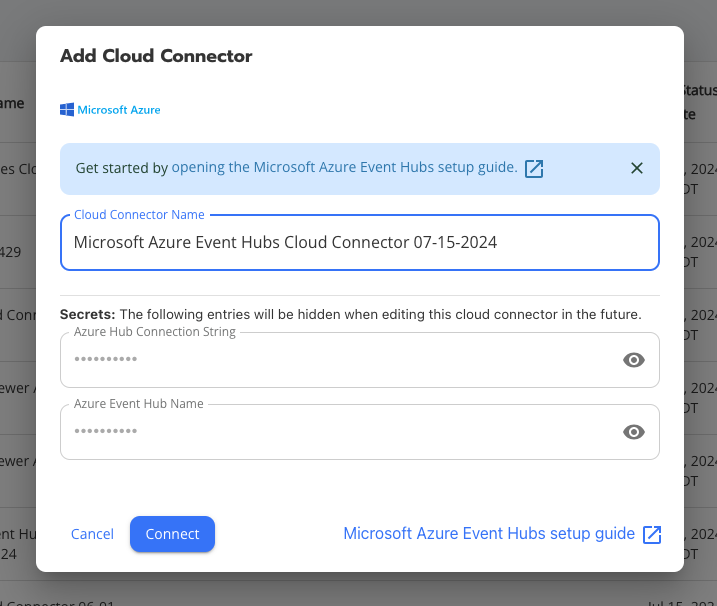

    New Reports

    This update introduces new global reports, including:

    Microsoft 365: MFA Changes Against Users

    As a report version of the detection released last week, this shows a 30 day view of all MFA options that have been changed. However you may notice that any changes initiated by an admin user will point to an Entra ServicePrincipal Accounts. These accounts can be correlated in the Entra portal, or with the report below.

    Microsoft 365: User MFA Changes – By Admin – EventHub

    This is like the one above but better! As a rule of thumb (at least currently, who knows with MS) EventHub can sometimes send significantly more data in the logs than other methods. This report will show you what Admin account changed what user MFA options in full.
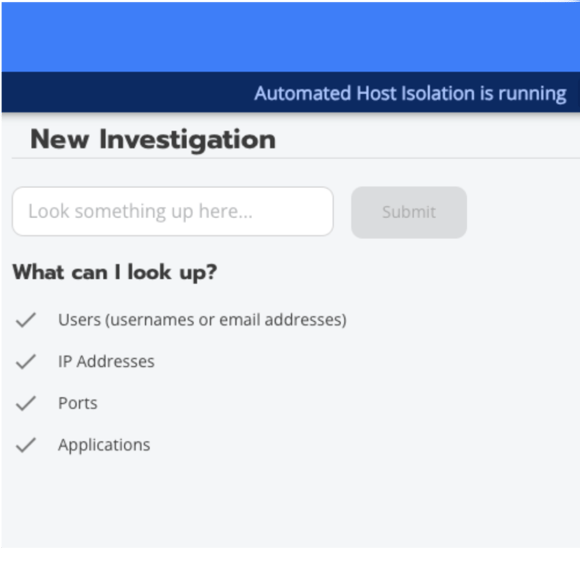
    February 28, 2024
    Product Release Notes
    Detection Update

    Security Detection Update – 2024-02-27

    Hello World! Welcome to our weekly security detection and report update. Our Incident Detection Engineering (IDE) Team is constantly hard at work. Creating, testing, and writing detections for you! This week, we’ve made several important updates to improve your security posture and enhance the functionality of our detections. As you know, monthly, we also release an overview of the entirety of what was changed in the product. However in these updates we’ll focus on the net new content that IDE provides on an ongoing basis, musings from our team, and maybe the occasional horoscope if you’re lucky.

    Introduction and Overview

    As we’ve not previously made public announcements on a majority of the detection work we’ve been up to, here’s a recap for you all.

    Blumira Detections Over Time

    As for this week, it was a busy sprint for us, as we did release some detections out-of-band for a ScreenConnect Emerging Threat you may have seen. We also focused on some Windows endpoint and Blumira agent detections as well as enhancing our Microsoft 365 offering.

    New Detections

    This update introduces several new detections, including:

    Invocation of Sudo for Windows

    Sudo is a new command for Windows, currently in Insider Preview and is not normally installed on Windows. It has to be manually enabled in its current form via the Developer settings menu. Sudo can be used to elevate permissions and is similar to Run As in nature. It has a few options to run as a new window or run inline within PowerShell or the command prompt.
    For more information, click here.

    • Status: Enabled
    • Log type requirement: Windows process creation or Blumira Agent for Windows

    Microsoft 365: MFA Change of Method

    During one of our recent webinars, a current Blumira customer had this ask:

    I would be very interested in an alert for any change to MFA methods, adds, deletes, changes to any method – Authenticator app, phone, txt or app password. Another company we work with had a user give up his creds. First move attacker made was to add a phone number for MFA. Most end users have no idea how to even find these settings, so any change is a red flag.

    You asked and we delivered! These are findings created only when a user changes their MFA settings, not administrators.

    • Status: Disabled by Default
    • Log type requirement: Microsoft 365 Admin

    Microsoft 365: Successful Login Using Commonly Targeted Account Name

    These usernames are part of a “watchlist” of commonly targeted accounts in password spraying and brute force attacks. Accounts with these names are typically shared, service, or test accounts that may be more vulnerable to account takeover due to their shared or temporary status. For example, scanner accounts are commonly created without MFA or modern authentication requirements due to scanners typically being incompatible with such security features. Threat actors know this and purposely target these accounts for that reason.

    • Status: Disabled by Default
    • Log type requirement: Microsoft 365 Admin

    PUA: Restic Backup Activity

    Restic is a free and open source backup program used to make backups. While the tool may be used by system administrators for legitimate business purposes, it has also been leveraged by threat actors to exfiltrate data.

    • Status: Enabled
    • Log type requirement: Windows process creation or Blumira Agent for Windows, Mac, or Linux

    Remote Access Tool: NetSupport Manager From Unusual Location

    NetSupport Manager is a common remote access tool used by System Administrators to remotely manage and support endpoints. It has also been seen being abused by threat actors to remotely control victim endpoints for unauthorized access.
    For more information, click here.

    • Status: Disabled by Default
    • Log type requirement: Windows process creation or Blumira Agent for Windows
    February 27, 2024
    Webinar

    Accelerating Detection and Response: Blumira Product Updates


    Join us for a webinar announcing three major Blumira product updates that deliver advanced security capabilities to equip overburdened IT teams.

    First, we'll overview the new XDR Timed Trial, a free 30-day guided tour to experience our detection and response capabilities hands-on. We'll demo installing the agent, running test detections, and investigating findings.

    Next, we'll showcase Blumira Investigate, a new search and visualization tool that surfaces all events related to an incident for accelerated investigations. See firsthand how easy it is to hunt through historical data and pinpoint affected endpoints. We'll walk through use cases like tracing a phishing attack or suspicious network activity.

    Finally, we'll highlight the expanded SAML single sign-on (SSO) options which allow users to authenticate via their preferred identity provider. Support for leading providers like Okta, Google, and Microsoft aims to make access more convenient.

    Join us for a webinar announcing three major Blumira product updates that deliver advanced security capabilities to equip overburdened IT teams.

    Whether you're an existing customer or new to Blumira, join us to explore how these updates extend our platform and 24/7 SecOps team’s capabilities for simplified security. Discover how we’re enabling understaffed IT teams to gain the visibility, speed, and capabilities once exclusive to large enterprises.

    Speakers

    Matt Warner, Blumira CTO and Co-Founder

    Matt Warner, CTO and Co-Founder

    Matthew Warner is Chief Technology Officer (CTO) and co-founder of Blumira. Matt brings nearly two decades of IT and cybersecurity experience to his leadership position, and a genuine passion for cybersecurity education.

    Prior to founding Blumira, he was Director of Security Services at NetWorks Group, a managed security services provider (MSSP) with a focus on compliance and ethical hacking. While at NetWorks Group, Matthew’s team searched for a SIEM that would serve their small to midsize business (SMB) clients well, but found that most products on the market were overly complex, expensive, and difficult to maintain. The concept of Blumira formed when Matthew noticed this significant gap in the market, and he developed a threat detection and response platform that was easy for SMBs to use.

    After the technology’s internal success at NetWorks Group, Matthew founded Blumira to focus his efforts on growing the platform to scale. Matthew is passionate about helping SMBs, which are often most vulnerable to cyberattacks, improve their security maturity with thoughtful and intentional changes. Through educational opportunities such as webinars, articles, podcasts, conference sessions and more, Matthew shares actionable advice that the most under-resourced and time-strapped teams can undertake.

    Brett Bzdafka, Principal Product Manager

    Brett Bzdafka, Principal Product Manager of Blumira, has had over 10 years of experience in SaaS start-ups that serve SMBs. With background in direct sales, channel sales, project management, product ownership, and product management, Brett knows what it takes for a team to deliver exceptional products to target users in need. As Principal Product Manager, Brett’s goal is to organize and intake as much prospect and customer feedback as possible to allow data to drive future roadmap decisions. If you ever have an idea about how Blumira could be better, Brett is always around and up for a chat to hear your opinion.

    February 16, 2024

    January 2024 Product Releases

    Summary

    In January, we introduced two new Cloud Connector integrations–JumpCloud and OneLogin–so users can begin sending those logs to Blumira to meet compliance needs. We also added a new detection rule to help monitor the health of Microsoft 365 Cloud Connectors and alert when logs are not received in Blumira.

    Feature and Platform Updates

    New Cloud Connectors: We added JumpCloud and OneLogin Cloud Connectors, both of which can be configured for log ingestion to meet your organization’s compliance needs. Log parsing for detailed reporting and detection capabilities will be released in the near future.

    Detection Updates

    Log Type Detection Rule Name Details
    Fortigate System/VPN Fortigate: Authentication Bypass CVE-2022-40684 We updated this detection rule to reduce false positive events, and we added more logic to capture updated IOCs and additional fields to support detection filters.
    HTTP Access (Apache/IIS/NginX) CVE-2023-34362: MoveIT Indicator of Compromise We updated this detection rule’s logic to reduce false positives caused by standard MoveIT activity.
    Microsoft 365 Microsoft 365: Impossible Travel AAD Login This existing detection rule now includes a tip to run “Microsoft 365 – Azure AD: Login Report” in the app to review the agents related to the detected activity.
    Microsoft365 Azure AD NEW – Potential Issue with Microsoft to Blumira Log Flow This operational detection alerts you when the client secret has expired in your Microsoft 365 Cloud Connector and logs are no longer being sent to Blumira.
    Multi-source Nltest Domain Enumeration We improved this detection rule by adding logic to capture parent_domain nltest invocations as well as command invocation of nltest or process_name like nltest.
    Okta Okta: Log Failure This operational detection rule now includes logic to alert you if your Okta logs have stopped flowing to Blumira when either 401 or 403 errors appear in the Okta logs. This indicates that the integration has failed due to invalid credentials, which must be regenerated then updated in your Okta sensor module in the app.

    Bug Fixes and Improvements

    We have improved some labels within Report Builder to help users edit their reports easily and find the full list of available columns, which were previously hard to find.

    December Highlights

    In case you missed the December updates, you can find and review those notes here.

    January 26, 2024
    SIEM XDR

    Blumira Product Updates: 2023 Review and What’s Coming in 2024

    2023 Feature Roundup

    At Blumira, it’s our business to pay attention. So when it comes to enhancing the Blumira security information and event management (SIEM) solution, we listen to customers and we watch what attackers are up to. Blumira is built for small and mid-sized businesses (SMBs) and their service providers, and customers are telling us they need a robust security platform that saves time for busy IT teams. Cyber criminals are continually evolving their tactics, and that means we need to stay ahead of threats and potential vulnerabilities.

    With input from both the good guys (you!) and the bad guys (whether they know it or not), Blumira rolled out a number of valuable platform enhancements in 2023. Jim Simpson, Blumira CEO, explains the approach: “We think a lot about how technology can do more on part of the operator. After all, technology is supposed to make our lives better, not worse.” That’s why this year Blumira has focused on enhancements that expand detection, automation, compliance, and reporting.

    A Summary of 2023

    Blumira Agent

    • Blumira has historically monitored environments through sensors and cloud connectors
    • In an ever growing remote and hybrid work world, more and more SMBs need to have visibility into, and to provide protection to remote devices
    • Last year, we added Blumira Agent, which allows remote monitoring and protection for all Windows, Mac, and Linux devices
    • Value: overall, this expands visibility and protection for organizations who have a full or semi remote workforce

    Automatic Host Isolation (AHI) has been added to the Blumira XDR platform edition. AHI enables automated action within an organization’s Blumira account to make responding to security threats simultaneously faster and easier for end users. More specifically, when a Blumira Agent monitored device uncovers a suspicious finding, AHI automatically isolates that device from the network. The specifics of what level of threat triggers such automated action can be customized within the Blumira App.

    This can stop the spread of malware and ransomware, protecting your environment until an administrator has time to address the issue. AHI keeps a historical administrative log that shows the devices that have been isolated and the actions taken, whether they’ve been done manually or automatically, so that you have full visibility into any isolation events on all of your devices.

    New data sources expand the threat coverage available from Blumira. New integrations include Webroot, a cloud-based antivirus and anti-malware software solution, and pfSense, our tenth firewall integration. pfSense is used to catch risky connections from public IPs as well as activity related to known threat sources. Over 200 integrations are available in every edition of Blumira, including the free version.

    Categorization and system notifications make life easier. Blumira separates findings by the type, so you’re not faced with a long, messy list. You can now assess whether findings are an imminent threat or something less critical, so your team can focus on the most important ones first. Another potential threat is a loss of visibility. Blumira now includes system notifications that alert you when a sensor on the platform goes offline. With the right information, the Blumira team can help you get up and running faster.

    New detections are on the lookout for emerging threats. In 2023, Blumira added 60 new detections and hundreds of associated rules. Our detection engineering team is continuously researching the latest attack techniques, writing rules and testing them against real data in Blumira’s cloud-based solution to deliver enhancements that provide real value.

    This just in!

    CEO Jim Simpson and Brett Bzdafka, Principal Product Manager at Blumira, rolled out some exciting new features in their end-of-year product roundup. The webinar explains how these new features will benefit you and your organization:

    Executive Summaries are clear, colorful reports that can help you demonstrate the value of Blumira to stakeholders all the way up to board level. Blumira Executive Summaries highlight how data ingestion and log storage is unlimited, so you’re getting the best possible security insights without additional costs. The summaries show a 12-month look-back with threats broken down by category so they can be understood in context. And there are options to show your resolution rate, add a logo, or write a brief synopsis of findings.

    Compliance reports make it easy to respond to audit requests. Blumira now has 24 saved reports based on National Institute of Standards and Technology (NIST) 800-171 requirements, and 41 reports formatted for the International Organization for Standardization (ISO) 27001 compliance framework. Reports are easy to access in report builder and they automatically populate with relevant information, saving you days or possibly weeks of time.

    Google Workspace integration has been migrated from a sensor to a cloud connector based on customer requests, and it is now available in all paid Blumira Editions.

    Blumira Agent can now collect logs from Mac and Linux endpoints in addition to Windows, providing broader visibility across your entire environment. This allows you to step up security for remote workers on more platforms.

    The Year Ahead

    New features on the Blumira roadmap are slated for Spring and include improvements in our XDR Platform that will make it easy to search for findings related to a specific user, IP address, or endpoint. The search will produce data visuals that illustrate an incident from end to end, helping to speed investigation so IT teams can quickly respond to close security gaps.

    For managed service providers (MSPs), Blumira is working on integrations with professional service automation tools (PSAs) so they can optimize efficiency and workflows. The first professional services automation (PSA) integration will be with ConnectWise. Billing is also being automated so MSPs can focus on security rather than paperwork.

    At Blumira, the feedback we get from customers helps us refine features, prioritize development, and adjust our roadmap so it continues to meet your evolving needs while keeping your organizations protected against the latest threats..

    Contact us today for a demo or sign up for the FREE Blumira SIEM and get:

    • 3 cloud integrations that deploy in minutes
    • Cloud SIEM with detection and response
    • Automated detection rules applied
    • Playbooks on how to respond to threats

    No credit card is required!

    January 10, 2024

    December Product Releases

    In December, we kept the Blumira Agent energy humming with the release of several detections for Mac and Linux endpoint logs. Additionally, our Sophos Central integration is now available as a Cloud Connector, and we’ve added a new threat feed and detection rule to protect against BianLian activity.

    Feature and Platform Updates

    • New Cloud Connector: We added a Sophos Central Cloud Connector to the app, so users can now send SIEM Event logs to Blumira without a sensor.
    • New Threat Feed: After reviewing the DFIR ReportSQL Brute Force Leads to BlueSky Ransomware, we added a new threat feed called “DFIR Report: BianLian Command and Control.” This threat feed is used by our automated blocking feature, along with Blumira’s Dynamic Blocklists. A new detection was also added to the app to trigger findings related to entries in this threat feed.

    Detection Updates

    Log Type Detection Rule Name Details
    Blumira Agent (multi-source) NEW - macOS: Potential Autostart Re-Opened Application Modification This new informational detection is triggered when loginwindow.plist is accessed on a device. Any unauthorized modifications to loginwindow.plist files should be investigated.
    Blumira Agent (multi-source) NEW - macOS: Logging Service Shut Down This new P3 detection triggers when a device shuts down its logging service. While this may indicate a normal actuation of the logging service it may also indicate an attacker is attempting to halt evidence retrieval similar to Windows Log alerting.
    Blumira Agent (multi-source) NEW - macOS: UnSafe File Permissions - Chmod 777 This new P3 risk detection triggers when a file has had permissions set to allow read, write, and execute to all users on the system. Setting these permissions on a file can result in unsafe modification of content or leaking of sensitive data and is not a recommended practice.
    Blumira Agent (multi-source) macOS: Mac User Added to Local Administrator Group via command line This P2 suspect detection triggers when a user has been granted administrator privileges on a device via a command-line tool. Such a method of user elevation is uncommon and potentially risky. Achieving administrative status allows the user complete control over the device, including overriding existing policies or permissions.
    Blumira Agent (multi-source) Bash/Zsh History Manipulation We updated this detection rule to work with Blumira Agent logs. The detection was renamed from "Indicator: T1070.003 Bash History Manipulation" to "Bash/Zsh History Manipulation" and covers several types of history manipulation.
    Blumira Agent (multi-source) Indicator: T1222.002 Linux Unusual File Attribute Action These existing detections are now compatible with Blumira Agent logs.
    Blumira Agent (multi-source) Indicator: T1136.001 - New user with root UID and GID These existing detections are now compatible with Blumira Agent logs.
    Blumira Agent (multi-source) Indicator: T1222.002 Linux UnSafe File Permissions: Chmod 777 These existing detections are now compatible with Blumira Agent logs.
    Blumira Agent (multi-source) Linux: Logging Service Shut Down These existing detections are now compatible with Blumira Agent logs.
    Blumira Agent (multi-source) Execution of Python tty Shell These existing detections are now compatible with Blumira Agent logs.
    Cisco ASA System NEW - Cisco ASA: Excessive Authentication Errors This new P2 Threat detection triggers when one or more user accounts have failed AAA authentication at an excessive rate (5+ failed logins within an hour), which could indicate a brute force attack where word lists are used to guess username/password combinations.
    Microsoft 365 Exchange NEW - Microsoft 365: Suspicious Exchange Transport Rule Creation This new P2 Threat detection triggers when a new transport rule is created with signatures that match malicious rules used by threat actors, such as antispam header removal. To learn more about compromises related to transport rule techniques, see Microsoft’s article: Malicious OAuth applications abuse cloud email services to spread spam.
    Microsoft Outlook Outlook .pst File Export We added an info field to the evidence for this detection to assist customers in investigating the related activity. The field will appear only when the information is available in the logs and is not null.
    Microsoft Windows NEW - Authentication by Known Attack Tool This new P1 Suspect detection is triggered when a device authenticates to your network using a workstation with a known bad workstation name. This activity is often used to scan a network during the reconnaissance phase of an intrusion.
    Microsoft Windows NEW - Disabling of Windows Firewall This new P3 Suspect detection triggers when a device is seen disabling the Windows Firewall. Threat actors have been observed disabling firewalls to permit malicious traffic, so this activity should be investigated and validated for security.
    Microsoft Windows NEW - Excessive Failed IIS Logins per User This new detection triggers when there are excessive failures against public web services (RDP, Exchange, etc) to surface brute force attacks.
    Microsoft Windows Kerberoast attack behavior We updated the detection logic to make this more sensitive and performative on newer versions of Windows while also maintaining high-fidelity alerting.
    Multi-source NEW - Dump LSASS.exe Memory using Windows Error Reporting This new P1 Suspect detection triggers when a local administrator has used Windows Error Reporting (WerFault.exe) to perform a process dump of all running processes on the system.
    Multi-source NEW - DFIR Report: BianLian Command and Control This new P2 threat detection, which is included in Automated blocking with Blumira’s Dynamic Blocklists, triggers when traffic to a known command and control server has been observed on your network. This command and control traffic is likely related to the infrastructure of BianLian, a criminal group known for ransomware operations.

    Bug Fixes and Improvements

    • Improvements in Report Builder were released, including the following:
      • a horizontal bar for scrolling the results table
      • the ability to view up to 250 rows at a time
      • queries with over 5,000 rows of results automatically sort with the most recent results first

    November Highlight

    In November, weannounced the expansion of Blumira Agent, which can now be installed on Mac and Linux endpoints. Get maximum visibility and compliance across your organization’s fleet by deploying the agent on all of your devices!


    December 18, 2023
    SIEM XDR

    Deck the Halls with G2 Badges!

    Another season is upon us, and the G2 winter reports are out! Blumira is thrilled to announce another record level of awards at 76 badges, including Most Implementable, Easiest Setup, Best Relationship, Best Support, and many more.

    Do you hear what we hear?

    These badges are based on user feedback in the form of G2 reviews. We value what our customers have to say, so it brings joy to our world when we get reviews like,

    Outstanding Detection Filter accompanied by an effortless deployment model. The detections really help sort out the noise created by other security event and incident detection tools. The deployment was also much easier than most other SIEM tools.”

    Best product hands down for a small team. Blumira is super easy to use and integrate. The rules will auto enable based on the types of integrations you use. I also liked the ability to have custom rules setup by the Blumira team. This is a great solution if you’re a small team looking to centralize your monitoring and reporting.”


    Easier than taking cookies from a Santa

    It’s important to us to provide easy, effective, and efficient security, so it couldn’t please us more that we received the Most Implementable and Easiest Setup badges in G2’s security information and event management (SIEM) and Log Monitoring categories.

    We also received several usability G2 badges, including Easiest Admin and Easiest to Use in the security orchestration, automation, and response (SOAR) and extended detection and response (XDR) categories.


    Faster than a runaway reindeer

    In addition to being the fastest implementation for SIEM, we’re also proud to note that we got the Fastest Implementation badge in the XDR and SOAR categories.


    Lovely weather to detect threats together

    Small IT teams like yours shouldn’t have to weather the storms of cyber threats alone. The Blumira team is here for you – from our Security Operations team, available 24/7 for critical priority issues, to Incident Detection Engineers, who manage detection rules and provide response playbooks with every finding. We work hard to make sure you have what you need to protect your organization, and our Best Support, Best Relationship, and Easiest to Do Business With G2 badges reflect this.


    Making a list and checking it twice

    Our exceptional support isn’t just attentive service – it directly translates into proven security outcomes, faster threat elimination, and tangible cost savings for SMBs. Within the SOAR and XDR categories, Blumira was awarded the Best Estimated ROI badge.


    Walking in the air

    Ending on a high note, we are thrilled to have 16 High Performer badges in categories like SIEM, SOAR, XDR, Incident Response, IDPS, Cloud Infrastructure Monitoring, Log Monitoring, and Cloud Security.

    These badges and scores are based on reviews gathered from the G2 user community, as well as data aggregated from online sources and social networks.

    The Best Way to Spread Holiday Cheer

    Is sharing your feedback, loud and clear! (And of course, singing loudly for all to hear.)

    We celebrate these G2 badges, because they let us know we are living up to our mission to provide easy and effective security to all.

    If you’re a customer and ready to let us know how we’re doing, leave us your review and get a $25 gift card! Or if you’re just looking to learn more, request a demo of Blumira here.

    Happy holidays, everyone!

    About G2

    G2 is the world’s largest and most trusted software marketplace. More than 80 million people annually — including employees at all of the Fortune 500 — use G2 to make smarter software decisions based on authentic peer reviews. Thousands of software and services companies of all sizes partner with G2 to build their reputation, manage their software spend, and grow their business — including Salesforce, HubSpot, Zoom, and Adobe. To learn more about where you go for software, visit www.g2.com and follow us on Twitter and LinkedIn.

    November 14, 2023
    Microsoft Security

    Now Available: Blumira Agent for Windows, Mac & Linux

    While the majority of SMBs (small and mid-sized businesses) are running on the Microsoft Windows operating system, Apple Mac usage has risen in popularity in recent years. Mac laptop usage rose 63% during the pandemic, with the trend resulting in more mixed Mac and Windows deployments (Computerworld). Likewise, we’ve heard from our customers that they had a strong preference for more Mac and Linux detections and the ability to send logs from remote endpoints running these operating systems.

    Blumira’s SIEM + XDR solution pulls in data from many different sources – including firewalls, endpoints, cloud applications and infrastructure, servers, and more – analyzing logs for the detection of threats, while providing playbooks and automated response options. We released the ability to use Blumira Agent to collect logs from Windows endpoints in early 2022, providing advanced detection and automated response, including the ability to immediately isolate endpoints.

    Now Blumira Agent can collect logs from additional Mac and Linux endpoints, supporting devices running on all different operating systems. Blumira simplifies an IT administrator’s ability to use one platform to monitor all devices for the security of their organization, making security easy, effective and efficient for lean teams.

    Benefits of Blumira Agent Across All Platforms

    The more data we can analyze, the greater our visibility into potential threats. Blumira Agent is one way to collect additional data from remote endpoints and send it to Blumira’s SIEM for threat analysis.

    This allows us to detect and respond faster and earlier to help prevent malware infection, including ransomware, or data breaches.

    Blumira correlates endpoint data against many other data sources to identify threats earlier that other tools may miss (like standalone endpoint detection and response (EDR) products).

    Overall benefits include:

    • Security coverage for work-from-home employees & all remote endpoints across Windows, Mac & Linux
    • Broader visibility into remote endpoint risks; detect and quickly remediate threats
    • Contain the spread of ransomware by automatically isolating affected endpoints
    • Frictionless installation in minutes requires no sensor or on-prem infrastructure
    • Easily satisfy compliance and cyber insurance requirements for data retention, SIEM and endpoint security with Blumira

    What you can do — the value you get from Blumira Agent:

    • Save time managing & monitoring your devices with one platform
    • Detect threats that other tools may miss by comparing data across entire environment, not just endpoint
    • Respond automatically by isolating devices during off hours, keeping your business safe 24/7
    • Easily manage all devices & see their agent status (off/online/isolated) in one platform
    • Streamline security workflows by accessing associated logs & findings within Report Builder

    With automated response capabilities, your team can have around the clock coverage without requiring any manual intervention. Automated Host Isolation will immediately contain an endpoint associated with a priority finding until you have time to investigate further.

    How Can I Install Blumira Agent For Mac & Linux?

    It’s easy to install agents across additional endpoints in your environment. Blumira allows you to generate a custom script in-app, then use that to quickly install Blumira Agent on your endpoints.

    Navigate to Blumira Agent within the app menu, then select Installation. Choose Create new installation key, then select the desired platform. Copy your custom installation script below after it appears in the box.

    Then you’ll need to run your script. The steps you take to run it will vary based on the operating system you chose.

    • For Windows, you can paste the script into an elevated PowerShell prompt, then press enter to complete installation automatically.
    • For Linux, you can paste the script into your Linux terminal, then press enter to complete installation automatically.
    • For Mac, you can paste the script into your Terminal and then follow these instructions.

    See all additional support articles on using Blumira Agent, automated host isolation and more.

    Coming Soon: Mac & Linux Detections

    Stay tuned for the upcoming release of new detection rules to help you identify and respond to different types of anomalous behavior, including:

    • Elevation of user privileges to admin privileges, used by attackers to conduct malicious activity
    • Suspicious changes to files that could be used to launch malware, or result in leaked data
    • Shutting down of logging services and hidden file creation and execution, used to evade detection

    And much more, including 2 global reports.

    Note: actual detections may vary after initial testing and tuning by our incident detection engineers.

    Easy to Install & Detect Threats

    “It was very easy. I followed the step-by-step guides for a couple of my clients; deployed the server, followed the guide and did it – no problem. I deployed to endpoints with the RMM tool and used Blumira’s script. It was easier than I thought and I was happy with that.


    Blumira Agent is on a handful of machines right now. It alerts me when it detects potential threats and is great for endpoints that aren’t directly attached to the corporate network.

    – Frank DeLuca, President, The CTO Agency

    Read the full case study

    Blumira Agent: Available in SIEM+ and XDR Platform Editions

    Reach out to us if you’d like a custom quote and learn more about our pricing to help meet your organization’s needs. If you’ve been waiting to try out our SIEM+ or XDR Platform editions (Blumira Agent included), now is a great time to get a free trial or upgrade – contact us to learn more.

    November 07, 2023
    Compliance Security Frameworks and Insurance

    Now Available: ISO 27001 Compliance Reports

    The International Organization for Standardization (ISO) 27001 defines requirements that companies of any size can use to establish, implement, maintain and continually improve an information security management system.

    Manufacturing companies that need to meet ISO 27001 compliance can easily prove their adherence to standards with Blumira’s new pre-built global reports.

    Protecting Against Manufacturing Cybersecurity Risks

    The manufacturing industry runs the risk of downtime due to ransomware attacks, which doubled in 2022 alone, targeting industrial infrastructure. They also could be at risk of intellectual property (IP) theft or extortion, if an attacker was able to compromise this type of data. Meanwhile, supply chain attacks also result in downtime, negatively impacting production.

    How Can Blumira Help With ISO 27001?

    Complying with ISO 27001 can help protect against manufacturing security risks with the ongoing use of an information security management system.

    Blumira’s SIEM + XDR security platform helps your organization easily meet and exceed ISO 27001 compliance requirements for logging, monitoring, threat detection and response.

    “I’ve worked with SIEMs for over 30 years; many collect logs, but analyzing them is time-consuming. I don’t have the staff dedicated to sit and read logs all day or with the skillset to analyze our data. We chose Blumira for its simplicity – I needed a solution that would simplify, consolidate and show me what I really need to see.”
    – Jim Paolicelli, IT Director, Atlantic Constructors (see the full manufacturing case study)

    By regularly running and scheduling Blumira’s ISO 27001 reports, you can easily prove your compliance to an auditor for certain controls.

    Which Reports Map to Which ISO 27001 Controls?

    See which Blumira reports map to which ISO 27001 controls so you can easily hand over pre-built reports to your auditor to prove your compliance. Please note that each report is available for certain integrations, which are listed under each report below:

    ISO 27001 Controls Blumira’s Global Reports
    A.9.2 Privileged Access – Track access by administrators and power users ISO 27001 - Windows Privileged Access

    Available for: Windows
    A.9.2 Password Resets – Track password changes for awareness of compromised accounts ISO 27001 Password Modification Tracking

    Available for: Windows
    A.9.2 Failed Logins – Identify brute force and other credential attacks ISO 27001 - Failed Logins

    Available for: Linux, Palo Alto, Fortigate, Microsoft 365
    A.9.2 USB Device Usage – Detect unauthorized devices plugged into endpoints ISO 27001 USB Device Use Alerts
    A.9.2 Account Lockouts – Find accounts locked due to excessive failed logins ISO 27001 Account Lockouts
    A.9.2 Logins by Location – Spot access from unfamiliar regions ISO 27001 Logins from Outside US
    ISO 27001 Logins from Outside UK
    ISO 27001 Logins from Outside CA
    ISO 27001 Logins from Outside AUS

    Available for: Azure, Microsoft 365, Duo, Okta
    A.9.2 VPN Connections – Monitor remote access methods and users ISO 27001 VPN Connections

    Available for: Fortigate, Cisco ASA, Watchguard, GlobalProtect, SonicWall, Sophos
    A.12.1 System Changes – Record critical configuration and policy changes ISO 27001 Windows GPO Updates
    ISO 27001 Firewall Configuration Change

    Available for: Windows, Fortigate, Palo Alto, Sophos XG, Cisco ASA, Sonicwall
    A.12.4 Earliest Timestamps – Prove log data retention meets policy ISO 27001 Earliest Timestamps - Total Logs
    A.12.4 Log Tampering – Detect modifications or deletions of log data ISO 27001 Log Tampering - Clearing of Windows Security Event Log
    ISO 27001 Log Tampering - Clearing of Windows Event Log

    Available for: Windows
    A.13.1 Firewall Traffic – Analyze allowed/blocked connections at perimeter ISO 27001 - Firewall Traffic
    A.16.1 IDS/IPS Alerts – Identify potential intrusion attempts and malware ISO 27001 IDS/IPS Alerts

    Available for: Fortigate, Umbrella, Checkpoint, PaloAlto, Sonicwall, Sophos XG

    How Can I Access the ISO Reports?

    Blumira customers on paid editions can use global and saved reports to easily access ISO compliance reports, as well as many other reports to analyze the logged events that you send Blumira.

    To view an ISO global report or one of your saved reports, follow these easy steps:

    1. Navigate to Reporting > Report Builder. Adjust time range as needed.
    2. Click to open the additional options menu (the three dot menu seen on the right side).
    3. Click Load Saved Report. Type “ISO” into the search box at the top of the Saved Reports screen.
    4. In the Saved Reports window, click the report that you want to use.

    Note: You can type a name or keyword to filter the list or scroll to find a specific report. When you search “ISO,” the compliance reports you can view will vary based on which integrations you currently have set up for your organization.

    Get more tips on how to use Blumira’s Report Builder in our documentation article, Using global and saved reports.

    Blumira For Compliance: Easy & Effective Security For SMBs

    It’s easy to help meet or support multiple compliance controls using Blumira’s SIEM + XDR platform. Time-strapped IT teams can do more with one solution that combines SIEM, endpoint visibility and automated response. See our recent post on NIST compliance reports and the different compliance frameworks we support.

    There’s a few different ways you can get started with Blumira:

    • Free SIEM – Choose up to 3 cloud integrations, set up in minutes, send logs to Blumira and start seeing security value right away. Our Free SIEM gives you a limited version of our product with 14 days of data retention.
    • Get a Demo – Not ready to try Blumira yet? Contact our team to speak with a representative and walk through a demo of Blumira’s XDR Platform to get all of your questions answered. Ask about getting a trial of the full XDR platform for 30-days.
    November 01, 2023
    SIEM XDR

    Secure Your Distributed Workforce with Ease

    The World of Work is Changing

    Here at Blumira, one of our primary goals is to continuously help organizations of all sizes improve their overall security coverage. We provide ongoing expertise as a trusted security advisor. For this reason, we regularly interview and survey customers to learn more about their needs and goals. In 2023, we learned a lot from this outreach about how work is changing.

    First, we asked organizations what percentage of their employees work remotely. In nearly 100 responses, we discovered that 88% have remote workers and 43% still have a majority working from home. On the other hand, only 12% were fully on-premises.

    Though the tumultuous events of 2020 are now in the rearview mirror, many organizations still offer hybrid or fully remote work. This strategy seems here to stay.

    From a security standpoint, this increases the difficulty of maintaining visibility and security. Organizations must now monitor and protect remote workers in addition to those on-site.

    Work Modes are Changing

    For decades, Microsoft products have been the technology backbone for most organizations. While Microsoft remains dominant, we asked survey respondents about their use of non-Microsoft technologies.

    At Blumira, our detection and response platform enables organizations to resolve threats faster to stop ransomware and prevent breaches. We continuously write new detections to address emerging threats. With this context, we asked customers about interest in offering Linux and Mac detections.

    Surprisingly, 74% expressed moderate to high interest in Linux detections, and 53% for Mac. Though Windows leads in many organizations, many also need coverage in other environments as some staff use Linux and Mac devices.

    Is the work mode changing rapidly regarding operating systems? Probably not, but it is clear that for many businesses to maintain a healthy security posture at a widespread level, their security tools need to be able to support multiple systems.

    What Organizations Need in Security Tools

    With remote work and diverse devices, many organizations struggle to meet security needs. Most lack internal security teams, and even if someone handles security, they often have other responsibilities. With many options, what do organizations want in security tools?

    We asked customers what differentiated our product from others they considered. The most important aspects were: 83% mentioned “Ease of Use,” 71% listed “Cost,” and 58% selected “Onboarding / Support.”

    For many organizations, security must be easy, affordable, and supported by a helpful team.

    Final Reflections

    I was the first full time employee at a start-up company. In start-up life, many aspects of an organization grow over time as the business grows. Likewise, many small and medium-sized organizations often start their security journey due to compliance needs. Their security expertise may be limited at that stage, and finding the right solution can be overwhelming.

    Blumira provides a tailored solution for these organizations. We understand the challenges in finding good security, so we’re always available to help however we can. Although work is changing, with the right partner, organizations of all sizes can achieve strong security with ease. We’re happy to chat to understand your needs and see if we’re a fit.

    Onward in your search, and remember that with the right tools, you can secure your distributed workforce with ease!

    Webinar

    For a reveal of our new and upcoming product updates, watch this on-demand webinar where I and Blumira CEO Jim Simpson discuss our new Executive Summaries, Blumira Agent Updates, NIST & ISO Reports.

    November 01, 2023

    Cybersecurity Innovator Blumira Bolsters Executive Team for Next Growth Phase

    Blumira Expands Executive Team, Appoints New CMO and SVP of Sales to Drive Growth

    ANN ARBOR, Mich., November 1, 2023—Blumira, a leading provider of security information and event management (SIEM) and extended detection and response (XDR) solutions purpose-built for small and medium-sized businesses (SMBs), today announced the appointment of two new executives. Pam Cory has joined as Chief Marketing Officer (CMO), and Andrew Donato as Senior Vice President (SVP) of Sales.

    Both executives will play critical roles in supporting the rapid growth of Blumira as demand for security solutions increases. The appointments follow the June 2023 Series B fundraising announcement.

    “We’re excited to welcome Pam and Andrew, two proven leaders who bring a wealth of relevant experience scaling high-growth B2B software companies,” said Jim Simpson, CEO of Blumira. “Their expertise will be invaluable as we accelerate our mission to deliver integrated SIEM and XDR specifically designed to address the unique security challenges faced by emerging enterprises and growing IT teams.”

    As CMO, Pam Cory leads Blumira’s global marketing strategy, go-to-market, demand generation, product marketing, and communications programs. She has held executive marketing positions with leading technology providers, including NetMotion, BitTitan, DellEMC, and ProQuest.

    Andrew Donato joins as SVP of sales, responsible for accelerating revenue growth by expanding sales capacity and optimizing processes. He has a history of spearheading high-velocity sales growth at multiple SaaS and tech startups, including Booker, Schoology, and Emburse.

    “I jumped at the opportunity to join Blumira. They uniquely understand the security needs of SMB customers, delivering powerful SIEM and XDR capabilities scaled to be easy and affordable,” said Pam Cory, CMO of Blumira. “Our platform detects threats and guides users through responses for better security outcomes. We provide the security expertise smaller IT departments often cannot afford.”

    “Blumira stands at the forefront of a transformative era in security for SMBs. My passion has always been to drive growth in organizations that make a genuine impact,” said Andrew Donato, SVP of Sales, Blumira. “I’m thrilled to be part of a team that’s dedicated to ensuring every business, regardless of size, has the tools to protect their digital future.”

    Blumira has accelerated its momentum in 2023 through new product innovations designed to save customers time and effort. This includes the launch of its XDR platform, offering automated response capabilities ideal for time-strapped IT admins. The XDR platform works around the clock to identify advanced threats, then automatically contain endpoints associated with threats and block malicious traffic. Blumira also launched Blumira Agent, providing easy endpoint visibility for SMBs. These innovations will help extend Blumira’s reach in continuing to deliver powerful and efficient security tailored for mid-sized organizations.

    About Blumira

    The Blumira SIEM + XDR platform makes advanced detection and response easy and effective for small and medium-sized businesses, accelerating ransomware and breach prevention for hybrid environments. Time-strapped IT teams can do more with one solution that combines SIEM, endpoint visibility, and automated response. Meet compliance with one year of data retention and extend your team with Blumira 24/7 SecOps support. Blumira was recognized by G2 as a Momentum leader, ranked as ‘Fastest Implementation,’ ‘Easiest to Use,’ and ‘Best Support’ in the G2 Fall 2023 Grid® Reports.

    Media Contact
    Kim Brown, Senior Director of Marketing
    kbrown@blumira.com

    These events will provide more information on the latest and greatest with Blumira:

    October 24, 2023

    Elevate Security Response with Blumira’s Security Operations Team

    Blumira’s SIEM and XDR solutions provide thoughtfully crafted automated detections and security recommendations seamlessly integrated into the platform. The incident detection team tirelessly perfects these automated findings, ensuring any user can easily investigate them.

    Sometimes customers need additional guidance investigating an incident. This is where Blumira’s Security Operations team provides their expertise. They excel at security incident investigations and clear communication. The team ensures customers understand the raw data by explaining it in relatable terms, and providing abundant relevant details to resolve investigations smoothly.

    I wanted to share some recent examples that demonstrate the tremendous value our Security Operations team brings to our partnerships. Having an experienced security team as an extension of your own is a major advantage in the SIEM market.

    Anomalous Server Path Access From a Foreign Attacker

    We discovered one financial customer was targeted by an attacker in Ireland attempting to access their internet-facing conferencing server. We rapidly identified the geographic source and recommended geo-blocking Ireland, assuming it would not affect business.

    This evolved into a more nuanced geo-blocking policy, shrinking the attack surface. We also prioritize finding any high-severity vulnerabilities on exposed servers or software. While internet scanning occurs constantly, some require joint prioritization based on exploitable vulnerabilities.

    Password Spraying

    Seeing threats like password spraying in our alerts compels us to proactively reach out to customers and offer assistance or additional details around the event. We love keeping our customers safe by investigating security incidents. In this case, it was a real attack. We advised the customer to immediately isolate the infected machine and reimage it.

    Windows Admin Account Lockouts

    Sometimes customers work through a finding but ask for more information via our ticketing system, which we encourage. Recently a customer asked about our detection of a domain admin account triggering daily lockouts. We happily found this was not malicious but related to a scheduled task using old admin credentials.In conclusion, I hope this demonstrates the tremendous value of our Security Operations team. Simply put, we love working with our customers, whether that means listening to their suggestions or showing them an unfamiliar Blumira feature. “Keep the questions coming” is our motto! We thoroughly enjoy an open dialogue with everyone we partner with.

    October 24, 2023
    Webinar

    On-Demand: Executive Summaries, Agent Updates, NIST & ISO


    What’s the latest from Blumira?

    Blumira’s R&D team has been hard at work this year, delivering what you’ve been asking for! Join our product update webinar to hear the latest from Blumira’s CEO, Jim Simpson, and Principal Product Manager, Brett Bzdafka.

    Here’s what we’ll cover in the webinar:

    • How to show immediate security value and demonstrate cost savings to your stakeholders with our new Executive Summaries – snapshots of your security and Blumira environment
    • Gaining greater visibility and detecting early signs of an attack with remote endpoint coverage
    • How to breeze through your compliance audits with pre-built global NIST and ISO reports

    Plus, tune in to hear what’s to come, including a sneak preview of a major XDR enhancement in 2024, in addition to MSP integrations. Join to get the product scoop and get your questions answered.

    As always, our Product team values your feedback and works directly with our customers to incorporate their needs into our roadmap – all part of our dedication to making security easy and effective for SMBs.

    October 24, 2023

    Introducing Blumira Customer Advocate Program

    At Blumira, openness and collaboration are central to our mission of making effective cybersecurity accessible for organizations of all sizes. We believe knowledge sharing allows security professionals to stay a step ahead of emerging threats.

    That’s why we created the Blumira Customer Advocate Program – to reward customers for spreading the word about our innovative, easy-to-use SIEM solution. Blumira customers, including those signed up for a free edition, can now become a Blumira Advocate simply by getting started here.

    As a Blumira Advocate, you’ll receive a unique referral link to promote through your network however you choose. Whether it’s email, social media, or another channel, you can easily share your experience and recommend Blumira to peers and partners.

    For every referral you send our way that requests a demo, you’ll receive a $250 gift card or charitable donation. It’s our way of thanking you for your advocacy. In turn, your referrals will get to preview our intuitive SIEM+XDR platform designed specifically for SMBs. If they become a customer, they’ll also receive $250!

    The program delivers value all around:

    • Advocates are compensated for sharing Blumira
    • Referrals get access to a peer-trusted solution
    • New customers get a signing bonus

    By working together, we can make cybersecurity more accessible while rewarding your contributions along the way. Let’s unite as a community to stay on the offense against breaches and ransomware.
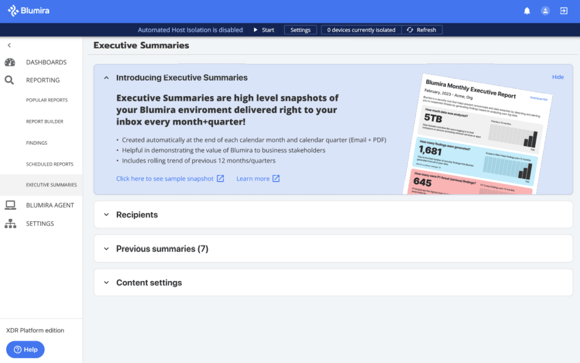
    Sign up now to become a Blumira Advocate and start receiving your unique referral link. Then simply share it across your network however you choose – email, social media, events – and let the rewards begin!

    Who’s eligible to take part as an Advocate?

    Customer Advocate Participants:

    • Current Blumira customers in good standing
    • Cannot be an active reseller, referral partner, or MSP
    • Cannot be a paid advertiser or promoter for Blumira
    • Must be based in the U.S. or Canada

    Referred Organizations:

    • Must submit demo request through Advocate’s referral link
    • Cannot be a current customer or in sales process
    • Must have genuine interest in Blumira
    • Must be located in the U.S. or Canada

    Our goal with the Customer Advocate Program is to increase awareness of how Blumira simplifies security for resource-constrained IT teams. We make robust, enterprise-grade SIEM more accessible for SMBs.

    Become a Blumira Advocate today! Help us showcase that effective security is achievable, even with limited budgets and manpower. Let’s work together to bolster the security postures of SMBs across North America. Get started as an Advocate now and begin earning rewards!

    October 23, 2023

    Now Available: Blumira’s Executive Summaries

    You asked for it and we’ve delivered – Blumira’s Executive Summaries are now automatically available for all customers on SIEM+ and XDR Platform; no need to run any reports manually.

    Blumira’s Executive Summaries immediately show security value to your C-level, key stakeholders, financial decision-makers and others. The easy-to-understand, colorful reports give you a high-level overview of:

    • How much money you’re saving with Blumira’s unlimited data ingestion and log storage (vs. thousands of dollars every month you would spend with other SIEM vendors)
    • The level of risk in your environment, with a view of how many and what kinds of threats Blumira has identified in your environment by analyzing your log data
    • Trends over time, with a look back at your previous 12 months of data
    • How many suspected threats were resolved, with the option to toggle this information on and off for each report

    Giving your stakeholders insight into Blumira’s cost savings and value-add on a monthly or quarterly basis is easier than ever with Blumira’s Executive Summaries. The reports are automatically generated in your Blumira application and can be sent to recipients directly.

    Learn more about Blumira’s security reports.
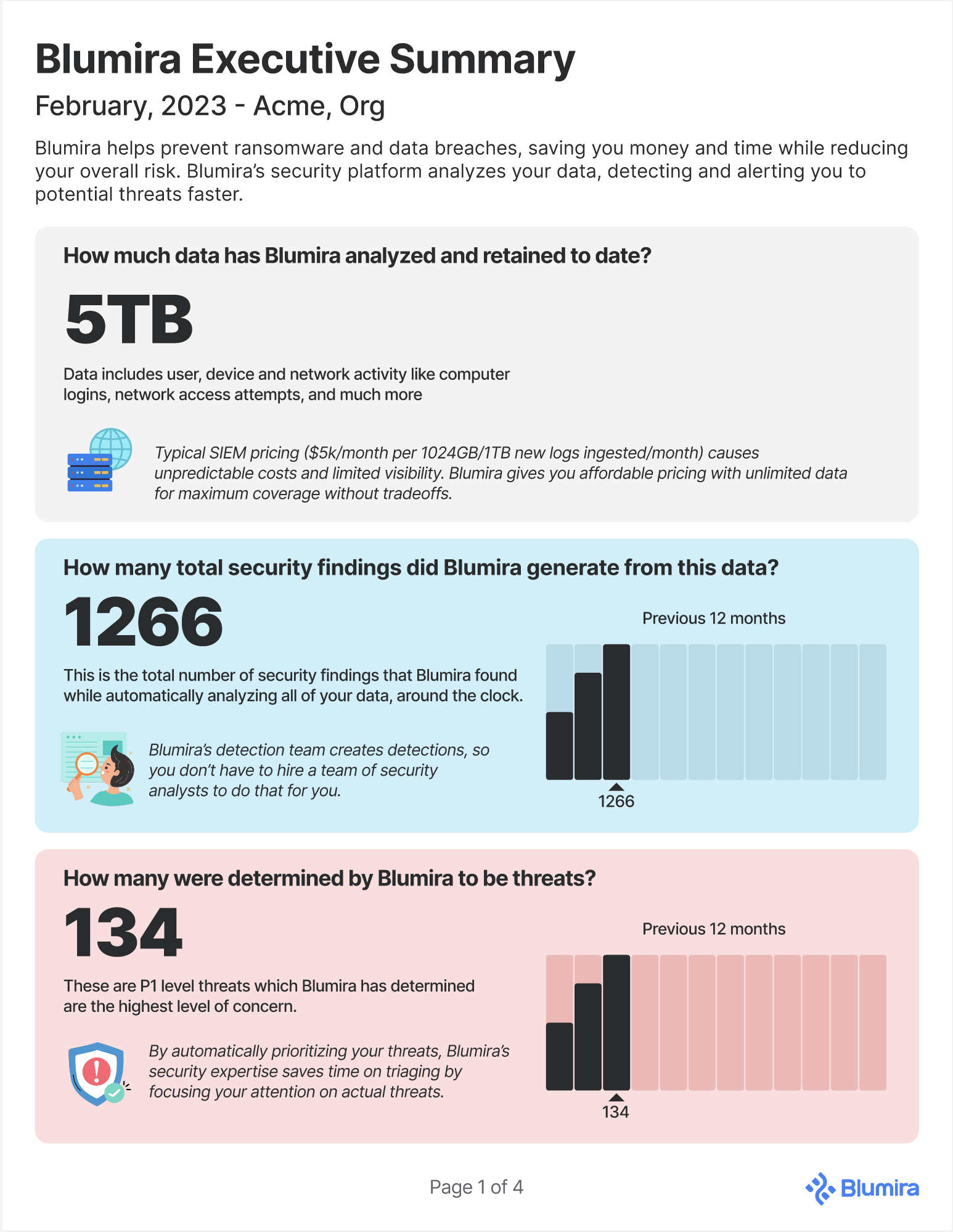
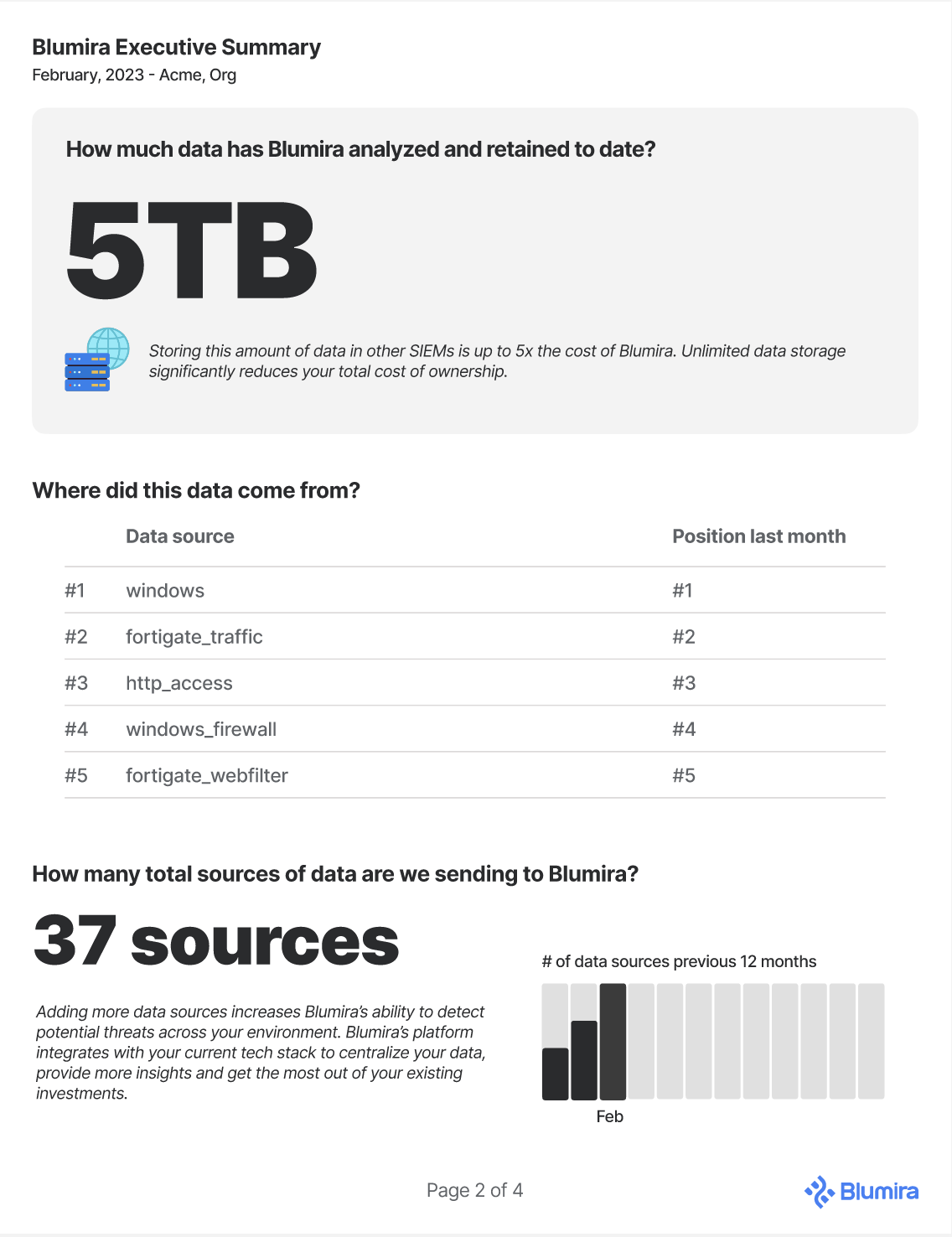
    What You Asked For

    “Main driver behind it is that I need something to show that what they’re paying for is worth it.” – Manager of Cybersecurity Services, Partner

    “Smaller guys don’t really see the value in it, they’re not being hacked. If we can show them how it’s going to benefit them, then that’s super helpful.” – MSP

    “Right now it is difficult for us to natively export the story of what Blumira is doing, and show that to leadership.” – CISO, Computer Software

    We get it – it can be difficult to get visibility into what Blumira’s doing behind the scenes, if you don’t have regular findings or threats that pop up in your environment, alerting you on a regular basis from our platform.

    But there’s a lot the different teams at Blumira orchestrate smoothly in the background so you don’t have to worry about it – and it might be difficult to fully communicate the breadth of our heavy lifting to your key executives.

    Here’s a look at what we’re doing behind the scenes to create a seamless, easy user experience for our time-strapped SMB customers, partners, and MSPs:

    Dedicated onboarding and ongoing check-ins – Our dedicated Solution Architects (SAs) walk you through onboarding and troubleshooting of any setup issues. They continue to provide value to your team with regular check-ins and updates about the latest platform and security innovations to help continuously improve your security posture.

    Parsing and building new integrations – Our engineering team writes new parsers for integrations and maintains existing ones to update them when data types change. This normalizes and standardizes the data as it is collected into Blumira’s platform for automated threat analysis, detection and response.

    Writing clear and useful documentation – Our CX team works closely with our engineering team to understand and document the steps in a clear, easy-to-understand support article available on Blumira’s support website to help IT teams quickly set up integrations, test that logging and detections are working properly, configure filters, run reports and much more.

    Managing detections and threat hunting – It would require at least two FTE (full-time employees) with security analyst experience for detection rule development and threat hunting. Blumira’s Incident Detection Engineering team stays on top of the latest vulnerabilities and security events, writing and managing our rules that are automatically rolled out to our platform at scale.

    Keeping the platform reliable and scalable – One of the perks of using a cloud-based software-as-a-service (SaaS) platform is taking advantage of the fact that your provider maintains the reliability of the solution and all of the backend infrastructure required to ensure it runs smoothly, day to day.

    24/7 responsive security support – Our responsive, experienced security team is on standby when you need help the most. Extend your team with the support of our Security Operations (SecOps) team available 24/7 for critical priority issues, to help answer security questions, troubleshoot, and more. Your team can message them directly in-app, email or call.

    What You’re Getting With Executive Summaries

    Blumira’s Executive Summaries starts with an overview of your environment – how much data Blumira’s platform analyzed, how many security findings Blumira detected, and how many were determined to be actual threats, prioritized as P1.

    The amount of data analyzed is often used to determine pricing. Many other SIEM providers may charge you by the amount of data you send to their service (also known as ‘pay-as-you-go’), which can be problematic for a few reasons:

    • Costly – Charging by ingestion amount really adds up over time as your environment grows. Microsoft’s pricing calculator for 500GB/day amounts to $43,824 for 30 days or $525,888 a year (and that’s at a discounted rate).
    • Unpredictable – It’s hard to budget for as your data needs fluctuate from month to month based on user, network and app activity or unforeseen changes in your tech stack.
    • Limits visibility – Without analyzing your full dataset (and having to make financial decisions about limiting your data based on costs), you may miss indicators of a compromise.

    Blumira’s pricing model is per knowledge worker at your organization to help SMBs predictably budget for their security costs. There’s no limit on the amount of data you send to Blumira’s platform for analysis, detection and response to give you the greatest visibility into your environment.

    In addition to the cumulative amount of your log data Blumira has analyzed and retained to date, our report shows you how many total sources of data your organization is sending to our platform.

    By adding more sources, you can increase your ability to detect potential threats across your entire environment. While some large vendors (Microsoft) often pressure you to adopt their own tooling, Blumira’s platform integrates with your current tech stack to centralize your data and get the most out of your existing investments.

    A ‘finding’ is when Blumira’s platform identifies a match in your data to our detection rules, written to identify anomalous activity that could be an early sign of an attack, or of an attack in progress.

    It would require at least two FTE (full-time employees) with security analyst experience for detection rule development and threat hunting. Blumira’s Incident Detection Engineering team stays on top of the latest vulnerabilities and security events, writing and managing our rules that are automatically rolled out to our platform at scale. Behind the scenes, Blumira is doing the work required to keep your organization safe.

    By categorizing and prioritizing the findings by level of criticality, we help your team understand what needs immediate attention so they can take quick action. For example, a high priority (P1) threat (an event that Blumira has determined with a high level of confidence poses an immediate and real threat to the security of data or resources) requires your team to take steps immediately to remediate.

    Blumira’s Executive Summary can also show how many total security findings were resolved, with the option to toggle this on or off for a report, depending on your needs.

    Your top detection categories are also listed out to give you an idea of the types of findings and threat-like or risky activity occurring in your environment.

    Finally, the top 10 suspected threats are also listed out, based on the number of findings generated by your data. The name of the findings or detections are also included, as well as finding priority level and the percentage of findings that were resolved.

    Making Security & Compliance Easier For SMBs

    Blumira is dedicated to making security easy and available to small and mid-sized businesses.

    Part of the drivers of security include meeting compliance requirements that help prove your adherence to frameworks like NIST 800-171. Blumira recently released new reports that users can run, schedule and send to their inboxes regularly to help verify their compliance with certain controls, including:

    • 3.1 Access Control — Any unauthorized access attempts, user permissions and roles, privilege escalations, VPN connections and more
    • 3.3 Audit & Accountability — Proof of log data retention over a certain period of time
    • 3.4 Configuration Management — All configuration changes made to systems and devices
    • 3.14 Malware Detection — All instances where anti-malware tools detected malware

    That way, when you need to prove your compliance to an auditor, you can easily hand over Blumira’s time/date-stamped reports.
    This feature is available to all paid Blumira customers and can be found by navigating to Reporting > Report Builder, clicking Load Saved Report and typing “NIST” into the search box.

    Get Started

    There’s a few different ways you can get started with Blumira:

    • Free SIEM – Choose up to 3 cloud integrations, set up in minutes, send logs to Blumira and start seeing security value right away. Our Free SIEM gives you a limited version of our product with 14 days of data retention.
    • Try SIEM + XDR Free – Get a trial of Blumira’s XDR edition up and running to experience the complete SIEM, endpoint visibility and automated response platform.
    • Get a Demo – Not ready to try Blumira yet? Contact our team to speak with a representative and walk through a demo of Blumira’s XDR Platform to get all of your questions answered.
    September 26, 2023
    Compliance Security Frameworks and Insurance

    Now Available: NIST Compliance Reports From Blumira

    Any organization seeking to meet NIST compliance requirements needs to show proof of their compliance – Blumira’s SIEM quickly and easily provides the reports you need for certain NIST controls.

    What is NIST?

    The National Institute of Standards and Technology Special Publication (NIST SP) 800-171 is a set of compliance controls and security framework that applies to non-federal agencies that work with government entities. That includes any government contractors and subcontractors. It provides guidance on how to handle and secure Controlled Unclassified Information (CUI).

    What is a NIST Assessment?

    Organizations are responsible for ensuring their own compliance with NIST by using a third-party firm to conduct an audit. During an audit, the auditor will examine your security systems and measures and compare them to NIST compliance requirements.

    How Can Blumira Help With NIST?

    Blumira’s SIEM + XDR security platform helps your organization easily meet and exceed NIST 800-171 compliance requirements for logging, monitoring, threat detection and response.

    Now, Blumira users can use our pre-built global reports to demonstrate compliance with NIST controls. These reports list out log data collected from your environment through any integrations you have set up with Blumira’s SIEM.

    Which Reports Map to Which NIST Controls?

    See which Blumira reports map to which NIST 800-171 controls so you can easily hand over pre-built reports to your auditor to prove your compliance. Please note that each report is available for certain integrations, which are listed under each report below:

    NIST 800-171 Controls Blumira Report
    NIST 3.1 Access Control
    3.1.1 Limit system access to authorized users, processes acting on behalf of authorized users, and devices (including other systems).
    (NIST) Unauthorized Access Attempts
    Blumira’s report lists out all failed login attempts, access denied events, etc. over the last 90 days. This verifies proper logging and monitoring of access.

    Available for: Windows & Linux
    3.1.2 Limit system access to the types of transactions and functions that authorized users are permitted to execute. (NIST) Service Account Access
    This report lists all service account login events to help you confirm appropriate use of these accounts.

    Available for: Azure & Windows
    3.1.5 Employ the principle of least privilege, including for specific security functions and privileged accounts. (NIST) User Entitlement
    This report shows all user permissions and roles to validate proper access controls and least privilege.

    Available for: Azure AD, GSuite (Now Google Workspace) & Windows
    3.1.7 Prevent non-privileged users from executing privileged functions and capture the execution of such functions in audit logs. (NIST) Privilege Elevations
    Blumira's report shows all instances where user privileges were temporarily escalated, such as sudo commands. This verifies proper approval and monitoring.

    Available for: Windows & Linux
    3.1.12 Monitor and control remote access sessions (NIST) VPN Connection
    This lists all VPN connection events for remote users within your environment. This validates connections were authorized.

    Available for: Fortigate, GlobalProtect, Cisco ASA, SonicWall, Sophos, & WatchGuard
    NIST 3.3 Audit & Accountability
    3.3.1 Create and retain system audit logs and records to the extent needed to enable the monitoring, analysis, investigation, and reporting of unlawful or unauthorized system activity.
    (NIST) Audit Logs & Records
    This report shows your "earliest" log by type to help you prove data retention and show length of time period.
    NIST 3.4 Configuration Management
    3.4.3 Track, review, approve or disapprove, and log changes to organizational systems.
    (NIST) Configuration Changes
    Blumira's report lists all configuration changes made to systems and devices over the last 90 days, such as firewall changes. This verifies proper change management.

    Available for: Cisco ASA, Fortigate, & Palo Alto
    NIST 3.14 System & Information Integrity
    3.14.2 Provide protection from malicious code at designated locations within organizational systems.
    (NIST) Malware Detection
    This report lists out instances where anti-malware tools detected malware over a certain time period.

    Available for: Microsoft 365, Carbon Black, CrowdStrike, Cylance, Defender

    How Can I Access the Reports?

    Blumira customers on paid editions can use global and saved reports to easily access the NIST compliance reports, as well as many other reports to analyze the logged events that you send Blumira. This is useful for conducting activities like:

    • Digital forensics and incident response (DFIR) work
    • Threat hunting
    • General operational monitoring

    To view a NIST global report or one of your saved reports, follow these easy steps:

    Navigate to Reporting > Report Builder. Adjust time range as needed.

    Click to open the additional options menu (the three dot menu seen on the right side).

    Click Load Saved Report. Type “NIST” into the search box at the top of the Saved Reports screen.

    In the Saved Reports window, click the report that you want to use.

    Note: You can type a name or keyword to filter the list or scroll to find a specific report. When you search “NIST,” the compliance reports you can view will vary based on which integrations you currently have set up for your organization.

    Get more tips on how to use Blumira’s Report Builder in our documentation article, Using global and saved reports.
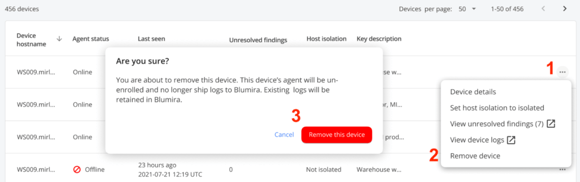
    Here’s a full list of the compliance reports available:

    Note: These screenshots show a universal environment with all possible integrations set up; customers will only see the reports relevant to their actual integrations

    Best Practices For Using These NIST Reports

    To ensure you’re ready for your NIST compliance audit, we recommend using our Scheduled Reports feature to run them every month and send them to your email account. If you set up a folder that contains all of these regularly-run reports, you’ll be ready to hand them over to a third-party auditor at any time.

    Provide your auditor with time/date-stamped documents that clearly show that you’re complying with the framework to ensure your audit goes smoothly.

    Learn More About NIST Compliance & Blumira

    Blumira can help support organizations with NIST 800-171 controls 3.3.1-3.3.9 on Audit and Accountability. Learn more about NIST 800-171 & Blumira.

    Additional Resources:

    June 13, 2023
    MSP

    Now Available in Our MSP NFR Program: Blumira’s XDR Platform

    Not long after I arrived at Blumira, it became very apparent that we had a growing need to support the work-from-home world that was thrust upon us so quickly in 2020. We needed a better way to support Windows logs directly to the Blumira cloud without the requirement of a sensor behind a firewall.

    Our platform has always been extremely well received by our partners. We’ve turned a complex security tool (Security Information and Event Management – aka SIEM) built by security people, for security people, and turned it into an easily manageable solution built for IT admins. Add that to the fact that we have simple and affordable user-based pricing, and it makes perfect sense why over 900 MSP partners have joined our NFR program since we launched the MSP program in January of 2022.

    But even with all that we had going for us, there’s always something you can improve upon….

    For many partners I’ve spoken to since I arrived at Blumira, not being able to fully support Windows logs was a non-starter. I’ve had hundreds of conversations that go something like this, “We love the platform. You find things others don’t and our techs love the analysis the alerts provide and how the playbooks teach them how to respond to security incidents. We’re really happy with the low noise level too. But we can’t make you a standard until you make it easier to support remote Windows logs. Please call us when you get there!”

    MSPs: What you’ve been asking for has finally arrived!

    In January, we released the Blumira Agent, a Windows Agent that sends Windows logs directly to the Blumira cloud over any internet connection and also supports automated host isolation. In March, we got MSPs early access to pricing that bundles the Blumira Agent into the per-user pricing.

    Our initial release of Blumira Agent was priced as a $6 add-on, but after listening to feedback from the partner community, we have repackaged paid editions that include one Agent per user in the per-user pricing.

    The Blumira Agent was the cornerstone to unlock Blumira’s open XDR platform, since universal endpoint visibility is a major component of any XDR product. That’s why our new editions include XDR, SIEM + Endpoint Visibility (SIEM+), and SIEM Pro. See MSRP and feature info here.

    Well, we’re there y’all! Blumira provides the most value in the MSP security space that meets all of the baseline requirements: M365, Windows, firewall logs, of the vast majority of SMBs out there. Not only do we provide our partners with free-for-internal-use NFR environments, we also offer a Free SIEM to extend our product-led growth approach to our partner community. Once you have clients ready, our MSP program and pricing makes it easy to work with us and more lucrative as you scale us out to your client base.

    The Value of Blumira Agent

    While Blumira has supported Windows logs for years using NXlog and Sysmon, collecting them was a function of the Blumira Sensor, an Ubuntu VM that sits behind the firewall. So having visibility behind the firewall was a prerequisite for collecting them…not ideal in a remote-first world.

    Let’s discuss why Blumira Agent is such a game changer.

    Simplifies and Reduces Overhead

    Some may have hesitation around adding yet-another agent to the Windows endpoints and servers. Our prior approach, using Poshim to deploy NXlog and Sysmon, was actually using two agents, so switching to the Blumira Agent simplifies and consolidates your setup greatly. For some environments, the Blumira Agent might replace the need for the sensor entirely, reducing overhead.

    Not only does the Blumira Agent change that by sending logs directly to the Blumira cloud over the internet, but in testing, we’ve seen a 5x improvement in CPU and bandwidth consumed vs the NXlog approach. The Agent also updates itself, negating the management required for you to manually keep NXlog and Sysmon updated on each device.

    More Automation, More Visibility

    The agent also includes automated host isolation. Though many EDRs also include host isolation, using ours will allow for continuous log collection which enables real-time investigations on an isolated host and no gap in data retained if needed later for incident response. The Agent consumes Microsoft Defender data and Windows network traffic as well, giving Blumira more security visibility than we had previously into the host devices.

    Blumira Agent is our go-forward path for development in regards to endpoint visibility and we’ll continue to add new features and valuable functionality to it over time.

    Improved Incident Response

    Most EDR/MDRs do not retain logs for a long period of time; if optional, it’s often at a significant added cost. When logs are needed for IR (incident response) purposes, one year is the desired requirement that will ensure a quicker and more successful engagement.

    All of our detections and guided responses are delivered after the logs are received in the cloud, therefore there won’t be any fighting between our agent and your current endpoint protection of choice.

    Satisfies Cyber Insurance, Compliance Requirements

    For a few years now, SMBs and their IT partners have had to field insurance questionnaires like this:

    Please provide an overview of how your EDR product is monitored and managed (e.g. Internal IT team or outsourced to a third party)”

    Now, a Blumira customer with the Blumira Agent deployed on all Windows devices could answer that question with something like this:

    “Using Blumira’s endpoint agent, our Windows endpoint logs are sent to Blumira’s advanced detection and response platform which monitors and analyzes logs for suspicious or threat activity.


    The platform notifies us when it detects anomalies and we follow playbook instructions on how to respond, including isolating the host if recommended to contain a threat on an endpoint, cutting off access to the rest of the network. Blumira’s incident detection engineers proactively manage detections, updating them to keep us protected from new vulnerabilities and exploits.


    Blumira’s 24/7 security operations (SecOps) team provides support for all critical priority issues and helps our IT provider with guided response, security advice, and investigation. If needed, they will work with an incident response team to help resolve any identified issues.”

    In fact, Blumira also checks many other boxes that insurers and compliance frameworks require like:

    • 1 Year Log Retention
    • Log Monitoring
    • SIEM
    • 24/7 SOC
    • Endpoint Detection and Response (EDR)
    • Automated Host Isolation
    • Advanced Threat Protection / Detection
    • Firewall IPS and Log Retention
    • Network Monitoring for suspicious or malicious activity
    • Audit and prevent unauthorized access to privileged information
    • Monitoring protection of privileged user accounts

    Given the tightening insurance markets and impending requirements from frameworks like CMMC, and PCI DSS, there’s a very compelling reason to get ahead of the mandatory requirements and standardize on a tool that will help increase both you and your clients security maturity.

    Of course, you’ll need to read all of the included definitions to ensure our solution — and how you’re using it — meets the requirements for any specific application, but that’s why we put this Cyber Insurance Application Questions and Suggested Responses resource together to help.

    XDR = Endpoint Visibility, Log Correlation + Automated Response

    The Blumira Agent was the cornerstone to unlock Blumira’s open XDR platform that makes advanced detection and response easy and effective for small and medium-sized businesses, accelerating ransomware and breach prevention for hybrid environments. Time-strapped IT teams can do more with one solution that combines SIEM, endpoint visibility and automated response.

    The platform includes:

    • Managed detections – our Incident Detection Engineering team does all of the threat hunting, detection, analysis and workflow creation and tuning to identify attacks early
    • Automated response to contain and block threats immediately
    • One year of data retention and option to extend to satisfy compliance
    • Advanced reporting and dashboards for forensics and easy investigation
    • Lightweight agent for endpoint visibility and response
    • 24/7 Security Operations (SecOps) support for critical priority issues

    Blumira has seen tremendous momentum over the past year with 100% year-over-year customer growth, including an 8x growth in the MSP channel.

    To continue accelerating innovation on the best XDR technology for SMBs, Blumira recently raised a $15M Series B financing round led by Ten Eleven Ventures and joined by RPS Ventures, Mercury Fund, HPA, and Duo Security co-founder Jon Oberheide. Read the full press release here.

    How can I start testing today?

    The Blumira Agent is available as a part of your NFR environment today.

    Don’t have a free-for-internal-use NFR environment of Blumira yet? Request one here.

    Please use the Agents in your NFR to test the functionality and start building this into your go-forward Blumira strategy as it will become a more and more important piece of the platform over time.

    Get started with Installing Blumira Agent on a remote device and learn more about managing and isolating devices in Managing your Blumira Agent devices.

    May 16, 2023
    SIEM XDR

    New From Blumira: SIEM & XDR For SMBs

    We’re revamping our editions with a very important expansion into the XDR (extended detection and response) market category.

    Blumira’s Evolution To XDR


    Here’s a brief look at Blumira’s product evolution:

    • SIEM – In 2018, Blumira started with a solid cloud SIEM foundation, building in valuable integrations with managed detection rules and response playbooks to lift the burden off of lean IT teams that don’t have time or dedicated security expertise. For cloud integrations, the SIEM platform can be set up in minutes, at least five times faster than the average SIEM provider (according to G2).
    • Endpoint Visibility – Early in 2023, we partnered with LimaCharlie to build additional Windows detections paired with their technology, offering a lightweight endpoint agent called Blumira Agent, to support remote work and enable IT teams to isolate endpoint threats. Blumira Agent’s bandwidth usage is significantly lower (about four times less) compared to server-hosted sensors, such as NXLog.
    • Automated Response – Finally, in May 2023, we’ve launched XDR for SMBs with automated response capabilities. Ideal for time-strapped IT admins, our platform works around the clock to protect organizations by immediately containing an endpoint threat or blocking traffic from known malicious sources.

    Our new XDR features combine SIEM, endpoint visibility and automated response capabilities into one easy, effective and efficient solution designed for SMBs.

    But the acronym doesn’t matter; what does is how we’re solving real customer problems and innovating with automation for improved security outcomes.

    Listening to Our Customers’ Challenges

    Our product team interviewed Blumira users to better understand their day-to-day challenges and security needs. We heard similar refrains, over and over, when we asked our users about their team size — “It’s just me, I’m flying solo for the most part. I’m the lone man.” Or from other organizations with small IT/security teams: “Two… actually, really just me. The IT department is pretty much just me.” And, “Three staff members are regularly involved in security.”

    Our customers have lean IT teams that find it challenging to complete both IT and manual security tasks on a daily basis due to lack of time, people, expertise and resources.

    I don’t have the staff dedicated to sit and read logs all day or with the skillset to analyze our data. We chose Blumira for its simplicity – I needed a solution that would simplify, consolidate and show me what I really need to see. – Jim Paolicelli, IT Director, Atlantic Constructors, Inc. (ACI)

    Vendor sprawl, or the procurement of disparate security solutions, results in too much data, too many alerts, workflow redundancies and lack of operational efficiency.

    We’re required by CJIS and IRS Pub 1075 compliance to review our logs daily. Blumira has saved us time because we can’t monitor all of our logs — we would need a team of 100 to go through all of these logs manually. – Mike Morrow, Technical Infrastructure Manager, Ottawa County

    Blumira's platform provides greater value and solves the real problems of these struggling IT teams by:

    • Reducing complexity by consolidating multiple security tools into one platform
    • Integrating broadly to provide insight across the entire environment with an open platform supporting third-party services
    • Using automation to significantly speed up detection and response

    We’re focused on increasing visibility for our users’ modern hybrid environments, enhancing their usability of security tools, and removing any friction related to threat detection and response to more effectively prevent a data breach.

    New Feature: Automated Host Isolation

    With the release of Blumira Agent in January, users can manually isolate an endpoint associated with an identified threat or finding. That means they can click on any endpoint enrolled with Blumira Agent, isolate it in a few clicks and cut off its network access until they can investigate further.

    Our customers’ IT and security teams are small; on average, 1-3 people. But threats can occur at any time. Since threats don’t operate on a 9-5 schedule, sometimes manual host isolation just isn’t fast enough.

    That’s why we’ve launched Automated Host Isolation, a feature that can immediately isolate an endpoint based on the criticality of a threat (P1– P3). This gives IT admins a peace of mind during all hours of the day, even if they’re not available to investigate or manually disable a device’s access to their systems. Faster response times create better security outcomes, helping protect against a compromised endpoint or an attempt to spread malware.

    With this feature (part of Blumira Agent), users can easily automate the isolation of a device at any time. The dark blue banner shows when Automated Host Isolation is running, the number of devices isolated and the ability to easily pause the feature as needed.

    Learn more about Automated Host Isolation.

    Example of a P1 Threat

    What kind of threats do we identify and how can Automated Host Isolation be used to stop attacker lateral movement? See one example below:

    In this Priority 1 finding named Suspected Cobalt Strike Service Execution, Blumira’s platform has automatically identified a potential Cobalt Strike beacon being executed. Cobalt Strike is a commercially available post-exploitation framework. While intended for use by authorized penetration testers, cracked versions of the software are abundant and its ease of use makes it a popular choice among cyber criminals. This tool has been seen used by red teams, APT (Advanced Persistent Threat) actors, and ransomware threat actors, according to our incident detection engineers.

    After opting into the feature and configuring it for P1 findings, Blumira’s Automated Host Isolation will immediately isolate any endpoints associated with this finding after it is detected, giving IT admins the opportunity to investigate while reducing any further risk right away. This real-time finding notifies IT teams in under a minute of initial detection, greatly expediting your time to respond.

    See Our Editions & Try Blumira

    Automated Host Isolation is part of our new editions, at a glance below, and head to our Pricing page to view the complete list of features:

    Blumira makes advanced detection and response easy and effective for small and medium-sized businesses, accelerating ransomware and breach prevention for hybrid environments. Time-strapped IT teams can do more with one solution that combines SIEM, endpoint visibility and automated response.

    The platform includes:

    • Managed detections for automated threat hunting to identify attacks early
    • Automated response to contain and block threats immediately
    • One year of data retention and option to extend to satisfy compliance
    • Advanced reporting and dashboards for forensics and easy investigation
    • Lightweight agent for endpoint visibility and response
    • 24/7 Security Operations (SecOps) support for critical priority issues

    Interested in trying out Blumira? Talk to our team to see Blumira in action and request a trial to test all of our latest features.

    May 09, 2023
    SIEM XDR

    How to Select a SIEM for CrowdStrike

    While CrowdStrike Falcon Endpoint Protection can protect against ransomware, malware and other emerging cyber threats, relying solely on it won’t provide a holistic view of your environment in the way that a security information and event management (SIEM) platform will.

    A variety of SIEM vendors integrate with CrowdStrike Falcon Endpoint Protection, but not every integration is seamless. When looking for a SIEM, you’ll need one that will play nicely with your existing CrowdStrike environment.

    What Is CrowdStrike Falcon Endpoint Protection? 


    First, it’s important to understand what CrowdStrike Falcon Endpoint Protection entails. It is a cloud-based endpoint security platform, providing advanced detection and prevention for Windows, macOS and Linux (MITRE).

    It includes a suite of security tools, including next-generation antivirus (NGAV), threat intelligence, device control, firewall control, endpoint detection and response (EDR), threat hunting, IT hygiene and incident response services. CrowdStrike’s branded names for these products are Falcon Prevent, Falcon Insight, Falcon Device Control, Falcon OverWatch, Falcon Discover, Falcon Spotlight and Falcon X.

    Why Do You Need a SIEM With CrowdStrike?

    As a CrowdStrike customer, you may be wondering why you need a SIEM at all. Your EDR/NGAV is already designed to thwart cyberattacks such as ransomware and malware, so what’s the point of layering another platform on top of it?

    There are many use cases for integrating a SIEM with CrowdStrike, including:

    Enhance visibility. A SIEM correlates and alerts on all of the data from disparate data sources — including firewalls, cloud services, identity management, and an endpoint detection and response (EDR) platform such as CrowdStrike — to provide visibility across your environment.

    Rather than replace your existing EDR platform, a SIEM like Blumira runs alongside it to provide complementary detection and response capabilities. Blumira gathers more detail than Sysmon or many other NGAV can, combining curated detection and response and system log collection into one package.

    Additionally, Blumira Agent can extend the capabilities of its cloud SIEM by providing more advanced Windows logging and visibility into remote endpoints.

    Cut through the noise of alerts. The robust nature of CrowdStrike Falcon is a double-edged sword. The platform collects an overwhelming amount of data that can be difficult to digest, especially for a smaller IT or security team with no SOC and less expertise or time to manage it. Admins also need deep expertise to run queries.

    Layering on another product to reduce noise seems counterintuitive, but Blumira is designed to eliminate alert fatigue, using tactics such as automation, pre-built workflows and playbooks, and prioritized, contextual alerts. Blumira’s platform compares data across your different systems to prioritize only the most important findings and alert your team to potential threats, which is a major time-saver.

    Meet compliance and cyber insurance requirements. Enhanced security visibility isn’t the only reason why an organization would need to run a SIEM for CrowdStrike; compliance and cyber insurance requirements also come into play. By default, CrowdStrike Falcon stores endpoint telemetry for 90 days, which doesn’t meet the log retention requirements for many compliance frameworks, including:

    • HIPAA: 6 years
    • PCI DSS: 1 year
    • ISO 27001: 3 years
    • NIST: 3 years
    • SOX: 7 years
    • GLBA: 6 years

    Blumira’s flat fee, subscription-based pricing model is not based on log ingestion, enabling customers to make decisions based on true security needs rather than budget. We retain one year of log data by default in our SIEM + Endpoint Visibility and XDR editions — with the option to upgrade for longer retention — so there’s no need to export logs every three months and store them in a different location. While other SIEM providers charge their customers if they want to access their own logs, Blumira customers can access and review all of their current and past findings with our convenient dashboards.

    Evaluating a SIEM for CrowdStrike Falcon

    CrowdStrike partners with a variety of SIEM solutions, including Splunk, LogRhythm, Securonix, and Exabeam. Each of these integrations require CrowdStrike’s proprietary SIEM Connector. Setting up the Falcon SIEM Connector involves selecting the right configuration file, adding API client credentials, and parsing the data.

    A partnership with CrowdStrike does not automatically mean that an integration is seamless, however. Admins should consider whether there is available support on both the CrowdStrike side and the SIEM vendor side. Data parsing can be finicky and time-consuming, especially for less experienced IT and security teams.

    How Blumira SIEM Integrates With CrowdStrike Falcon

    Connecting Blumira with CrowdStrike Falcon doesn’t require as much interaction with Linux — just a basic setup with our sensor install command and a short instruction set for the API integration.

    Note: Our integration pertains to the newer CrowdStrike OAuth2-Based APIs, not the legacy Streaming APIs that CrowdStrike is retiring.

    Here are the high-level instructions for setting up Blumira SIEM with CrowdStrike Falcon:

    1. Install a Blumira sensor with Ubuntu
    2. Next, in the CrowdStrike Falcon Console, create a new API client and gather the Client ID and Client Secret.
    3. Configure your existing Blumira sensor with a new module to connect to the CrowdStrike API using the credentials you obtained.

    Read the full instructions on our Support site.

    Once you can configure the integration between Blumira and CrowdStrike, you can easily stream endpoint security event logs from CrowdStrike Falcon Endpoint Protection to Blumira’s platform for threat detection and actionable response.

    One example finding in Blumira’s platform, seen above, is the detection of malicious code. In this case, Blumira has detected a malware application running in the environment. It provides information about where the finding was found, and what type of finding/the priority level.

    This particular finding is categorized as a Threat, meaning it poses an immediate and real threat to the security of data or resources, and it has been detected with a very high level of confidence. Blumira provides additional steps to mitigate or remediate a threat through workflow questions, also known as a security playbook.

    The threat has also been categorized as Priority 3, meaning Blumira recommends that organizations respond within the next few business days unless notified otherwise. Threats designated as Priority 3 are considered lower priority alerts with the potential for malicious activities, but no further action has been performed or other exploits have been identified.

    Why Blumira?

    Blumira’s cloud-based SIEM + XDR with threat detection and response is built for small and under-resourced teams. We do things differently by providing more value for better cybersecurity outcomes, including:

    • Automate Tasks For You – We do all the heavy lifting for your team to save them time, including parsing, creating native third-party integrations, and testing and tuning detection rules to reduce noisy alerts.
    • Faster Time to Security – Our unique approach to detections notifies you of threats other security tools may miss, sending you real-time alerts in under a minute of initial detection to help you respond to threats faster than ever.
    • Easily Meet Compliance – With a year of data retention and deployment that takes minutes to hours, we help you meet cyber insurance and compliance easily and quickly with the team you have today.

    Blumira’s Free Edition can be configured and set up in about 10 minutes, and you’ll have access to our detection rules written by experienced Incident Detection Engineers. You’ll be able to see and respond to suspicious activity for free.

    May 09, 2023
    SIEM XDR

    How to Select a SIEM for Google Workspace

    Google Workspace (formerly G Suite) is a powerful suite of collaboration and productivity software, but to get full visibility you’ll need to monitor the logs it produces.

    A security information and event management (SIEM) platform can help achieve that, but it’s essential to find one that will play nicely with your existing Google Workspace environment. Google Chronicle promises to do that, but falls short in other areas.

    Let’s discuss how to select a SIEM for Google Workspace.

    What Is Google Workspace? 

    Google Workspace is a suite of productivity tools, including Gmail, Google Drive, Calendar, Meet, Chat, Docs, Sheets, Slides, Forms and Sites. Google Workspace was previously branded as G Suite, but the company changed the name to Workspace in 2020. Prior to 2016, G Suite was known as “Google Apps” or “Google Apps For Your Domain.”

    Why Do You Need a SIEM For Google Workspace?

    With over 6 million paying business customers (Abdalslam), Google Workspace is an extremely popular collaboration software. For the businesses that rely on it, Google Workspace is a wealth of critical information, from financial data to confidential emails.

    Although the exact number is unknown, experts believe that Google stores 10 to 15 exabytes of data on its servers worldwide, according to MakeUseOf. To put that in perspective, an exabyte is a million terabytes.

    The increasing volume of critical data stored within Google Workspace — combined with its rising popularity — makes it a prime target for cyberattacks such as ransomware, malware and more. Additionally, a distributed workforce makes it more difficult for IT and security teams to maintain visibility. The rise of remote work in 2020 coincided with a rise in attacks; Google warned its users of 33,000 state-sponsored cyberattacks that year.

    Admins could miss potential security risks without monitoring logs. For example, a user that sets up an email forwarding rule to forward email to an external address could be benign, or it could be a threat actor’s attempt to maintain persistence in an environment.

    Continuous monitoring is nearly impossible without a centralized repository for those logs. Without a SIEM for Google Workspace, IT and security teams would need to sift through and interpret hundreds of thousands of raw logs. Sending those logs to a centralized location like a SIEM helps to maintain visibility.

    Is Google Workspace Secure?

    Google is a security-first company, and bakes that philosophy into each of its products, Google Workspace included. As far as productivity suites go, Google Workspace is one of the most secure on the market.

    Google “has made security the cornerstone of [its] product strategy,” the company said as it pledged in 2021 to commit $10 billion to advance cybersecurity. In September 2022, Google acquired cybersecurity firm Mandiant to invest in cloud security.

    All Google Workspace plans come with security settings out-of-the-box that can provide basic protection at no extra cost:

    • All data is encrypted using HTTPS during transmission and 256-bit AES encryption when stored
    • Support for multi-factor authentication
    • Google conducts regular, third-party security audits and vulnerability testing
    • Compliant with several frameworks, including ISO/IEC 27001, FedRAMP and SOC 3
    • Admins can track user actions and set custom alerts
    • Control access and permissions using Security Groups
    • Data loss prevention (DLP) rules to define and protect sensitive content

    That being said, Google, like all cloud storage providers, operates under the shared responsibility model, which means that the onus to secure data is not just on Google — it’s on you, too. Solely relying on a cloud provider can lead to a false sense of security, causing you to overlook other vital aspects of cybersecurity, such as user education, strong password policies, and regular software updates. Plus, cloud computing comes with its own set of risks, including data loss, API vulnerabilities, and misconfigurations.

    No single security product can offer complete protection; a layered security approach utilizing various products and technologies is crucial to minimize the risk of successful cyberattacks. Third-party security products may provide advanced features like sandboxing or behavior-based detection to help identify and stop sophisticated attacks—capabilities that Google Workspace might not have or may not be as robust.

    Relying on Google Workspace’s built-in features is simply not enough for today’s emerging security threats. A SIEM correlates and alerts on all of the data from disparate data sources — including firewalls, cloud apps, on-premises apps, identity management, and an endpoint detection and response (EDR) platform — to provide a holistic view of your environment.

    Evaluating a SIEM for Google Workspace

    Google integrates with a variety of SIEM solutions, including Panther, LogSentinel, LogRhythm, and Blumira. But no SIEM solution is one-size-fits-all; organizations should find a platform that best fits their specific needs, budget and use cases.

    When evaluating a SIEM for Google Workspace, organizations should consider:

    • Retention policies. Organizations that need to comply with frameworks such as PCI DSS or HIPAA must retain logs for a certain period of time. Google Workspace stores many log types — including admin log event data and audit log data — for 6 months, which means that compliance-seeking organizations should look for a SIEM that would help meet their specific requirements.
    • Ease of use. Many SIEM vendors integrate with Google Workspace, but the integrations range in complexity; simpler integrations may use API connections while others require more heavy lifting, including parsing, querying, and more. More traditional SIEMs require months of setup time and lots of ongoing maintenance.
    • Cost. Like most technology decisions, the best SIEM for your organization depends on your budget. Traditional SIEM platforms can cost between $5,000 – $10,000 per month for a medium or large-scale SIEM implementation. For smaller teams and budgets, look for a more affordable option with predictable pricing that’s not based on log ingestion.

    What About Google Chronicle?

    Google Chronicle is Google’s cloud-native SIEM. Initially an internal security tool created through Google’s Project X Moonshot division, it became available to purchase in 2018.

    Just a year after its initial launch, Motherboard published an article titled ‘Chronicle Is Dead and Google Killed It,’ which detailed a tumultuous backstory about the company’s vision with the departure of Chronicle’s original CEO, chief security officer and chief technology officer.

    Screenshot of Chronicle, courtesy of Google

    Company politics aside, Chronicle is a robust product built for organizations with advanced security needs. As a traditional SIEM, it is geared towards enterprises with a security operations center (SOC) and requires significant security expertise to run. It’s also priced similarly to other enterprise SIEM solutions, which often start at around $100,000 per year.

    An option for more niche use cases is to run Blumira alongside Google Chronicle. Small IT teams that want to use Chronicle for data investigation but are unable to build detections they need en masse can work with Blumira’s Incident Detection Engineering team. We have a set of pre-defined detections as well as can help to build custom detections and respond to incidents in a timely manner.

    How Blumira SIEM Integrates With Google Workspace

    Blumira is part of the Google Cloud Partner Advantage Program, which means that we are certified by Google to successfully deliver their products to customers.

    Here are the high-level instructions for setting up Blumira SIEM with Google Workspace:

    1. Install a Blumira sensor with Ubuntu
    2. Create a Google Cloud Platform project, which requires finding your client ID
    3. Enable Google APIs via the Google Admin SDK
    4. Link APIs to Google Workspaces

    Read the full instructions on our Support site.

    Once you configure Blumira with Google Workspace, Blumira streams security events and Workspace logs to its platform to parse, analyze and correlate data for automated threat detection and response.

    Blumira detects and alerts IT teams of Google Workspace activity in near real-time, including when users download or externally share Google documents that may present an exposure risk to internal information.

    An example alert can be found below, sent via email to our administrators when a user shared a document with an external participant:

    Below you can see another example of a similar detection and response workflow in the responder view of Blumira’s platform:

    In this example finding, external document shares are categorized as a data exfiltration threat, at level Priority 3. Data exfiltration refers to when an adversary is trying to steal data, typically following other attacker tactics like discovery, lateral movement, etc.

    If data is leaving your network (unauthorized), it means you’ve had an intrusion, and it indicates that earlier protective measures prior to exfiltration failed to detect or prevent against stolen data.

    Along with the detection, Blumira’s platform provides pre-built security playbooks to walk your team through next steps and response, as well as additional stacked evidence for further investigation or reporting/compliance purposes – information such as the timestamp of the detection, actor email address (who did the sharing of the doc), document title, type, event name and target email (who the doc was shared with).

    Blumira also detects identity-related incidents, such as Google Workspace admin role changes or multiple user account login failures that could potentially indicate repeated access attempts by an attacker with malicious intent.

    Why Blumira?

    Blumira’s cloud-based SIEM with threat detection and response is built for small and under-resourced teams. We do things differently by providing more value for better cybersecurity outcomes, including:

    • Automate Tasks For You – We do all the heavy lifting for your team to save them time, including parsing, creating native third-party integrations, developing threat intelligence, and testing and tuning detection rules to reduce noisy alerts.
    • Faster Time to Security – Our unique approach to detections notifies you of threats other security tools may miss, sending you real-time alerts in under a minute of initial detection to help you respond to threats faster than ever.
    • Easily Meet Compliance – With a year of data retention and deployment that takes minutes to hours, we help you meet cyber insurance and compliance easily and quickly with the team you have today.

    Blumira’s Free Edition can be configured and set up in about 10 minutes, and you’ll have access to our detection rules written by experienced Incident Detection Engineers. You’ll be able to see and respond to suspicious activity for free.

    Sign Up Free

    April 25, 2023
    SIEM XDR
    Webinar

    20-Minute Live Demo: Blumira XDR


    Dive into Blumira’s product and learn about the features and capabilities of our new Blumira XDR.

    Built for SMBs, Blumira's XDR platform combines SIEM, endpoint visibility & automated response to help you protect against ransomware and breaches.

    Join Blumira’s Jack Robb, Senior Solutions Engineer, for a 20-minute live demo of the product and learn:

    • How to meet cyber insurance and compliance requirements with Blumira XDR
    • How automated host isolation protects your environment against endpoint threats without manual intervention
    • How playbooks make threat response fast and easy

    This in-and-out demo will feature a live Q&A to get viewers the information they need as quickly as possible — so sign up today for access to our security experts.

    Participants

    Jack Robb, Senior Solutions Engineer, Blumira

    Jack has over a decade of experience in the IT industry. Prior to joining Blumira, he was a Solutions Engineer at Duo Security (now a Cisco company), where he focused on the MSP and SLED verticals. Before that, he spent a few years at Google as an IT Resident. Jack also owned and operated a small MSP, where he helped small businesses meet their IT and security needs through a broad range of services.

    January 17, 2023
    SIEM XDR

    New Feature Release: Blumira Agent – Endpoint Security For SMBs

    Our latest product release expands our current detection and response platform to provide support for Windows devices located anywhere – all without requiring additional infrastructure.

    Now current customers, partners, resellers and MSPs (managed service providers) can take advantage of Blumira Agent: easy-to-use endpoint security for SMBs to detect and respond to Windows cybersecurity threats. 

    Blumira’s platform identifies attacker activity early, while Blumira Agent gives small IT teams the capability to immediately isolate devices, containing threats like ransomware to prevent a data breach.

    Why Did We Build Blumira Agent?

    Shedding Light on Remote Endpoint Visibility – With the pandemic’s shift to work-from-home with distributed locations and employee-owned devices used to access corporate networks, IT teams struggle to gain security visibility. The most significant barriers to achieving strong endpoint security includes lack of visibility of all endpoints (63%) and lack of in-house expertise (45%), according to a Ponemon survey of IT/security professionals

    SMBs Lack Access to Endpoint Security Solutions – Typical EDR or endpoint security solutions are too expensive, require security skill to use, or are designed for larger enterprises with budget for an extensive security stack. Many endpoint security solutions, by default, lack historical data retention (at least one year is required for most compliance and cyber insurance requirements), critical for investigation and response, or they charge a premium to add on support and long-term data retention.

    Rising Ransomware & Endpoint Attacks – Ransomware continues to rise, targeting SMBs more than ever. Reports of ransomware incidents in the United States increased 62% in 2021 compared to 2020 (CISA), while 61% of SMBs were the target of a cyberattack in 2021 (Verizon). Endpoint attacks continue to rise in the total cost to an organization, significantly impacting the bottom line. The average cost of an endpoint attack is $1.8 million annually (Ponemon report).

    The Value of Blumira Agent

    Speed to Security

    Start sending your Windows logs directly to Blumira’s cloud platform in minutes for analysis, detection and response — no additional on-premises infrastructure required.

    Longer Data Retention

    Most EDR and SIEM providers only provide limited endpoint data retention (weeks or months), included with the option to add long-term retention (one year or longer) at a premium cost.

    24/7 SecOps Support

    Other vendors charge premium additional fees for security support. Access to Blumira’s responsive SecOps team is included in our pricing, available 24/7 for critical priority issues. We assist with onboarding, troubleshooting, providing security advice and more.

    Support Remote Work

    Get greater insight into your distributed and hybrid workforce security by collecting remote endpoint logs, analyzing, detecting and responding to Windows cybersecurity threats.

    Consolidated Spend

    Get greater security value with a single platform that combines SIEM with endpoint security, automated detection and response for better security outcomes that fits your IT and security budget.

    Satisfy Compliance Controls

    Meet multiple compliance and cyber insurance requirements easily with one platform, including controls that call for log monitoring, one year of data retention, detection of anomalous activity, endpoint security and more.

    How Does Blumira Agent Work?

    Blumira has partnered with LimaCharlie, building and expanding upon their technology to integrate it directly within our application. This allows us to seamlessly send customer Window endpoint logs directly to the Blumira cloud for analysis and automated detection of security threats, sending you prioritized findings and playbooks for guided response.

    Speed to Security: Install Blumira Agent in Minutes

    It’s fast and easy to install the Blumira Agent on your Windows devices using a custom, Blumira-provided script and PowerShell. Blumira created Poshim (PowerShell Shim) to help streamline and simplify Windows log collection and ongoing management for our customers.

    Note: If NXLog or Sysmon are found on the device, Poshim removes those from the device because they are not required for the Blumira Agent and remote Windows logging.

    Within the Blumira App, get started by navigating to Blumira Agent > Installation. Click Select Installation Key, then select Create New Installation Key from the dropdown.

    Name or describe your device or group of devices by typing it in to the Description field:

    After you click Add key, the agent install script will appear in the box:

    Launch PowerShell as an Administrator, then run the script that you copied. Organizations may also install the agent via their software distribution platform, an RMM (remote monitoring and management software), MDM (mobile device management) or GPO (group policy object).

    After running the script and completing installation, verify that your devices are installed correctly by navigating back to the Blumira app > Blumira Agent > Devices.

    You should be all set — check that your Blumira Agent is running correctly on your device by viewing the Agent status (online or offline) on your Devices page.

    What Can You Do With Blumira Agent?

    Detect & Respond to Windows Findings

    Blumira Agent sends endpoint logs to Blumira’s cloud platform for analysis, helping you detect threats early to prevent an incident, including:

    • Anomalous access attempts
    • Exploitation of known vulnerabilities
    • Malicious processes running on Windows
    • Unusual PowerShell activity (can be used to execute malicious code)
    • Elevation of privileges to domain admin
    • Brute-force (unauthorized access) attacks
    • Attempted lateral attacker movement
    • Tools used by ransomware threat actors
    • Clearing of logs or other attacker intrusion coverups

    Blumira provides a playbook written by our security engineers to help guide you through how to respond, sent with every finding.

    Contain Threats Immediately

    Quickly block network activity on infected hosts with Blumira Agent’s host isolation to stop the spread of ransomware and give your team time to investigate and remediate threats, especially useful if an incident occurs after hours.

    Now you can isolate a device in just a few clicks (block outgoing network traffic except to Blumira), and just as easily release devices from isolation.

    When you isolate a device, that means it can’t be used for any network activity. However, the agent installed on the device can continue to communicate exclusively with Blumira to keep sending endpoint logs, critical for investigation and response.

    The agent is also online, so you are able to easily release the device from isolation by selecting Not Isolated, or select Toggle host isolation after clicking any device listed on the Devices page.

    Easily Manage & See Device Details

    Add, remove and delete devices through the Blumira Agent > Devices page.

    Drill down further to see additional device details by selecting Device details in the dropdown after you click on the three dot menu.

    Quickly Access Logs & Associated Findings

    Access all logs & any unresolved findings associated with the device within Report Builder. Click on any device to view device details, then click through to View device logs or View unresolved findings.

    How to Test Blumira Agent

    After you’ve installed Blumira Agent, you can test that our detections are working correctly and triggering alerts by using this example detection rule test:

    To test the detection Enumeration of Credentials in Registry:

    1. Open a command prompt and type reg query HKLM /f password /t REG_SZ /s
    2. Press Enter.

    This should trigger a finding that notifies you via the Blumira app, according to your notification settings. With that finding comes a playbook to help guide you through next steps for response.

    Why does it matter for security? In Windows environments, credentials and passwords can be found in many locations, left by users or software. One location threat actors often look for credentials is in the Windows registry hives. These can often contain passwords that may allow the threat actor to move laterally or escalate privileges.

    Learn More

    See our Blumira Agent documentation:

    Download our solution brief

    Watch product demo video

    See our pricing and contact us to get a demo or learn more about how you can get Blumira Agent.

    January 17, 2023
    Webinar

    Blumira Agent Demo: SMB Endpoint Security


    See how quick and easy it is to send endpoint logs directly to the cloud without the need of any additional infrastructure using Blumira Agent.

    Blumira's Lead Incident Detection Engineer Amanda Berlin shows you how to use Blumira Agent, isolate hosts, test detections and more.

    Transcript below:

    Welcome to the Blumira Agent demo. I'm your host for this fun and exciting video, Amanda Berlin, the lead incident detection engineer here at Blumira.

    Here you'll see how quick and easy it is to send endpoint logs directly to the cloud without the need of any additional infrastructure.

    After we log into our Blumira environment, we can head on over to the Blumira Agent menu. And get started right away with our installation.

    We're going to create an installation key for our environment, but if you already have one created, you can select it here as well.

    Here we're naming our Installation Key "DemoTest"
    And after it's created, we'll copy the custom installation script.

    Normally many organizations may run this through a custom software distribution platform. But that's no fun for a demo and we're really only installing it on one device here.

    Here you see we're going to run the copied command on one of our lab servers in powershell as admin and watch it install the Blumira Agent.

    Alright, Nice and quick.

    Now let's go over and verify that the device is available in the Blumira console.

    Under devices, we see here the device that I've just installed it on and we can click on device details.

    Here we see it's online.

    Now let's run a malicious command and see how isolating works inside of Blumira.

    We're going to run the findstr password discovery command, that looks for passwords saved in active directory.

    And right away we can see that there is an unresolved finding matching that endpoint of the findstr password discovery activity.

    So we're going to go ahead and isolate that endpoint by clicking the "Isolated" option and saving that change. Because ideally we're going to be performing incident response on this host.

    Here you can see me on that device, trying to move windows and type. Nothing is really happening. And you can see here that it has already kicked me off of the remote connection.

    So say we already have that endpoint fixed and the malicious activity has been resolved. We'll want to un-isolate that device so it can begin running as normal. We click on "Release this device"

    And there you have it, we're back online!

    A simple and efficient way to protect your enterprise while in the office or working remotely.

    October 11, 2022

    Product Update: Duo Detections 

    Blumira’s incident detection engineering (IDE) team not only creates new detections to protect our customers from the latest threat actor trends and attack techniques, but we review existing detections to determine if they continue to make sense from a detection standpoint.

    In that process, we ask ourselves questions such as:

    • Do the detections create actionable findings that our customers need to respond to?
    • Does the finding volume generated by detections cause alert fatigue?
    • Do the workflows still make sense?

    Let’s break down some of the new detections being released and some updates to existing rules.

    Duo Detection Updates

    Duo Security (now Cisco Duo) was one of the earliest integrations at Blumira, and since the initial Duo launch we’ve migrated from sensor modules into Cloud Connectors with the integration. This necessitated a review of the existing rules and some recent attack trends of the past year have shown threat actors spamming MFA requests to users as a method to bypass MFA protections, and has resulted in some high profile breaches.

    Here are the recent updates made to the Blumira Duo detections:

    Duo User Account Lockout:
    This detection is operational and may generate findings as a result of Duo misconfiguration. We’ve lowered this detection to a P3 Risk category as a result. The workflow has been aligned to better reflect that as well. Further, we’ve updated language in the detection and moved the category to align closer to the MITRE ATT&CK Matrix.

    This detection has also been on the high end of alerting numbers. Due to the ability to enable user lockouts to self-resolve and automatically unlock after a timeout period, this detection is no longer included in our default deployment. This will not affect current customer deployments, but new customers will need to configure this detection in the Detection Rules Management page to enable it.

    Fraudulent Duo User Report:
    This detection has received updated language, an updated workflow, and a MITRE category update as well. Its status remains unchanged.

    Duo High Number of MFA Requests:
    We created this detection to help detect MFA exhaustion attacks. Threat actors send excessive MFA alerts to an end user until they finally just accept the MFA alert to stop their device from pinging them for another MFA request. This detection relies on a combination of conditions, including the number of requests in a timeframe as well as using z-score statistical analysis to filter out the noise of normal behavior.

    When a z-score cannot be calculated due to too few authentication requests, this detection continues to alert customers, which may cause some noise. This is most commonly caused via session timeout and re-authentication activity when users have configured a “default” Duo MFA option. So if a user session expires but the application tries to immediately re-authenticate them, the user may receive the MFA text, or push or whatever option they configured by default. Then, if they don’t respond, this action may continue again until it recurs frequently enough to trigger a detection. See the configuration advice section to learn how users can change this behavior.

    Duo Password Spraying Behavior:

    This detection has been deprecated and removed from rulesets.

    Duo User Authentication MFA Bypass:

    This is a brand new detection that identifies when users authenticate to a Duo-protected application while their Duo profile is in bypass status. This status allows users to fully skip the Duo authentication process and log in with just a username and password. Bypassing MFA was highlighted at RSA 2022 as one of the most dangerous attack techniques, and has been observed in several real-life incidents such as a Russian state-sponsored attack in 2021.

    Administrators will commonly put users in bypass mode as a troubleshooting step or temporary configuration so, as a result, this detection is disabled by default.

    To help display this detection more clearly, we created it as a weekly scan. Once a week, this detection will run and identify all accounts that authenticated to any Duo-protected application and skipped MFA as a result of being in bypass status in the last week.

    Duo User Set to Bypass Status:

    This is another brand new detection related to Duo’s bypass setting. This differs from the Authentication MFA Bypass detection in that it detects when a Duo Administrator updates a user profile and puts it in bypass status. Due to the high number of alerts that may result from this detection, it has been set to disabled by default and can be manually enabled in the Detection Rules Management page.

    Bypass status is a necessary setting for many situations, but can be a real danger if a bypass user is forgotten about. These two new Duo MFA bypass-related detections help administrators keep track of important changes to Duo user profiles and reveal users who are skipping MFA at every login.

    Investigation Notes:

    Duo records two IP addresses and geolocation for most authentication activity:

    • One IP address is recorded for the authentication attempt to the application under Duo protection,
    • The other is the IP address for the MFA device, often the user’s mobile phone.

    Blumira records the authentication attempt IP address as the client_ip in the Duo Authentication logs and src_ip as the MFA device. So in a Fraud alert, the client_ip may come from an unusual location, but the src_ip may be more in line with the user’s normal location. Therefore client_ip is most often the address you will want to investigate if many malicious access occurred.

    The client_ip may often report 0.0.0.0 as the authentication address; this article can explain why you’re seeing this.

    Duo Configuration Advice

    Configuring a lockout policy can prevent many types of brute force attacks, from traditional ones to MFA user exhaustion attacks.

    By default, Duo sets the lockout policy to 10. This may cover most organizations, but if you set the policy too low, or are getting flooded by User Lockout alerts, Blumira recommends re-evaluating Duo policy settings to better fit your organization. One option is to leave the lockout number in place, but set a reasonable auto unlock. This can lower the need for helpdesk to reset users, and also frustrate threat actors who keep hitting it in an attempt to login. You can configure both of these options in the Duo Administration settings panel.

    The other consideration relates to users being auto prompted for authentication on session timeout. If they have configured a default MFA option, this can result in lockouts or false positive detections related to MFA exhaustion alerting. During setup for an application, a user can choose to set a default authentication method.

    If a user is triggering alerting or locking out on multiple occasions, have them update to an authentication option rather than sending repeated MFA prompts, texts, or calls. Letting users change this setting may require updating the application’s self-service portal option.

    How Blumira Simplifies Detection & Response

    Our belief is that SIEMs should help make our customers’ lives easier and not introduce unnecessary friction in their day.

    Putting that belief in action, we actively maintain Blumira’s platform behind the scenes and add more detections on a rolling basis, as we believe it’s the responsibility of the product to support the user.

    We also strive to provide useful and actionable findings to our customers with all relevant, contextual information and pre-built playbooks to guide them through response.

    Learn more about our approach and get a free account to start detecting and responding to Microsoft 365 threats.

    September 13, 2022

    Now Available: Detection Filters For Custom Rules

    We’re excited to announce the availability of Detection Filters to allow you to tune your own detection rules within the Blumira platform. This gives you the ability to prevent triggering alerts based on your organization’s known safe, normal or expected activity.

    While Blumira’s team always pre-tunes detection rules to reduce noisy alerts before rolling them out to the platform for all customers, now you can further tune them to fit your organization’s specific needs. For example, if your leadership team is attending a conference outside of the country, you may want to exclude their usernames from triggering an alert every time they log in from a different location.

    Blumira is dedicated to providing flexibility and customizability that’s easy for small and medium-sized businesses (SMBs) to understand and use. By further narrowing down what’s actually an anomaly, you can reduce the noise of false positive alerts for your small team so they can focus on what’s really important to your organization.

    What is it?

    Detection Filters empowers Blumira customers to edit and add a custom detection rule to fit their organization’s needs right away, instead of contacting the Blumira support team to update rules for them manually. However, our support team is always available to help if you need us – you can reach out directly to our team within the application.

    With Blumira’s Detection Filters, you can create, view, edit and delete a detection filter on the Findings detail page (found under Reporting > click on an individual finding to see details). On the Detection Rules page (found under Settings), you can view and delete a detection filter.

    Here are some examples of how a user can use Detection Filters:

    • Look at their findings and decide they do not want to see alerts for a certain finding anymore, based on their organization’s needs and known safe activity
    • Click into a finding and decide an associated IP address (or user, device or other source) is acceptable to allow into their organization

    • Within the detailed finding page, a user can navigate to the Detection Filter section below the finding description and playbook to edit it
    • The user can add a new filter, then name it
      • Choose Client IP, Equal to: Certain IP address, then click Add
      • By adding this IP address, an organization marks it as ‘Allowed,’ which means it’s not a perceived threat or triggers a finding)

    As seen above, a user can navigate to their Detection Rules page to view, add, edit or delete the different detection filters they have created in their organization’s account.

    Edit a Detection Filter

    Users can also easily edit detection filters they have created, seen below:

    Delete a Detection Filter

    Users can also delete any detection filters they have created:

    Who is it for?

    Any Advanced, paid customer of Blumira that wants to fine-tune and edit their own detection rules within the Blumira platform.

    Why did we build it?

    To give customers more flexibility to customize their finding settings to fit their organization’s needs. A small team may not want to get a ton of detection alerts for a known, allowed IP address from Blumira’s platform. To cut down on noise and streamline their security operations, they can take advantage of Blumira’s Detection Filters functionality.

    This feature also frees up the time of Blumira’s incident detection engineer (IDE) and SecOps teams, allowing them to focus on creating more timely threat detection rulesto add to the platform that benefit the entire Blumira community of customers, not just individual ones.

    When can they use it?

    Blumira customers can access this feature now by navigating to the Findings page and selecting a finding to view and edit.

    Additional Resources

    For more information, see Using detection filters in paid Blumira editions.

    Blumira is dedicated to helping SMBs and mid-sized companies achieve easy-to-use, effective security that meets compliance and protects them against breaches and ransomware. We do things differently by providing more value for better security outcomes, including:

    • Automate Tasks For You – We do all the heavy lifting for your team to save them time, including parsing, creating native third-party integrations, and testing and tuning detection rules to reduce noisy alerts.
    • Faster Time to Security – Our unique approach to detections notifies you of threats other security tools may miss, sending you real-time alerts in under a minute of initial detection to help you respond to threats faster than ever.
    • Easily Meet Compliance – With a year of data retention and deployment that takes minutes to hours, we help you meet cyber insurance and compliance easily and quickly with the team you have today.

    Meet compliance controls, save time on security tasks, focus on real threats and protect against a breach faster than ever with Blumira.

    Sign up for a free account today!

    Sign Up Free

    Learn Even More About Detection Filters

    To get a sneak peek into the product and learn how Detection Filters work, join our 20-minute demo with Jack Robb, Senior Solutions Engineer. Register here.

    You can also sign up for our webinar “The Finer-Tuning Club: Proper SIEM Tuning Leads To Better Security Outcomes” to get tips about how to make SIEM rule configuration easier and more successful. Register here.

    September 06, 2022
    Webinar

    Blumira 20-Min Demo: Detection Filters


    Dive into Blumira’s product and learn about the features and capabilities of our new Detection Filters feature.

    Detection Filters enables users to customize detection rules based on their organizations’ needs, greatly reducing the number of noisy alerts IT or security teams receive.

    Join Blumira’s Jack Robb, Senior Solutions Engineer, for a 20-minute live demo of the product, including our brand new Detection Filters, and learn:

    • How to get quickly and easily set up with Blumira’s product
    • How to exclude certain users or IP addresses from findings
    • Why false positives can lead to security gaps

    This in-and-out demo will feature a live Q&A to get viewers the information they need as quickly as possible — so sign up today for access to our security experts.

    Participants

    Jack Robb, Senior Solutions Engineer, Blumira

    Jack has over a decade of experience in the IT industry. Prior to joining Blumira, he was a Solutions Engineer at Duo Security (now a Cisco company), where he focused on the MSP and SLED verticals. Before that, he spent a few years at Google as an IT Resident. Jack also owned and operated a small MSP, where he helped small businesses meet their IT and security needs through a broad range of services.

    July 30, 2022
    MSP

    Now Available From Blumira: MSP Portal!

    I arrived at Blumira one year ago. We knew we had a lot of work to do in order to make the Blumira product more manageable for MSPs and we started by gathering feedback. Our managed service provider (MSP) community loved our security functionality, but asked us for certain product functionality to help them easily manage their customers’ security, using Blumira’s SIEM that combines logging with automated detection and response.

    Drumroll please…announcing our new MSP Portal! It’s designed to specifically support the way MSPs do business and streamline the ability to manage multiple customers within the app. We’ve also launched a robust partner marketing kit filled with case studies, data sheets, slide decks, guides and more to help you learn more about Blumira while easily marketing and selling security to your customers.

    Blumira already removed all barriers to entry for MSPs with our free-for-internal-use NFR licensing of our Advanced edition for our MSP Partners. We bill based on user count, monthly, in arrears, to align with how you run your business. We even went a step further and released our Free edition for Microsoft 365 available to get your customers started on their SIEM journey for free as well!

    We’ve also made the subject line of our email alerts easily parsable to better support MSP ticketing workflows. You can map your customers’ Blumira findings to their proper service board and triage your priority findings quickly for faster resolution and better security outcomes for your customers. (I know, I know, you want the full PSA integration for ticketing and billing. We’ll get there!)

    We hope these releases will help automate, streamline and further support you in your quest to manage IT and security for your SMB customer base. This demonstrates our dedication to help simplify security for MSPs, from selling to responding to threats. This is the first in the line of additional MSP-specific product roadmap features that will be released over the coming months and years.

    What You Can Do With Our MSP Portal

    “Blumira’s new MSP Portal will greatly reduce our customer onboarding and administration times by providing immediate access to common changes and reducing the need to open support requests. This will also let us close the loop much faster on customer access requests and billing inquiries. We’re very glad to see Blumira continuing to improve usability for MSPs.”

    Chris Lewis, Information Security Manager, NetSource One, Inc.

    It’s easier than ever to manage organizations and users. Log in to the Blumira application, and navigate to your left menu where you’ll see MSP Portal listed as a menu item.

    Note: If you don’t see it, please email msp@blumira.com because you probably need access to an NFR account 🙂

    Click on MSP Portal to expand, and you’ll see a few new pages – Accounts, Users and Settings.

    Accounts

    Now as an MSP, you can add a new sub-account for any customer that you service with Blumira’s platform.

    You can add one at a time, or upload a CSV with multiple entries to create many accounts at once, helping your MSP service manager save time on administrative work.

    You simply add an account name, associated web domain, user count (number of billable users), and select the Blumira edition applied to each account. You then select the members of your team that should have access to the new org, and hit Create Account.

    Users

    You can navigate to this section to add a user, including their email address, phone number for text alerts, or phone number for voice alerts. You can also see and assign which role is applied to each user, Admin or Responder.

    By selecting a specific existing user, you can see and edit their details and also update which accounts they have access to.

    Settings

    Use this page to update the email that Blumira sends monthly invoices to. You can fill out the text field with an email address – at the end of the month, the invoice and billing detail report will be sent to the chosen address.

    Partner Marketing Kit & Support

    Selling security can be hard. Let us help you! Within the MSP portal, you will see a Help button in the lower left corner. By clicking it, you will be taken to Blumira’s partner support site.

    On that site, you’ll see resources including:

    Marketing Your Blumira Partnership

    In our partner kit, you’ll have access to everything you need to understand, market and sell Blumira, including:

    • Data sheets
    • Battle cards
    • Slide deck presentations
    • Videos
    • Compliance mapping
    • Case studies

    Getting Started With Your Blumira Partnership

    Get information about Blumira’s MSP program, including:

    • Understanding Blumira for MSPs: Video
    • MSP pricing and billing
    • Partnership support
    • Customer onboarding template
    • Four steps to selling Blumira

    Administering Blumira Accounts

    • Contacting Blumira for support
    • Blumira product demo
    • Adding and updating customer accounts in MSP Portal
    • Helping customers integrate with Blumira
    • Managing, adding and updating users in MSP Portal
    • Blumira roles for MSPs
    • Managing users in sub-accounts

    And more!

    Product Update: Easily Triage Alerts With Your Ticketing System

    In addition to a new MSP portal and partner marketing kit, we’ve enhanced our email alerts to better support MSP ticketing workflows so you can triage your priority findings to your team quickly for faster resolution and better overall security outcomes for your customers.

    It’s easy to start sending Blumira’s finding notifications and scheduled reports to your desired professional services automation (PSA) system, such as ConnectWise Manage, Data Autotask, or N-able.

    Learn more in our support article, Configuring Blumira to send notifications and scheduled reports to a MSP PSA tool.

    For MSPs managing multiple customers in Blumira’s app, you can easily match Blumira’s finding email notifications to the correct customer in your PSA ticket system. ConnectWise allows some parsing of emails based on attributes in the subject line.

    Learn more in our support article, Parsing Blumira findings in ConnectWise Manage.

    We hope these releases will help make it easy for you to manage your customers, and as always, reach out to us at msp@blumira.com with any questions, comments or concerns.

    August 17, 2022

    New Update: Cisco Umbrella Detections & Reports

    Cisco Umbrella prevents users from accessing known malicious websites to help protect them against phishing and ransomware. The platform secures cloud applications, protecting devices and remote users with its secure internet gateway. It delivers visibility into user and device internet activity and blocks threats before they reach an organization’s network or endpoints.

    It combines DNS-layer security, threat intelligence, firewall and cloud access security broker functionality (CASB) into one cloud-delivered platform. Blumira integrates with Cisco Umbrella to collect, centralize and analyze your logs for patterns of attacker behavior, sending you prioritized findings with advice on how to respond quickly to prevent a breach.

    We Do the Heavy Lifting For You: Automating Tasks For Small Teams

    Keeping up with the constantly evolving threat landscape is difficult, especially if you’re running a small IT or security team. Blumira’s incident detection engineering (IDE) team helps you stay ahead by doing all of the heavy lifting for you:

    • Creating, testing and releasing new detection rules into our platform every two weeks
    • Tuning rules to reduce noisy false positives, focusing on critical findings
    • Keeping up with the latest threat research and observed attack patterns
    • Prioritizing and surfacing meaningful, relevant data in every finding
    • Providing guided workflows with each finding to help IT teams respond faster

    See our latest detections now available in our platform below:

    Blumira’s New Cisco Umbrella Detections

    Suspected DNS Tunneling

    According to MITRE, attackers may abuse DNS (Domain Name System) to communicate with systems under their control within an organization’s network while disguised as normal, expected traffic.

    Known as DNS tunneling, it can be difficult to detect and provide a way for attackers to hide their communications while providing a path for data exfiltration. Blumira’s finding detects DNS tunneling by identifying a large number of DNS requests to a single domain, more than most legitimate requests, then helps you figure out which next steps to take for response.

    Malware

    Cisco Umbrella blocks requests to access servers hosting malware and websites that are compromised through any application, protocol or port. In this finding, Blumira alerts you when Umbrella has observed a user making a DNS request to a specific domain categorized as Malware.

    Since an allowed DNS request does not indicate if the user successfully visited or reached the site, Blumira recommends you use a web proxy, network traffic logs, or endpoint data to confirm if the user successfully reached the aforementioned domain.

    Command and Control

    A command and control server is a computer controlled by an attacker or cyber criminal which is used to send commands to systems compromised by malware and receive stolen data from a target network. Cisco Umbrella prevents compromised devices from communicating with hackers’ command and control servers via any application, protocol or port and helps identify potentially infected machines on your network.

    In this finding, Cisco Umbrella has observed an endpoint making continuous DNS requests to a certain domain categorized as Command and Control. This could be indicative of unwanted or malicious software beaconing. This endpoint should be investigated to determine the process making these requests.

    Unblocked Phishing Website

    This finding is triggered when Cisco Umbrella observes a user making a DNS request to a certain domain that is categorized as phishing. Phishing sites are used by threat actors to collect sensitive information, like usernames and passwords.

    Blumira provides a playbook to walk you through next steps, including advice on correlating DNS behavior with any relevant data (matched evidence) we provide alongside the finding to figure out if the user intentionally browsed to the phishing domain, as well as if they clicked on any links, entered credentials or downloaded any files from the site.

    Unblocked DNS Tunneling VPN Website

    Blumira alerts you when Cisco Umbrella has observed a user making a DNS request to a certain domain categorized as DNS Tunneling VPN. VPN (virtual private network) services can be used to tunnel data over the DNS protocol, allowing users to disguise their traffic. Threat actors can use this method to evade security controls intended to prevent unauthorized data transfer and access.

    Crypto Mining

    Cisco Umbrella blocks access to crypto mining pools (where cryptominers group together to share processing power to better obtain cryptocurrencies), as well as known web crypto mining source code repositories. In this finding, Blumira alerts you when Cisco Umbrella has observed a user making a DNS request to a certain DNS that is categorized as crypto mining.

    Blumira’s New Cisco Umbrella Reports

    Newly Seen Domains

    According to Cisco Umbrella, “Newly Seen Domains” identifies any domains queried for the first time within the past 24 hours by any user of Cisco Umbrella DNS service, and domains stay in the list for a period of 24 hours. Attackers often spin up new domains as part of new malware or phishing campaigns to bypass traditional signature-based security that blocks known bad websites.

    Blumira’s new report surfaces these Newly Seen Domains along with all relevant information. Other new Cisco Umbrella reports available now for customers include:

    • All DNS Queries
    • Uncategorized DomainsAccording to Umbrella, this refers to any site that has not been categorized, meaning it does not match one of their security or content categories.
    • Block List Policy Domains Blocked – These are all of the domains that are blocked by a Block List Policy, useful for auditing and administrative review

    Additional Updates: Duo Security and Microsoft 365

    Duo Security, now a Cisco company, provides multi-factor authentication (MFA), device visibility and single sign-on (SSO) to ensure secure remote access of users and devices into your applications. Duo administrator accounts have access to create, update, and delete users, devices, settings, policies, and more.

    Get Visibility Into Duo Admin Activity

    Now you can send your Duo admin logs to Blumira for visibility into Duo admin panel activity to track policy changes, new users, new device enrollment, new applications and deleted applications. Detections are currently under development, stay tuned!

    Other New Reports

    • Duo: Authentication Bypass – See all Duo users that bypass two-factor authentication (in bypass mode)
    • Microsoft 365 Legacy Authentication Microsoft 365 is phasing out support for Basic authentication in Exchange Online. This report shows legacy-based authentication records.

    See our previous blog post, Product Update: New Detections for Microsoft 365 & Windows to learn more about our latest detection rules released this summer.

    Easy, Effective Security For Microsoft 365


    Blumira makes security easy and effective for SMBs and the mid-market. Get started with a trial to achieve advanced visibility, detection, response and reporting capabilities across your Microsoft 365 environment.

    Start your Blumira Trial


    Sign Up Free

    August 09, 2022
    Security How-To
    Microsoft Security

    Detecting Microsoft Legacy Authentication with Blumira

    Starting in October 2022, Microsoft will start deprecating legacy and basic authentication, even if it is still in use. This change was originally announced in 2019 and was planned to take place in 2020. Due to the changing business environment brought on by COVID-19, Microsoft delayed the retirement of legacy authentication protocols.

    With Blumira’s new global report, “Microsoft 365: Legacy Authentication,” customers can quickly and easily detect instances of legacy authentication being used in their environments.

    Legacy vs. Modern Authentication

    Legacy and basic authentication rely solely on username and password, as opposed to additional forms of authentication. Legacy authentication protocols include IMAP4, POP3, and EWS, EAS, and Remote PowerShell.

    Systems that use legacy authentication often include document scanners, voicemail-to-email bridges, and other systems that integrate with email. For example, older versions of Cisco Unified Communications systems offer email integration and contact list integration, with no option other than legacy auth. Organizations can update firmware to get more modern support, but there may be licensing concerns that limit the ability to have access to firmware updates. There are many other products like this still in common use, that either need firmware updates, software updates, or simply lack the ability to function without use of legacy auth.

    Modern authentication, on the other hand, is any protocol that supports multi-factor authentication (MFA). This includes ADAL and OAuth. With modern authentication, users authenticate with a web dialogue belonging to your identity provider, such as Azure AD, rather than one owned by the OS or application.

    Modern authentication is proven to be much more effective against threats such as ransomware. Attackers target accounts that rely on legacy authentication to Microsoft 365 10x more than those using modern authentication, an Okta report found.

    Microsoft’s deprecation of legacy authentication will force organizations to adopt MFA in an effort to reduce overall risk and prevent cyberattacks.

    How To Detect Legacy Authentication With Blumira

    Recently, Blumira’s Incident Detection and Engineering team built a report to look for Azure Active Directory authentication events using legacy authentication protocols. All administrators should be reviewing these reports on a regular basis to see what usernames are still using legacy authentication.

    To access the report that we have added, simply log into Blumira (app.blumira.com) and navigate to Reporting > Report Builder. Select the menu to the right of the Submit button, and search for “legacy.” Select the Microsoft 365: Legacy Authentication option.

    All Blumira customers, including Blumira Free customers, have access to this global report to detect remaining use of legacy auth in Microsoft 365. As long as Microsoft 365 logs are being sent to Blumira, and auditing is enabled in Microsoft 365, you can use this report to proactively look for legacy auth issues.

    Customers of paid editions of Blumira, including MSPs with an NFR account, can also set up scheduled reports to automatically send the contents of the Legacy Authentication report.

    Get Ahead Of Microsoft’s Legacy Auth Changes

    Once Microsoft starts to shut off legacy authentication, components of this report will most likely break. Focus on the User column and try to associate all the logins with specific applications, devices, or cloud services.

    A look at the Legacy Authentication report in Blumira.

    Make a list of all the confirmed or suspected sources of these logins, and work on each item on the list. Re-run the report with a short interval (less than 7 days) and check for remaining or new legacy auth logins. Ultimately, your goal should be to have an empty report.

    Now is the time to start working on this, so you have time to gracefully fix these issues before October comes and things just break. Speaking from (lots of) experience, some of the things you will find are not easy fixes. There are still a lot of hardware and software products out there that only work with legacy auth. With a few months’ head start, MSPs can have these discussions with their customers and help them get a plan in place to continue to function without legacy auth.

    References:

    July 11, 2022
    SIEM XDR

    Blumira’s SIEM Detection Rules Explained

    A security information and event management (SIEM) platform uses detection rules to alert on malicious behavior in an environment to protect from threats such as ransomware and breaches.

    SIEMs used to leverage signature-based detection, which relies on known bad patterns or malware — but that approach comes with limitations. Today’s modern SIEMs rely on a mixture of signature-based and behavior-based detection for a more nuanced view of suspicious behavior in an environment that could lead to an attack.

    How Blumira Creates Detection Rules

    As incident detection engineers (IDEs), we’re hard at work keeping up with the latest exploits and attacker tactics, techniques and procedures (TTPs).

    Here’s our process for developing detection rules as Incident Detection Engineers (IDEs) at Blumira.

    1. Research

    We perform research for detection rules based on a few approaches. These approaches are balanced to give customers the biggest bang for their buck across the board:

    • Threat-based. We replicate observed threat actor attack paths and craft detections based on threat actor behavior. For example, using MimiKatz to steal credentials. We pull data from various threat intel reports to determine how threat actors operate. We also will build our lab around performing exploits and attacks for proof-of-concept testing.
    • Post-compromise. In the rare instance that one of our customers gets compromised, we will perform post-compromise reviews on the data to learn any behavior that we may have missed, and create detections to fill in those gaps. We then make those detections available to all customers, enabling our IDEs to gather insight and identify patterns from a wide range of environments.
    • Integrations. As we develop new integrations, we perform attacks against those specific integrations in the lab and combine that with research that’s been performed in the field.
    • Emerging threats. When a new APT or vulnerability exploit gets released, we look for indicators of compromise (IOCs) that are related to that attack. Whenever attackers are actively exploiting a vulnerability or flaw in the wild, we immediately prioritize creating a detection for it.

    2. Build Detections

    Once the team emulates attacks in a lab environment, we identify and build detections based on the threat actors’ behavior. These detections are paired with contextual information around why you should be concerned that the finding has occurred.

    Sometimes it could be a normal administrative activity, or it could be an attacker mimicking that activity to blend in. We also include links to defensive security configuration in the analysis. Along with the detection, we add custom in-depth incident response workflows, which provide step-by-step walkthroughs of what to investigate or which actions to take.

    3. Test Again

    The detection is tested again across customer datasets to remove common false positives, reducing noisy alerts to help customers focus on priority findings. Any time a tool or method of compromise changes or is discovered, we perform additional testing and the maturity of the detection grows.

    4. Provide Stacked & Related Evidence

    Blumira’s platform stacks similar alert data and includes the information in the already-triggered findings until the case is closed, helping to prevent alert fatigue. In addition to stacking evidence, if there are any related findings within the same time period on the same host or user, they are linked to provide additional context into the investigation.

    5. Provide Ongoing Maintenance

    Our belief is that SIEMs should help make our customers’ lives easier and not introduce unnecessary friction in their day.

    Putting that belief in action, we actively maintain Blumira’s platform behind the scenes and add more detections on a rolling basis. We believe it’s the responsibility of the product to support the user.

    How Traditional SIEM Detections Work

    Logs are generated on an endpoint, shipped over the network to some kind of collector and stored. A certain period of time elapses so that the data can be normalized and searched over.

    This legacy detection system inspects for specific events over a designated window of time by design. The design flaw around this is that many detections do not need to be normalized, and should send a notification as soon as possible without delay. When 20, 30, 100 minutes go by, there is a critical gap between a malicious event occurring and customer notification.

    This type of detection is brilliant for threat detections involving repeated events representing a single malicious behavior like password spraying. Password spraying isn’t a single point-in-time log event, it happens over a period of time, and so should the detection. It is less ideal for single moment-in-time threat detections such as Kerberoasting. Why wait a time period when you shouldn’t have to?

    What Makes Blumira Different?

    Blumira introduced a powerful detection system called Real-Time Detections. We built this technology in-house to provide you with real-time notifications for many of the product’s native threat detections.

    Blumira’s platform was based on a scheduled detection system that could have variable time windows between 5-30 minutes. It was important to accelerate our time to detection so that organizations would get notified faster of threats to stop attacks sooner.

    Real-Time detections with Blumira trigger an alert before the event logs are even stored to disk. In the parsing process we’ve created the ability to have point-in-time detections alert on known bad activity. This gives you a head start and reduces your time to detection and time to remediation.

    Our Real-Time Detection system will give you an added advantage in defending your organization’s network by dramatically accelerating the speed of the product’s detection notifications and, subsequently, your time to respond. This new system will execute logic to notify organizations in as little as 800 milliseconds.

    Get Your Trial Account

    Blumira takes a different approach to detection rules and maintenance. We enable smaller teams to take the focus off of tasks like parsing and configuration, so they can focus on what matters most. Experience Blumira for yourself with our trail, which easily connects to your Microsoft 365 account.

    Sign Up Free

    July 07, 2022
    Microsoft Security

    New Detections for Microsoft 365 & Windows

    Keeping up with the constantly evolving threat landscape is difficult, especially if you’re on a small IT or security team. Blumira’s incident detection engineering (IDE) team helps you stay ahead by doing all of the heavy lifting for you:

    • Creating, testing and releasing new detection rules into our platform every two weeks
    • Tuning rules to reduce noisy false positives, focusing on critical findings
    • Keeping up with the latest threat research and observed attack patterns
    • Prioritizing and surfacing meaningful, relevant data in every finding
    • Providing guided workflows with each finding to help IT teams respond faster

    Some of our latest detection rules include ones to detect insecure user activity, potentially malicious logins, security misconfigurations and more in Microsoft 365 and Windows.

    New Microsoft 365 Security Detections

    Microsoft 365 – Excessive Number of MFA Enrollment Skips

    In this finding, Blumira notifies you when one of your Microsoft 365 users has been skipping multi-factor authentication (MFA) enrollment more than 10 times in the past week. MFA is an important security measure that protects against identity-based attacks targeting usernames and passwords, such as password spraying, phishing, brute-force attacks, and more. If your users are skipping enrollment in setting up a secondary form of authentication, that could make their accounts (and access to your organization’s data) more vulnerable to these types of attacks.

    Microsoft 365 – Login From Tor Exit Node

    Blumira tracks and notifies you when a user authenticates into Microsoft 365, originating from an IP address that is known to be part of the Tor anonymity network, a free and open-source anonymous browser and network. While Tor is used by journalists, whistleblowers, activists and many others, it can also be used in malicious attacks by threat actors performing intrusions to hide their location.

    Microsoft 365 – Update of Application Consent Policy

    This finding alerts you whenever your Microsoft 365’s Application Consent Policy has been modified to a less secure setting. Microsoft recommends only allowing users to consent for applications that have been published by a verified publisher. This reduces the risk of malicious applications attempting to trick users into granting them access to your organization’s data.

    New Windows Security Detections

    Possible CVE-2022-30190 msdt.exe Follina Execution

    This detection is related to a recent remote code execution (RCE) vulnerability discovered in Microsoft Support Diagnostic Tool (MSDT), used to troubleshoot and collect diagnostic data, as well as in Microsoft Office. It uses Word’s external link to load the HTML and then uses ‘ms-msdt’ to execute PowerShell code on a system. In this finding, Blumira has spotted an instance of a process executing code that matches CVE-2022-30190 (also named Follina).

    Tor Browser Usage

    Tor is a network that proxies traffic for users to mask their identity and may be used to avoid network controls and has been observed being used for malware command and control as well. In this finding, Blumira identified traffic to the Tor network from a host and specific process run by a user.

    Endpoint Tor Traffic

    Blumira alerts you to outbound Tor traffic that may indicate a potential policy violation or C2 malware, as our detection observed traffic to the Tor network from a certain host, process and user originating from your environment.

    Microsoft Security Made Easy

    Get easy, effective security your small teams can actually use to defend against breaches and ransomware, while meeting compliance and cyber insurance requirements. Blumira’s all-in-one SIEM combines logging with automated detection and response for better security outcomes.

    How do we do things differently?

    • Faster time to security – We send you real-time alerts in under a minute of initially detecting suspicious activity, helping you respond to critical threats faster than ever to help prevent a breach.
    • Automate tasks for your team – We do all the heavy lifting for your small team to save them time – parsing logs, developing third-party integrations, and updating our platform with new detection rules to protect against the latest threats.
    • Focus on critical threats – Our unique identifies real attacker behavioral patterns to alert you to threats other security tools may miss. We test and tune our detection rules to reduce noisy alerts and narrow your small team’s focus on the most critical threats.
    • Easily meet compliance – Your small team can help meet compliance and cyber insurance renewal requirements for data retention and logging easily with Blumira’s solution that can be deployed in minutes to hours (up to 5x faster than other SIEMs that can take weeks or months).

    Meet compliance controls, save time on security tasks, focus on real threats and protect against a breach faster than ever with Blumira.

    Start Protecting Microsoft 365 Today

    With Blumira, we’ve made it fast and easy to achieve advanced visibility, detection, response and reporting capabilities across your Microsoft 365 environment.

    Our platform easily integrates with your Microsoft 365 environment to detect threats such as identity-based attacks, suspicious activity, and more. Get your trial account today.

    June 21, 2022
    MSP

    3 Steps For MSPs To Sell Blumira’s SIEM: From NFR to Standard Offering

    Selling cybersecurity solutions as a managed service provider (MSP) doesn’t have to be complicated or confusing. Blumira’s simple, effective and affordable SIEM for MSP partners provides detection and response capabilities to make managing your SMB customers’ security easy and fast.

    Prepare To Sell Blumira

    Before you start selling Blumira, try our product in your own environment to familiarize yourself with its features and to make sure it will provide what your customers need.

    Partners can request a free Blumira NFR (not-for-resale) account here to receive:

    • Cloud SIEM centralizes log data from your full tech stack
    • Detects admin risks and real threats, with new detections updated frequently
    • Delivers guided playbooks with meaningful findings
    • 24/7 security support for urgent issues

    Once you play around with Blumira’s NFR in your own environment, you’ll feel more confident in answering customers’ questions about the offering — and you can share real-life examples of how Blumira can help.

    Watch How to Sell Blumira

    In this eight-minute video, Director of Partner Strategy Jeremy Young walks you through each step of the way, along with providing customizable resources linked below.


    Three Steps to Selling Blumira

    This Selling Blumira for MSPs: From NFR to Standard Offering slide deck (PDF) walks you through the four-part process with details and specifics:

    1. Step One– Account Upload Template (CSV): Add 3x (or more) the number of target customers into a Blumira trial to start the process to upgrade them to our Advanced edition — download this sheet, fill it out, and return it to msp@blumira.com
    2. Step Two – Upgrade Email Templates (DOCX): Use these email templates to send to trial customers to drive Advanced edition upgrades
    3. Step Three – Security Gap Assessment (PPTX): Set an appointment for a QBR (Quarterly Business Review, or sales meeting) and use this Security Gap Assessment in the meeting to show where their security posture was before Blumira, where they are with the trial, and where they’ll be with a paid edition.

    This infographic on Critical Security: Logging, Detection & Response (PNG) can be used as a leave behind for your meeting with your client.

    Copy this infographic template and customize it in any way, including adding your own logo by signing up for a free Canva account to easily upload, drag, drop and edit text as needed. Share it on your company’s social channels to raise awareness about why logging, detection and response is critical.

    If you found this selling guide useful, see an extensive list of even more marketing and sales enablement tools available for free to all MSPs. Contact us at msp@blumira.com with any questions, requests, comments or concerns.

    April 18, 2022

    Simplifying Security: Detection Rule Management

    A major part of our ethos at Blumira is to simplify security for small to mid-sized businesses (SMBs) and busy IT administrators juggling both IT and security tasks at these organizations. SIEMs often spit out too many noisy false-positive alerts that make it hard to understand what’s critical and requires attention; resulting in missed or delayed opportunities to resolve threats.

    Our platform comes with detection rules tuned for noise and applied automatically to your account, based on the third-party integrations you’ve set up with Blumira and the logs you send to our service.

    Now it’s even easier for admins to manage those detection rules with the click of a button – in our new Detection Rule Management interface, you can see every detection rule applied and active in your account. Access your complete rule set under Settings > Detection Rules.

    Click on any rule to get more information, including:

    • The name of the detection rule
    • A clear summary of the analysis and what the rule means
    • What the workflow looks like – or playbook for response
    • What the default state of your rule is (enabled or disabled)

    Stay tuned for even more customizability coming soon from Blumira!

    Blumira’s Focus on Eliminating Noise and Surfacing Real Threats

    Blumira takes a radically different approach to defensive security to focus on what’s critical and urgent, instead of sending you tons of noisy alerts. This results in better security outcomes for your organization.

    Our incident detection engineering team strives to:

    • Create actionable intelligence and automate level 1 SOC duties into the alert analysis and workflows
    • Test every detection rule in lab environments, tuning it for noisy false positives before rolling it out to our platform to reduce alert fatigue
    • Consolidate all correlated logs and evidence under open findings, instead of opening multiple findings to significantly reduce alert volume and give additional context for repeat alerts
    • Prioritize every finding automatically by different threat levels to make sure Priority 1 Threat alerts get the attention they deserve

    We do the heavy lifting for you to make it as easy as possible for your IT team to manage on a daily basis. Our engineering and SecOps team takes care of many typically-manual SIEM duties to reduce the burden on your team:

    • Developing and maintaining data parsers
    • Gathering and subscribing to threat intelligence feeds
    • Writing, testing, tuning and updating detections weekly
    • Creating new third-party integrations
    • Helping create security reports
    • Custom detection rule development
    • Onboarding assistance with sensor setup
    • Log flow troubleshooting
    • Expert security advice when you need it the most

    Blumira’s security operations team is always available to help you when you need more guidance on understanding alerts or incident response.

    Making Security Accessible to All: Blumira’s Editions

    Our new Detection Rule Management feature and 24/7 SecOps team support for critical priority issues is available for all paid editions, including Microsoft 365, Cloud and Advanced – see our plans and pricing to learn more.

    Or, you can sign up for our free edition to try out Blumira today and get:

    • Coverage for unlimited users and data* for Microsoft 365
    • Easy cloud SIEM setup in minutes with Cloud Connectors
    • Detections automatically activated, fine-tuned for noise
    • Summary dashboard of key findings & basic reports
    • Playbooks to guide you through response steps
    • 7 days of log data retention (upgrade to paid for 30 days or one year)

    *Subject to Blumira’s Terms of Service

    Sign Up Free

    February 14, 2022
    Microsoft Security

    New Detections Update: Microsoft 365 Security

    Alert fatigue and the overwhelming amount of data spit out by most security tools can derail your best efforts to effectively detect and respond to security threats. Blumira takes a radically different approach to defensive security to focus on what’s critical and urgent, and less on sending you tons of noisy alerts – resulting in better security outcomes for your organization.

    We keep our platform up to date by creating, testing and releasing new detection rules into our platform every two weeks based on threat-based research and observed attack patterns. Our approach in surfacing meaningful, actionable findings is intentionally different in an industry overloaded with notifications that often lack context, making it difficult for non-security experts to manage both IT and security for their organizations. 

    Automating Manual Security Tasks For Your IT Team

    Blumira’s platform is designed to be easy to use and manage, streamlining security operations and improving your time to remediation through guided response. We do the heavy lifting for you to make security as easy as possible for your IT team.

    Our incident detection engineering (IDE) team strives to:

    • Create actionable intelligence while automating level 1 SOC (security operation center) duties into alert analyses and workflows
    • Test every detection rule in lab environments, tuning it for noisy false positives before rolling it out to our platform to reduce alert fatigue
    • Consolidate all correlated logs and evidence under open findings, instead of opening multiple findings to significantly reduce alert volume and give additional context for repeat alerts
    • Prioritize every finding automatically by different threat levels to make sure Priority 1 Threat alerts get the attention they deserve

    Learn more about Blumira’s different types of findings.

    Here’s a summary of a few of the latest Microsoft 365 detections we’ve added, mapped to different MITRE ATT&CK tactics:

    Privilege Escalation

    In this tactic, a threat actor is trying to gain higher-level permissions on your system or network. They may do so by trying to take advantage of system weaknesses, misconfigurations and vulnerabilities (MITRE).

    Elevation of Exchange Admin Privilege

    In this detection, we notify you when a user account has been assigned administrative permissions in your Exchange Online organization. One example is when a user is added to the Organization Management role group in Exchange Online.

    While this could be a legitimate action, threat actors can also use this tactic to gain higher-level permissions on your system. Blumira surfaces this finding and walks you through next steps to take for response.

    Data Exfiltration

    Threat actors use different techniques to steal data from your network, including compressing and encrypting data to avoid detection while removing it through different command and control channels.

    File Shared With Personal Email Address

    Blumira detects when a user shares a document to an external email address, since this type of activity can expose internal documents and files to external entities and also allow for data exfiltration for malicious purposes.

    As a best security practice, we recommend to regularly audit file and share permissions within Microsoft 365 and to instruct all employees on the proper protocols and procedures of handling sensitive data.

    Execution

    Execution is when an attacker attempts to run malicious code on a local or remote system. Execution techniques are often paired with other tactics to explore a network, steal data or achieve other similar goals, according to MITRE.

    Malware Detection

    Blumira detects when Microsoft has alerted on a malicious campaign targeting your Microsoft 365 environment. Blumira also detects when a user may have malicious emails in their inbox, due to junk email settings. For organizations with mailboxes in Exchange Online, there’s an email protection feature that can detect and neutralize malicious phishing, spam or malware messages.

    Email Sending Limit Exceeded & User Restricted From Sending Email

    To help protect against spam, mass-mailing worms and viruses, Microsoft 365 applies email receiving and sending limits. Blumira detects whenever a user exceeds their sending limit, and whenever a user is restricted from sending an email.

    Initial Access

    A threat actor’s first objective is to gain a foothold or initial access to your network using techniques such as targeted spear phishing and exploiting web server weaknesses (MITRE).

    Activity From Infrequent Country

    Blumira detects activity from an infrequent country in your Microsoft 365 environment. In these cases, we recommend contacting the user(s) to verify that they made both attempted/successful logins. It is possible they are authenticating over a VPN or cloud provider as opposed to their credentials being compromised.

    Credential Access

    It can be hard to tell if one of your users is logging in, or if a threat actor is using legitimate credentials to access your system. By stealing account names and passwords through keylogging and credential dumping, attackers can leverage different techniques to evade detection and create other accounts to help further their attack.

    Unusual ISP for an OAuth App

    The detection identifies an OAuth app connecting to your cloud application from an ISP that is uncommon for the app. This may indicate that an attacker tried to use a legitimate compromised app to perform malicious activities on your cloud applications. Blumira recommends checking your Microsoft 365 Security & Compliance console or their documentation on anomaly detection alerts to learn more.

    IT Operations

    While many of our detection rules are security-focused, we also notify you of misconfigurations that can lead to security or IT disruptions. Other examples include when we detect a significant decrease in logs being sent from a device, high availability failover, system notifications, license expiration warnings and more.

    Fix Incorrect Connector

    If your organization has its own email server (also called on-premises server), you must set up connectors to enable mail flow between Microsoft 365 or Office 365 and your email server. For mail flow to work correctly, you must validate and turn on your connectors as a part of the setup process. See the Microsoft documentation on how to troubleshoot mail flow to learn more.

    Additional Microsoft 365 findings released to Blumira’s platform include:

    • User requested to release a quarantined message
    • Tenant Allow/Block List entry is about to expire
    • Malware auto purge failed due to user configuration
    • Creation of forwarding/redirect rule

    Microsoft 365 Detection and Response Made Easy

    With Blumira, we’ve made it fast and easy to achieve advanced visibility, detection, response and reporting capabilities across your Microsoft 365 environment.

    Cloud Security in Minutes: With Blumira’s Cloud Connectors, you can set up a cloud SIEM in minutes with pre-tuned detection rules applied automatically to your integration; no additional infrastructure, agent or sensor required. Now available for Microsoft 365, Duo Security and AWS.

    “The process of configuring the connector was straightforward – taking only 10 minutes or so.” — Naveed Khan, Ennovo Group (MSP)

    Affordable and Accessible to SMBs: Traditional SIEMs have priced out small and medium-sized businesses, proving to be too complex to set up and get operational. Blumira’s cloud SIEM is affordably priced and built for IT teams of any size to easily use. Our teams take care of the parsing, detection rules, tuning, data correlation and more so you can get more security value out of our SIEM with minimal time and effort.

    Broad Security Coverage: With many different integrations and detections across on-premises and cloud services, Blumira gives you deeper visibility into third-party applications and correlates data across your endpoint security, identity, cloud infrastructure, firewall and many other solution providers to quickly identify threats and help guide you through response.

    Sign up to try Blumira for free.

    February 05, 2022
    MSP
    Webinar

    5 Cybersecurity NFRs That MSPs Should Know


    Feature and Platform Updates

    You probably wouldn’t buy a car without taking it for a test drive, and MSPs shouldn’t purchase cybersecurity tools without a solid test run, either.

    Enter a major perk in any MSP’s toolbox: the NFR (not-for-resale) license. With an NFR, you can play around with a tool and determine if it truly lives up to its hype. When you know a product is the real deal, you’ll feel much better about selling it to your customers.

    But are NFRs truly no-strings-attached? And which vendors offer them? Blumira’s MSP veterans Jeremy Young, Director of Partner Strategy, and Chris Furner, Senior Sales Engineer, will give you the lowdown on how NFRs work. You’ll learn:

    • How to ask the right questions to find NFRs that are gimmick- and hassle-free
    • 5 cybersecurity vendors that offer great NFR licenses
    • Tips to take full advantage of your free license

    This interactive, conversational-style session encourages questions and engagement with viewers – so sign up today for access to our security experts.

    Participants

    Jeremy Young, Director of Partner Strategy, Blumira

    Jeremy, joining us from Austin, TX, has been working in tech and cybersecurity for over a decade. Before joining the team at Blumira, Jeremy was Head of Affiliate Partnerships at Huntress Labs, where he led the go-to-market strategy for partnerships. Prior to that, Jeremy spent a couple of years on the Duo MSP team advocating for MFA to be a standard for all MSPs and their customers.

    Chris Furner, Senior Sales Engineer, Blumira

    Chris joined Blumira after spending more than 7 years at Worksighted, an 85-employee MSP. As a security engineer and consultant, Chris spent several years building security programs for customers, analyzing threats and performing incident response. In the process, he developed a deep understanding of the unique needs of MSPs. He joined Blumira because of a deep belief in the product and its ability to fit naturally into the MSP security stack.

    January 19, 2022
    Cloud Security

    Now Available From Blumira – Cloud Connectors: Defend Against Cloud Threats in Minutes

    Blumira has released Cloud Connectors, a new feature that enables small IT teams to quickly and easily set up cloud security in a matter of minutes.

    Time to security is more critical than ever to detect and stop threats. Ransomware attacks continue to rise, increasingly targeting small and medium-sized businesses and service providers. As attack techniques evolve and breaches now take longer to detect and contain, the financial impact also increases, according to IBM’s Cost of a Data Breach 2021 report. Breaches that took more than 200 days to identify and contain resulted in 35% higher cost for impacted organizations, at $4.8 million on average.

    To expedite our customers’ time to security for faster threat detection and resolution, we’ve introduced the fastest deployment for cloud security available in the industry today. 

    Barriers to Cloud Security Success: Cost & Complexity

    Until now, the cloud security monitoring, detection and response market has been too costly, complex and cumbersome to manage for organizations with small IT or security teams.

    One major deterrent of acquiring a SIEM solution is the implementation time, which can take 1-3 months and sometimes longer, according to G2’s estimates for top SIEM vendors. Many solutions aren’t designed to work right out of the box, with detections and tuning requiring additional development resources or available only as an add-on cost.

    It’s no wonder that small and mid-sized organizations traditionally haven’t been able to access or afford these types of solutions, let alone have the time to trial or test a new security platform (who has months of extra IT time to spend on setting up a SIEM?). That can result in critical cloud security gaps that can result in ransomware and data breaches.

    A Different Approach: Cloud Connectors From Blumira

    Blumira is dedicated to making security accessible to all organizations by providing frictionless log collection, detection and response, with a deployment process intentionally built to reduce the time to security and burden on small IT teams.

    Historically, we took a sensor-based approach to setting up log ingestion that required configuring an Ubuntu environment, which wasn’t ideal for Windows-based customers. While this deployment approach still brings the industry average for SIEM implementation down from months to hours, we knew we could provide even further value by shortening and simplifying cloud setup.

    We’ve designed a much easier approach for customers and partners to set up cloud applications with Blumira’s platform through Cloud Connectors — reducing setup time down from hours to minutes.

    “The process of configuring the connector was straightforward – taking only 10 minutes or so.”

    — Naveed Khan, Ennovo Group (MSP)

    Developed with a busy IT admin in mind, we’ve made it easy to:

    • Deploy Cloud Security, Even Faster: Set up cloud-based integrations in minutes without requiring any technical support or running anything on-premises, with readily-available links to our easy step-by-step documentation
    • Get Peace of Mind With Operational Visibility: Verify an integration is configured correctly, with logs being successfully ingested to Blumira’s service; see an inventory and status of all of their cloud integrations
    • Easily Manage Cloud Configurations: Modify the configuration of cloud integration (delete, deactivate, reactivate)

    Cloud Connectors is currently available for Microsoft 365, Google Workspace, SentinelOne, Webroot, Mimecast, Duo Security, Cisco Umbrella, Sophos, JumpCloud, and OneLogin; we are actively working on building new integrations to support additional cloud services.

    How Does It Work?

    Watch this quick one-minute video to learn how to set up a cloud integration and start sending logs to Blumira’s platform for automated detection, response and reporting.


    How To Set Up Cloud Connectors

    Cloud Connectors ingests log data directly from third-party APIs for the fast and easy set up of Blumira’s platform with your cloud applications.

    First, you’ll need to request API keys from your third-party cloud application: Integration Key, Secret Key, and API Hostname. Once you have those, you can begin the integration setup with Blumira’s app.

    Navigate to Infrastructure > Cloud Connectors, located within the left hand navigation in the Blumira app.

    Click + Add Cloud Connector at the top:

    Choose your cloud application – Microsoft 365, Google Workspace, SentinelOne, Webroot, Mimecast, Duo Security, Cisco Umbrella, Sophos, JumpCloud, and OneLogin are currently available.

    Fill out the name fields, then copy and paste in your secret keys.

    Click Connect, and you should see a status indicator (Online, with a green dot) that tells you when you’ve successfully configured your cloud application and are sending logs to Blumira’s service.

    That’s it! Now Blumira’s platform will start analyzing your logs for indicators of threats and attacker behavior, send you detailed findings and playbooks on how to respond.

    Easy to Deploy, Use and Manage

    Cloud Connectors provides the fastest log collection, detection and response setup in the industry. Combined with our pre-tuned detections, customers can leverage Cloud Connectors to automate and accelerate their time to security.

    We’re committed to making security as fast, easy and approachable as possible for organizations of all sizes. Please contact us with any feedback or questions – we’d love to hear from you! If you’d like to try it, sign up for a free SIEM today

    November 29, 2021
    Microsoft Security

    New Detections: Microsoft 365, PowerShell & Linux

    Our incident detection engineers (IDEs) are hard at work keeping up with the latest exploits and attacker tactics, techniques and procedures (TTPs) so your team doesn’t have to.

    Our IDEs create rules based on threat-based research and observed threat actor attack paths and operations. They emulate attacks in the lab, pulling data from threat intel reports and investigating threat actor activity. Then, they craft detections based on threat actor behavior and test it across customer datasets to remove false positives and help reduce alert fatigue for our customers.

    Here are a few of the latest detection rules we’ve automatically rolled out to the platform:

    Microsoft 365 (Formerly Office 365)

    Finding: Inbox Forwarding to External Address

    Why it’s important for security:

    Using email forwarding rules, attackers can collect sensitive information, as well as monitor a targeted user and gain intelligence about the user or their organization to use in further exploits, according to MITRE. This is a common tactic used in business email compromise (BEC) and could result in leaking sensitive data to an external party. This is one of the top initial threat vectors that can lead to ransomware; detecting and responding early can prevent a breach.

    How Blumira helps:

    Our IDEs have intentionally developed our rules to notify you of indicators of real threats to cut down on false positives. Blumira’s platform notifies you when a user has set up an email forwarding rule to send messages to external domain accounts, and provides all relevant data and a response playbook to help your teams take action immediately.

    Finding: Malware Campaign Detected in SharePoint and OneDrive

    Why it’s important for security:

    It’s critical to detect malware files within Microsoft SharePoint, a collaboration platform, or OneDrive, a file hosting service. Identifying malware early enough can stop it from spreading throughout your organization’s environment and resulting in a compromise or data breach. Attackers often send malicious files via email attachments to targeted users.

    How Blumira helps:

    This rule notifies you that Microsoft 365 has identified a malicious file, providing the name of the file and location, as well as playbooks to guide you through next steps.

    PowerShell (Windows)

    PowerShell is a powerful Windows command-line interface and scripting environment used to automate management tasks. But threat actors also abuse PowerShell commands and scripts to execute code and discover information in your Windows environment, according to MITRE. Attacks that fall into this category are commonly known as “Living off the Land” as they use built-in administrative tools to accomplish the end goal, and can be harder to detect.

    Finding: PowerShell Malicious Execution: PowerShell Empire

    Why it’s important for security:

    PowerShell Empire (or just Empire) is an open source remote administration and post-exploitation framework that pen testers use for legitimate reasons. The tool is also widely used by adversaries to move around a network after gaining initial access, giving them the ability to escalate privileges, steal credentials and move laterally across a network (U.K. National Cyber Security Centre).

    How Blumira helps:

    PowerShell Empire can be difficult to detect on a network using traditional antivirus software due to being built on a legitimate application and operating almost entirely in memory, according to NCSC.

    Blumira can detect and provide you with contextual findings on known post-exploitation frameworks like PowerShell Empire, Cobalt Strike and PoshC2. We identify when a malicious PowerShell execution occurs in your environment, which can be a potential indicator of a threat actor moving around laterally and escalating privileges to exploit an Active Directory infrastructure. However, there are many different users of these tools, including red teams, APT actors and ransomware threat actors, which is why it’s important to investigate and verify if the use of these tools is legitimate or not.

    Finding: PoshC2 Framework Module

    Why it’s important for security:

    PoshC2 is a remote administration and post-exploitation framework, available as open source software on GitHub. It assists penetration testers with red teaming, post-exploitation and lateral movement. The server-side components are written in Python and the implants are written in PowerShell; implants allow users to load PowerShell modules and execute commands (MITRE).

    How Blumira helps:

    Attackers can also use PoshC2 to execute commands, set up persistence, conduct discovery of processes running in your environment and more. Blumira’s platform notifies you when a PowerShell module from PoshC2 is running in your environment and provides additional information on who is running it as well as identifying the specific module used, then gives you advice on how to respond.

    Finding: PowerUp Privilege Escalation Module

    Why it’s important for security:

    PowerUp is a module included in the PowerSploit toolkit that can explore systems for permission weaknesses in scheduled tasks and be used to escalate user privileges (MITRE). PowerSploit is an offensive security framework used in penetration testing with PowerShell modules and scripts that perform code execution, persistence, antivirus bypassing, and more.

    How Blumira helps:

    Blumira notifies you when it detects a PowerUp module running on a certain endpoint, run by a certain user to elevate their privileges to administrator. Early detection of this activity can help you respond faster using Blumira’s pre-built playbooks to prevent a potential attack in progress.

    Linux

    Finding: Hidden Files or Unusual File Attribute Action

    Why it’s important for security:

    Threat actors may hide files and directories as a defense evasion technique. On Linux, users can mark specific files as hidden by putting a period in front of files and folder names.

    In addition to hiding files, threat actors may modify file or directory permissions/attributes to prevent detection by access control lists (ACLs) and access-protected files. Linux allows for two primary commands to change file and directories permissions – threat actors can use these commands to make themselves the owner of files and directories, and/or lock out others. Unusual file attribute actions are also a common Linux malware tactic to avoid removal.

    How Blumira helps:

    Blumira detects and notifies you of potential execution of a hidden file, and provides steps to take to respond. Blumira also notifies you when it detects a command to change file permissions so your team can investigate whether or not it was normal administrative activity, or possibly malicious.

    Finding: Linux Reverse Shell

    Why it’s important for security:

    Before stealing data, threat actors may stage data they’ve collected in one location or directory (separate files or combined in one). This technique helps them minimize the number of connections made to their C2 server to help evade detection (MITRE).

    How Blumira helps:

    Blumira detects when a reverse shell has been executed by a user, connecting to a remote system at certain IP addresses and ports. Using a reverse shell, attackers can stage data in one place and transmit it to look like normal traffic.

    Finding: Cron Persistence

    Why it’s important for security:

    Cron is a Linux command-line utility that runs processes on your system at regular scheduled times (job scheduler). Threat actors can also use cron to schedule initial or recurring execution of malicious code, executing programs at system startup or on a regularly scheduled basis to maintain persistence (MITRE).

    How Blumira helps:

    Blumira detects and notifies you of an anomalous cron job added to your scheduler, providing the user and UID (user ID) to help you investigate further.

    How Blumira Simplifies Detection & Response

    Our belief is that SIEMs should help make our customers’ lives easier and not introduce unnecessary friction in their day.

    Putting that belief in action, our IDE and engineering teams actively maintain Blumira’s platform behind the scenes and add more detections on a rolling basis, as we believe it’s the responsibility of the product to support the user.

    We also strive to provide useful and actionable findings to our customers with all relevant, contextual information and pre-built playbooks to guide them through response.

    Learn more about our approach and sign up for a free trial.

    October 27, 2021
    Microsoft Security

    Product Update: Popular Security Reports for Microsoft 365, Active Directory, Azure and More

    Keeping the servers running smoothly and jumping from one application to another to juggle your day-to-day IT tasks doesn’t leave a lot of time for digging through data to understand the status of your current environment.

    That’s why we’ve created pre-built top reports based on feedback from our customers to help you easily identify trends related to Microsoft Active Directory, Microsoft 365, Microsoft Azureand firewall activity.

    Microsoft Active Directory (AD)

    • Account Lockouts – Account lockouts could be an indicator of an attacker using the wrong password one too many times, in an attempt to gain access to your environment.
    • Failed User Account Login – Failed logins can indicate that an attacker is trying to guess a user’s account credentials in order to gain access to your organization’s systems and data.

    Blumira’s Popular Reports identifies specific users with unusual Microsoft AD login activity to help IT teams investigate further (by clicking into the data and drilling down into more details about the logins) and respond quickly to prevent a potential breach.

    Microsoft 365 (formerly Office 365)

    • Successful Microsoft 365 Logins Outside of the U.S. – This report shows any logins originating from outside of the U.S., which could indicate an attacker accessing your Microsoft 365 accounts (if you don’t have any users located outside the country).

    Firewalls

    • FTP From Internet – This is a list of the top public IP addresses attempting to connect via FTP (File Transfer Protocol) to your network. FTP connections shouldn’t be allowed from public IPs to your network as they can be leveraged for exploits.
    • SSH/SFTP From Internet – This shows the top public IP addresses attempting to connect via SSH to your network. SSH should not be allowed from public IPs to your organization, nor should it be used for remote troubleshooting. SSH/SFTP should be monitored closely and connections should be made via VPN in most cases.

    Microsoft Azure

    • Sign-In Outside of U.S. – This report shows any logins originating from outside of the U.S., which could indicate an attacker accessing your Microsoft Azure accounts (if you don’t have any users located outside the country).

    Easily Dig Deeper Into Your Environment’s Data For Security Investigation

    As you can see below, you can click to expand each report for a visual graph of your data. Select pre-destined date ranges, such as Previous 24 Hours or Previous 30 Days to quickly customize your view and populate the relevant data.

    If you hover your cursor over the bar graph and click, you’ll be prompted with the link “View Report.” Once you click on View Report, you’ll be taken to our Report Builder that displays the same date range drill-down of data, with expanded data columns, data sources, filter and advanced options to further customize your view.

    Additionally, we released click-through findings in our Security Dashboard view to allow you to easily click the headers of any of the graphs (“Top Threat Types” seen below) to access even more data through Report Builder.

    Easily Detect & Respond With Blumira

    Blumira enables small teams to detect unknown threats in their environment and respond to them faster by automating repetitive tasks and surfacing real indicators of attacks. Our reporting helps IT teams get day-to-day visibility into the state of their environment, and keeps them aware of ongoing security trends while allowing them to drill down deeper for investigation.

    We provide context and playbooks with every finding to help your team stop an attack quickly before it results in a data breach. When you need further assistance, our responsive security operations team is available to provide their security expertise to help with guided response.

    Our customers can easily deploy Blumira in a matter of hours; 5x faster than the average SIEM provider. See our documentation on how to set up Blumira with your existing stack, and contact us for a demo or request a free trial.

    August 30, 2021
    Cloud Security

    Product Update: Detecting AWS Cloud Security Risks With Blumira

    The migration to cloud infrastructure brings many benefits — resource scaling, greater operational efficiency, speed in deployment and cost reduction in hardware maintenance and investment. As a result, 71% of organizations are pursuing a multi-cloud or hybrid strategy today, according to a 2021 Cloud Security report from Cybersecurity Insiders and Fortinet. Yet, the survey also found that the lack of visibility, control and staff resources or expertise are some of the top barriers to faster cloud adoption.

    AWS is one of the most popular cloud platforms for organizations of all sizes. But like any cloud platform, there are common security risks that can be overlooked by organizations looking to migrate to the cloud. This can result in compromised or leaked data and compliance violations. We’ve identified key AWS cloud security risks that you need to watch for, as they could be indicators of malicious activity and part of the chain of attack that could result in a data breach.

    Learn more about each cloud security risk and how Blumira’s detection and response platform automates identifying and remediating early indicators of an attack to save you manual time and effort in triage and investigation. The rules below were written by Blumira’s incident detection engineers and automatically rolled out into our platform, available to every customer with an AWS integration set up (see below for our documentation guide).

    Unauthorized Root Logins

    AWS root accounts allow for full access to all of your resources for AWS services, including billing information. Permissions for this account cannot be reduced. As a best security practice, Amazon cautions against using your AWS account root user access key and to guard it as you would any other sensitive information, like a credit card number.

    How Blumira Helps: Blumira detects and notifies you when a root login event has occurred from a specific source IP address and any subsequent account activity. We help guide you through next steps, including identifying if it’s unauthorized activity, as it may indicate an AWS account compromise.

    Disabled Security Tools

    To evade possible detection of tools and activities, attackers may disable existing AWS security tools by killing security software or event logging processes, deleting Registry keys to keep tools from starting at run time, or other methods to interfere with security tool scanning or reporting. One security tool is Amazon GuardDuty, a threat detection service that continuously monitors for malicious activity and unauthorized behavior to protect AWS accounts, workloads, and data stored in Amazon S3.

    How Blumira Helps: Blumira notifies you when it detects an event has occurred against GuardDuty and provides the user and source IP address. This could indicate that GuardDuty security monitoring has been maliciously disabled within your AWS account. Our playbook then walks you through next steps in the remediation workflow, including identifying if this activity is valid and authorized.

    Critical Misconfigurations

    There are many different types of cloud misconfigurations that can be easily overlooked and result in a widened or open attack surface. When your S3 (Simple Storage Service) bucket permissions aren’t restrictive enough or sensitive ports on your EC2 (Elastic Compute Cloud) instance aren’t blocked by certain security measures, it can result in leaving the front door open to attackers. Misconfigurations can happen unintentionally when different members of your IT team make seemingly small changes to your instances, permissions or policies that can have cascading effects on security.

    How Blumira Helps: Blumira alerts you to misconfigurations such as when an EMR-related (Amazon Elastic MapReduce, a tool for big data processing and analysis) sensitive port on your EC2 instance is not blocked by a security group or access control list.

    Our platform also identifies when an on-host firewall or known scanners from the internet are actively probing the port, which attackers can then use for remote code execution. In our remediation playbook, we guide you through next steps for EC2 instance and VPC Flow Logs/CloudTrail traffic inspection to verify if this activity is legitimate or malicious.

    Privilege Escalation

    To move around laterally in your environment, attackers may attempt to change permissions on your AWS accounts or security groups to exfiltrate data and expose vulnerable services. An EC2 security group acts like the virtual firewall for your EC2 instances, controlling incoming and outgoing traffic. Attackers use certain tactics to steal credentials from your AWS environment and escalate privileges, which is why it’s important to know what specific tactics to watch out for and respond to quickly.

    How Blumira Helps: Blumira detects whenever existing AWS EC2 security groups have been modified by certain users and guides you through response to verify whether the activity is valid and authorized. The platform also identifies other indicators of privilege escalation, such as DNS rebinding attacks that attempt to obtain metadata from an EC2 instance, including any IAM (Identity and Access Management) credentials that could be used for lateral movement.

    Blumira’s playbook helps you remediate, including quarantining the EC2 instance if it’s found to be malicious, revoking its session and conducting further investigation. If you have trouble determining if the activity is malicious, we recommend reaching out to Blumira’s security team for further assistance.

    Credential Theft

    To gain unauthorized access to AWS accounts, attackers may attempt to steal credentials that can be used to log in, perform lateral movement and access your restricted information. Attackers may also attempt to steal leaked credentials found in source repositories or logs to gain access to AWS cloud storage objects that have access permission controls, according to MITRE.

    How Blumira Helps: Blumira’s platform detects indicators of critical IAM credential exfiltration via Amazon GuardDuty, a tactic used by attackers to pivot from a compromised AWS instance into a customer’s AWS account. Our playbook guides you through next steps for inspecting the EC2 host identified in the alert and the VPC Flow Log and CloudTrail log traffic to verify if the activity is legitimate or malicious.

    How You Can Get These Detections

    To ensure your organization has coverage for these security detections, integrate Blumira with your AWS environment by configuring logs to flow into Blumira’s platform, which you can learn more about in our AWS: Getting Started Guide.

    Additional Resources

    New to Blumira? Fully set up your AWS integration in minutes to hours with Blumira’s free trial. Our experienced and responsive security team is available to help provide security guidance, onboarding, incident response and more to help ensure your security success.

    Sign Up Free

    July 14, 2021
    Webinar

    Switching to Blumira: An Affordable AlienVault Alternative


    If your security monitoring solution is creating more problems than it’s solving, then it’s time to reconsider your current vendor.

    A cumbersome, complex security monitoring solution can use up your IT and security team’s valuable time, money and resources that’s better spent on more valuable tasks. When you combine that with an unhelpful or unresponsive customer support team, it can truly be a recipe for disaster.

    Join Blumira customer Christopher Ross, CISO at Clover Health and Nato Riley, Integrations Engineer at Blumira, as they go through tips on finding alternatives to your failing security monitoring project, based on real experiences with vendors. They’ll cover:

    • How to determine that a vendor is no longer working for you
    • How to evaluate a security monitoring platform’s features based on your company’s current requirements and challenges
    • How Blumira differs from its competitors and addresses the common challenges of less modern SIEM vendors
    • Best practices to perform a rip-and-replace with your security monitoring product

    Participants

    Nato Riley, Integrations Engineer, Blumira

    Nato is dedicated to helping Blumira build the most effective and efficient SIEM on the market for small to mid-sized businesses. Prior to joining Blumira, he held roles at LogRhythm and Data Network Group. Other ventures include notiaPoint, Inc., where Nato invented the Olympiad, a toolbox that makes large scale projects and deployments for cloud development projects more secure and agile. In his spare time, Nato runs a YouTube channel, Nato as Code, where he discusses topics such as infrastructure as code and building a cybersecurity career.

    Christopher Ross, CISO at Clover Health

    Christopher is a cybersecurity leader with nearly 20 years of global experience. He currently serves as Chief Information Security Officer for Clover Health, where he is responsible for providing strategic leadership and developing information security solutions that minimize risk while ensuring competitive advantage. Previously, he held roles as Director of Cybersecurity for EagleView and Head of Security Services, Americas for Microsoft. Christopher has an MBA from Athabasca University and also holds CISM, CISA, & CDPSE certifications.

    About Blumira’s Security Advisors Series

    Blumira’s Security Advisor Series is a weekly virtual roundtable with experts in the information security and compliance industry offering insight into timely security topics. These interactive sessions encourage questions from the audience and engagement with viewers. Our mission is to bring awareness to current cybersecurity issues and provide trusted security advisors to the broader community.

    May 26, 2021

    Product Update: Blumira’s New UI and Report Builder

    When you need to find data, quickly — whether for deeper incident response investigation or to report progress to your executive board — you need a streamlined, intuitive experience.

    To continue the mission to simplify and modernize security, we’re excited to share that Blumira’s app will have a brand new look.

    Our UI (user interface) has improved navigation and reporting features which allow you to quickly find the information you need. When you log in, you will notice a cleaner aesthetic with two themes Light Mode or Dark Mode and a condensed menu to give you more space to view your dashboard and reports.
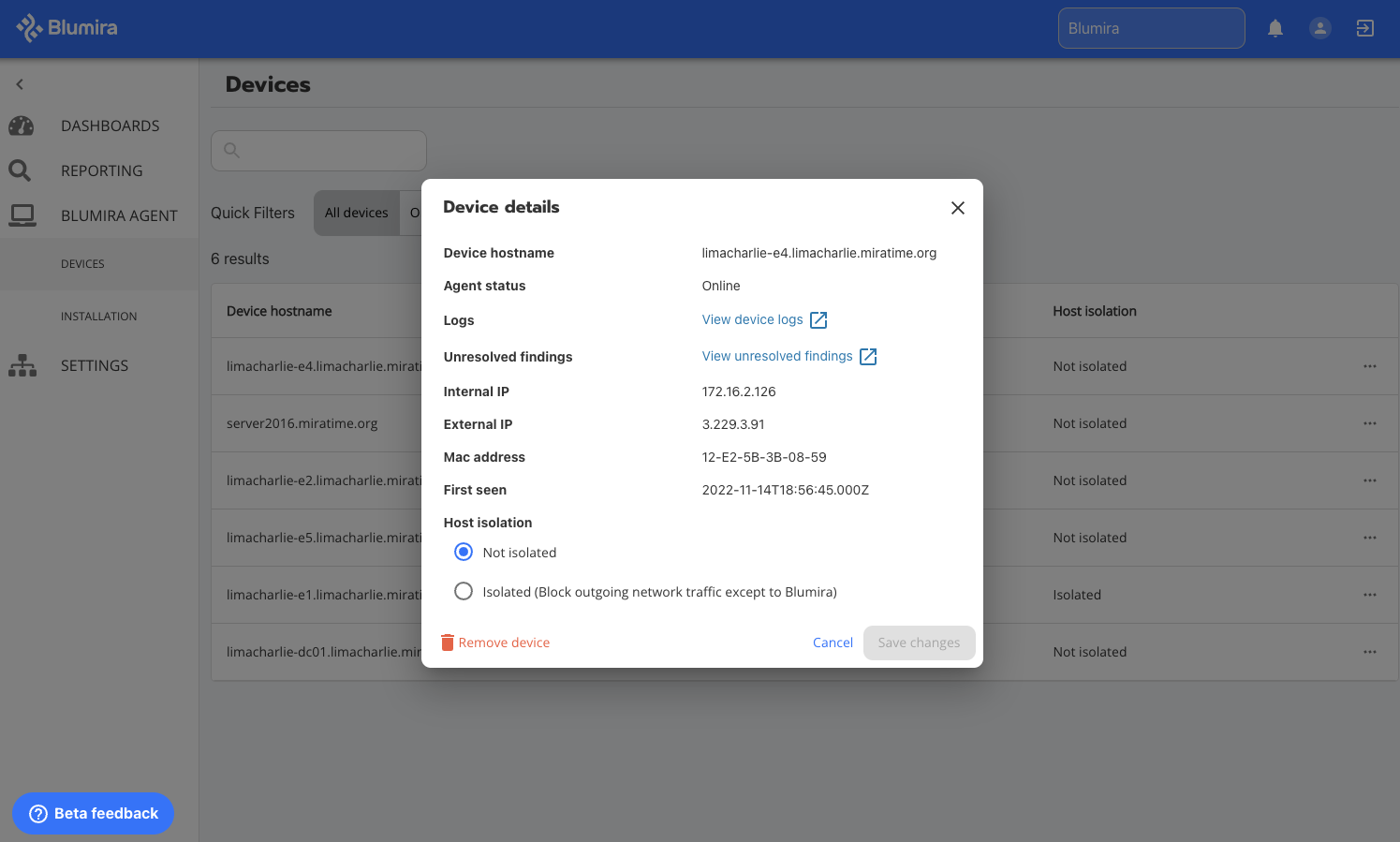
    Simplified Security Reporting

    Our goal is to give you the quickest path possible to easily access your data and insights. As part of Blumira’s platform, you can choose from a list of your integrations to populate reports on what’s going on across your environment, customizable by date range (like the past 24 hours, 7 days, and more). Under Scheduled Reports, you can easily create and send your own automated reports; useful for auditors, meeting compliance, and executive/board reviews.

    We hope you enjoy the refinements we made to our Beta version of the Report Builder. This preview version of reporting features intuitive relative time ranges, advanced sorting, and simplified query options. Easily Load Saved Reports with a helpful button at the center of the screen that lets you search through all your existing reports. Learn more about our pre-built reports and additional features in Now Available: Blumira’s Advanced Security Search & Reporting.
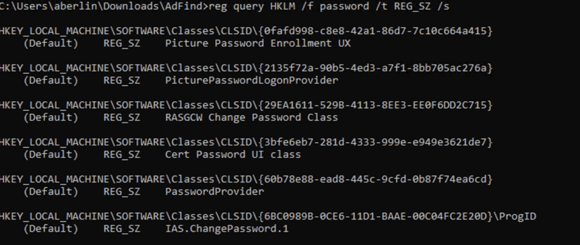
     

    Access even more advanced reporting options:

    • Click on Show Advanced Options to unlock expert mode where you can explore all the available fields and values.
      • There you can use our powerful query filters to search for the data sets you want.
    • Tailor the results table to your liking by customizing the Columns shown:
      • Adjust the Density of rows from Compact to Comfortable
      • Apply Filters on row values from the searched data set so you can narrow your focus to specific records.

    This special version of reports will be available for a limited time before replacing our existing reporting tool. We hope you take the time to test it out and share feedback with us. We’d love to hear from you – reach out to us with feedback!

    Our new UI update coincided with our recent AWS integration launch, part of our comprehensive cloud security monitoring and response solution. As a certified AWS Partner, Blumira’s offering has been tested and verified to meet AWS’s high industry standards for security, reliability, and operational excellence. Learn more about our AWS security monitoring and try out a free trial today.

    May 17, 2021
    Video
    Cloud Security

    Blumira's Cloud & AWS Security Monitoring


    Transcription:

    Blumira helps make security accessible to organizations of all sizes.

    Protect Azure, AWS, Microsoft 365 and more with Blumira’s comprehensive cloud security monitoring platform.

    We analyze billions of events and surface only priority alerts to reduce the noise and help you focus on real threats.

    Our AWS security monitoring solution detects threats and enables you to respond to indicators of an attack in progress.

    We continuously monitor GuardDuty, CloudTrail and VPC Flow Logs for malicious activity and misconfigurations.

    Here’s an example threat we detected - public access was granted to an S3 bucket.

    Misconfigurations like these can result in data leakage and compliance violations.

    We provide all relevant matched evidence to enable easy investigation.

    Assign someone a responder on your team, then walk through our playbook workflows to quickly remediate the threat.

    Need more help? Blumira’s responsive security team is only a message away.

    Dig in deeper by building your own reports. Blumira’s global reports give you many automated options.

    Or, save and schedule a report to run periodically. Choose a certain time period for easy, automated security reporting.

    Blumira’s cloud security monitoring and response solution gives you more security value with less complexity.

    Deploy a SIEM 5x faster - try it out today.

    May 17, 2021
    Cloud Security

    Product Update: Secure AWS Cloud Infrastructure With Blumira

    Remote work initiatives can result in cloud security risks as security and IT teams quickly migrate to the cloud while still supporting legacy technology.

    As you adopt new cloud technologies, it’s harder to gain visibility into security risks outside of your control. Any administrative changes and other common misconfigurations gone unnoticed can have cascading effects on security, and widen an organization’s attack surface, unintentionally exposing sensitive data to the internet.

    Organizations of all sizes struggle with securing a hybrid environment of on-premises and cloud applications, services and infrastructure. To compensate, they may turn to a growing number of security tools that are too costly, complex and manual.

    Comprehensive Cloud Security Monitoring and Response

    To help secure organizations of all sizes migrating to cloud infrastructure and software as a service (SaaS), Blumira has built integrations with cloud infrastructure, identity providers and applications to ensure we have coverage across different platforms and vendors.

    This provides value for our customers as they endeavor to gain visibility, centralize cloud monitoring and simplify their detection and response capabilities.

    AWS Security Monitoring and Response

    Recently, we’ve released our integration with AWS (Amazon Web Services) to enable you to detect, alert and respond to indicators of an attack in progress like account changes, malware infection, abnormal cloud infrastructure behavior and more.

    Our solution has been reviewed by AWS to meet the highest standards for security, reliability and operational excellence. Blumira has officially joined the Amazon Partner Network (APN) as an Independent Software Vendor (ISV).

    Our platform monitors GuardDuty, CloudTrail and VPC Flow Logs for malicious activity, centralizing log flows for continuous monitoring to help you protect your AWS environment.

    • CloudTrail AWS CloudTrail is a service that enables governance, compliance, operational auditing, and risk auditing of your AWS account. With CloudTrail, you can log, continuously monitor, and retain account activity across your AWS infrastructure. CloudTrail provides an event history of your AWS account activity, including actions taken through the AWS Management Console, AWS SDKs, command line tools, and other AWS services.
    • VPC Flow Logs VPC Flow Logs is a feature that enables you to capture information about the IP traffic going to and from network interfaces in your VPC.
    • GuardDuty Amazon GuardDuty is a threat detection service that continuously monitors for malicious activity and unauthorized behavior to protect your AWS accounts, workloads, and data stored in Amazon S3.

    Learn more about how to integrate your AWS log sources with Blumira’s cloud SIEM in our AWS: Getting Started Guide.

    Detect S3 Bucket Security Risks

    Common misconfigurations can result in the exposure of AWS S3 (Simple Storage Service) buckets, which are scalable object storage that you can use to store applications, backup and recovery, disaster recovery, hybrid cloud storage and more.

    Any administrative change in settings can unknowingly result in the public exposure of potentially sensitive or customer data, which can result in data breaches, compliance violations and costly fines.

    In the Capital One breach from 2019, a software engineer used scanning software to identify AWS customers with misconfigured firewalls that had access permissions to S3 buckets. She decrypted and exfiltrated data from a found account (U.S. Dept. of Justice).

    A few years back, S3 bucket exposures were more common due to the lack of visibility and inability of companies to keep track of bucket configurations. Additionally, there were certain bucket access control lists (ACLs) that allowed for public access to buckets, due to both poor naming and user education on ACL permissions (SecurityBoulevard).

    Blumira Detects S3 Bucket Misconfigurations

    Blumira’s SIEM monitors CloudTrail logs for these types of changes and misconfigurations, parsing and analyzing billions of events to pare them down to a few prioritized alerts sent in near real-time to your team to respond to quickly.

    S3 Detection: Finding Analysis

    In this example detection, we’ve identified that a specific Amazon S3 bucket has been granted publicly anonymous access by a certain user originating from an IP address. If this was unexpected behavior, it could indicate a misconfiguration or compromised credentials.

    S3 Detection: Workflow Remediation

    To help you respond quickly, we populate the finding with a pre-built playbook to walk through remediation. In this case, we recommend you review the S3 bucket in question that we identified, its ARN (Amazon Resource Number) and the bucket owner to determine if it was an expected or authorized change.

    If not, you should mark the finding as malicious activity, work to quarantine the IAM principal and investigate further. If your team needs more advice or information to understand this finding or what your next steps should be, you can directly message the responsive Blumira security team for additional help.

    Detect AWS Cloud Security Risks

    In addition to S3 misconfigurations, we monitor your AWS cloud environment for indicators of other cloud security threats to help you identify malicious activity and stop an attack in progress.

    Additional AWS Security Resources

    • AWS: Getting Started Guide A basic overview of the six steps to set up and correctly configure AWS data streams, which will connect AWS logs to Blumira’s platform for automated detection and response.
    • AWS Security Monitoring – An overview of Blumira’s cloud security monitoring and response capabilities for comprehensive AWS security coverage.

    Join VP of Product Jim Simpson and CTO Matt Warner as they cover how to reduce cloud security risks with Blumira’s cloud and AWS security monitoring solution in our on-demand webinar, Security Advisor Series: Tackling Cloud Security Threats in AWS.

    Watch on demand.

    May 03, 2021
    SIEM XDR
    Webinar
    Cloud Security

    30-Minute How To: Deploy a Cloud SIEM in 1 Hour


    Traditional SIEMs are known for requiring long, arduous deployments, but in reality, IT and security teams can set up a modern SIEM solution in as little as one hour.

    Join Blumira’s Patrick Garrity, VP of Ops, David Begley, Technical Account Manager, and Emily Eubanks, Security Operations Analyst, as they walk you through the process of deploying your SIEM so you can instantly start receiving valuable security alerts.

    In this roundtable, they'll discuss how to:

    • Configure log flows using Windows NXLog, Logmira and Flowmira
    • Quickly integrate your cloud SIEM with your existing tech stack
    • Leverage valuable detections to get ROI from your SIEM deployment on day one

    This interactive, educational session encourages questions and engagement with viewers – so sign up today for access to our security experts.

    Participants

    David Begley, Technical Account Manager, Blumira
    David has over 20 years of professional IT experience supporting a vast array of organizations such as local and state government agencies, automotive suppliers, financial institutions, universities, service providers, and technical recruiting organizations.

    Emily Eubanks, Security Operations Analyst, Blumira
    Emily brings a strong background in cybersecurity from her experience at AHEAD, a managed service provider. She holds a Bachelor of Science degree in Information Assurance and Cyber Defense and an Associates of Applied Sciences in Computer Programming. Emily focuses on SIEM, EDR, and vulnerability management technologies. She also enjoys reverse engineering malware and managing honeypots.
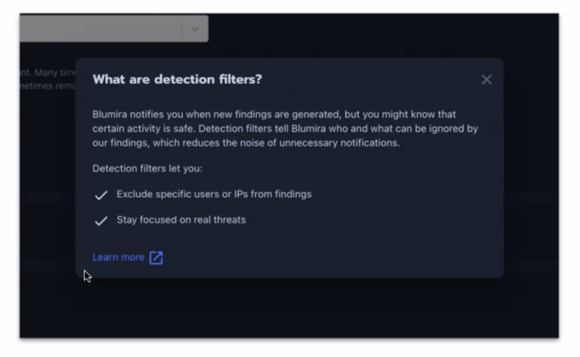
    Patrick Garrity, VP of Operations
    Patrick has years of experience in the security industry, building and scaling usable security products. He currently leads Blumira’s product, sales and marketing teams. Prior to joining Blumira, he led sales engineering, product marketing and international expansion for Duo Security.

    About Blumira’s 30-Minute How To Series
    Blumira’s 30-Minute How To Series features practical security advice from experts in the information security industry. As a security and IT professional, you’ve got a busy schedule — that’s why we’ll waste no time in delivering you actionable educational content that you can apply to your everyday life.

    April 29, 2021

    How To Detect Password Lists With Blumira

    With an increase in fileless malware’s usage in recent years, there’s a growing need to practice security hygiene with secure storage of business credentials as a key component.

    Many pentest and breach reports point to unsecured credentials stored on user systems, network shares, or even in SaaS cloud provider services as enablers for threat actors to complete their objectives and access critical systems or information.

    At Blumira, we provide insight to customers when users are engaging in this risky behavior, allowing the organization to take preemptive action and remediate before the credentials can be leaked or used in an intrusion.

    Here, we’ll walk through how Blumira alerts on this behavior and how easily a threat actor can take advantage of the opportunity if not remediated.

    How Blumira Catches Credential Lists

    Here we have a user who needs to use a saved password list to perform their job tasks, so they save the list to their Documents folder. The user thinks this has to be safe — they’ve taken their security training, they know how to avoid phishing emails and they don’t visit sketchy websites.

    Blumira picks up the activity and alerts the security administrator.

    The security administrator informs the user that their activity is hazardous and directs them to an enterprise password management solution. This closes a potential configuration vulnerability, making the environment more secure.

    The Effects of Poor Password Management

    Let’s say the user never cleans up the password file and the security administrator is unaware of its existence. Our user practices all practical security measures available to them, but their coworker sitting across the hall does not and falls for a phishing email — allowing a threat actor to access the corporate network.

    The threat actor scans across the local network, and finds our unsuspecting user’s machine.

    Then, they look for users who happen to be storing credentials in an unsafe manner.

    Bingo — they now have a target to collect, and the content may allow them further access to sensitive information or systems.

    Password Management Best Practices

    So what can we do to close the loop on preventing this? The following recommendations can help limit this attack vector:

    • Use a password manager or vault solution to store business-critical credentials.
    • Disallow communication between workstations, namely SMB traffic from workstation to workstation. Your firewall policy should restrict most communication between workstations by default.
    • Use a SIEM like Blumira’s to monitor and alert when users may fall out of compliance and encourage them to use a more secure solution.

    Blumira can help find instances of poor security behavior from your users. To get insight on risky behavior occurring within your company, try our free trial.

    April 15, 2021

    Blumira Accelerates Time to Detection to Milliseconds

    Recently, Blumira began a large-scale project to introduce a powerful new detection system called Real-Time Detections. We built this technology in-house to provide you with real-time notifications for many of the product’s native threat detections. 

    Blumira’s platform was based on a scheduled detection system that could have variable time windows between 5-30 minutes. It was important to accelerate our time to detection so that organizations would get notified faster of threats to stop attacks sooner.

    Our new Real-Time Detection system will give you an added advantage in defending your organization’s network by dramatically accelerating the speed of the product’s detection notifications and subsequently your time to respond. This new system will execute logic to notify organizations in as little as 800 milliseconds.

    How Do Detections Work?

    The legacy detection system inspected for specific events over a designated window of time by design. Stated differently, the conditions for a Finding to be generated was both a matched logged event and waiting for a designated window of time to elapse, which amounted to a regular delay between event happening and customer notification.

    Said legacy system was brilliant for threat detections involving repeated events representing a single malicious behavior like password spraying. It was less ideal for single moment-in-time threat detections such as virus alerts because of the implied notification latency.

    The legacy ‘windowed’ detection system will remain in production so the Blumira platform can take advantage of its strengths, such as the password spraying attack mentioned above, but we will also be dramatically re-balancing our dependence on it. Embracing both detection systems according to their strengths will give customers a better product experience.

    Why Does This Matter?

    Customers like you mean everything to Blumira. We take immense pride in doing everything we can to ensure you have an excellent product experience. The goal of this post is to keep you, the customer, fully informed about a major product update.

    What Should I Expect?

    There is no specific action needed at this time. However, please keep Blumira informed of any observed irregularities with Findings, such as spike in volume or other unexpected behavior. The product feedback is deeply appreciated.

    How Can I Reach Blumira Support?

    You can submit critical issues in two ways:

    1. By submitting a Support request via case management available at blumira.zendesk.com and designating it “Urgent” priority.
    2. Or by calling (877) 258-6472, selecting ‘2’ for Customer Support, and finally selecting ‘9’ to register a Critical support case.

    Try Out Blumira

    Not a customer? Try out Blumira’s automated detection & response platform, deploy in hours and get immediate security value. Sign up for a free trial or watch a demo to learn more.

    April 12, 2021
    Microsoft Security
    Cloud Security

    Update: Microsoft 365 Cloud Security Monitoring

    While there are simply too many new detection rules added to Blumira’s platform to list, here are a few that highlight the recent work of our incident detection engineers that help with Windows and Office 365 cloud security monitoring.

    We roll out new rules on a weekly cadence to keep up with evolving attacker techniques and security misconfigurations to make sure Blumira doesn’t miss any key findings in your environment. A detection is a security event that we’ve identified and alert our customers on to take action.

    In each detection below, we include next steps for remediation and how it maps to the MITRE ATT&CK framework, a globally-accessible knowledge base of adversary tactics and techniques based on real-world observations.

    The following detections were written by Lead Incident Detection Engineer Amanda Berlin:

    Detecting Cloud Security Misconfigurations

    Detection: Office 365 – New or Modified Microsoft 365 Group

    A new group in Office 365 has been created or modified. A Microsoft 365 group creates a group email to collaborate. You can also add Microsoft Teams for group conversations, files, and calendars. This type of finding helps you track any misconfigurations for auditing purposes.

    Blumira’s playbook walks you through the next steps to verify if this was an approved Office 365 group addition or modification. If you aren’t able to correlate this group change with legitimate use, Blumira recommends locking the user account associated with this change and performing incident response steps to ensure no other unknown actions have been taken by this user.

    See below for additional details on MITRE mapping, why it’s important to detect and how to get this detection.

    Detection: Office 365 – New or Modified Distribution or Mail-Enabled Security Group

    A new group in Office365 has been created or modified. A plain distribution group creates an email address for a group of people, while a mail-enabled security group is a distribution list that can also be used to control access to OneDrive and SharePoint. If it is a security group, it will be listed in evidence as that group type.

    MITRE: T1136; Tactic: Persistence

    Why it’s important to detect: An attacker could create an account to maintain access to targeted systems. In cloud environments, attackers may create accounts that only have access to specific services to reduce the chance of detection, according to MITRE.

    How to get these detections: You can get these two detections by setting up Blumira’s Azure Event Hub and Microsoft Office 365 integrations to start collecting and analyzing logs for automated detection and response.

    Detecting Windows Security Events & Misconfigurations

    Detection: Suspicious PowerShell Command

    Microsoft Defender for Endpoint (previously named Microsoft Defender for Endpoints) has detected a malicious PowerShell command on {devname}. To review the potentially malicious command, visit the Windows security center for more details. This type of tactic is commonly used by attackers to run malicious code, escalate permissions or move laterally throughout your network.

    If this was not an approved administrative action, Blumira’s remediation guidance is to examine logs around the time of the PowerShell command execution, remove the device from the network (if possible), then perform internal incident response procedures.

    MITRE: T1059.001, Tactic: Execution

    Why it’s important to detect: PowerShell is a powerful command-line interface and scripting environment included in the Windows operating system. Attackers may abuse PowerShell commands and scripts to discover information, execute code and download and run executables from the internet, according to MITRE.

    How to get these detections: You can get these detections by setting up Blumira’s Microsoft Defender for Endpoint integration to start collecting and analyzing logs for automated detection and response.

    Detection: A Windows Security Group Was Created or Modified

    There are two types of AD groups:

    • Active Directory Security Groups. This type of group is used to provide access to resources (security principal). For example, you want to grant a specific group access to files on a network shared folder. To do this, you need to create a security group.
    • Active Directory Distribution Groups. This type of group is used to create email distribution lists (usually used in Microsoft Exchange Server). An e-mail sent to such a group will reach all users (recipients) in the group. This type of group cannot be used to provide access to domain resources, because they are not security-enabled.
      If you are unaware of the creation/modification of this group, Blumira recommends locking the user account associated with this change and performing incident response steps to ensure no other unknown actions have been taken by this user.

    MITRE: T1136; Tactic: Persistence

    Why it’s important to detect: Attackers will create accounts to maintain access to targeted systems. Accounts may be created on the local system or within a domain or cloud tenant, according to MITRE. Detecting this type of activity can help identify security misconfigurations or help with auditing.

    How to get these detections: You can get these detections by setting up Blumira’s Microsoft Windows integration to start collecting and analyzing logs for automated detection and response.

    Related Resources

    • Cloud Security Monitoring – Blumira’s cloud SIEM platform natively integrates with cloud services to provide cloud security monitoring and detect potential cloud threats.
    • Microsoft Security – Easily detect and respond to Microsoft security risks, exploits and threats with Blumira’s cloud SIEM. Deploy in hours, without a security team.

    See these detections in action by requesting a demo of Blumira’s platform or get a free trial and easily integrate with your Microsoft and cloud services for faster detection and response.

    April 06, 2021
    MSP

    How Blumira Responded to a Real Exchange Attack

    Blumira’s security, support, product and sales team members helped a customer recently by detecting a pattern of malicious activity related to the newly disclosed Microsoft Exchange vulnerabilities over the span of a few days.

    Initially, Blumira detected threat-like behavior in the environment, or security events, through the customer’s Sophos Central antivirus integration. As the detections continued, the customer engaged with Blumira’s Security Operations (SecOps) team to review and ensure the appropriate incident response steps were taken.

    This prompted Blumira’s Incident Detection Engineer Nick Brigmon to investigate and categorize the not-yet-unqualified incident. He then tagged in Blumira’s SA (Dedicated Solutions Architect) Dave Begley, who proactively contacted the affected customer and assisted in configuring many additional log sources to feed back into Blumira. This delivered the additional visibility to properly scope the security incident.

    A series of attacker behavior was detected by Blumira’s platform, including an attempt at privilege escalation through PowerShell execution policy bypass.

    Blumira also detected a policy violation caused by the clearing of Windows security event logs. This is a very rare finding that attackers perform to eliminate evidence and avoid any investigative trail leading back to their activity. As noted in the MITRE ATT&CK framework, this attacker tactic is a form of defense evasion (T1070.001).

    This suspicious pattern of behavior, once correlated with the presence of a vulnerable Exchange server, represented a new level of incident criticality for Blumira’s team and their client.

    Working With MSPs to Respond Quickly

    Members of Blumira’s security, product and sales teams quickly mobilized the client and their managed service provider (MSP) to coordinate on their next incident response steps, specifically containment and remediation.

    Once advised by Blumira’s team, the customer’s MSP was able to take the impacted Exchange machine offline and start the system rebuilding process.

    This is a great example of the combination of Blumira’s automated detection and response platform, plus responsive and observant Blumira security analysts. Working with the customer’s MSP, our security analysts advised them on incident response best practices and helped them avoid an enterprise-wise breach.

    Learn more about how our platform works, and sign up for a free trial to test out our detections today.

    March 19, 2021
    Ransomware

    Product Update: Detect Indicators of a Ransomware Attack

    Blumira’s incident detection engineers continue to crank out the security detection rules, automatically rolled into our platform to help you detect and respond to the latest attacks.

    This week, they’ve added findings that can help you identify indicators of a potential ransomware attack in progress so you can act quickly to remediate. With these new detections, Blumira’s platform alerts you to malicious behavior, including:

    • Attackers using hacking tools to move laterally throughout your network
    • Attackers using common Windows features to hide their activity from other security solutions
    • Attackers modifying folders, potentially attempting to exfiltrate your data

    Blumira’s platform can provide near real-time detection and high-confidence alerts of attacker activity in your environment, in addition to playbooks to guide you through faster remediation. We surface contextual information to help with investigations and forensics, and our security team is available if you have further questions.

    As a result, you can automate your security operations to prevent and detect a ransomware data breach.

    Written by Incident Detection Engineer Brian Laskowski:

    Requirements: To get the security detections below, you will need to install and configure Microsoft System Monitor (Sysmon). See how in How to Enable Sysmon.

    Detection: Bitsadmin Download
    Bitsadmin is software built into the Windows operating system, used for downloading files. Threat actors can take advantage of the software to download their own malicious payloads. Blumira recommends organizations review the software that was downloaded and confirm that it is approved software in your environment.

    Most recently, this attack was called out in a FireEye report on ransomware actors. After initial access, an attacker deployed additional malware, using different techniques to establish a foothold. They installed a backdoor on the target host, and used BITS Jobs and remote PowerShell downloads to download other tools.

    MITRE: T1197, Tactics: Defense Evasion, Persistence

    Detection: Startup Folder LNK File
    Startup folders are commonly used to auto run programs on boot. Threat actors can take advantage of this behavior to achieve persistence. A common method to do this is to place a crafted LNK file that, when run, executes a program that the threat actor wants to start on boot. Blumira recommends collecting and reviewing what the LNK file points to execute on the system.

    MITRE: T1547.001, Tactics: Persistence, Privilege Escalation

    Detection: System Services: Service Execution with Lateral Movement Tools
    Many penetration testing tools have a feature in them that takes advantage of the features of PSEXEC for sending files over SMB and then executing them via a service. If you do find the user that initiated the service creation, they may potentially be compromised, and Blumira recommends locating all devices the user is logged in on and consider isolating them while performing further investigation.

    MITRE: T1569.002, Tactic: Execution

    Detection: Default Execution Flags for Cobalt Strike
    Cobalt Strike is a commercially available post-exploitation framework. While intended for use by authorized penetration testers, cracked versions of the software are abundant and its ease of use makes it a popular choice among cyber criminals. This tool has been seen used by red teams, APT actors, and ransomware threat actors.

    MITRE: T1059.001, Tactic: Execution

    Detection: Default Execution Flags for PoshC2
    Posh C2 is an open source post-exploitation framework. This means it is freely available to download and is used by a threat actor usually when they are ready to begin moving laterally and escalate to exploiting an Active Directory infrastructure. This tool has been seen used by red teams, APT actors, and ransomware threat actors.

    MITRE: T1059.001, Tactic: Execution

    Detection: Default Execution Flags PowerShell Empire
    PowerShell Empire is an open source post-exploitation framework. This means it is freely available to download and is used by a threat actor usually when they are ready to begin moving laterally and escalate to exploiting an Active Directory infrastructure. This tool has been seen used by red teams, APT actors, and ransomware threat actors.

    MITRE: T1059.001, Tactic: Execution

    Written by Sr. Incident Detection Engineer Bill Reyor:

    Detection: Watch Folder on Linux Host Accessed
    This alert is triggered when a customer-configured watch folder on a linux host is modified or interacted with. This type of potential attacker behavior is commonly used for data exfiltration. Blumira recommends identifying if the alert activity was authorized and expected, and if it was not, then to review the alert for the source user and consider initiating incident response activities around this potentially compromised user account.

    Requirements: To get this security detection, you must configure log forwarding by integrating Linux auditd with Blumira. See how in our Linux auditd documentation.

    MITRE: TA0010, Tactic: Exfiltration

    See our other detections added recently this month and last:

    Learn more by watching a demo or requesting a live demo. Or, sign up for a free trial and deploy Blumira’s cloud SIEM in hours.

    March 17, 2021

    Product Update: Automating Honeypot Security Detections

    It’s the time of year when I let our audience know about our honeypot and all of the new amazing features we have to offer!

    First, what is a honeypot? A honeypot is a network device that either appears to contain, or does actually contain, vulnerable data intended to lure an attacker into accessing it. Whether a threat actor tries to log in to the interface, scans the device using a scanning tool, or attempts to access anything on the device, the alerting component will instantly inform your security team that something threatening is happening.

    All honeypots are built differently, generally. Some have visibly exploitable vulnerabilities, others look like a hardened system – meanwhile, they are just waiting to be scanned or logged into by an attacker.

    New Responder Detection Capabilities

    Our first version of the honeypot was shaped to look like a vulnerable fileshare server. Although the first iteration of our honeypot was a powerful detection mechanism for our customers, there is always room for improvement. Our security team, working with our backend developers, came up with a more robust honeypot which includes capabilities the cybersecurity industry is still attempting to adopt.

    One of the most notable upgrades we’ve made is our addition of “WhereIsMallory” – the new cross-architecture Responder detector. If you’re familiar with Responder, it is one of the most powerful red team/hacking tools you can use. It is also one of the toughest to detect, due to its stealthiness. If you’re not familiar with the tool, the overview taken from Kali.org states:

    “This tool is first an LLMNR and NBT-NS responder, it will answer to *specific* NBT-NS (NetBIOS Name Service) queries based on their name suffix (see: http://support.microsoft.com/kb/163409). By default, the tool will only answer a File Server Service request, which is for SMB. The concept behind this is to target our answers and be stealthier on the network. This also helps to ensure that we don’t break legitimate NBT-NS behavior.”

    Responder detection has classically required manual investigation and a keen eye from the blue team. We, as the blue teamers, have been fighting a losing battle against Responder… until now! Our team has worked hard to integrate a Responder detection mechanism into the new honeypot module. When Responder is automatically detected by our service, a Priority 1 Threat Finding is generated. From there, we have drawn up a step-by-step guide on how to remediate a Responder attack on your network.

    How Does It Work?

    WhereIsMallory sends out LLMNR (Link-Local Multicast Name Resolution) traffic to the multicast addresses of the interfaces and probes the broadcast, which results in an attacking Responder responding to the LLMNR lookup request at the broadcast. This way, we’re able to identify that the response is indeed from Responder and ship that result via syslog for our customers to digest in a Finding.

    To put all of this into simpler terms, we pretend to be a Windows host every few seconds and request LLMNR traffic across the broadcast to see if Responder is attempting to respond to us. This is a capability that even next-generation antivirus software has not been able to pull off.

    We’ve also made a few minor changes to the honeypot, to make it seem more believable to the naked eye, such as opening specific ports and services that mirror a legitimate server on the network. Attackers keep an eye out for obvious honeypots; these changes will make it much harder for the attacker to decipher which is a legitimate server, and which is not.

    These changes will be in effect this quarter! If you’re a Blumira customer, you shouldn’t need to take any additional action to take advantage of the new honeypot features and detections. If you’re not a Blumira customer, we’d love to help you protect your network with our ever-evolving technologies.

    Please reach out to us if you have any questions about our services, or sign up for a free trial of Blumira’s detection and response platform.

    March 09, 2021
    Microsoft Security

    Latest Update: November 2025 Product Releases

    Here’s a roundup of the latest security detection rules written by our incident detection engineering team, integrated into Blumira’s cloud SIEM platform to identify new potential threats in your environment.

    Last week, Microsoft publicly disclosed four zero-day vulnerabilities (CVE-2021-26855, CVE-2021-26857, CVE-2021-26858 and CVE-2021-27065) that were being actively exploited by an advanced persistent threat (APT) actor targeting U.S. organizations in attacks, with reports of at least 30,000 servers hit with the exploit already. U.S. agencies were urged to update their servers by midday last Friday in response (ZDNet). We provided an overview last week with resources on how to install updates and why it’s critical to take action as soon as possible.

    According to our Director of Security Mike Behrmann, the initial concern with the Exchange zero-days was that attackers were exploiting vulnerable systems and implanting web shells for persistent network access to victim networks. See below for our latest detection released this week to help our customers detect any indicators of Exchange-related attacks, and what you need to enable for the detection to work in your environment.

    Written by Incident Detection Engineer Brian Laskowski:

    Detection: Potential IIS Web Shell Activity
    According to MITRE, adversaries can backdoor web servers with web shells to establish persistent access to systems – a web shell is a script placed on an openly-accessible web server that allows a threat actor to use the web server as a gateway to a target network. In this detection, Blumira leverages Microsoft’s Sysmon to detect any instances of IIS’s (Internet Information Services) primary web process spawning a child instance of cmd.exe.

    How to Get This Detection
    You will need to enable Sysmon to configure it to send Windows logs to Blumira’s platform in order to start detecting, alerting and responding to potentially malicious web shell activity related to the recent Exchange exploits. See how to do that in three easy steps – How to Enable Sysmon for Windows Logging and Security.

    You can also edit your config file for any IIS web servers in order to stream logs to Blumira for detection. You can leverage Flowmira, a set of customized NXLog configurations created to help simplify Windows machine log collection for all organizations. It includes a number of predefined security-centric event logs, including PowerShell, IIS, Windows Firewall, and classic Windows Event Logs.

    How to Remediate
    Blumira provides a remediation playbook to help you determine if the finding is malicious and requires triggering immediate incident response procedures. If it is, we recommend containing the threat by taking the affected device offline, suspending related user accounts and monitoring for other suspicious behavior.

    MITRE: T1505.003, Tactic: Persistence

    Detection: Feodo Threat Feed Hit
    The Feodo Tracker from abuse.ch monitors and tracks existing botnet command and control infrastructure like Trickbot, Dridex, and others. Blumira recommends that the first step for investigation is to review this hit with the data in the Feodo Tracker.

    Remediation varies based on what is found in next steps – it could include triaging and isolating a device that is likely an initial intrusion point of entry, from a malicious email attachment or file.

    This detection works for a variety of Blumira integrations, including IDS/IPS, firewalls, Sysmon and Windows firewall.

    MITRE: T1071, Tactic: Command And Control

    Written by Lead Incident Detection Engineer Amanda Berlin:

    Detection: ARP (Address Resolution Protocol) Poisoning
    ARP poisoning/spoofing is a technique by which an attacker sends spoofed Address Resolution Protocol (ARP) messages onto a local area network. By associating the attacker’s MAC address with the IP address of another host, such as the default gateway, it will result in any traffic meant for that IP address to be sent to the attacker instead.

    This could allow an attacker to intercept data frames on a network, modify the traffic or stop all traffic. This attack is often used as an opening for other attacks like denial of service, man in the middle or session hijacking attacks.

    Blumira recommends putting static ARP entries or spoofing prevention software in place where possible for highly sensitive assets to prevent man-in-the-middle attacks.

    MITRE: T1557.002, Tactics: Credential Access, Collection

    Detection: Forescout Blocklisted File Operation

    Blumira surfaces this finding from Forescout: A user has read or written a blocklisted file or folder. User-defined blocklists include resources whose access should be limited to prevent confidentiality or integrity breaches.

    Default blocklisted file extensions indicate files which are not supposed to be accessed or transferred in the network because they may pose a security threat, or they may indicate lateral movement of malware or other malicious content.

    The Forescout finding includes additional information on the specific file or folder location, what type of activity was detected, and why it’s important. For next steps, Blumira recommends verifying if this was a planned administrative activity.

    This type of finding is important for the OT/IT industrial sector, as anything that falls under this category should be escalated and taken seriously, according to our partners at ThreatGEN, Pascal Ackerman.

    Blumira + ThreatGen Roundtable: Cybersecurity Visibility for IT/OT Threats
    Join Patrick Garrity, VP operations at Blumira and Pascal Ackerman, Managing Director of Threat Services for Threatgen, for a discussion on cybersecurity visibility across the organization to learn more about how to detect and respond to industrial sector threats.
    Watch On-Demand >

    Missed last month’s additions to Blumira’s detection and response platform? Check out:

    Or sign up for a free trial of Blumira to deploy a cloud SIEM in hours and start protecting your organization against these attacks.

    February 25, 2021
    Microsoft Security

    Product Update: New Windows Security Detections

    Here’s a roundup of the latest security detection rules written by our very busy incident detection engineering team, integrated into Blumira’s cloud SIEM platform to identify potential Windows threats in your environment.

    Missed last week’s additions to Blumira’s detection and response platform? Check out our blog post, Product Update: New Microsoft Sysmon Security Rules.

    Download Free Microsoft Security Guide

    Written by Lead Incident Detection Engineer Amanda Berlin:

    Detection: Blocked Access of Controlled Folder
    Controlled folders are protected by Windows Defender as malware will often use these folders to install and maintain persistence. These folders can be configured across the organization with group policy by navigating to “Windows components > Microsoft Defender Antivirus > Windows Defender Exploit Guard > Controlled folder access.”

    MITRE ATT&CK: T1564, Tactic: Defense Evasion

    Response Playbook: Blumira provides next steps to guide you through a workflow – if the program should be allowed to modify the listed folder, then you can close it as allowlisted. If not, then you can select the next step to block the action, indicating that the program should not be modifying the folder. We also recommend looking at what folders or files were modified by the program in question, and if the software that was run is an approved program.

    Written by Sr. Incident Detection Engineer Bill Reyor:

    Detection: Kerberoast Attack Behavior Detected
    Threat actors can abuse the Kerberos protocol to recover plaintext passwords of Microsoft Active Directory service accounts using a tactic called Kerberoasting. Blumira detects and alerts your team whenever we observe a client IP interacting with a honeytoken account, similar to how attackers leverage the Kerberos protocol to recover service account passwords.

    MITRE ATT&CK: T1558.003, Tactic: Credential Access

    Response Playbook: Blumira provides a workflow to confirm if the workstation or user was performing a legitimate service, or, if it was unexpected behavior, to begin incident response procedures on the identified workstation, isolating the endpoint and resetting service accounts with potentially exposed credentials. We provide additional steps that customers can take to avoid false positives and help with Kerberos attack detection.

    Written by Incident Detection Engineer Brian Laskowski:

    Detection: Dump LSASS.exe Memory Using Windows Task Manager
    This is a technique used by stealthier threat actors that may not want to drop malware that may trigger antivirus alerts. A user with local administrator permissions can use the Windows Task manager to perform a process dump of all running processes on the system including the Local Security Authority Subsystem Service (LSASS). The LSASS process handles authentication and a threat actor can recover hashes and passwords from the information dumped from the process.

    MITRE ATT&CK: T1003.001, Tactic: Credential Access

    Detection: Signed Binary Proxy Execution: Mshta
    Mshta.exe is a built in utility for Microsoft Windows. This utility, however, can be abused to load malicious Javascript and VBscript and is often used to bypass application allowlisting and antivirus tools. Review the usage of this execution for known internal software or user activity.

    MITRE ATT&CK: T1218.005, Tactic: Defense Evasion

    Detection: Msiexec.exe – Execute Remote MSI File
    Msiexec is software included in Windows to facilitate installing Windows installer (.msi) files. While common to use for installing packages locally, it can also be used to download software from a remote location. This is uncommon and should be investigated for potential malicious activity.

    MITRE ATT&CK: T1218.007, Tactic: Defense Evasion

    Detection: Qbot Email Dumping Indicator Removal
    Qbot/Qakbot is a family of loader malware that are often introduced via malicious emails. These emails contain Excel or Word files that when opened download the Qbot malware to the local system. One of the first tasks Qbot performs on a local system is to collect a copy of any local emails in the user’s Outlook client, dump them to disk, and exfiltrate them. This alert triggers on the clean-up process after this is completed. So, if triggered, investigate for an active Qbot infection on the host and expect the contents of the user’s email inbox to already be exfiltrated.

    MITRE ATT&CK: T1070.004, Tactic: Defense Evasion

    Detection: Dump LSASS.exe Memory Using comsvcs.dll
    Comsvcs.dll is a built-in Windows dll (dynamic-link library) that can be used to dump process memory. This dll can be used by more advanced threat actors looking to collect credentials from LSASS without the need to drop Mimikatz or other tools that might trigger an antivirus alert. Investigate the user executing the process as well as the process ID of the dumped process to see if it aligned with the LSASS process on {devname}.

    MITRE ATT&CK: T1003.001, Tactic: Credential Access

    Additional Microsoft Security Resources

    Guide to Microsoft Security
    To help organizations running Microsoft environments, our guide gives you practical, step-by-step Windows tips to significantly improve your visibility into malicious activity.

    Protect Against Active Directory Attacks
    Blumira has released a new tool on GitHub to help you easily protect against Active Directory credential attacks like Kerberoasting that can lead to ransomware infection.

    How to Enable Sysmon for Windows Logging & Security
    With Sysmon, you can detect malicious activity by tracking code behavior and network traffic, as well as create detections based on the malicious activity.

    February 16, 2021
    Microsoft Security

    New Microsoft Sysmon Security Rules

    To help you monitor your Microsoft Windows security, Blumira’s incident detection team has released a number of new Sysmon security detection rules to help identify potential attacker activity in your environment. Our security team is always developing and writing new detections to keep up with evolving threats on an ongoing basis.

    What is Sysmon?

    Sysmon (or System Monitor) is part of the Sysinternals software package, now owned by Microsoft. It enriches standard Windows logs by producing higher-level monitoring of events such as process creations, network connections and changes to the file system.

    It’s very easy to install and deploy. See Lead Incident Detection Engineer Amanda Berlin’s How to Enable Sysmon for our three-step instructions that will help you turn on an incredible amount of advanced logging for greater visibility and enhanced threat detection.

    Why You Should Enable Sysmon

    With Sysmon enabled, Blumira can start streaming your Windows logs to our platform for deeper threat analysis. We can help you detect, alert and respond to common threats, including attackers moving laterally through your environment, escalating privileges, collecting data for exfiltration, and more.

    To see how you can easily integrate with your Microsoft environment and deploy a SIEM in a few hours, sign up for a free trial of Blumira.

    New Sysmon Security Detections From Blumira

    The following Sysmon detections (written by Incident Detection Engineer Brian Laskowski) are now integrated into Blumira’s cloud SIEM platform to provide prioritized alerts on Windows-related findings, and offer playbooks for threat response.

    Each of them map to the MITRE ATT&CK framework, a widely-referenced knowledge base for developing specific threat models and methodologies across all industries and in the infosec community.

    Detection Rule: Enable Remote Services: Remote Desktop Protocol in the Registry
    A common technique used by threat actors is to use built-in remote access tools like Remote Desktop Protocol (RDP) to allow for lateral movement or persistence in an environment. This provides the threat actor with access that can blend in with normal traffic in an environment. This tactic is frequently used in drive by open RDP attacks, and some botnet malware may do it as well.

    Maps to the MITRE ATT&CK Framework: T1021.001, Tactic: Lateral Movement

    Detection Rule: Local Accounts Added to Administrators Group
    A common technique used by threat actors is to add new accounts locally on a system and then add that local account to the administrators’ group. This provides the threat actor with a privileged account to persist in an environment.

    Maps to the MITRE ATT&CK Framework: T1078.003, Tactics: Defense Evasion, Persistence, Privilege Escalation, Initial Access

    Detection Rule: Security Software Discovery – AV Discovery via WMI
    Windows Management Instrumentation (WMI) is a built-in Microsoft utility for administering Windows systems. Its ability to interrogate the software on a system makes it ideal for threat actors to use while profiling a system as well. Using it to query for antivirus (AV) has been seen both from hands-on keyboard threat actors to being used by commodity botnets. Investigate to see if this was executed by approved software or administrators.

    Maps to the MITRE ATT&CK Framework: T1518.001, Tactic: Discovery

    Detection Rule: Compress Data for Exfiltration With RAR
    RAR file archives tend to be unusual in a normal Windows enterprise network, and user zipping via the command line is even less common. While this may be legitimate activity, the action should be investigated to make sure that it is not a threat actor zipping critical data for exfiltration (stealing data). Review the recent activity on the machine and look for other anomalies, or whether the user has a history of this activity, or if it is a part of normal business processes.

    Maps to the MITRE ATT&CK Framework: T1560.001, Tactic: Collection

    Detection Rule: Enumeration for Credentials in Registry
    In many Windows environments, credentials and passwords can be found in multiple locations, left by users or software. One location threat actors often look for credentials is in the Windows registry hives; these can often contain passwords that may allow the threat actor to move laterally or escalate privileges.

    Maps to the MITRE ATT&CK Framework: T1552.002, Tactic: Credential Access

    Detection Rule: Process Injection
    When a threat actor gains a foothold on a system, one of the tasks they need to perform is elevation of privileges to allow them full access to the system. One way they do this is through process injection in which their malicious code is injected into the memory of a higher-privilege process running as SYSTEM. This activity can also be seen when a threat actor then tries to access sensitive data like credentials from the LSASS (Local Security Authority Subsystem Service) process memory. Some software can also use this technique in normal operations, but this alert should be thoroughly investigated before closing. This tactic is extremely common in commodity malware, post-exploitation tool kits, and advanced adversary groups.

    Maps to the MITRE ATT&CK Framework: T1055.004, Tactics: Defense Evasion, Privilege Escalation

    To see how you can easily integrate with your Microsoft environment and deploy a SIEM in a few minutes, sign up for a free version of Blumira.

    Additional Microsoft Security Resources

    Use Case: Microsoft Security
    Easily detect and respond to Microsoft security risks, exploits and threats with Blumira’s cloud SIEM. Deploy in hours, without a security team.

    Guide to Microsoft Security
    To help organizations running Microsoft environments, our guide gives you practical, step-by-step Windows tips to significantly improve your visibility into malicious activity.

    Protect Against Active Directory Attacks
    Blumira has released a new tool on GitHub to help you easily protect against Active Directory credential attacks like Kerberoasting that can lead to ransomware infection.

    February 10, 2021
    Video

    Blumira Explainer: Threat Detection & Response


    Transcription:

    There's a real need to help IT teams uncover threats and prevent data breaches.
    At Blumira, we help make security accessible and effective for organizations of all sizes.
    Detection and response is where security happens.

    Here’s where you can drill down into a security finding in your environment.
    Blumira focuses on surfacing real security threats, prioritizing them by criticality so you know what to take action on.

    Here’s an example where user privilege escalation has happened in Office 365.
    We provide an easy-to-understand threat analysis explaining exactly what we found.

    You can take action by assigning your team members as Responders.
    Choose how your team gets alerted - such as by text, phone and email.
    Blumira provides built-in security playbooks for every finding to walk your team through next steps for response.
    Take action quickly with just a few clicks.

    Need a little more information or a second opinion?
    Reach out to our security team for their expertise.

    We’re happy to partner with you as your trusted security advisors.

    Blumira combines detection & response into one simplified solution, giving you more security value with less complexity.

    January 12, 2021
    Cloud Security

    Cloud SIEM Detection & Response for Cisco Umbrella

    What is Cisco Umbrella?


    Cisco Umbrella provides security for cloud applications, protecting devices and remote users in distributed locations with its secure internet gateway. It delivers visibility into internet activity across all locations, devices, and users, and blocks threats before they ever reach your network or endpoints.

    It combines DNS-layer security, threat intelligence, firewall and cloud access security broker functionality (CASB) into one cloud-delivered platform. Cisco Umbrella prevents users from accessing known malicious websites to help protect them against phishing and ransomware.

    Detect & Respond By Integrating Blumira With Cisco Umbrella

    Blumira’s integration with Cisco Umbrella allows you to retrieve event data from Cisco Umbrella and send it directly to your Blumira sensor. This enables you to start centralizing logs and leveraging Blumira’s security insights to automatically detect and respond to threats.

    Blumira parses, monitors and analyzes data pulled from Cisco Umbrella, comparing it to other logs across your environment. Our platform correlates it to the latest intelligence feeds and our custom detection rules to identify anomalous activity and indicators of a compromise, notifying your team of prioritized alerts. We provide security playbooks to guide you through next steps and remediation to help contain or block threats.

    Detecting Malicious Plugin Behavior

    In one example of a recent real Blumira customer deployment, the organization received multiple alerts on persistent attempted connections. They didn’t have the time to manually sort through the numerous Cisco Umbrella alerts and logs.

    By surfacing more focused alerts like persistent connections with the help of Blumira’s platform, their IT analyst quickly discovered that Google Chrome extensions were installed on several corporate devices and they were attempting to connect to command-and-control (C&C or C2) servers. This allowed them to quickly remediate the hosts by uninstalling the malicious Chrome plug-ins, resulting in increased security without requiring an increase in headcount.

    Cloud SIEM Detections for Cisco Umbrella

    User Visited Blocked Websites
    In this finding, Blumira alerts you to a Cisco Umbrella user that has attempted to visit a website categorized as against your company policy, at least three times in a short time period. We record the website domain name/URL for your records.

    This can indicate that the user’s device might be compromised with malware that uses beaconing techniques, or that the user is trying to visit a website that is non-compliant with your browsing policy. Beaconing is the practice of sending consistent communications from an infected host to an attacker-controlled host. If we find multiple access attempts, it may indicate that the machine is infected and needs to be reformatted.

    Other detections include finding multiple Cisco Umbrella users attempting to visit a blocked website, or a user visiting multiple blocked websites. Blumira also detects when a Cisco Umbrella command-and-control site is blocked.

    Additional Resources

    Cisco Umbrella & Blumira Integration Documentation – How to easily connect and retrieve event data from Umbrella to start monitoring your cloud security using Blumira’s platform.

    Remote Work Security – Secure your distributed remote workforce, including collaboration, productivity and cloud tools by detecting and responding to an increase in remote attacks.

    Try It Out

    Test out a free trial of Blumira’s threat detection & response platform, ranked as ‘Best ROI,’ ‘Fastest Implementation,’ and ‘Easiest to Use’ by real customers in the G2 Grid® Reports.

    Get a cloud SIEM up and running in hours, quickly integrate with your existing cloud technology like Umbrella, and start detecting cloud security threats today.


    December 08, 2020
    Microsoft Security

    Microsoft Security Detections

    Most organizations don’t know what Microsoft threats they should be monitoring for and struggle to get these fundamental detection capabilities in place.

    Blumira’s automated detection & response platform allows organizations of any size to monitor, detect and respond to real threats – all in a single platform – and can easily be deployed in under an hour. Our integrations with many Microsoft services allows you to connect to Blumira and start streaming logs for immediate analysis and security value.

    Windows Misconfiguration

    Attackers commonly use externally accessible Remote Desktop Protocol (RDP) and Server Message Block (SMB) to gain remote control of a Windows Server. RDP and SMB should not be exposed to the internet. Blumira detects and notifies you of any RDP and SMB connections from public sources, then provides next steps and best security practices for misconfigurations.

    Credential Compromise

    Password spraying is a technique by attackers to authenticate to your network or applications by typing in multiple usernames paired with a single password. It is used to discover weak passwords leveraged to move laterally throughout your environment. Early detection can prevent unauthorized access and stop system compromise. Blumira detects and notifies you when this attack is used in your Windows environment and guides you through remediation.

    Common Windows Exploits & Hacker Tools

    BlueKeep (CVE-2019-0708) is a critical severity exploit that affects Microsoft’s RDP, allowing for remote code execution. Blumira detects when BlueKeep is being used by an attacker to either gain a foothold into your environment and/or move laterally within it. Blumira also provides a playbook of best security practices to reduce your exposure to this vulnerability.

    Cobalt Strike is a tool that can be used to conduct targeted attacks like spear phishing, emulate malware and other threat tactics. It uses different techniques to evade detection by common security solutions like antivirus software. Blumira detects when Cobalt Strike is being used, indicating a user has either been exploited by an outside attacker or an attacker has gained a foothold into your environment.

    Mimikatz is a credential theft tool that targets Windows environments, dumping passwords, hashes, PINs and Kerberos tickets from memory. It enables attacks like pass-the-hash, pass-the-ticket or building Golden Kerberos tickets. Blumira detects when Mimikatz is executed via endpoint antivirus logs, indicating an attacker has gained access to your systems and is running the tool in memory in an attempt to steal user credentials.

    Data Exfiltration

    For cloud productivity and collaboration tools like Office 365 and G Suite, Blumira can detect external document shares that potentially expose internal files to external entities and allow for malicious data exfiltration. For our Office 365 integration, Blumira can also detect when your accepted domains are expiring soon, whenever there’s mass deletion of Office 365 objects, and any email loops (if recipients aren’t found in the service).

    Blumira also detects anonymous network traffic (like Tor), which can indicate data exfiltration form a corporate network tunneling through a malicious server.

    To protect sensitive data held by domain controllers, Blumira triggers an Azure ATP alert when it detects data exfiltration over SMB, as suspicious transfers of data are observed from your monitored domain controllers.

    Ransomware

    Ransomware continues to plague organizations of any size and industry – but there are many indicators of attacks that, if detected early and often, can alert your team to contain the impact of a potential compromise and prevent ransomware infection.

    Blumira identifies, alerts and walks you through incident response whenever an indicator of a ransomware attack in-progress is detected in your Microsoft environment. The chain of infection involves several different stages, tactics, techniques and procedures (TTPs):

    • Reconnaissance Scanning – This is an early indicator of attackers conducting the discovery stage of an attack; getting to know your environment, network, systems, users, etc. in order to understand where you may be vulnerable
    • Privilege Escalation – Attackers will use different techniques to elevate their permission levels, create new domain or admin accounts in order to gain access to your data and infect your systems with ransomware
    • Data Exfiltration – At this point, attackers are connecting to their own servers and/or exfiltrating your data. Blumira detects any indicators of data being transferred out of your environment, as well as different protocols and methods used to conduct it.
    • Exposure Due to Misconfigurations – Public connections to RDP and SMB are commonly exploited by attackers for initial access to your organization’s systems, and often result in ransomware infection. Detecting Microsoft misconfigurations like these can help you respond early, prevent attacker access and ransomware infection.
    • Malicious Executables or Malware Applications – By executing malicious files, attackers can download malware and hacker tools that can be used to deploy ransomware across your systems.

    Detecting these threats early can help you stop a ransomware infection and limit the impact of an attack.

    In addition to threats, risks and suspects, Blumira also detects and alerts you to day-to-day operational events, such as high-availability failover, disk capacity, CPU spikes, system notifications and more to help you identify when sensors are down, significant log flow decrease from a device, and whenever you have a failed Windows drive. See Blumira Security Findings to learn more.

    Detect Microsoft 365 Threats

    SMBs and organizations of all sizes can sign up for Blumira to get:

    • Coverage for unlimited users and data for Microsoft 365
    • Easy, guided setup with Cloud Connectors — in minutes
    • Detections automatically rolled out to your account, fine-tuned to filter out the noise
    • Summary dashboard of key findings and security reports
    • Playbooks with each finding to guide you through response steps

    Sign Up For Your Trial Today

    Get your trial account with Blumira and secure your Microsoft 365 environment in minutes.

    December 01, 2020
    Microsoft Security

    Blumira’s Security Operations Team Assistance on Integrations

    Product integrations can vary based on if the product uses direct Syslog output or an API (application programming interface). In the Blumira platform, we have what we call a Logger module which ingests all Syslog output from devices that use dedicated syslog. We also have many different APIs for products that don’t use Syslog output. Our development team is constantly working on building new API-based modules to ingest new data types we see from our new customers.

    Some of these APIs aren’t always straightforward as to what is ingested and what is left out (looking at you, Microsoft). I wanted to share some examples of integrations that Blumira’s Security Operations team helps with when we onboard a new customer or when an existing customer purchases a new product that requires a new API to be built.

    Azure Event Hub Expertise

    We’ve spent a lot of time figuring out what data flows through Microsoft Azure Event Hub and have had to deal with on-the-fly changes from Microsoft which we monitor for periodically. In the screenshot below, you can see how we can provide integration details and what’s needed from your team to send Azure Event Hub logs to the Blumira sensor for automated detection and response.

    Click to Enlarge

    Continued evidence that Microsoft needs to help out us end-users with data labeling!

    We had a customer set up our MS Cloud App Security module which you’d think MS Defender ATP events could ingest. Unfortunately, Microsoft thinks otherwise! We advised this user to install our MS Azure Event Hub module to get those events. Our MS Cloud App Security module applies to Office 365 ATP and MS Cloud Security products.

    Click to Enlarge

    You may have noticed a pattern with Microsoft data ingestion. We have worked hard to make this as easy as possible for our customers to pass us all relevant data. We have a write-up which shows all of our current MS modules and what products apply to each module.

    Windows Log Flow Using NXlog and Flowmira

    We use an open-source tool known as NXLog Community Edition for our Windows Endpoints. We gather a plethora of data from the hosts using our enhanced configuration Flowmira on top. Flowmira was created by our Sr. Incident Detection Engineer Amanda Berlin. This agent with the Flowmira configuration allows us to see what events are being streamed into the Windows logs on that host.

    We help customers get their Windows data flowing by pointing them to our robust NXLog onboarding how-to, while also assisting the customer where needed! Amanda Berlin has created a default configuration template which looks for many interesting security events that may not be obvious to an end-user looking at the Windows security log on their own.

    Our baseline configuration detects domain admin changes, account lockouts, Mimikatz (a hacker tool), password spraying activity and many more…automatically!

    Click to Enlarge

    Our sales team has been an amazing help at guiding our customers towards what is needed on the module portion of the onboarding process. Most of the tasks shown in this article are handled in the presales process. Although our technical sales team is top-notch, the Security Operations team still likes to audit our customers after the onboarding process to make sure all possible data is feeding into the Blumira sensor. Most, if not all logs are being sent to the sensor on Day 1 of onboarding!

    In conclusion, please reach out to our team if you have any questions about the data we actively ingest, what we’re working on, and what you have in our tech stack! We’re happy to help get any data flowing to your Blumira sensor.

     

    November 23, 2020
    Webinar

    Blumira’s Security Advisor: Splunk vs. Blumira

    Why are organizations switching from old SIEM providers to a more modern platform? SIEM (security information and event management) systems have long had a reputation for being overly complex, difficult-to-impossible to deploy at large scale, and too expensive for small security or IT teams.


    Join Amanda Berlin, Sr. Incident Detection Engineer at Blumira and Patrick Garrity, VP of Ops at Blumira to get a comparison of Splunk vs. Blumira, based on real deployment experiences.

    In this roundtable conversation, you'll learn about:

    • Challenges with failed or stalled complex and time-consuming SIEM deployments
    • The lack of meaningful or actionable security insights
    • The additional, hidden costs of SIEMs
    • The time, resources and size of teams or consultants required for each step of deployment
    • How a modern SIEM + SOAR (security orchestration, automation and response) platform combines functionality to enable small teams to do more

    This interactive, conversational-style session encourages questions and engagement with viewers – so sign up today for access to our security experts.

    Participants

    Amanda Berlin, Sr. Incident Detection Engineer at Blumira

    Based in Ohio, Amanda is a highly accomplished network defender well-regarded throughout the Midwest infosec community. She’s spent the last three years with NetWorks Group’s MDR team and Blumira, while most recently as a Sr. Incident Detection Engineer specializing in threat detection research as well as SecOps. Amanda serves as the founder and CEO of Mental Health Hackers, a nonprofit dedicated to providing education and guidance to tech workers around mental health topics. Amanda is also the co-host of the Brakeing Down Security podcast. She is the author of a Blue Team best practices book called "Defensive Security Handbook: Best Practices for Securing Infrastructure” with Lee Brotherston through O'Reilly Media.

    Patrick Garrity, VP of Ops at Blumira

    Patrick has years of experience in the security industry building and scaling usable security products. He currently leads Blumira’s product, sales and marketing teams. Prior to joining Blumira, he led sales engineering, product marketing and international expansion for Duo Security.

    About Blumira’s Security Advisors Series

    Blumira’s Security Advisor Series is a weekly virtual roundtable with experts in the information security and compliance industry offering insight into timely security topics. These interactive sessions encourage questions from the audience and engagement with viewers. Our mission is to bring awareness to current cybersecurity issues and provide trusted security advisors to the broader community.

    September 15, 2020

    Securing Remote Work: Detection & Response With G Suite

    The rise of remote work has accelerated the digital transformation and global shift to increased reliance on cloud-based remote access, productivity and collaboration tools.

    With this change comes a significant increase in targeted attacks on cloud productivity tools like G Suite. All too often does early detection of an attack go overlooked by security and IT teams, leaving a crucial gap in the time it takes to respond and contain a potential threat.

    Blumira can help you secure your distributed remote workforce, including collaboration, productivity and cloud tools by detecting and responding to an increase in remote attacks – as we’ve seen an 85% rise in unauthorized remote access attempts since late last year.

    For more tips on how to secure your remote workforce, register to attend our joint virtual roundtable with Google next Thursday, Sept. 24. In the Google Cloud Digital Forum: How to Secure G Suite & Your Remote Workforce with Google Cloud and Blumira, participants will offer tips on how to implement best security practices for a remote workforce, including how to integrate Blumira with G Suite for detection and response.

    In this webinar, you’ll learn:

    • How to protect your G Suite environment using best security practices
    • What types of security findings you should be able to detect, alert and respond to
    • How you can easily detect early indicators of a compromise within G Suite

    Blumira Joins Google Cloud Partner Advantage Program

    Blumira integrates with cloud-based productivity tools like Google’s G Suite and Microsoft’s Office 365 to monitor for any suspicious activity and indicators of potential internal and external threats.

    To provide value for Google Cloud customers, Blumira joined the Google Cloud Partner Advantage Program to offer a security integration for organizations that rely on G Suite to support their remote workforce’s productivity.

    Learn more by visiting Blumira’s Google Cloud Partner page.

    Examples of Blumira Detections for G Suite

    Once easily integrated with G Suite, Blumira streams security events and logs to its platform to parse, analyze and correlate data for automated threat detection and response.

    Blumira detects and alerts IT teams of G Suite activity in near real-time, including when users download or externally share G Suite documents that may present an exposure risk to internal information.

    An example alert can be found below, sent via email to our administrators when I shared a document with an external participant:

    Below you can see another example of a similar detection and response workflow in the responder view of Blumira’s platform:

    In this example finding, external document shares are categorized as a data exfiltration threat, at level Priority 3. Data exfiltration refers to when an adversary is trying to steal data, typically following other attacker tactics like discovery, lateral movement, etc.

    If data is leaving your network (unauthorized), it means you’ve had an intrusion, and it indicates that earlier protective measures prior to exfiltration failed to detect or prevent against stolen data. Learn more about detecting data exfiltration in Top Security Threats: Detecting Data Exfiltration.

    Along with the detection, Blumira’s platform provides pre-built security playbooks to walk your team through next steps and response, as well as additional stacked evidence for further investigation or reporting/compliance purposes – information such as the timestamp of the detection, actor email address (who did the sharing of the doc), document title, type, event name and target email (who the doc was shared with).

    Blumira also detects identity-related incidents, such as G Suite administrative role changes or multiple G Suite account login failures that could potentially indicate repeated access attempts by an attacker with malicious intent.

    Watch a demo to learn how Blumira provides automated threat detection and response in one easy-to-use platform.

    September 14, 2020
    Webinar

    Blumira Product Demo: How to Automate Detection & Response

    Need an easier way to detect and respond to attacks on your environment?

    Join Blumira as we walk through how to use our automated platform to reduce complexity, alert fatigue and hours spent managing a SIEM.

    In this session, you'll learn how to:

    • Easily deploy and integrate Blumira with your different tools to stream and collect logs
    • Get prioritized alerts and examples of threats detected by Blumira
    • Respond to threats with Blumira’s step-by-step playbooks
      Automate remediation with Blumira’s dynamic blocklists to immediately stop threats
    • Set up honeypots to detect attackers moving inside of your environment, or unauthorized access attempts to your servers
    • Search and investigate your logs easily with Blumira’s pre-built queries to automate report creation, export and delivery for audits and compliance

    Join us to ask questions and see how Blumira works!

    September 09, 2020

    Securing Remote Work: Blumira & Crowdstrike Integration

    One-third of companies have moved 81-100% of their employees to a work from home (WFH) model (MalwareBytes). Meanwhile, there’s been an 85% increase in unauthorized login attempts in 2020, as seen by Blumira’s honeypots.

    Security teams need visibility into attacks as users continue to rely heavily on remote access technology for work. Adding to their challenges, employees are also using unmanaged, personal devices to connect to work resources remotely, putting organizations at potential risk of malware, out-of-date software and vulnerabilities.


    Blumira Integration With CrowdStrike Falcon

    CrowdStrike Falcon Endpoint Protection is a cloud-based endpoint security platform, providing advanced detection and prevention for Windows, macOS and Linux (MITRE).

    It includes a suite of security tools, including next-generation antivirus, threat intelligence, device control, firewall control, endpoint detection & response, threat hunting, IT hygiene and incident response services. Crowdstrike’s branded names for these products are Falcon Prevent, Falcon Insight, Falcon Device Control, Falcon OverWatch, Falcon Discover, Falcon Spotlight and Falcon X.

    Once configured, you can stream endpoint security event logs from CrowdStrike Falcon Endpoint Protection to Blumira’s platform for threat detection and actionable response.

    Learn more about Blumira’s CrowdStrike Falcon integration.

    One example finding in Blumira’s platform, seen above, is the detection of malicious code. In this case, Blumira has detected a malware application running in the environment. It provides information about where the finding was found, and what type of finding/the priority level.

    This particular finding is categorized as a Threat, meaning it poses an immediate and real threat to the security of data or resources, and it has been detected with a very high level of confidence. Blumira provides additional steps to mitigate or remediate a threat through workflow questions, also known as a security playbook.

    The threat has also been categorized as Priority 3, meaning Blumira recommends that organizations respond within the next few business days unless notified otherwise. Threats designated as Priority 3 are considered lower priority alerts with the potential for malicious activities, but no further action has been performed or other exploits have been identified.

    Blumira can alert your team to any detection of malicious files found via endpoint logs. While CrowdStrike can take care of quarantining and deleting the files from the host, we recommend that customers go a step further to verify that the file was successfully removed.


    August 19, 2020
    SIEM XDR
    Video

    Blumira Product Demo


    Blumira Product Demo

    In this video, we walk through:

    • Different challenges with traditional SIEMs
    • How Blumira works
    • How to deploy Blumira
    • How to start detecting threats right away - including insider threats or external attackers

    Looking to try Blumira? Get started your trial.


    August 03, 2020
    Webinar

    Product Update: Search and Reporting - On-Demand


    Join Blumira as we walk through our new reporting and search functionality that allows you to quickly investigate and analyze your security logs.

    The average mid-sized business uses between 50 and 60 cybersecurity tools. Centralizing all of that data and distilling it down into actionable insights isn't easy.

    In this webinar, you'll learn:

    • How to filter events and customize your own searches of security events
    • Using Blumira's Global Search for pre-built search queries
    • Examples of different search use cases for compliance and to streamline your security ops workflow
    • Scheduling and running reoccurring reports

    Presentors

    Matt Warner, CTO
    Matt has over 10 years of experience in IT and development, focusing on business strategy, development, compliance, threat detection and penetration testing. Previously, he was Director of Security Services, Development & Security at NetWorks Group, responsible for defensive information security and services.

    Patrick Garrity, VP of Operations
    Patrick has years of experience in the security industry building and scaling usable security products. He currently leads Blumira’s product, sales and marketing teams. Prior to joining Blumira, he led sales engineering, product marketing and international expansion for Duo Security.

    July 21, 2020

    Now Available: Blumira’s Advanced Security Search & Reporting

    While Blumira’s platform automates threat detection and response by surfacing only the most important findings in your environment, we know our customers sometimes need to dig a little deeper.

    To support your compliance, auditing, and deeper investigation needs, we’ve added search and reporting functionality available now in beta in the Blumira administrative panel, seen below:

    Interested in seeing more information about your cloud applications? Once you select this category of data, you can filter down into the specific vendor log types and attributes (entitled ‘columns’), such as the user, domain, operation, status, timestamp, etc.

    Global Searches: Pre-Built Search Queries for Compliance & Convenience

    Maybe you don’t have time to select filters or determine which columns you need, and you just need to search and create a report quickly for the C-level or your auditors. In that case, you can head to Blumira’s Global Searches functionality found on the right side.

    We have many pre-populated searches available to you, based on your integrations and type of log data you’re sending to Blumira’s platform for threat detection and response.

    These searches align with many regulatory data compliance standards and controls. For example, to meet PCI DSS (Payment Card Industry Data Security Standard) compliance, organizations need to implement automated audit trails for all system components in order to reconstruct certain events (PCI DSS 10.2.1-10.2.7).

    One of those events includes any use of or changes to identification and authentication mechanisms – that translates to actions like the creation of new accounts, privilege escalation, or changes to accounts with root or admin privileges. Blumira’s new search feature allows you to click on the pre-built search query, then drill down into the when, who, what and more about any users that were created, by the integration type.

    Below is an example of this specific search query for all log events sent by Microsoft’s Active Directory to Blumira’s platform:

    Overall, simplified search and reporting of your system events can help you meet compliance requirements for reporting and analysis. For example, NIST SP 800-171 requires federal government contractors and subcontractors to provide audit record reduction and report generation to support on-demand analysis and reporting (3.3.6). This control is all about supporting the ability for organizations to review and investigate security incidents, while ensuring the integrity of the content and time ordering of audit records.

    Simplifying Security Operations & Informing Security Strategy

    Blumira’s pre-built searches and other dashboards also provide summaries of meaningful security insights, such as Active Threats by Priority, that allows you to quickly identify any active or open threats. This helps streamline and prioritize findings to help your team respond quickly to still-active threats.

    We can also report on statistics that can help inform your security strategy, or measure your team’s performance and overall security posture. One example is reporting on the Average Time to Close Threats, a key factor in understanding your current incident response metrics and giving you the ability to track it over time to measure progress.

    The average time to identify and contain a breach is 279 days – but organizations can save up to 37% ($1.2 million) if they detect it under 200 days, according to IBM’s Cost of a Data Breach report. The faster you can respond to a security incident, the less damage to your systems, data and overall business.

    Finally, we give you the capability to schedule and generate your own reports based on how often you need (or are asked for) them, to help further streamline and automate the reporting process for your organization or for auditing/compliance purposes.

    To learn more about what you can do with Blumira’s search and reporting feature, schedule a demo or sign up for a 14-day free trial today.

    May 09, 2020
    SIEM XDR

    Automating Detection and Response With Cisco Firewalls & VPN

    A number of security and collaboration tools are enabling the widespread work-from-home reality, allowing for secure remote access as your employees work from their own personal or corporate-managed devices, from distributed locations.

    One of those includes virtual private networks (VPNs) to securely send or receive data across public networks. Your firewalls also provide network security around your perimeter by monitoring network traffic and allowing you to prevent unauthorized access to or from your network.

    Firewall and VPN Logging for Threat Analysis

    Blumira’s security platform easily integrates with Cisco ASA firewall and FTD (FirePower Threat Defense) to stream and centralize security event logs, including those from Cisco AnyConnect VPN. Then, Blumira’s platform parses and analyzes those logs, automating threat detection and surfacing the most important security findings. Finally, we provide different options for response, with guided playbooks to walk you through remediation.

    Threat Detected: Anomalous VPN Access Attempt

    One example of a type of finding that Blumira’s platform alerts on is password spraying. In this type of attack, an attacker tries to log in by using a large number of usernames and a single password – this method avoids password lockouts and can often be more effective at uncovering weak passwords than targeting specific users, according Blumira’s Incident Response Engineer Nick Brigmon.

    The above depicts the Responder view within Blumira’s platform, listing out the number of events detected and analyzed, as well as how many suspects and threats have been identified.

    A ‘suspect’ is a finding that cannot be verified as a threat due to lack of information surrounding the event; they require further investigation in order to determine if it should be escalated. A ‘threat’ is an event that poses an immediate and real threat to the security of data or resources; detected with a very high level of confidence, according to Blumira’s Sr. Incident Response Engineer Amanda Berlin.

    The detection includes an analysis of password spraying against specific users on a Cisco AnyConnect VPN device, as well as relevant source and destination IP addresses. In addition to an analysis of the detection, Blumira provides guided steps to mitigate or remediate a threat, available to the designated Responder within the platform through workflow questions.

    In this case, we recommend blocking the source IPs of the password spraying attack. Other examples of Blumira’s findings are similar to those detected across other firewalls, such as Palo Alto Network’s Next-Generation Firewalls, including reconnaissance scanning and data exfiltration.

    Detecting Common Misconfigurations to Reduce Risks

    Blumira can also detect and provide contextual information about common misconfigurations within your environment. One example is any public connections to your network via RDP (Remote Desktop Protocol), which should never be left internet-facing, as it can result in malware infection, including ransomware.

    Our own internal honeypot detected a 85% spike in attacks from across the globe against RDP since December 2019, showing the need for additional security measures, such as using virtual private networks (VPNs) for secure remote access and protecting all logins with two-factor authentication.

    Another example is detecting public IP connections via SSH to your network – another example of misconfigurations that can leave your organization open to risk. SSH connections should be made via VPN in most cases. Blumira can detect and notify your team of any access attempts that could indicate attacker activity.

    See our video walkthrough of Blumira’s integration with Cisco Next-Generation Firewalls ASA & FTD, and Cisco AnyConnect VPN to learn more:


    Schedule a live demo, or join our webinar next Thursday at 1pm ET | 10am PT for a product demo of how to automate your threat detection and response with Blumira.

    Additional Resources

    Here are additional Cisco + Blumira integrations and configuration instructions:

    Learn about how to replace your SIEM with an automated detection and response platform in How to Replace Your SIEM, and join us for a live demo, overview and Q&A during our webinar, Automating Threat Detection & Response.
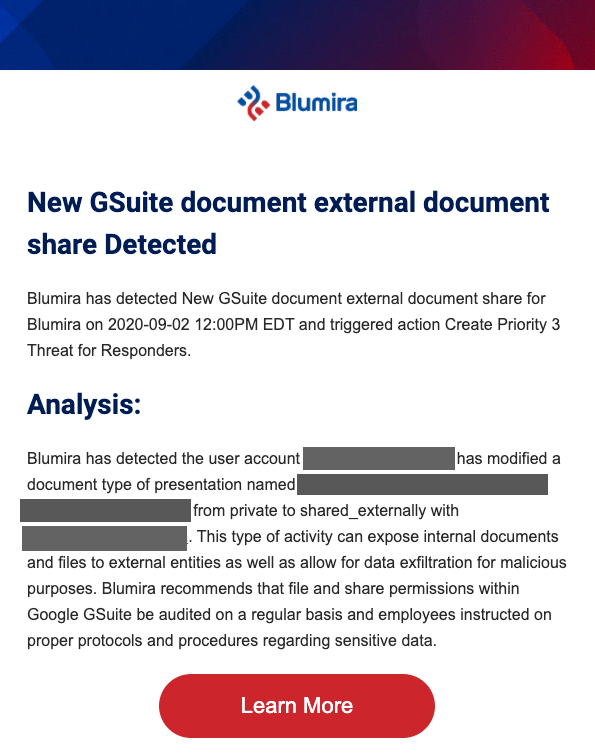
    May 13, 2020

    Palo Alto Next-Generation Firewalls Integration: Automated Threat Detection & Response

    Palo Alto Networks (PAN) recently released PAN-OS 9.0, the software behind their next-generation firewalls. PAN-OS 9.0 helps simplify operations with analytics and automation, giving you visibility and control across the data center, perimeter, branch, mobile and cloud networks.

    Sending Firewall Logs to Blumira for Threat Analysis

    Blumira’s vendor-agnostic security platform integrates with a wide variety of firewall, endpoint protection, identity, cloud infrastructure and many other solutions to collect and centralize logs.

    That includes integrating with Palo Alto Next-Generation Firewalls to help you glean insights from their firewall logs – by ingesting them into Blumira’s platform, you can start detecting and responding to threats earlier in the attack chain. We parse your firewall logs for you into useful information, reducing the amount of alert noise and false-positives to only the most important detections.
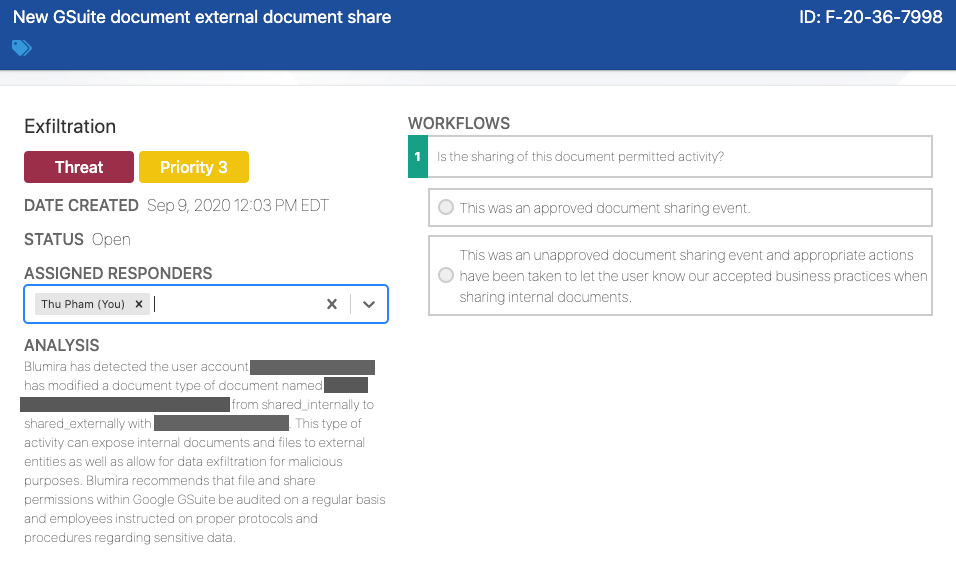
    Here’s a few examples of detections that Blumira can alert you to, once integrated with your firewall:
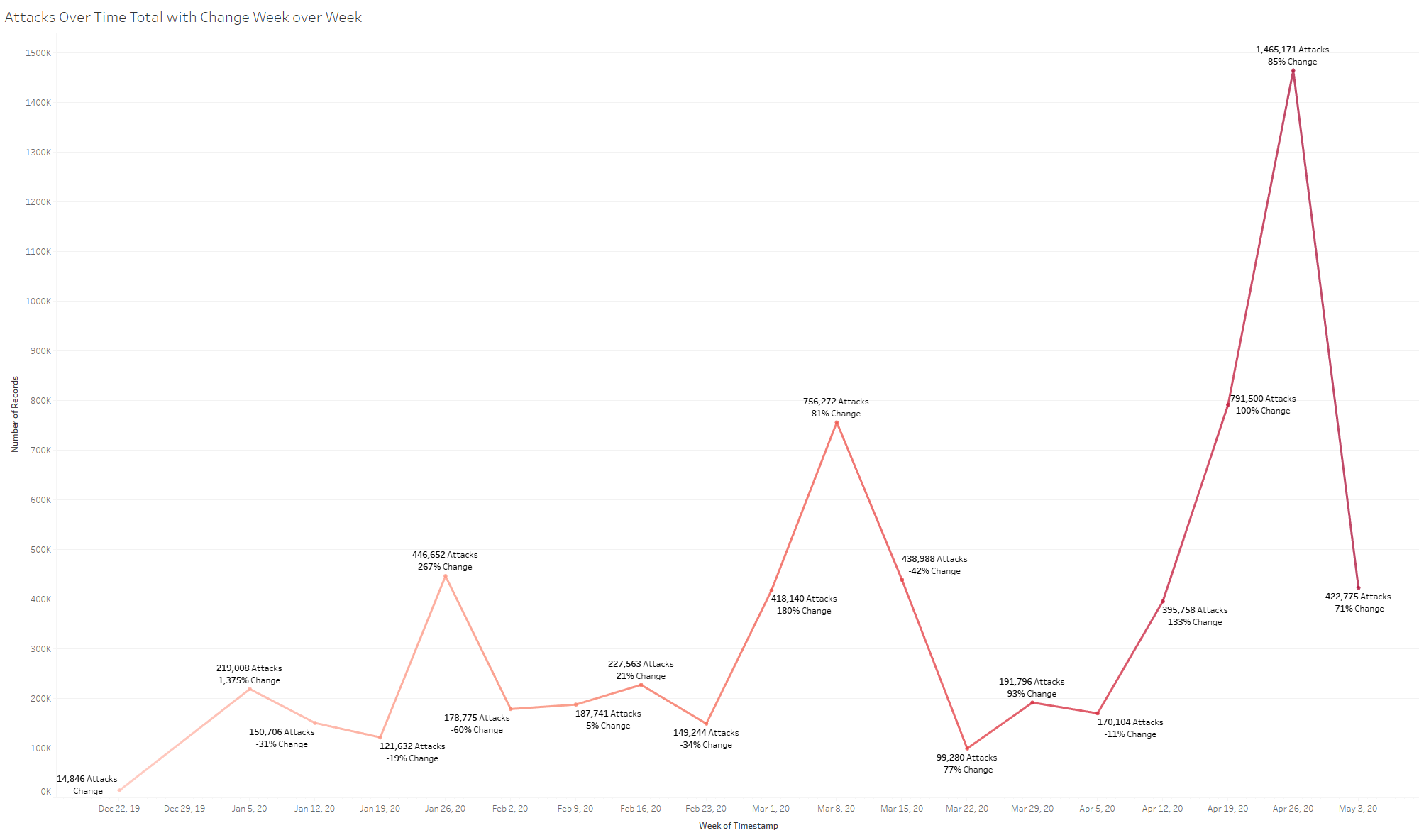
    Reconnaissance Scanning

    Reconnaissance (or discovery) is a term to describe when an attacker is attempting to figure out your environment, gaining knowledge about your system and internal network before they take action (MITRE).
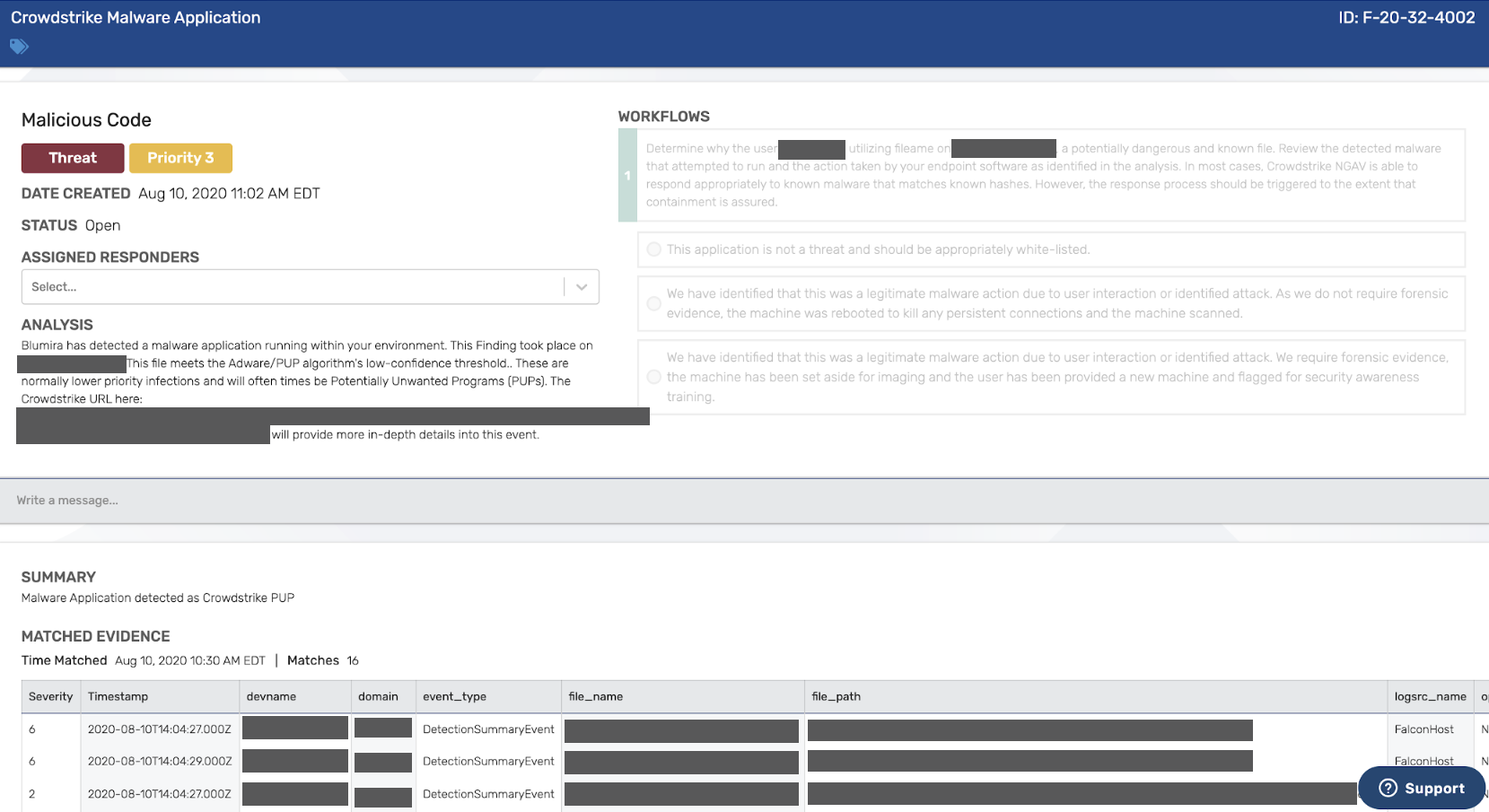
    The Detection

    In this example, Blumira detected external attackers scanning to determine which hosts within the DMZ are vulnerable to server-side exploitation methods. An external scan is performed from outside of your network and aimed at identifying known weaknesses in your network’s public-facing infrastructure. An internal scan is performed from a system behind your perimeter firewall searching for vulnerabilities on internal hosts that could be exploited (SecurityMetrics).

    We correlated a sequence/series of IPS events (a set of signatures an intrusion prevention system uses to detect malicious network behavior) aided by the many threat intelligence feeds we use to determine that they are, in fact, listed as bad actors.

    This activity is notable because it’s based on the combination of both targeted enumeration (when an attacker establishes an active connection to a target host to discover attack vectors in the system) and the source originating from a known attacker infrastructure.

    The Response

    Blumira’s platform gives admins an easy way to see all of the associated information, one-click remediation, plus easy configuration options for automated mitigation of future attacks – all integrated with your firewall.

    Stacked Matched Evidence
    Under the detection analysis, we provide matched evidence stacked below for ease of investigation and analysis – this lists out a brief summary of the finding, the source countries the scanning is originating from, the destination IP/ports, source IPs and the specific threat feeds that correlate with our findings.

    One-Click Response
    Within the same Findings dashboard, you can respond to this threat with one click. Our pre-built playbooks come with security recommendations from our team of security experts to help your team understand how to take action, once alerted to a priority finding. Below, you can choose to immediately block the “bad guy” IPs for the next seven days.

    Automated Response via Firewall Block Lists
    Or, instead of manually blocking these IPs every time they’re detected, you can choose to block the IPs at the firewall permanently. Blumira integrates with Palo Alto’s External Dynamic Lists (formerly called Dynamic Blocklists), giving admins an automated way to reduce your attack surface.

    Below is an example of where you can configure your blocklist options, add a block rule via IP address, and then check “Automated” in order to automatically block these IPs or domains.

    Community-Based Blocking
    You can also choose to opt into the Blumira blocking community, which means your organization accepts blocked IPs and domains from other organizations that have opted in. This type of shared community-based detection helps you respond early and further reduce your overall attack surface without much manual intervention on the part of your administrators or responders.

    In addition to this reconnaissance (or discovery) example, Blumira can help you detect other indicators of a compromise, such as data exfiltration. The platform can also alert you to common misconfigurations, like allowing connections from public IP addresses, so you can reconfigure to reduce your overall attack surface.

    See our video walkthrough of Blumira’s integration with Palo Alto Next-Gen Firewall to learn more:


    And check out our other firewall, endpoint protection, identity, cloud infrastructure and other integrations. Schedule a live demo today for a more detailed walkthrough of Blumira’s platform.

    May 12, 2020
    Webinar

    Automating Threat Detection & Response Webinar


    Join Blumira's VP of Ops Patrick Garrity for an overview of how to automate your threat detection &amp; response with Blumira's modern security platform.

    During this webinar, you'll learn:

    • How to use Blumira's platform and stacked matched evidence to learn more about attacks on your infrastructure and environment
    • Examples of different threat detections and what they mean
    • How to respond to detections using Blumira's pre-built playbooks for security mitigation recommendations
    • How to easily set up an integration with your existing firewall, identity, cloud infrastructure or endpoint protection providers
    • How to configure automated threat responses via block lists


    Presenter Info

    Patrick Garrity, VP of Operations at Blumira
    Patrick has years of experience in the security industry building and scaling usable security products. He currently leads Blumira’s product, sales and marketing teams. Prior to joining Blumira, he led sales engineering, product marketing and international expansion for Duo Security.

    May 05, 2020

    Blumira’s Threat Hunting Playbook

    The Blumira security team was recently engaged by an existing Blumira customer to perform a general security integrity test on their newly acquired company. The Blumira platform automates the threat hunting process in order to save our clients from countless hours of security analysis.

    The examples that follow discuss elements of our threat hunting playbook, crafted by our team to efficiently check all avenues of the network. We wanted to share some of these basic methodologies for threat hunting with our readers so they may take a look at their own networks!

    Phase 1: Gathering Network Information (Easy to Hard)

    Without knowing the network, it makes it difficult to run reconnaissance scans and know what to scan. When an attacker gets into a network or a penetration tester simulates adversary activity on a network, they have the capability of interacting with that network in order to find holes to attack. It is worth noting that our team does not carry out these types of tests, rather our goal is to find possible data exfiltration, abnormal logins, critically vulnerable servers, etc.

    If you’re carrying out this threat hunting test, it is vital to have general asset management documentation at your disposal. We recommend using asset management software such as AssetPanda, Upkeep, or, if you want to go the free route, Microsoft Excel works just fine.

    You want good documentation of assets to avoid missing a scan of a set of servers vulnerable to Eternal Blue (MS17-010), for example, which has shut down large corporate networks for weeks, resulting in millions of dollars lost in revenue – all due to missed Microsoft patches!

    Phase 2: Network Scanning (Medium)

    With the proper network documentation, you should be able to easily stand up a Nessus scanning server internally and scan your network. Nessus is a powerful scanning tool that can provide a report on vulnerable hosts on your network and how to patch those hosts. We highly recommend using Nessus or something similar as it can quickly call out critical vulnerabilities that may have been exploited already. Closing those security gaps are the most important tasks when executing a security assessment such as this.

    When executing these scans, you must keep in mind that “loud” and “aggressive” scanning can impact a network’s performance. Once you have consent from your managers to do network scanning, we recommend starting with a basic scan which should not affect your network performance.

    Nessus is a good choice here as they have crafted templates for basic networking scanning, as well as more specific scans such as host discovery, compliance and specific exploits you may be looking for.

    Phase 3: Exploring Account Privileges (Medium)

    Other than security vulnerabilities, misassigned account privileges are a very common threat we find on networks. When creating account policies, it’s best to ask questions such as “Why does an IT support person need access to the network share containing financial information?” The Blumira platform is adept at recognizing suspicious escalated privilege behavior at both the system and network level. Insider threats and external attackers alike routinely rely misconfigured account privileges to perform lateral movement.

    An example we saw recently was that newly created accounts in the “Vendor” group could execute PowerShell commands and browse various internal documentation shares. These security gaps are very frequently associated with insider attacks. If you have domain administrative rights, the best way to run a test of your own is to create various users in various groups within your AD environment and click around! See what you can find!

    As a general guideline for enforcing least privilege access, we recommend locking down Command Prompt, PowerShell, as many shares as possible from users who don’t require them for day to day work, and restricting local admin privileges as much as possible. With PowerShell access, attackers have full rein over a host.

    Command Prompt is another powerful tool attackers can use to gain access to sensitive data. If a user in sales (no offense sales!) has access to PowerShell currently, it may be in your best interest to disable that access. Keep in mind that there is a chance of network functionality loss if these tools are disabled for the wrong people, but auditing that access need is quite easy!

    Phase 4: Checking Suspicious Outbound Traffic (Medium to Hard)

    Check security reports over the last 48 hours that include logins originating from abnormal locations such as out of typical countries/regions or the most visited outbound destinations. More sophisticated attackers aren’t generating a ton of data at one time; looking at the past two days of outbound data reports may allow you to easily find malicious actions. If you happen to see an internal host reaching out to a high-threat country destination thousands of times a day, you may be witnessing data exfiltration or command and control traffic.

    Blumira makes this log analysis easy by first integrating with numerous next-generation firewalls and secondly, applying pre-defined threat detection criteria specifically designed to recognize this behavior as well as employing SOAR (security orchestration, automation and response) technologies to easily remediate it. We’ve seen examples in the past where we’re asked to check a server for vulnerabilities and we find very high amounts of Chinese traffic in the logs, meaning the server was owned before we could stop attacks with Blumira.

    Lastly, check your geoblocking policy. Unrecognized foreign-bound traffic can be a sign of malicious activity. If your company has no business relations with a Chinese businesses or consumers for example, we recommend enacting a geoblocking policy for blocking inbound/outbound traffic from China and every other country that has no past business history with your organization. Geoblocking on the firewall is a huge defensive improvement that can stop attacks at the outer border of your network.

    An example of threat source locations in Blumira’s Manager Dashboard

    Takeaways

    This overview is scratching the surface of everything you can do to look for potential threats on your network, but definitely a good start into your hunt! Creating a report in the style of your Nessus scan can be a good way to get started on the remediation of the security gaps you found. Please reach out to our team with any questions about strengthening your security posture with Blumira!

    April 27, 2020
    SIEM XDR

    Duo + Blumira: Identity, Monitoring & Threat Detection

    Blumira has built an integration with Duo Security, now part of Cisco, to bring a powerful solution to the forefront by providing continuous identity monitoring and automated threat detection and response for organizations of all sizes. You no longer need a fully staffed security team to provide secure remote access for your remote workers – these days, you have enough on your plate, and your IT team is likely stretched to their limits.

    By deploying a lightweight software sensor, you can quickly start centralizing logs from all of your security tools and systems onto Blumira’s modern SIEM platform, including Duo’s security logs. Blumira automatically analyzes all security events for potentially suspicious activity so you can better detect and respond to attacks such as ransomware, data exfiltration, brute-force attacks and other indicators of malicious behavior.


    Blumira’s Manager Dashboard shows you detected threats by priority level.

    Here’s a few use cases in which Blumira, once set up with Duo, can provide actionable threat detection capabilities, as well as automated playbooks to help customers fully understand the threat and respond to it quickly.

    Use Case: User Account Lockout

    Blumira can detect Duo user account lockouts – while this may be attributed to user error, it can also occur when an attacker is attempting to brute-force a network asset or launching a Man-in-the-Middle (MitM) attack.

    In a brute-force attack, automated software is used to generate a large number of consecutive guesses of a user’s password or personal identification number (PIN) in order to steal the information and gain access to their account. A MitM attack is when an attacker secretly listens in on communications between two parties, with the intent of stealing personal information or gaining access.

    Once alerted to this detection, Blumira gives customers more contextual analysis and a predetermined set of security recommendations to help them make a decision on how to respond. This is known as automated playbooks, or workflows, provided to the customer within our Findings dashboard – an example can be seen below.

    In this example, after detecting a Duo user lockout after 10 failed authentication attempts, Blumira provides a set of options for an administrator, including steps for how to unlock the user’s account.

    Use Case: Access Denied – Likely Credential Compromise

    In another use case, Blumira can detect a denied Duo access attempt. That means a user has intentionally denied a Duo Push authentication request sent to their phone via their Duo Mobile app. This detection indicates that the user’s primary credentials have likely been stolen, and an attacker is attempting to access your systems through their account.

    While Duo blocks access to your systems through two-factor authentication, Blumira can notify your administrators to take action.

    Blumira provides a playbook to walk you through remediation, including security recommendations for resetting user credentials. In this case, the user’s Active Directory password should be reset, and Blumira provides specific instructions on how an administrator can do that, seen below.

    Use Case: Password Spraying

    Password spraying is when an attacker tries out a few authentications against many users, which is a technique attackers use to avoid triggering brute-force detections or lockout protections put in place by security tools.

    Blumira can detect anomalous access attempts, that is, if one or many Duo login prompts have originated from a certain IP address, against a particular user or several users.

    This indicates that there’s an increased rate of failure from that particular IP address, meaning that an attacker is likely attempting to gain access through credential reuse or other credential attacks.

    In the example seen above, Blumira can detect anomalous access attempts against a number of users’ Cisco AnyConnect VPN accounts. This indicates that an attacker is attempting to authenticate to your VPN using a password spraying method.

    In addition to the threat detection analysis, Blumira provides threat response workflows and recommendations. In this case, we recommend blocking IPs that are the source of the password spraying attack, and then provide a one-click option for administrators to quickly block them.

    Modern SIEM: A Force Multiplier

    Typical SIEM solutions are complex and require months if not years to set up. Blumira can be set up and running in a matter of hours and days, integrating with your current tools – meaning you can more quickly realize the value of security detection and response.

    Plus, traditional SIEMs only aggregate your logs – Blumira is designed to bring you actionable security alerts, then guide you through the act of response and remediation with simplified playbooks that anyone can understand – no need to be a security expert. See the full capabilities of Blumira’s modern SIEM platform, or request a live demo today.

    Learn More About Blumira + Duo

    And download “The Modern SIEM Evaluation Guide” to find out how to select a SIEM that meets your security needs without significant overhead.

    In this guide, you’ll learn:

    • Common challenges with the traditional SIEM approach
    • What to expect from a SIEM platform and why it is crucial to your organization’s security strategy
    • Key considerations for modern SIEM

    Download the free SIEM evaluation guide now.

    March 11, 2020
    Video

    Demo: Set Up Blumira With Third-Parties


    Security Integration Demo: Set Up Blumira With Third-Parties

    In this video, we walk through:

    • How to connect Blumira's sensor with other products via APIs
    • Setting up a new sensor module to start ingesting logs
    • How to start detecting threats right away - including insider threats or external attackers

    Learn more Blumira's different integrations with firewalls, endpoint protection, identity providers, cloud infrastructure and many other solutions.

    March 11, 2020
    Video

    Demo: Set Up Palo Alto Firewall With Blumira


    Integration Demo: Palo Alto Next-Generation Firewall + Blumira

    In this demo video, we walk through:

    • How to set up log collection from Palo Alto's Next-Generation Firewall to Blumira's platform
    • Threat detection use cases, like reconnaissance scanning and data exfiltration
    • Common misconfiguration detections, like allowing public IP connections
    • How Blumira enables you to block source IP addresses and attacks with dynamic blocklists
    • How Blumira allows for manual and automated threat response

    Learn more about Blumira's integration with Palo Alto Next-Generation Firewall, and see Blumira's other firewall integrations.

    Palo Alto Firewall Integration Video Transcription

    I'm going to do a walkthrough of Blumira's integration with Palo Alto's Next-Generation Firewall.

    You can see here that I'm in the Blumira dashboard. I'm going to click into the Responder view, where I've received notifications of active threats within my environment.

    We'll start by showing an example of reconnaissance scanning that's happening on my firewall. We've been able to detect that this is anomalous behavior, and is a real threat, so I'm going to respond to this threat.

    Essentially, it's telling me specifically where the attack is coming from, and how we detected that this is an active threat.

    We can see the matched evidence below, and this is continuing to happen over time via a few different IP addresses with our stacked evidence technology.

    All I need to do is decide to immediately block the source IPs for the next seven days and click resolve.

    Through Blumira's integration via dynamic blocklists, we've added a block rule via IP address on the Palo Alto firewall.

    You can see the configuration here, and I manually responded to this ticket. In this example, I could have automated by checking this box. It wouldn't require any human interaction, which makes it really easy, effective and quick to respond and block threats without any human interaction.

    We also have the capability to apply threat feeds so I can automatically do blocking of known bad actors. From a community perspective, we can opt in to understand when someone within the Blumira community detects a threat and reports that - we can block those automatically on the Palo Alto firewall, as well.

    A few other examples of common detections through our integration with Palo Alto Networks - one example could be that a detection that someone is trying to exfiltrate a large amount of data. In this instance, a 1GB+ outbound connection via HTTPS could be a real risk that you would want to investigate.

    There's also examples of common misconfigurations - so, here's an example of a public IP address that has been detected to be able to access internally via RDP. You want to make sure that this RDP connection is only accessible behind something like a VPN. And so, you would want to update your firewall, for example, to ensure that that is only available via VPN.

    And that's a few examples of Blumira's partnership and integration with Palo Alto's Next-Gen Firewall.